In this tutorial, we will show you how you can sum up story points from linked epics to an initiative with a Manual Trigger.
Setup
Initiative Issue Type

For this rule to work properly you will need to ensure that you have an "Initiative" issue type in your Jira environment. (Note: feel free to use any other issue type such as "Feature" to meet you teams need)
Unique Link Type
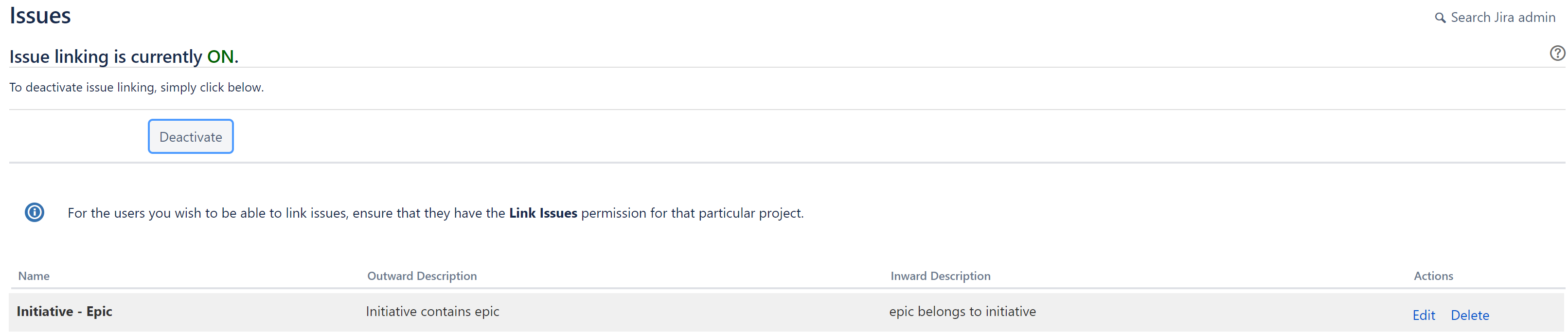
You will also have to ensure that you have a unique link type relationship that you can use for your automation. In our example, we created a new link type called "Initiative - Epic" with specific outward and inward links. For our automation rule, we are using the outward "Initiative Contains Epic" relationship.
Key Concepts
Manual Trigger
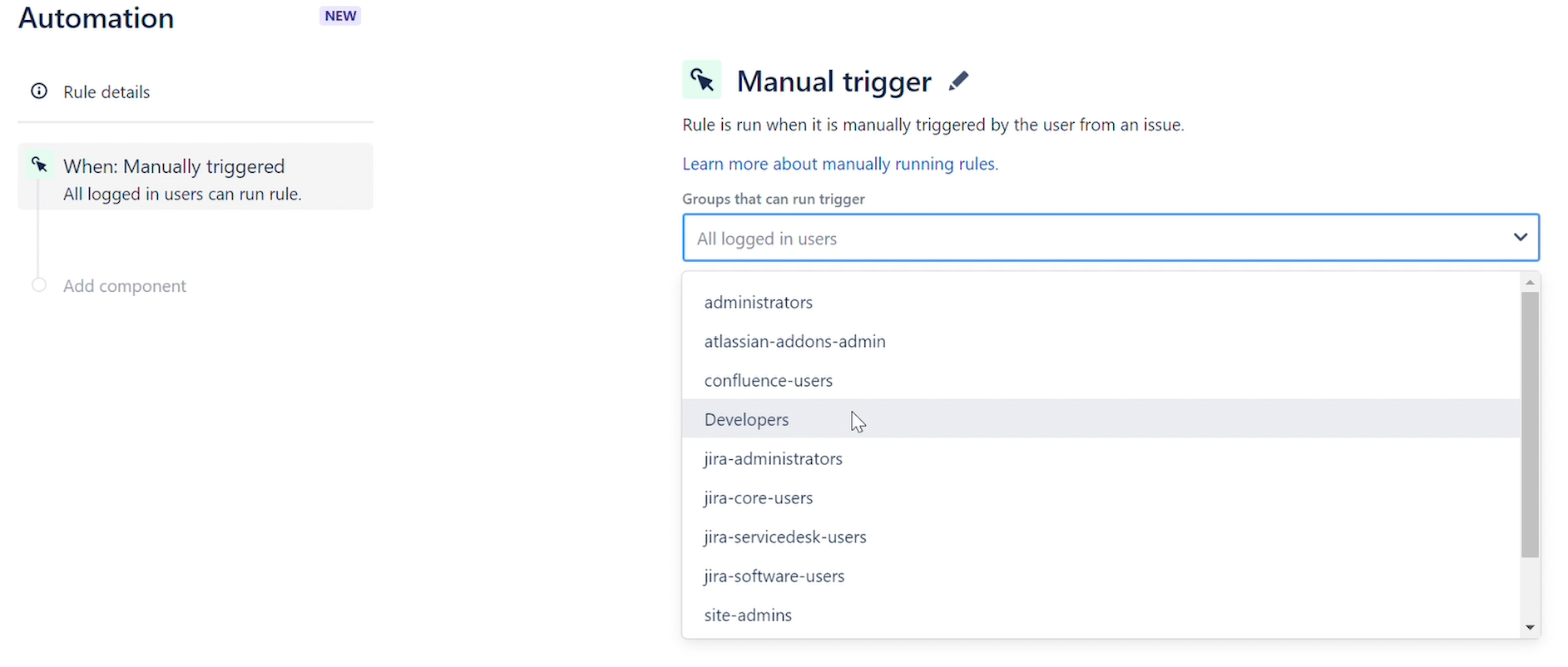
The rule will run when it is manually triggered by a user. You can refine which groups can manually trigger a rule. This trigger is useful for automating common tasks, or testing or debugging a rule.
You can then go the ticket and click on the "Rule executions" section.
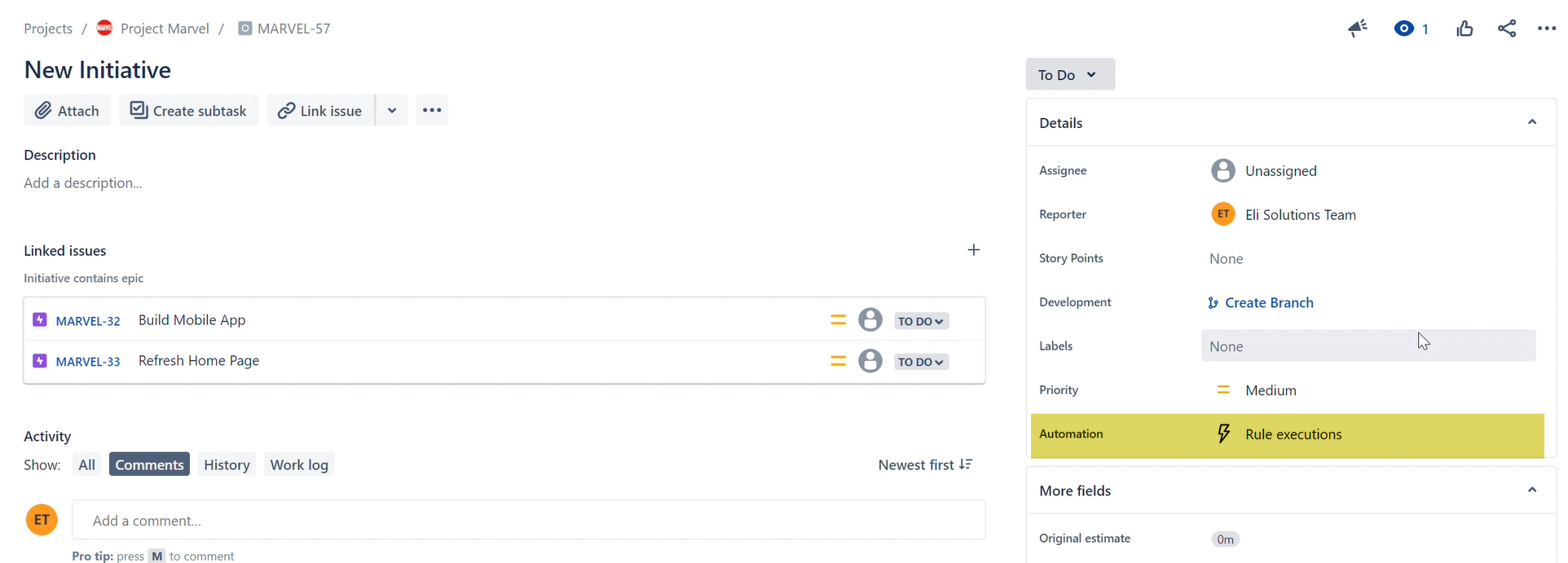
Select the manual trigger you want to execute and run it.
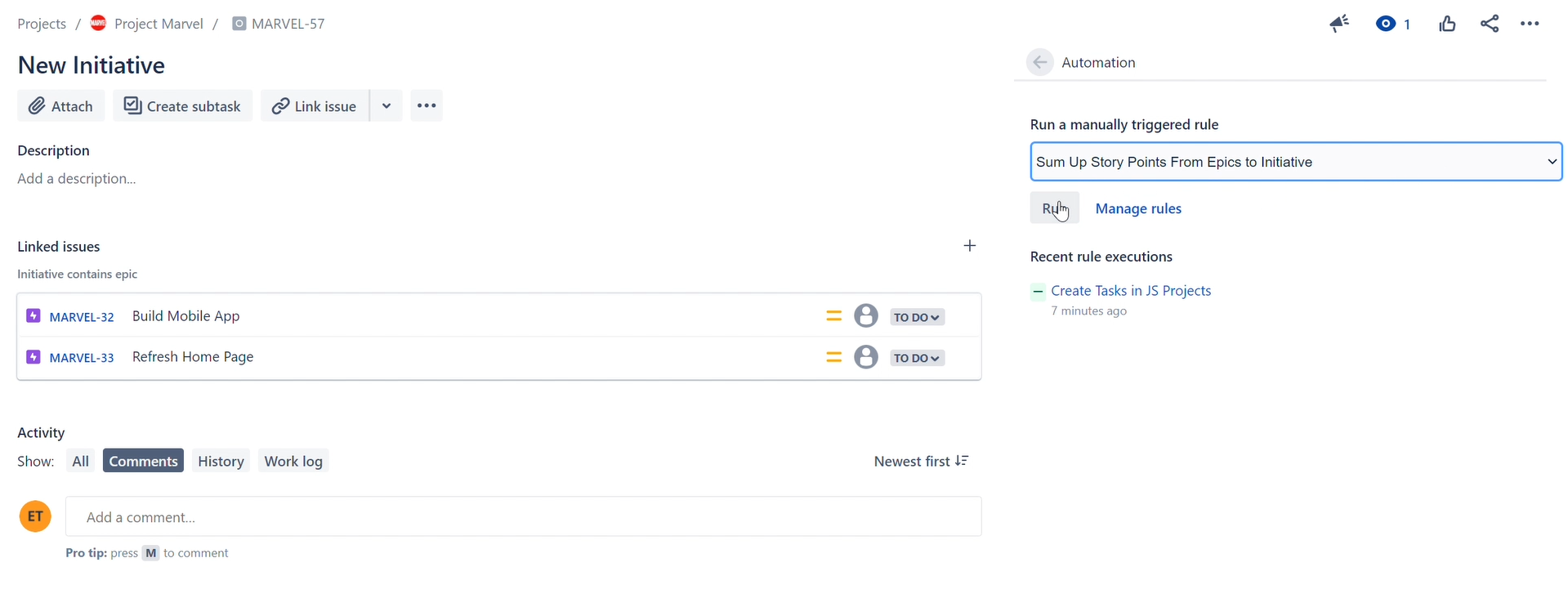
Remember to refresh the page to see the latest changes.
Lookup Issues Action
We use the lookup Issues action to get a list of all epics that are linked to the initiative that is triggering by the rule.
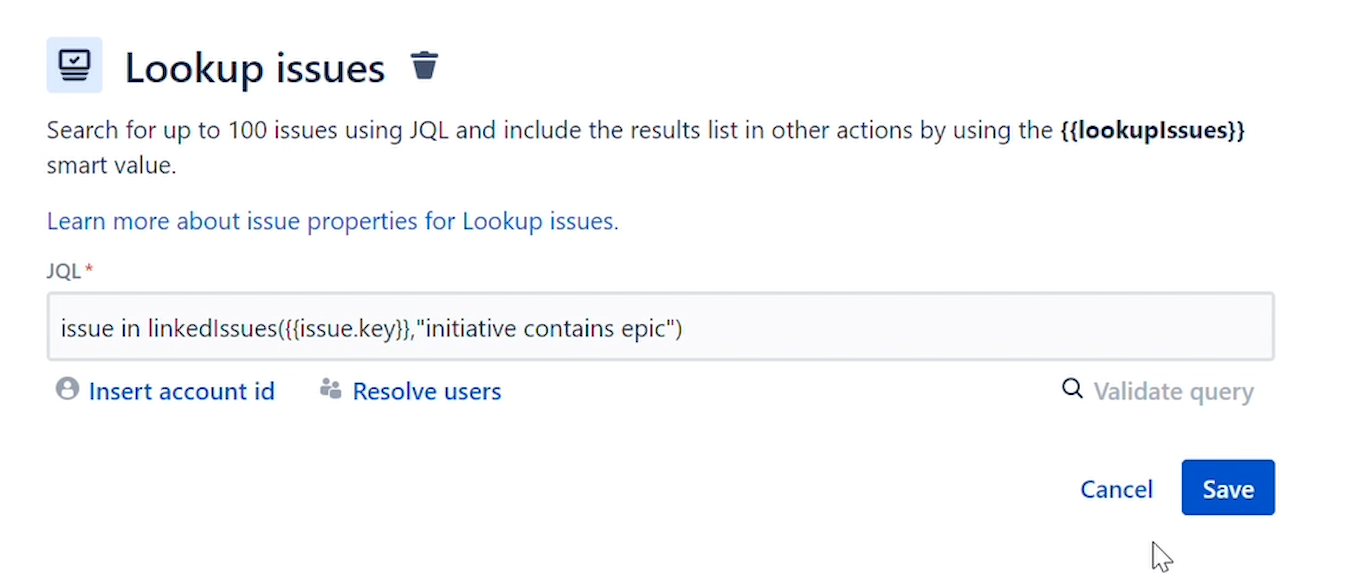
- JQL Lookup: issue in linkedIssues({{issue.key}},"initiative contains epic")
- Issue in LinkedIssues: Find issues that are linked to a particular issue via a particular type of link.
- {{issue.key}}: smart value to reference the issue key, in this case the "Initiative".
- "initiative contains epic": the link type that is used to get the linked epics.
Edit Issues
We use a smart value function to sum up the story points from the epics linked to the initiative
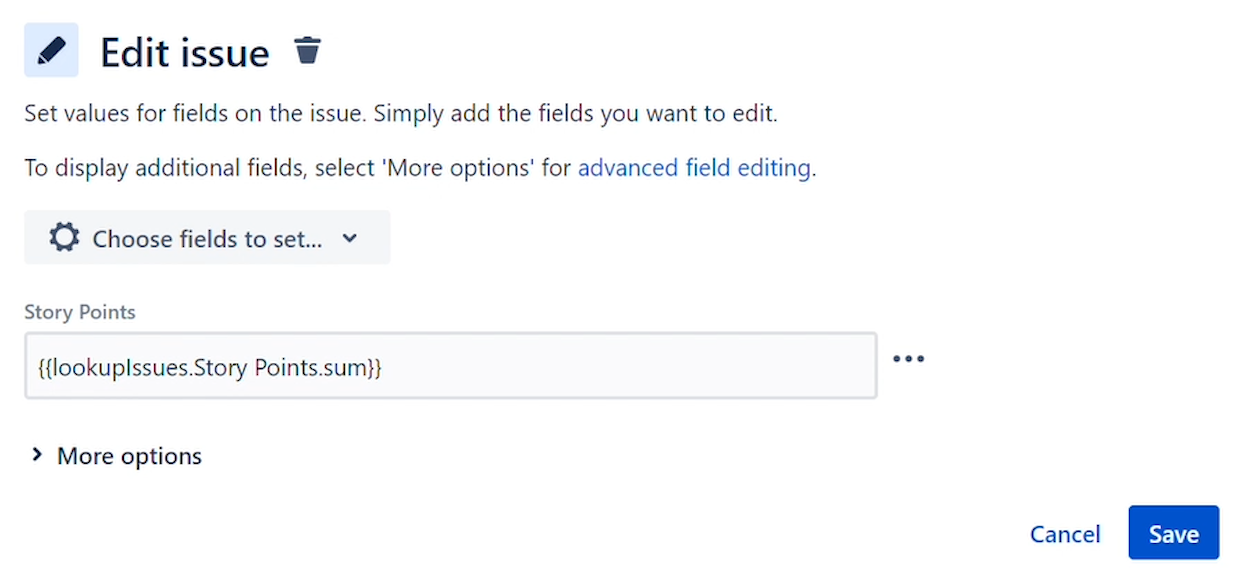
- Sum Up Story Points: {{lookupIssues.Story Points.sum}}
- lookupIssues: list of epics returned from the lookup action.
- Story Points: custom field that is used to sum.
- sum: smart value function that sums up the story points from the lookup issues list.
Click Here to view the video tutorial.
Thanks,
Eli Solutions

