EDIT: Epic panel was turned on by mistake, thus showing all epics (in a board of only epics) in the panel rather on the board itself.
I have created a kanban board, to show all my Epics.
The filter used is:
project = X AND issuetype in (epic) AND "Custom field1" in ("TeamName") ORDER BY Rank ASC
We have 6 possible statusses for en epic, and 5 coloumns on the board. Thus, we have used the kanban backlog for the remaining status.
Today the board suddenly showed no issues at all.
The only change we can think of, is that we have changed the name of the status used in the backlog.
This was done by adding the new status to the workflow, transitioning all issues with the old backlog-status to the new backlog-status, deleting the old backlog-status and adding the new backlog-status to the backlog in the board.
We have two other boards, with exactly the same setup, except they use another TeamName in the filter. These do not have any issues after this change.
While trying to find the issue, I discovered that by removing the status from the backlog (thus disabling the backlog) I can get all tickets to be shown correctly. However, when I activate the backlog again, no issues are found in backlog or board.
Why does the activation of the kanban backlog make all issues disappear from the board?
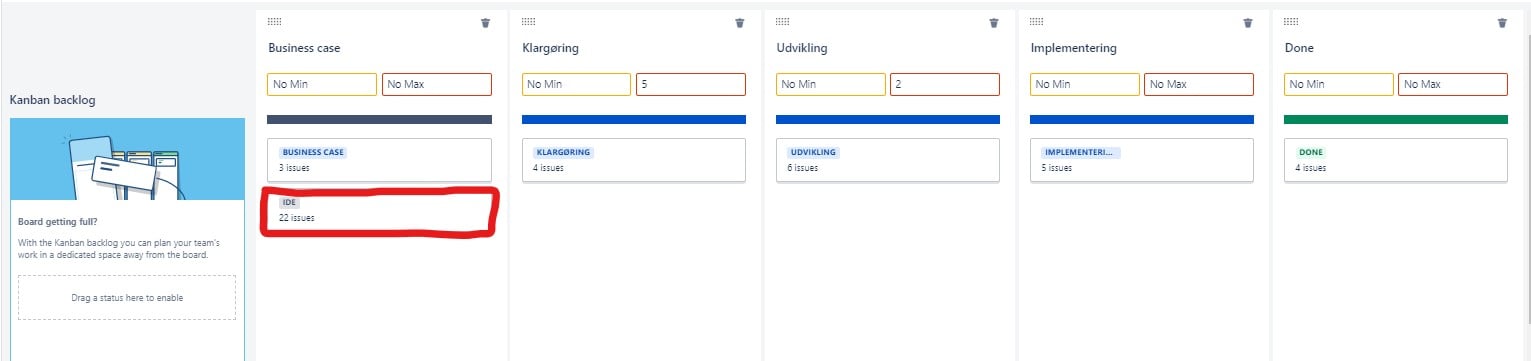
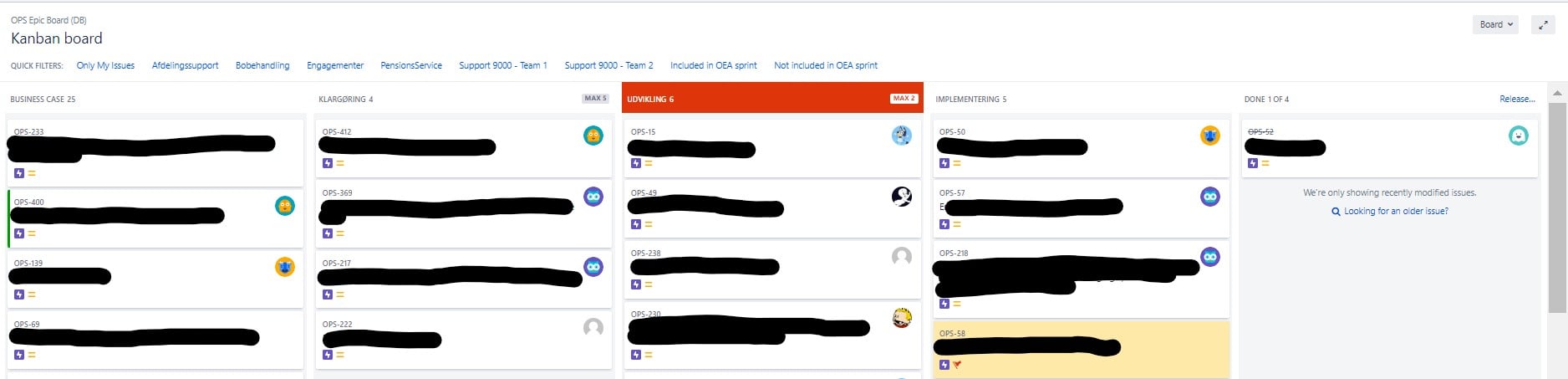
Picture 1. When the backlog-status is set to be shown in first column of the board, all issues across all columns are on the board
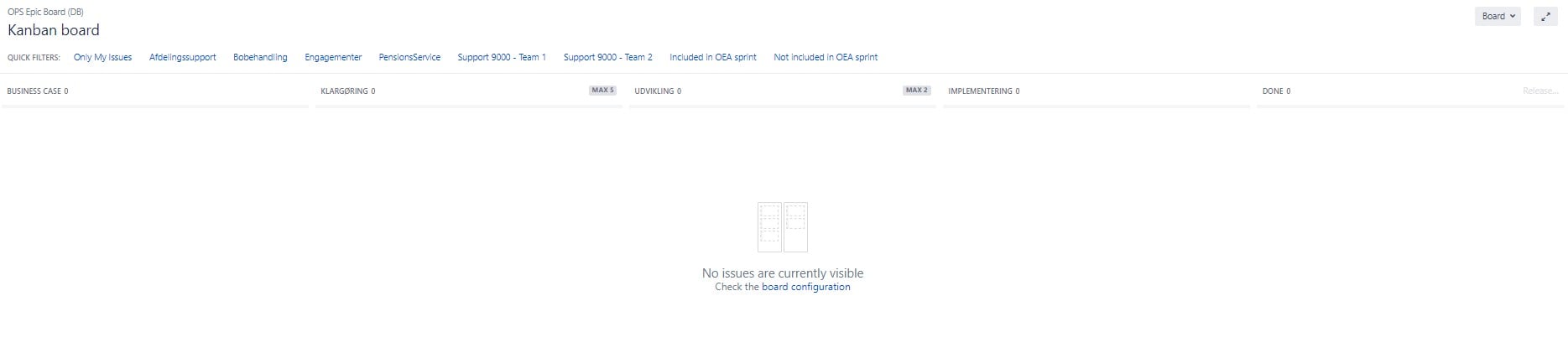
Picture 2. When the backlog-status is set to be shown in backlog, no issues are shown in any column or backlog
Picture 1
"Ide" status in first column = all issues seen on the board, including the ones with status = "Ide".
The same can be accomplished by removing "Ide" status altogether from the board. In this case the issues with status = "Ide" is not visible on the board (as expected).
Picture 2
"Ide" status in backlog = no issues on the board or backlog

I hope the smart people in here can tell me what I am missing 
Note, I have tried creating a new board based on a new filter (with the same JQL). This has exactly the same issue.


