Hi Everyone,
In this tutorial, we will show you how you can use manual triggers to create sub-tasks with Jira Automation.
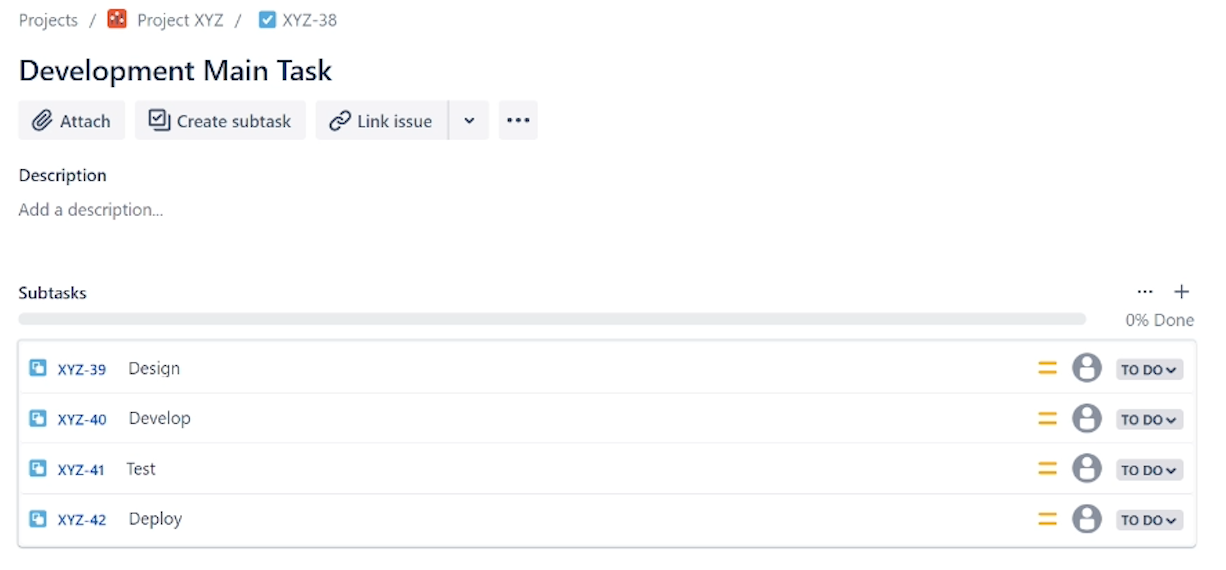
Rule 1: Create Dev Sub-tasks
In the first rule, we use a manual trigger to create development sub-tasks.
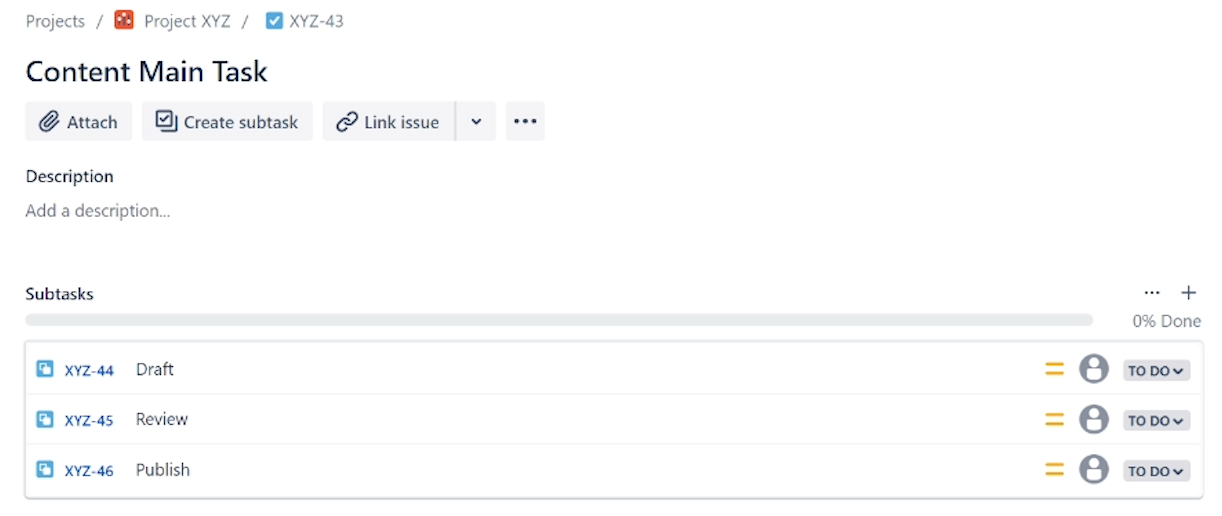
Rule 2: Create Content Sub-tasks
In the second rule, we use a manual trigger to create content sub-tasks.
Key Concepts
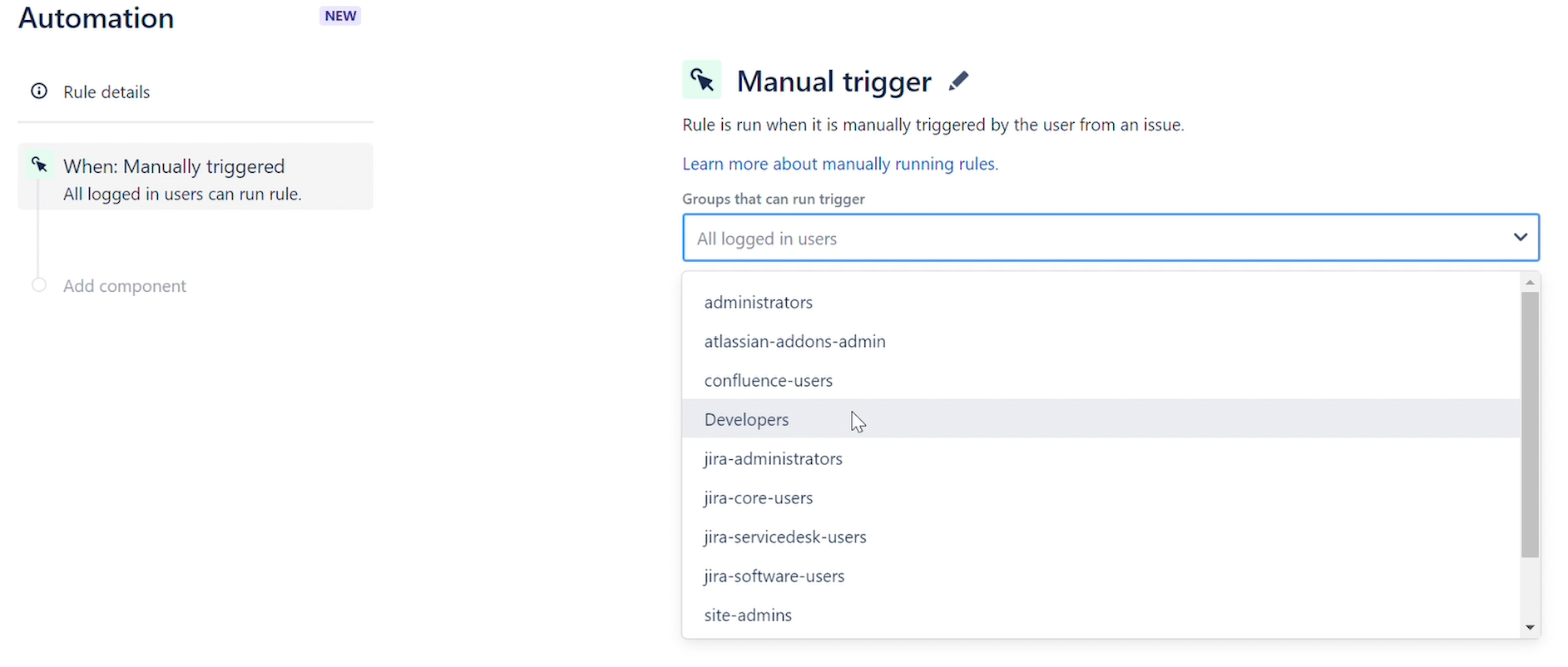
Manual Trigger
The rule will run when it is manually triggered by a user. You can refine which groups can manually trigger a rule. This trigger is useful for automating common tasks, or testing or debugging a rule.
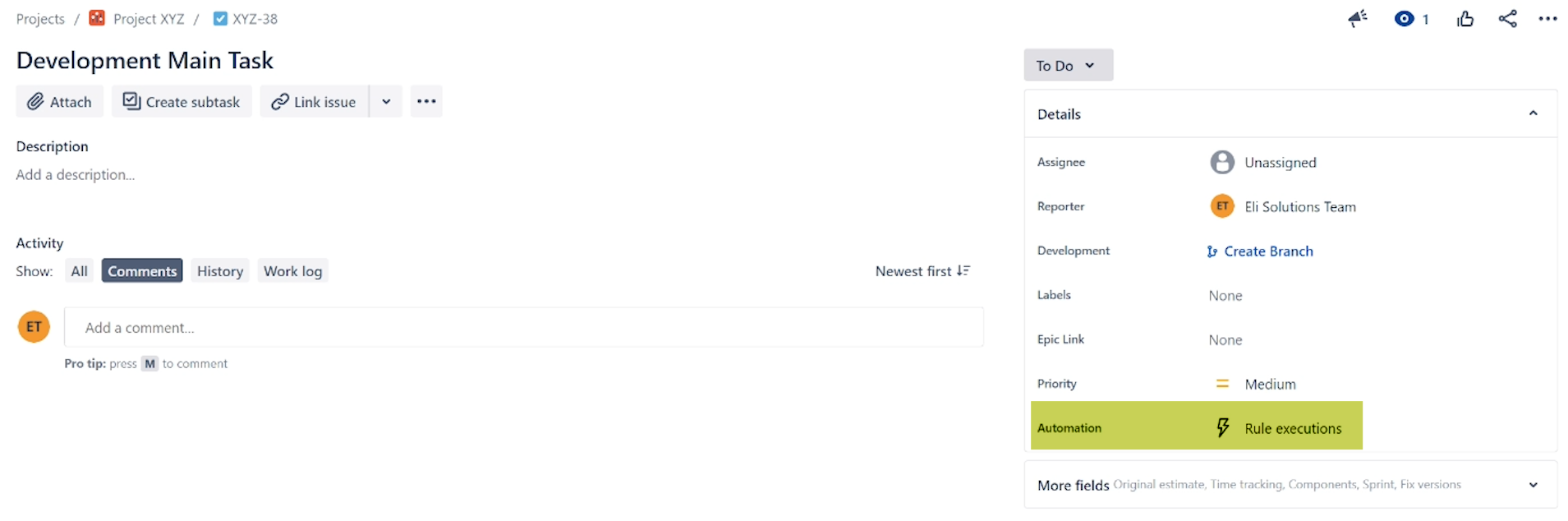
You can then go the ticket and click on the "Rule executions" section.
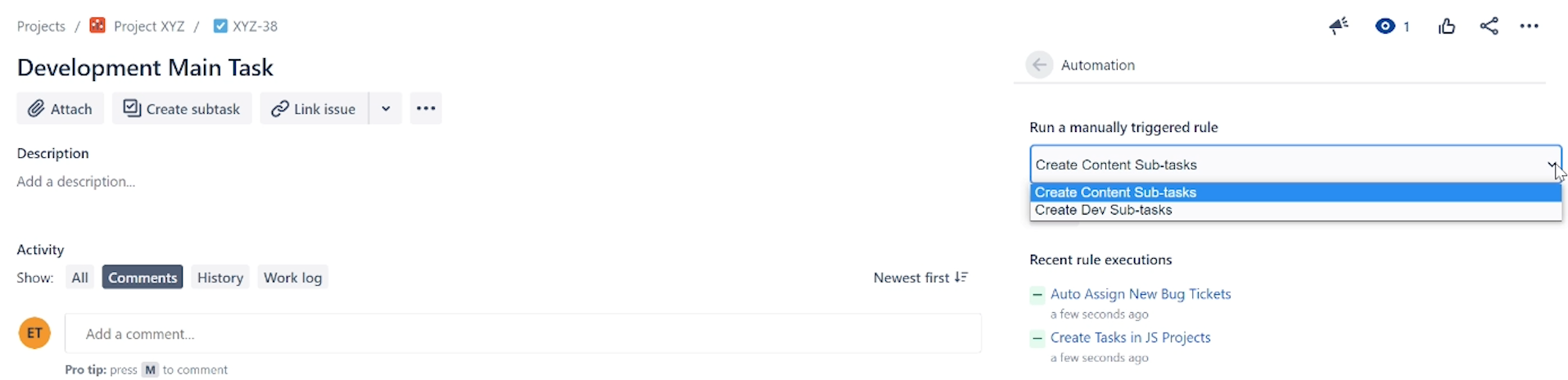
Select the manual trigger you want to execute and run it.
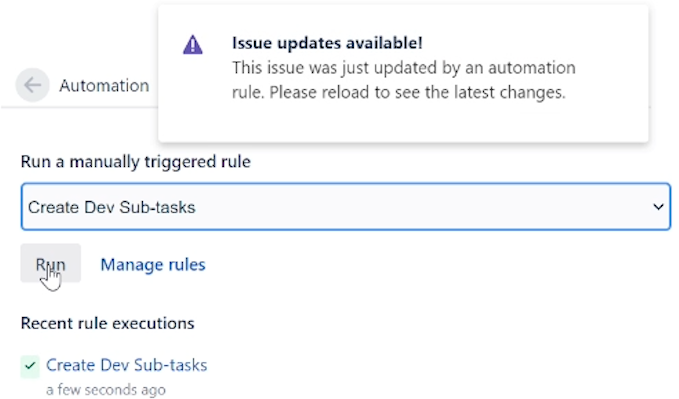
Remember to refresh the page to see the latest changes.
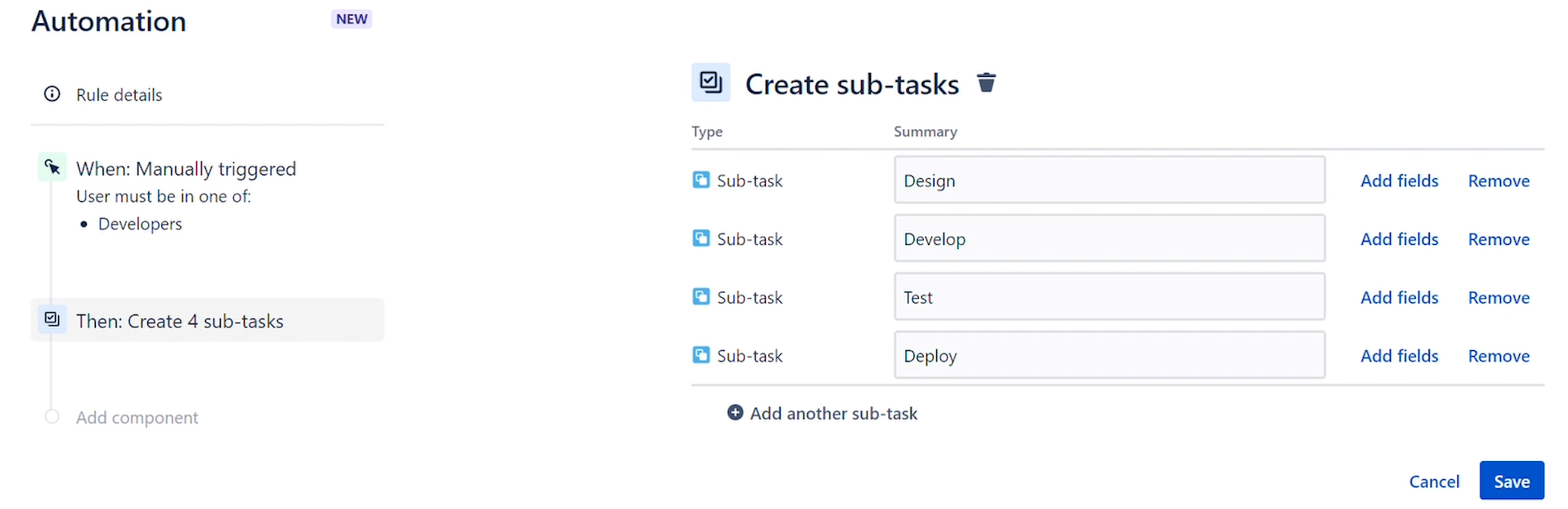
Create Subtasks
This action creates sub-tasks and only supports setting the Summary of the sub-task. Selecting Add fields will convert the Create sub-tasks action into a Create issue (issue type: sub-task) action, allowing you to set additional fields.
Click Here to view the video tutorial.
Thanks,
Eli Solutions


