1. Confluence Server version 7.13.0
2. STR: Open any document in Confluence for editing, write a few words.
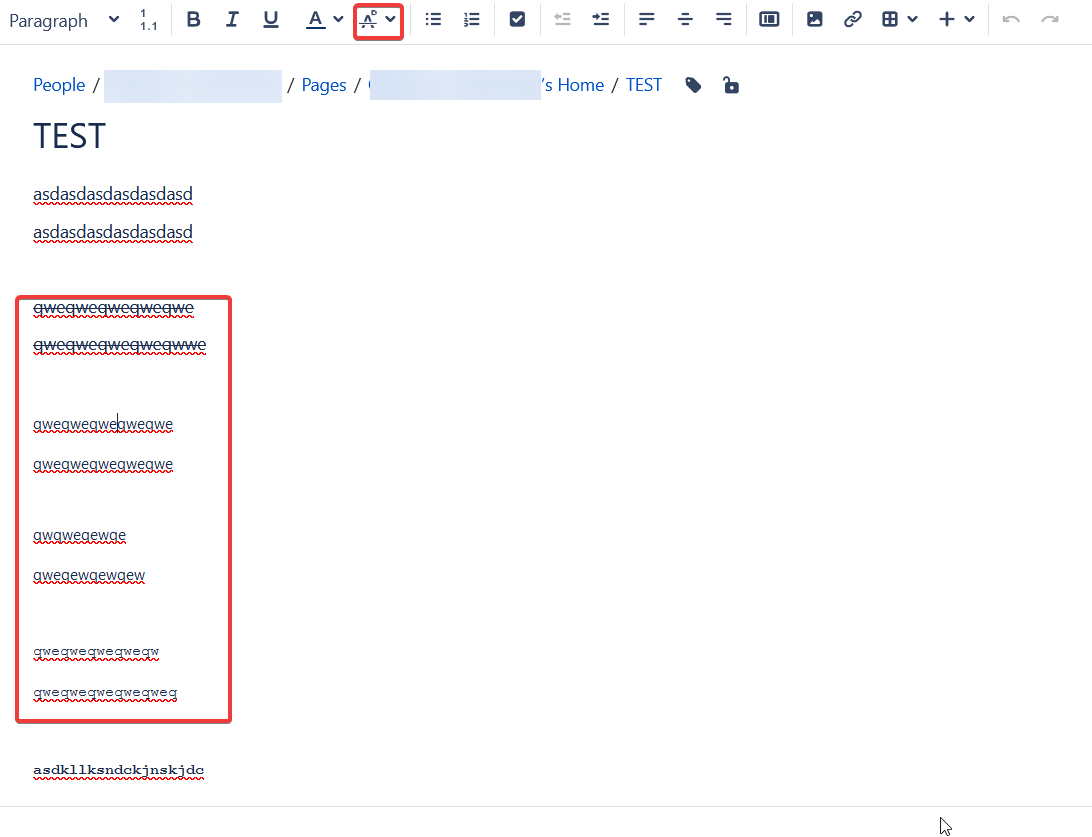
Select part of such texts with special text mode (Iʼve discovered it with monospace mode, but subscript/superscript/strikethrough does as well) using button labelled A-with-circle-and-strikethrough.
One may also check mode presence in Confluence Source Code Editor (<> button) - with monospace, the text is surrounded with <code></code>.
3. Expected: when the editing cursor is among the text with special mode, the button is highlighted, showing presence of a special mode.
4. Actual: the button remains not highlighted. As result, one shall provide special efforts to view what text is tagged monospace