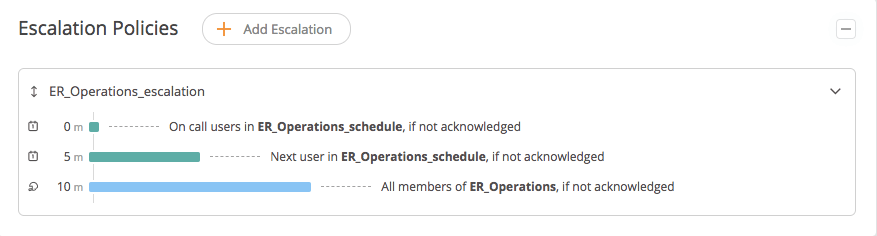
In conflict management, the word “escalation” describes the forwarding of a problem to the next higher level. In Opsgenie, escalations are used to notify specific people at a predefined time and in a predetermined order.
Escalation policies in Opsgenie ensure that an incident is definitely taken care of, and important issues receive the appropriate attention. Because if the first person in the notification chain does not respond to the notification after a certain period of time, the incident is escalated to the next higher level. Another action configured by you is consequently triggered. This can be, for example, the repeated notification or the addressing of another person or the entire team.
And how do notifications look like?
In Opsgenie there are 4 types of notifications:
-
SMS
-
Phone calls
-
Push notifications
-
Email
Notification settings give users the flexibility to specify what their preferred method of notification is and what, if any, time constraints or other limitations exist for them. The default notification method is to send an email. However, you can always customize the contact methods to your own preferences.
Configure Escalation Rules
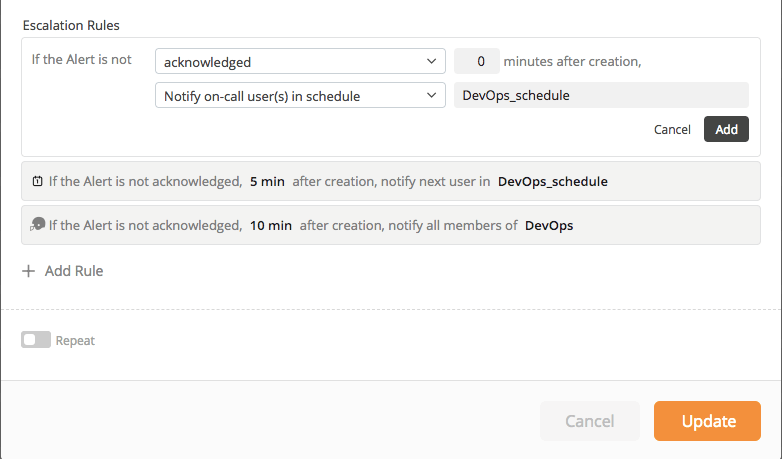
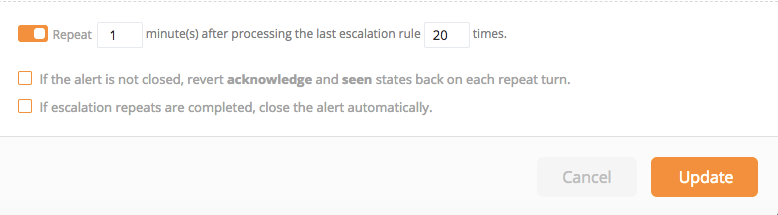
Use Escalation Rules to ensure that users are notified of an incident until the alert is acknowledged or closed. In addition, you can also trigger escalations manually, for example, when you receive a notification about an issue that you can’t resolve. Then it makes sense to directly elevate the problem to the next escalation level without wasting valuable time to fix the problem.
Who is notified and in what way is up to you. We will show you how to configure Escalation Rules.
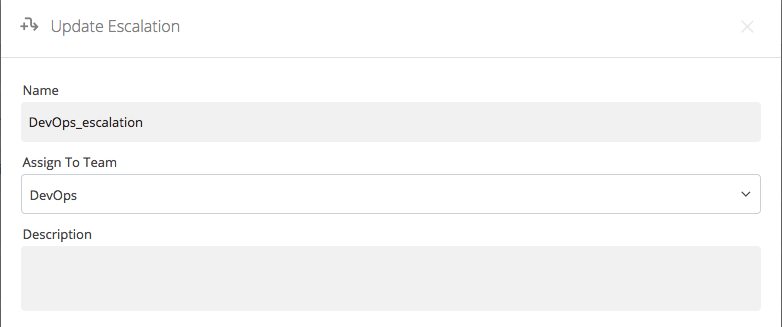
1. Name the rule and assign it to a team. Here it is beneficial to also add a description of the rule so that all team members and also other colleagues can see at a glance what the notification is about.