Hello.
I have upgrade confluence to 7.3.2 and i get the following error:
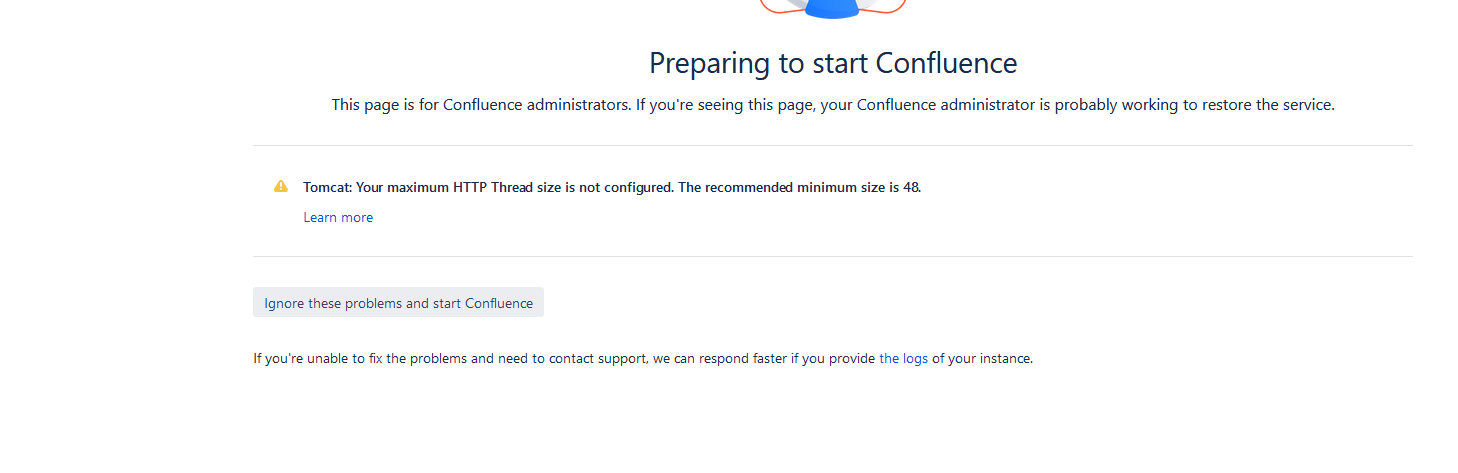
Everything seems to be working fine though.
I went to the resulting learn more link here: https://confluence.atlassian.com/confkb/startup-check-http-maxthreads-configuration-939930122.html?utm_source=Install&utm_medium=in-product&utm_campaign=csseng_fy18_q3_server_confluence_errorstate/promokodik.net
however i dont have any parameter called "maxthreads" in my server.xml. I am doing a custom string for SSL, so maybe that is why? if so, the document does not say where to put this, just somewhere in server.xml but well i am sure it needs to be somewhere specific. Is it on the "connector" area? or the "engine name" area? or what. Not very good documentation.
Its possible this existed in STOCK configuration, which i would have wiped out when i re implemented my SSL stuff which i have to do every upgrade.
i am using SQL server.
My current connector is this, do i put it in there?
<Connector port="443" maxHttpHeaderSize="8192"
maxThreads="150" minSpareThreads="25"
protocol="org.apache.coyote.http11.Http11NioProtocol"
enableLookups="false" disableUploadTimeout="true"
acceptCount="100" scheme="https" secure="true"
clientAuth="false" sslProtocol="TLSv1.2" sslEnabledProtocols="TLSv1.2" SSLEnabled="true"
URIEncoding="UTF-8" keystorePass="PASSWORD" keystoreFile="C:\Program Files\Atlassian\confluence\confluence.jks" connectionTimeout="20000" keyAlias="*.DOMAIN.CA" keystoreType="JKS"/>
if anyone knows that would be great, thanks.


