Super busy right now? Hey, we get it. That's why we created a 'remind me later' feature for iOS push notifications.
How to set a reminder
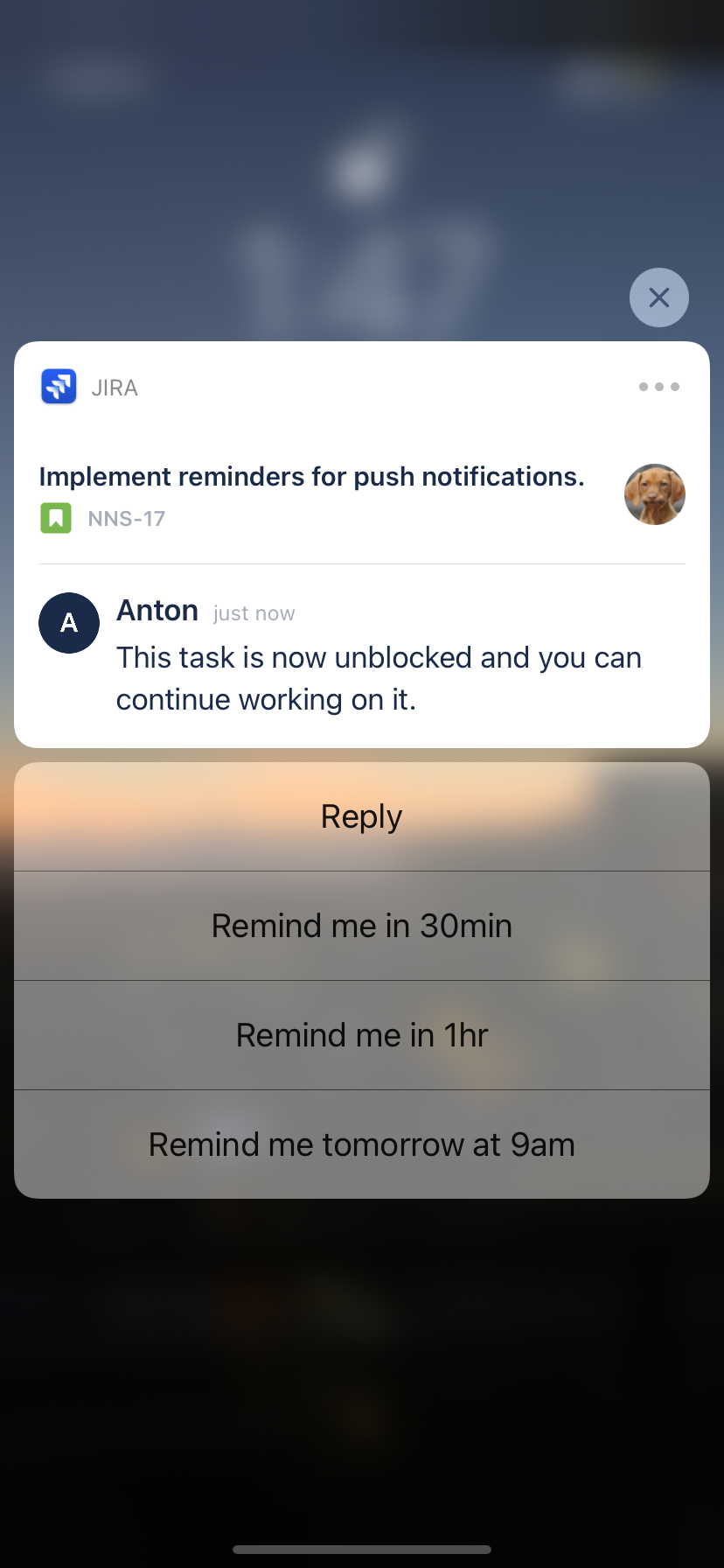
When you receive a Jira push notification, long-press the notification to reveal 'remind me later' options:
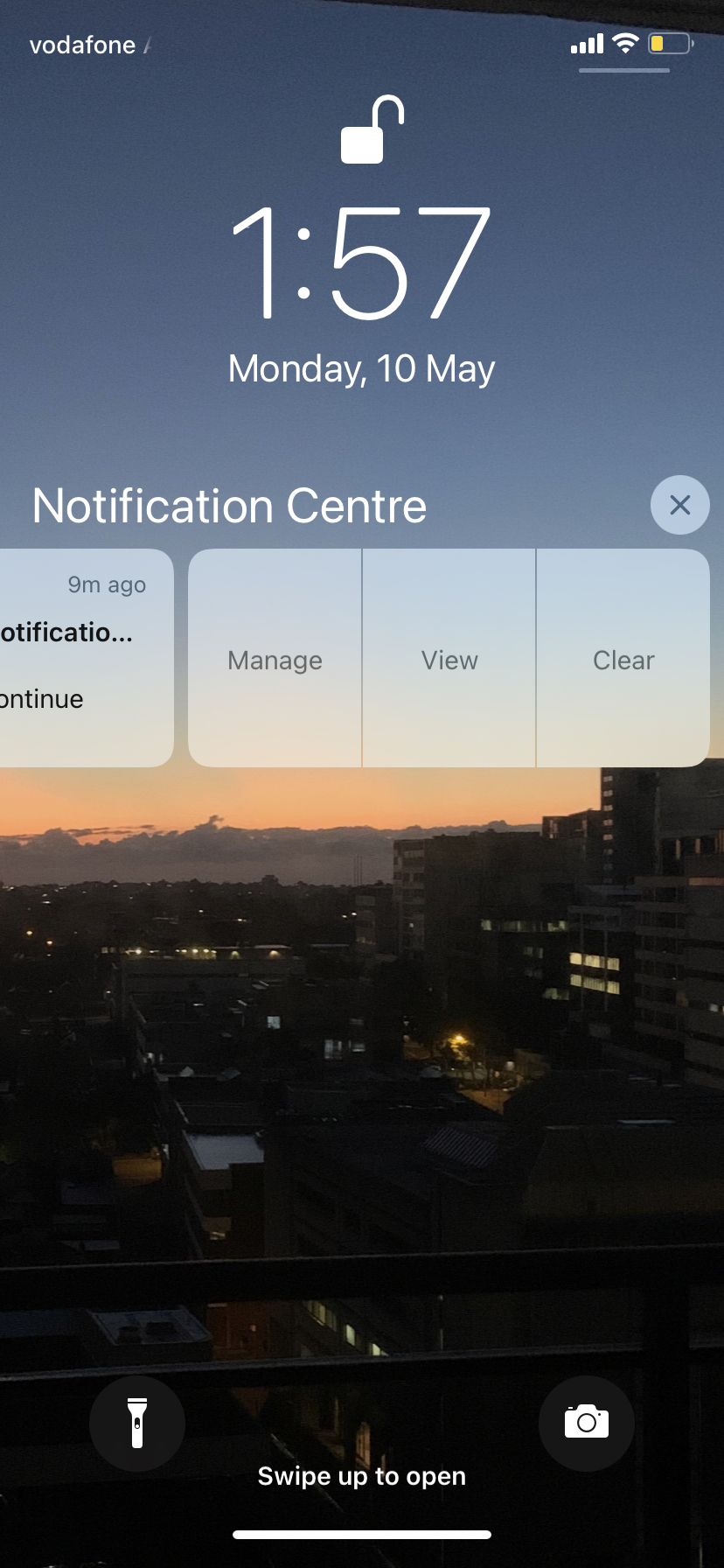
Or, you can swipe left on a notification (swipe from the right edge of your screen to the left) to reveal three options: Manage, View, and Clear (see image below).
Hit View to see a preview of the notification plus the 'remind me later' options.
Yep, it's that simple.
Got any thoughts or ideas? Drop them in a comment below! (Or, you know, just say hi. We love chit-chat.)

