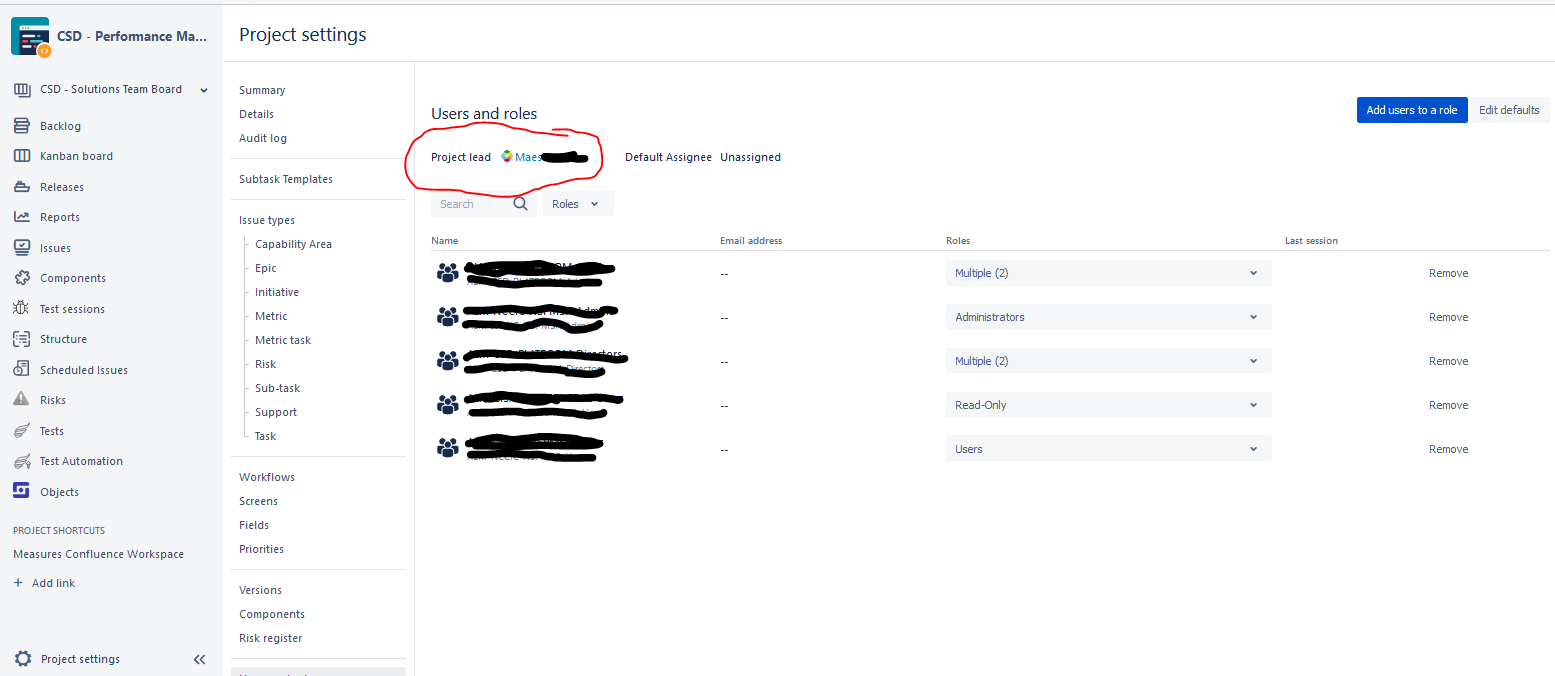
I have Project Admin permissions.
I'm a Project Administrator using JIRA v8.11.0. I used to be able to change the Project Lead ,but now I can't.
On the Project Settings -> Users and Roles screen I click Edit Defaults then just type in the Project Lead field until the required name is auto-suggested. Then hit the Update button and the Edit Project Lead and Default Assignee for Project pop-up box disappears to leave me on the Project Lead > User and Roles screen and the Project Lead entry alters to Default Assignee. Refresh the page and I'm back to the original set up and nothing has changed.
Alternatively, if I change the current Project Lead role to unassigned and return to the Edit Project Lead > User and Roles screen the Project Lead entry alters to Default Assignee. On clicking Edit Defaults both the Project Lead and Default Assignee are blank and labelled Select. I type the name of the relevant person and choose from the auto-suggest list, then click Default Assignee and choose Project Lead. This time when I hit Update nothing happens - it remains there and I'm unable to commit the changes.
In any case I am able to select a new Project Lead and Default Assignee from the drop-downs but the changes do not take hold. When refreshing the page the original values remain.
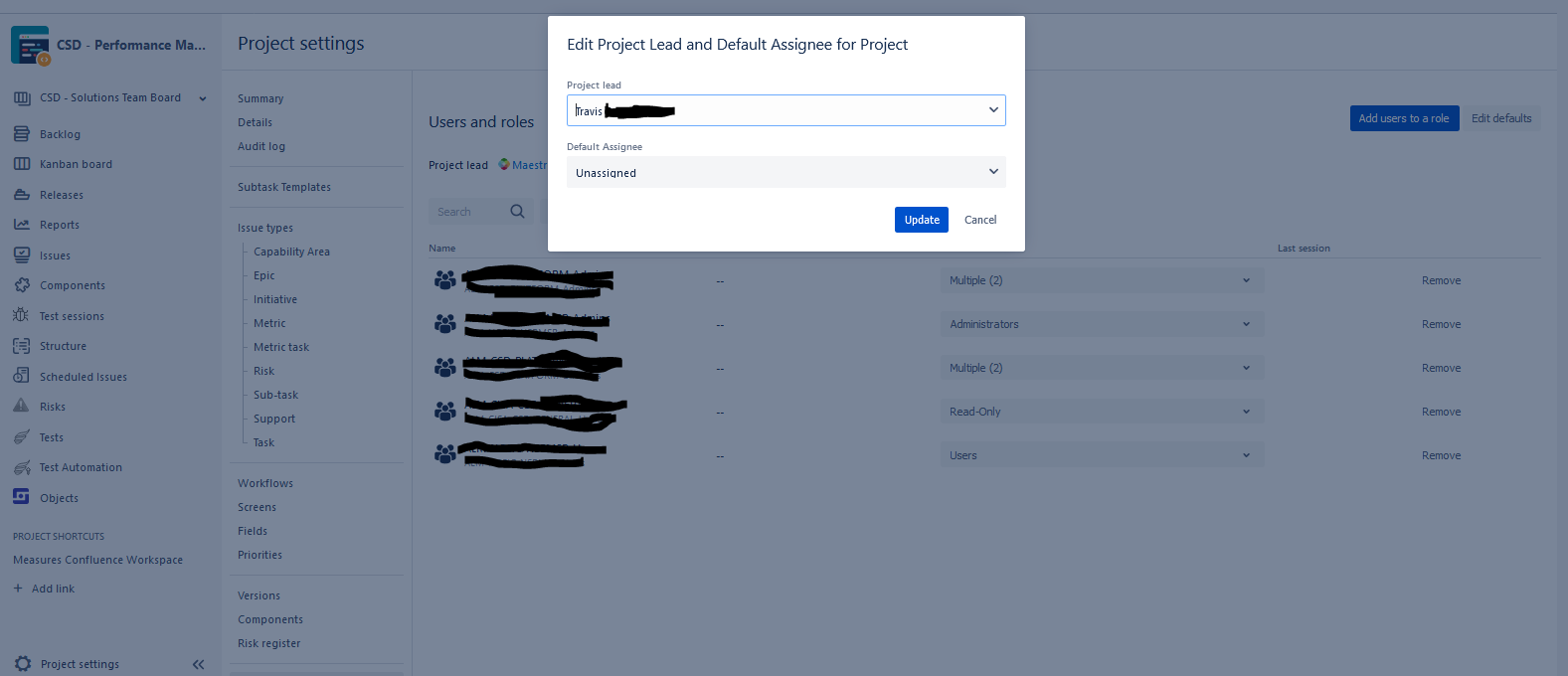
Screen 1 - I select the new Project Lead name from the list. Note the current name ("Maest....") in the background. then I click the Update button.
Screen 2 - After clicking Update the popup disappears and I am back on the Users and roles screen. Note that the Project Lead is now just some kind of grey placeholder. Nothing else happens. 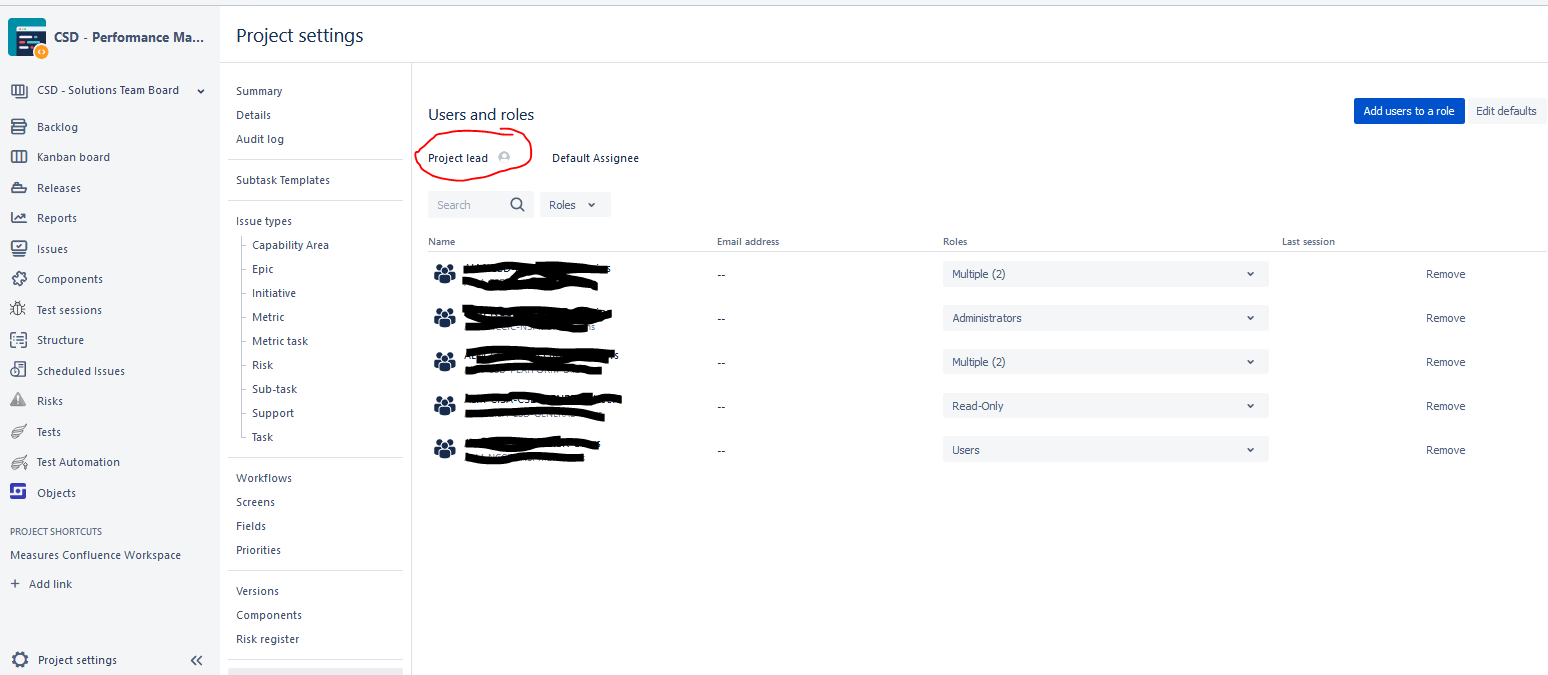
Screen 3 - I finally click the refresh button on the browser and see that the Project Lead remains the same as before. My update did not work.