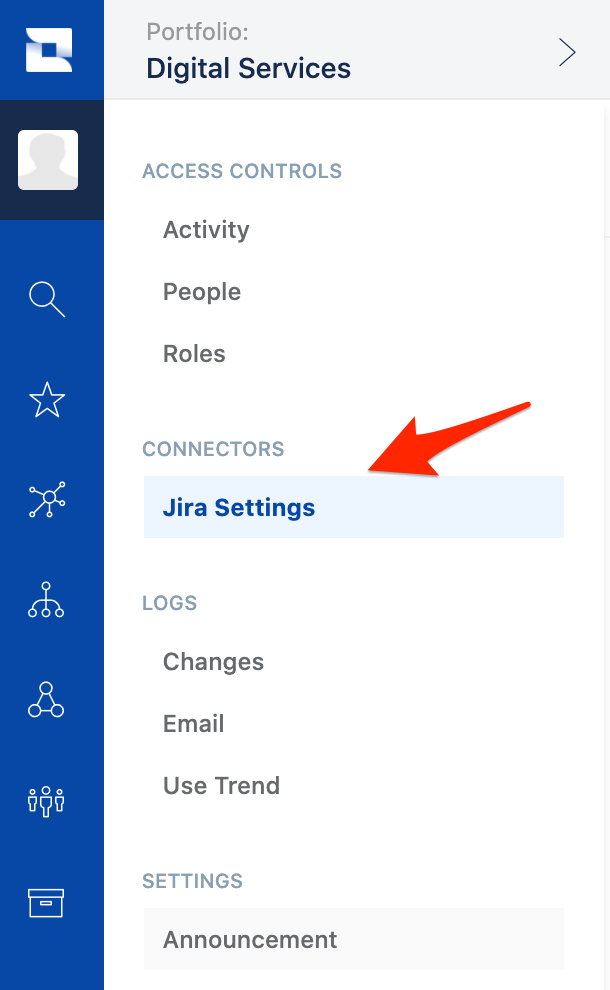
Problem: You find the Connectors section missing from the Administration options in Jira Align even logged in as a Super Admin.
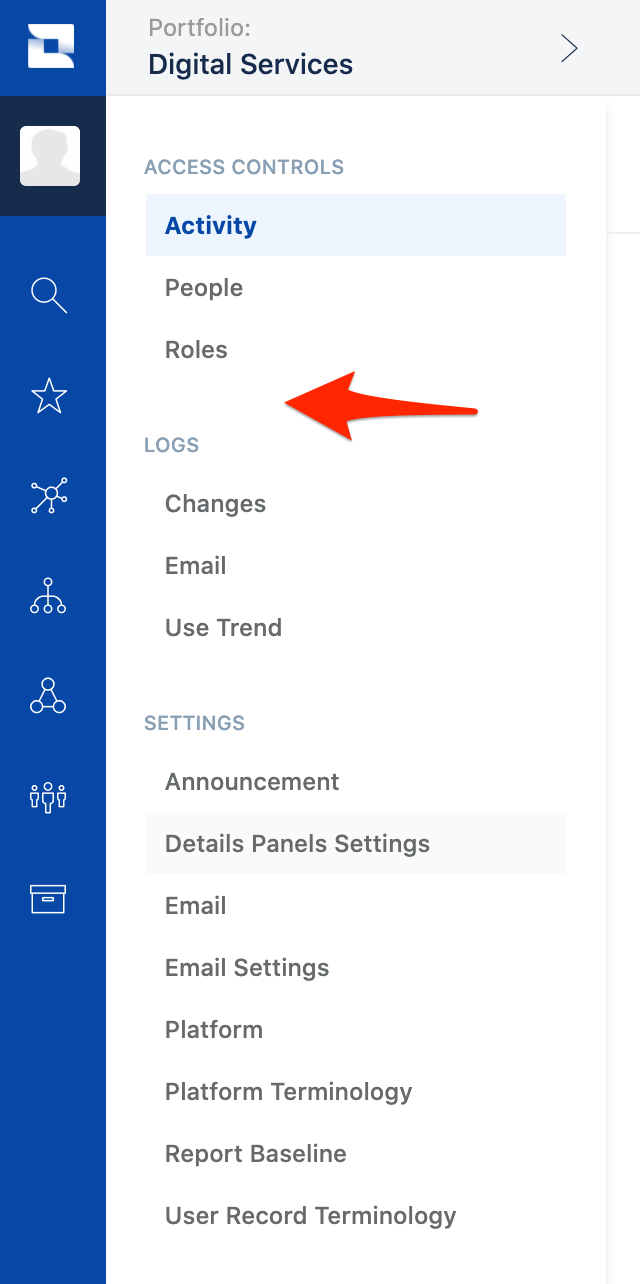
Solution: Set the Super Admin role back to the default behavior by:
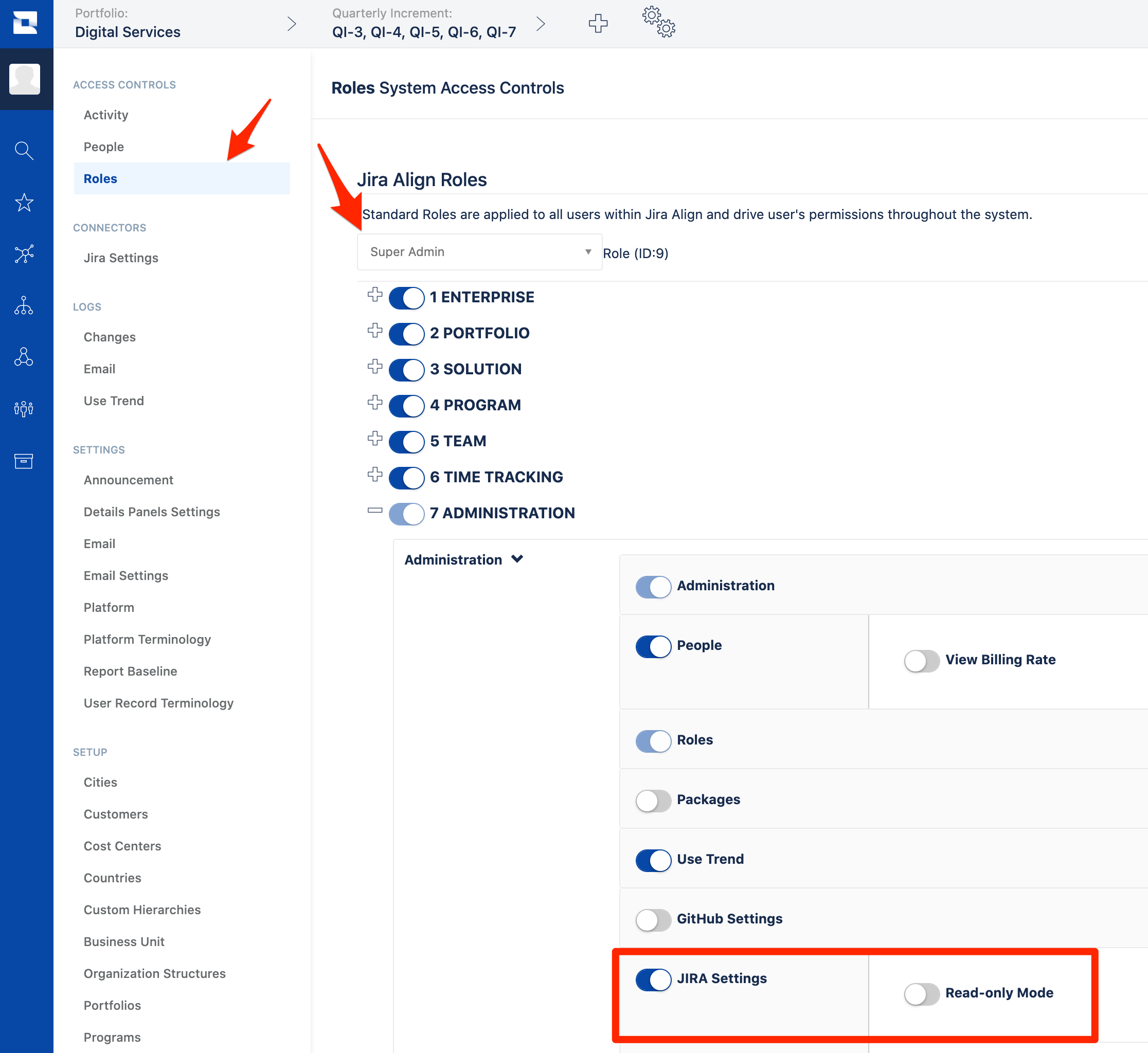
- Navigate to Admin > Access Controls > Roles.
- Select Super Admin in the dropdown.
- Expand out Administration and click on the toggle of the Product Settings you are working with. JIRA Settings is pictured below. Make sure that Read-only Mode is not selected.
You can now see the Connectors!