We are using a Jira collector form to collect feedback from our users. Our teams integrated this form to launch on application contact button. (used custom template option within the issue collector). Some of our users are having issues where when they submit they get an error that says "Oops! Something went wrong...There was a problem submitting your feedback, likely due to the configuration of this form. You might want to contact the site owner to let them know about this issue."
Users are using latest version of Chrome browser
And when I went to the "Issue collectors" page noticed a lot of "Unknown error occurred trying to invoke collector" errors logged relating to this .
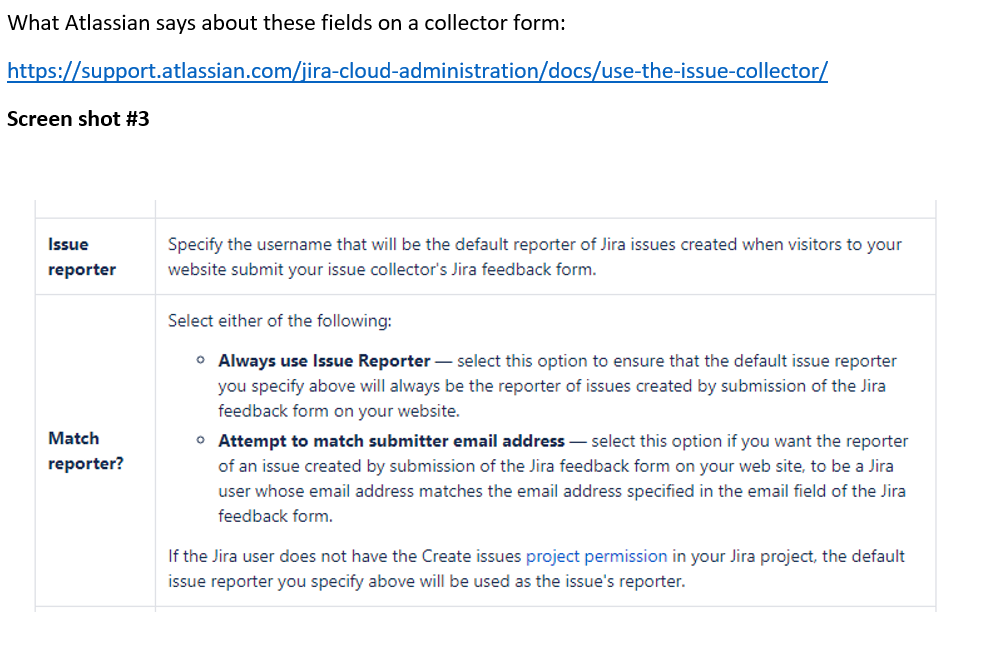
Based on reading I did here https://support.atlassian.com/jira-cloud-administration/docs/use-the-issue-collector/ -see screen shot below – I am guessing it may be due to the reporter field where we chose the option "Attempt to match submitter email address" as we do not want to default to our name but the person reporting it so we know who reported.
Per your article above about issue collector reporter field it looks like that it should default to the default reporter we mentioned if it doesnt match users email address within Jira -assuming he/she is not a Jira user (hence no create permission to our project)
Can you tell us how to address these errors? Unfortunately we cannot know all the users to add them to Jira. Is there a way to get all users to use this form without granting default create permission on our project space to avoid this error or be within Jira?
Bottom line we want the form to work for all our users and also need a way to know who submitted it versus defaulting the reporter to always my name. Pls guide.