Hi Atlassian Community,
Last month we rolled out Pinned Fields, a feature users tell us they love, which allows you to keep your most important fields pinned at the top of an issue. Today we’re continuing our journey to make the new issue view’s layout more powerful by allowing project-admins to move fields between the left and right hand sides.
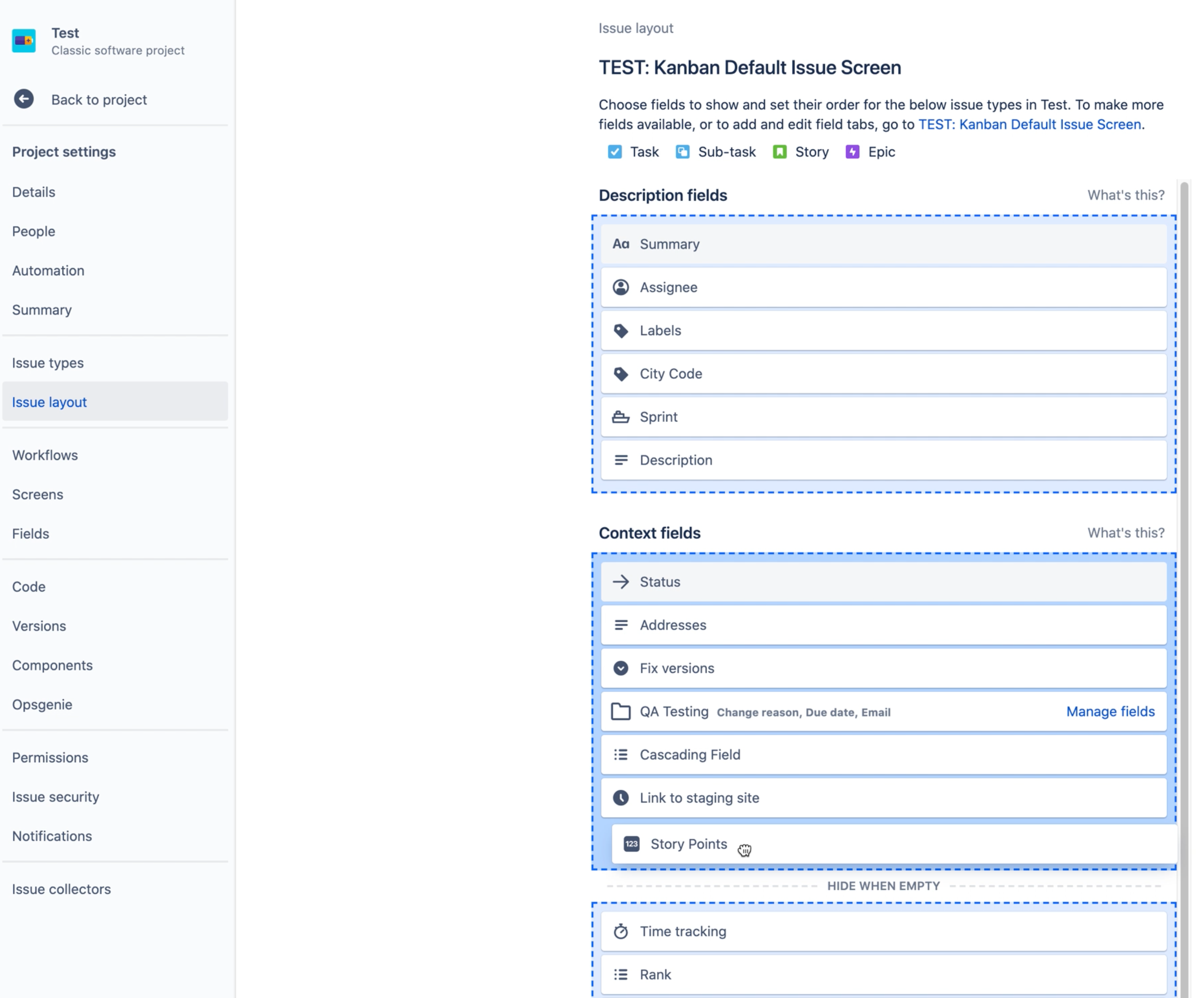
We know that the top-left of the issue view is prime screen space and should be reserved for only the most important fields. Now, you can easily drag fields of any type over to the left hand side of an issue from the project layout configuration page. Fields like priority, assignee, reporter, or any custom context field can all be shown on the left.
We recently released a Demo Den video where we showed off the power of this and other features that we will be rolling out soon. You can watch the video here.
Thank you for all of your support while we deliver these important improvements. Next up we are working on displaying Tabs on the left hand side of an issue, just like they were in the old issue view. As we progress with this and other changes we’ll keep you updated on the relevant JRACLOUD tickets and right here on Community.
Kind regards,
Matt


