Part 3
This solution should be avoided at all cost!
More JS
Now we need to let only the user in the Approver field to transit an issue from the "On Approval" status to the "Ready For Work" status.
The easiest way is to hide the Ready For Work button in the Jira issue view:
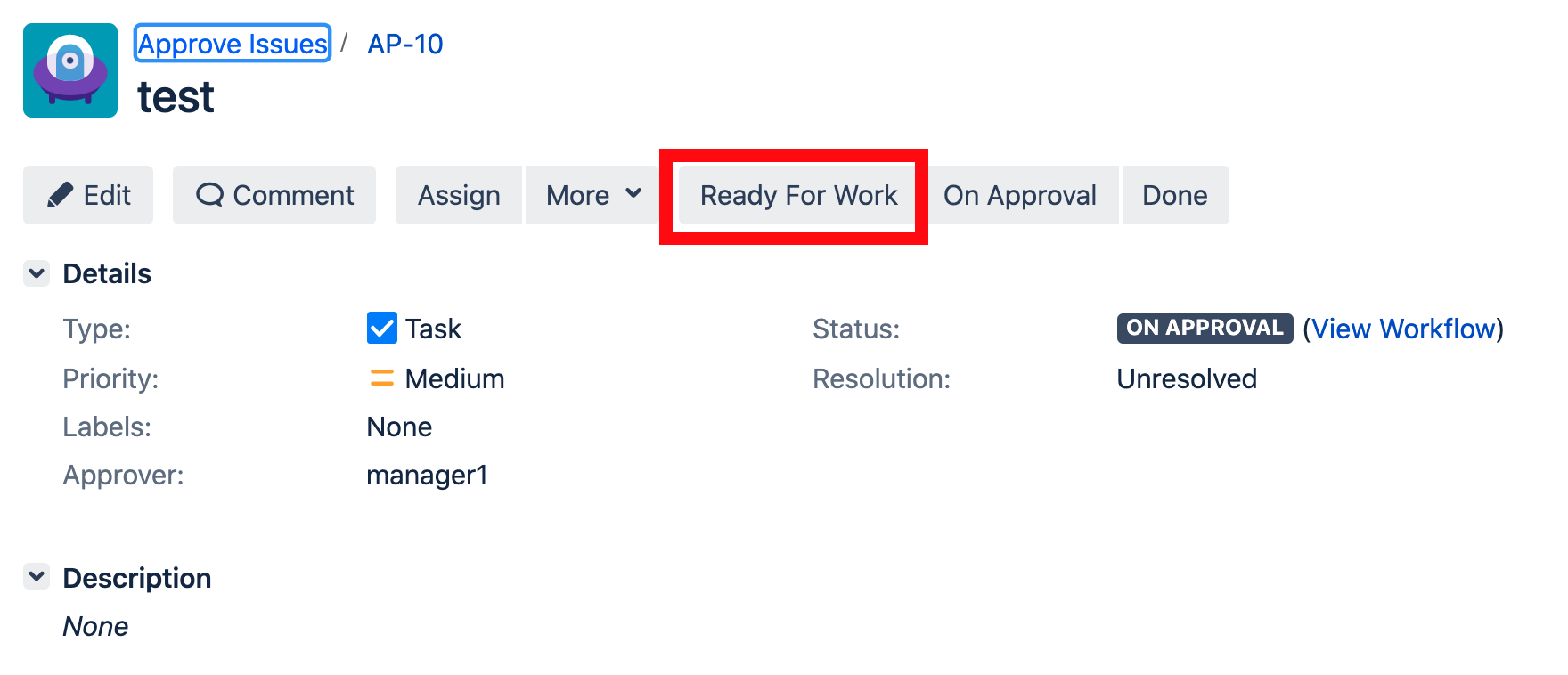
Let's open again the Jira view issue screen in the Developer Tools. Explore how we can find the "Ready For Work" button and then we will write a JavaScript code to hide this button if the user does not equal to the user in the Approver field. Here is the code:
 setInterval(function(){
         if ($("#customfield_10300-val").text()) {
           if (JIRA.Users.LoggedInUser.userName() == $.trim($("#customfield_10300-val").text())) {
            $('#action_id_11').addClass('hidden'); ;
           }
         }
}, 3000);- again I start a loop. Without a loop nothing will work
- I check if the currently logged in user equals to the value in the Approver field
- if so I add class hidden to the Approver field
Now let's open an issue under the admin user:
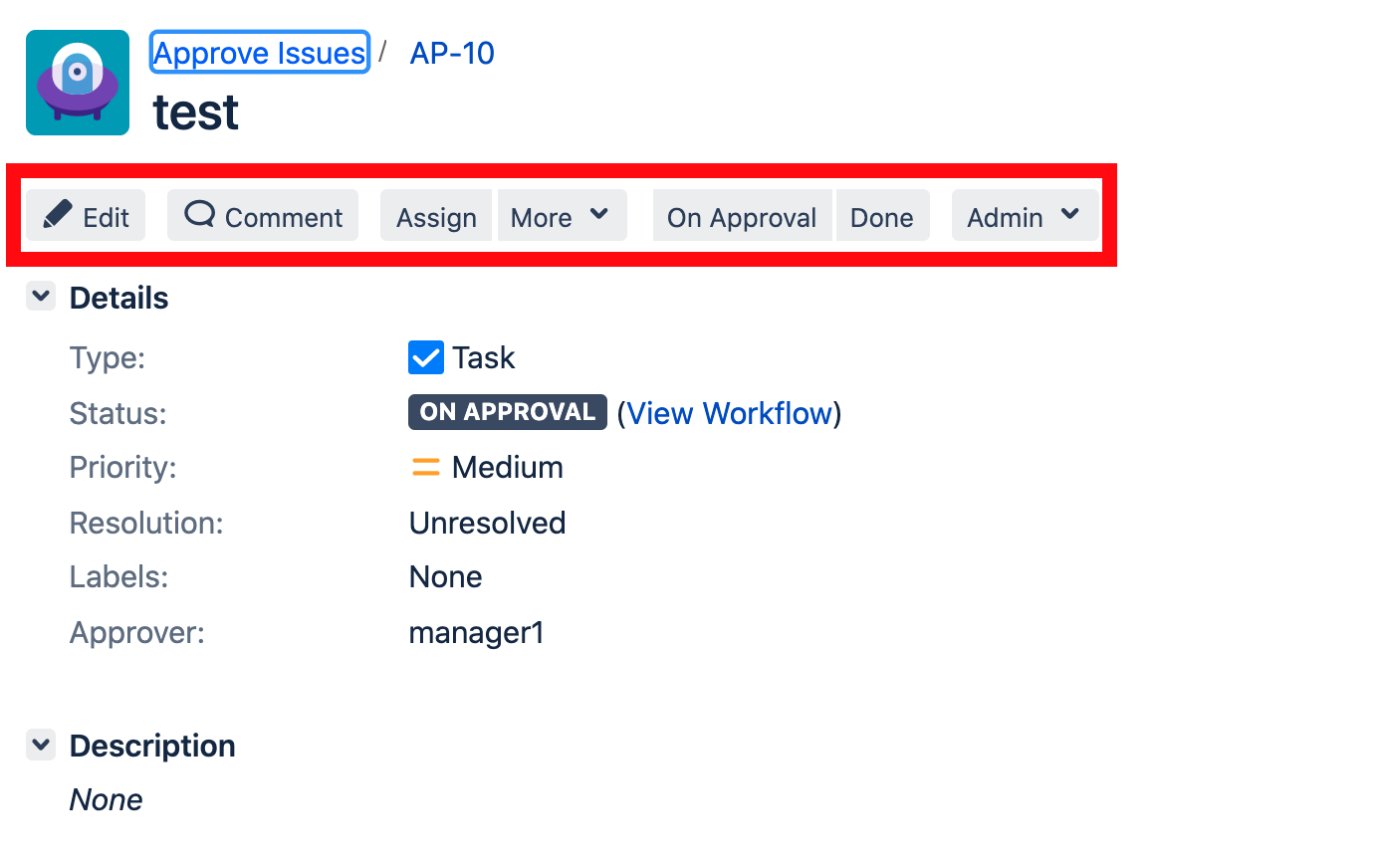
As you can see the "Ready For Work" button is absent.
And if we login under the manager1 user then the button will be there:
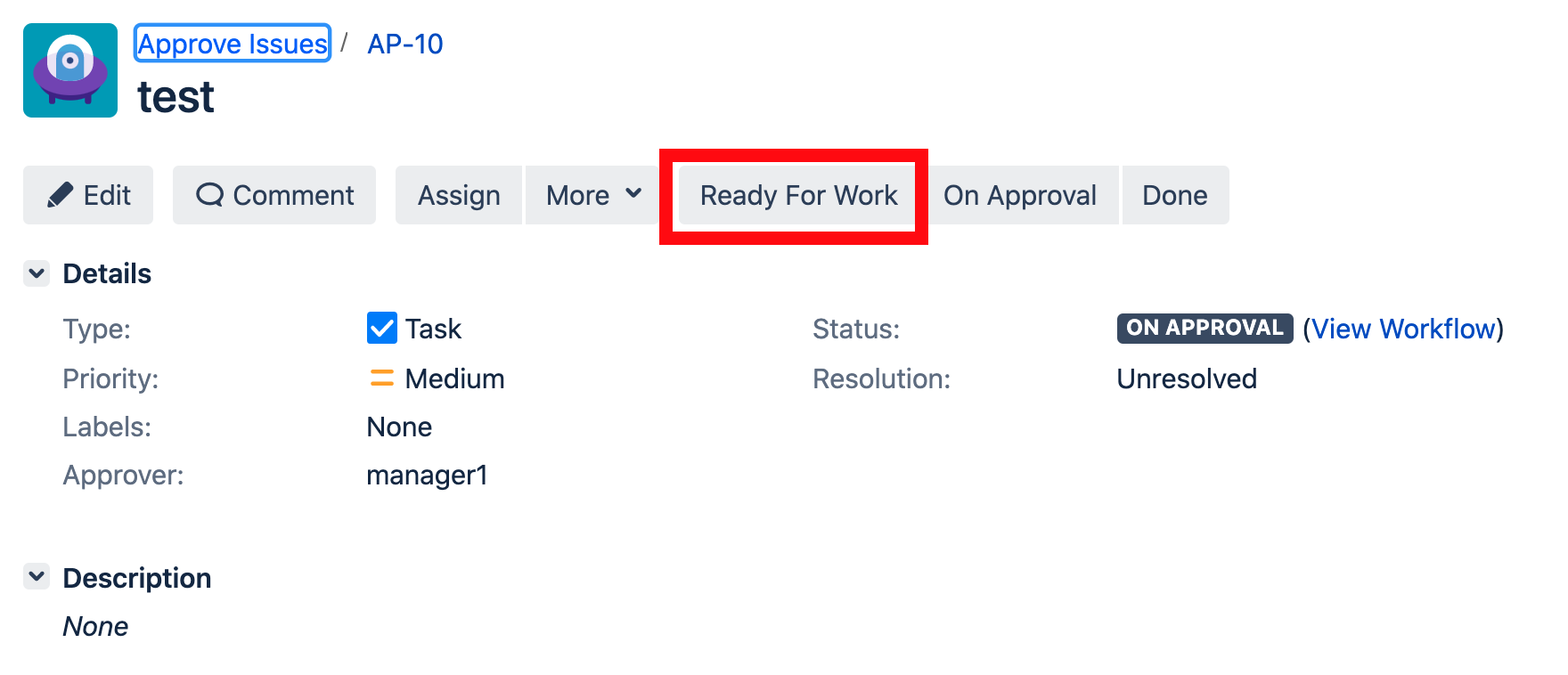
You can ask how I found the JIRA.Users.LoggedInUser.userName() method to get the currently logged in user. It is simple. You can use the Developer Сonsole to find out what functions are available in the page. We will discuss later if we should use these methods or not.
Part 5

