I have been trying to edit the Default View Screen in my project so that the AC displays below or after the Description. See Attachment.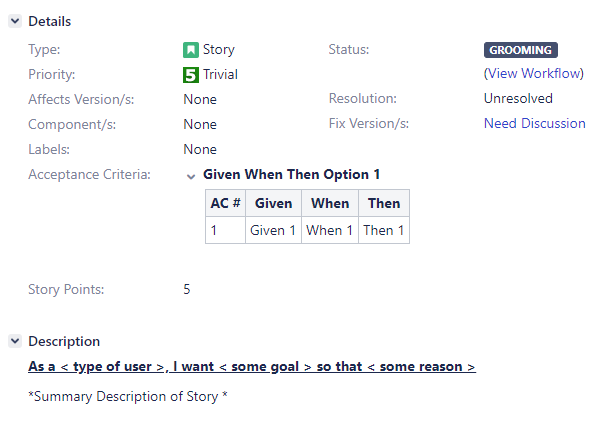
I have gone to the Screen Schemes and Configured the View screen so that Acceptance Criteria is listed below the Description. See 2nd attachment.
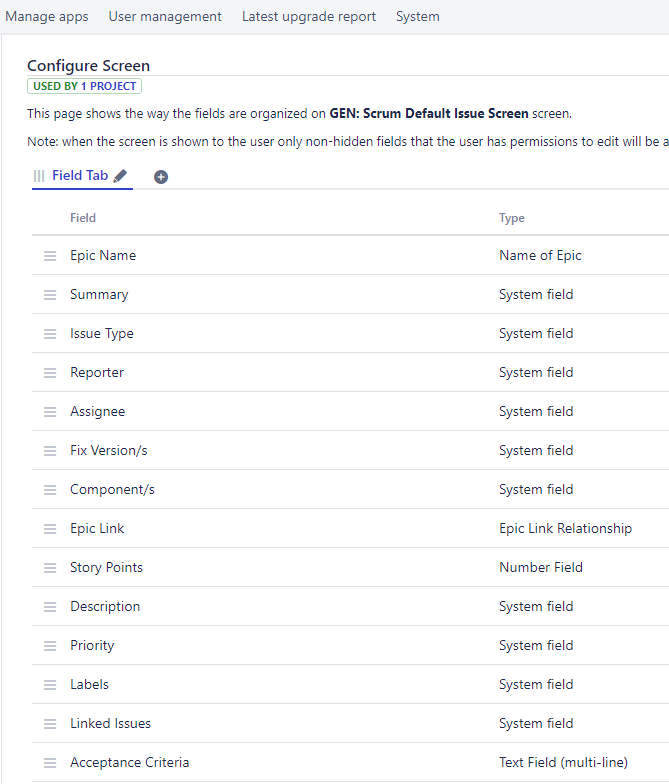
When I go back to the JIRA app, there is no change in the layout of the View Screen.
I have been able to make the AC below the Description for the Edit and Create, am I missing a step? I shouldn't have to do any association since it is already associated with the screen scheme and the scheme to the project right?
All that I would like is the Acceptance Criteria to Display after the Description Field.


