We’re excited to share with you that in the coming weeks we’ll be rolling out the new issue view to Jira Service Desk. In anticipation of this, we wanted to highlight some of its core capabilities, along with some of the changes that are specific to Jira Service Desk.
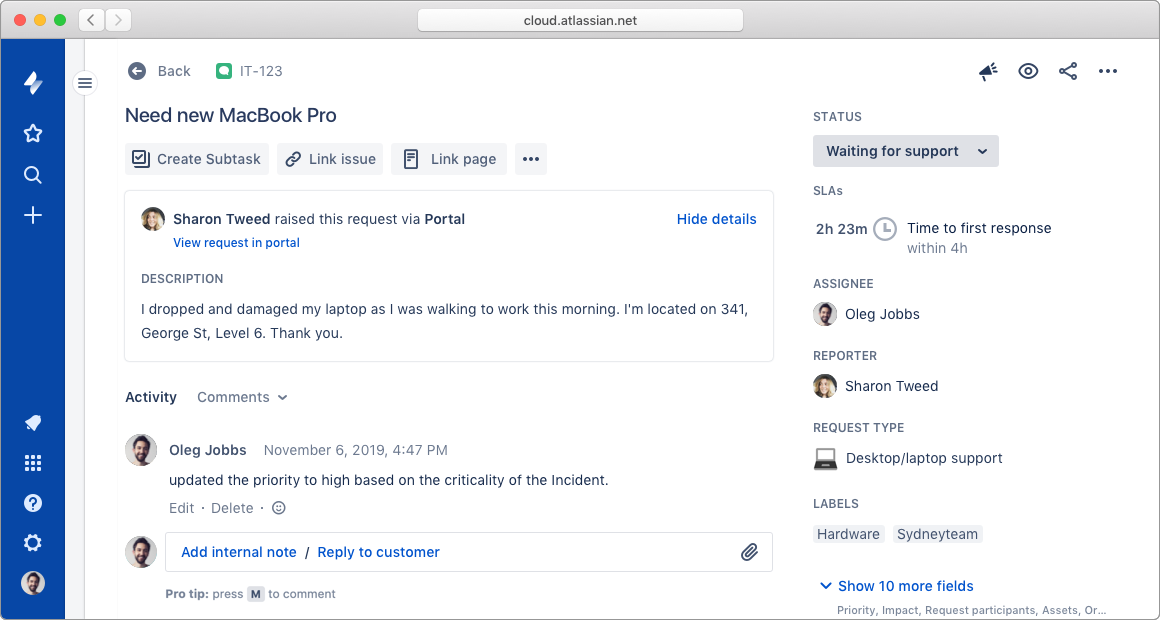
Edit any field inline
The view and edit experiences for issues in Jira Service Desk are now combined, making it easier to view, edit, transition, and comment, all from one screen. This means that there’s no longer an edit button, and you can click any field you see to edit it inline.
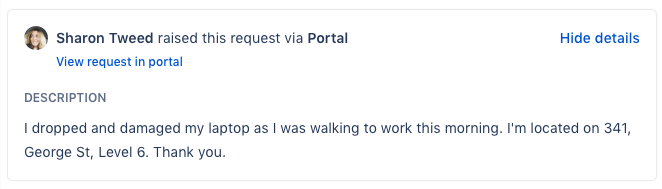
Customer request information
Request information entered by customers is now grouped together in one area for convenience. If a customer raised the request from the portal, you can now use the View request in portal link to quickly view it there.
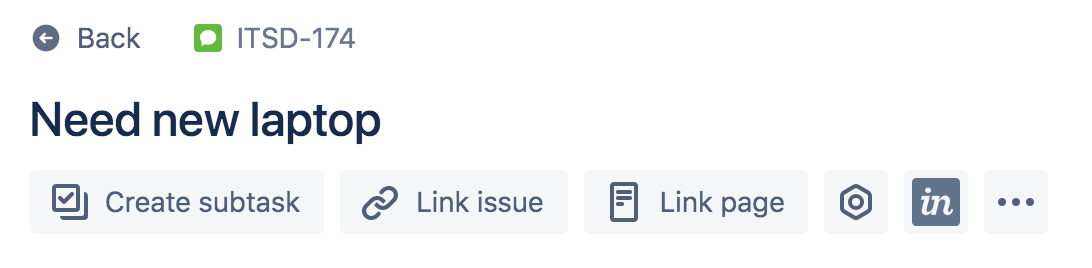
Quick-add buttons
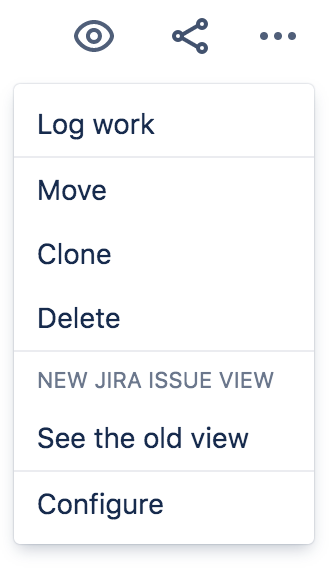
We’ve moved key actions out of the ••• menu, and brought them into the issue view as quick-add buttons. They’re a fast way to link issues, pages or add apps from Atlassian Marketplace.
Create linked issue
We’ve also moved the Create Linked Issue out of the ••• menu, and have associated it with the Link Issue component. Click the Link issue quick-add button to see the component and the Create linked issue button.

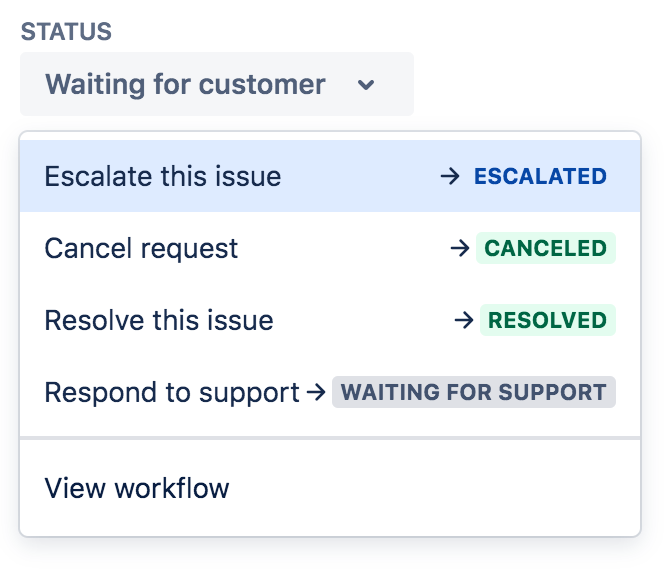
A single place for status and transitions
We've consolidated the workflow step buttons into a single status drop-down. This helps you see all your transition options and de-clutters the request view. Click the status and choose a transition or status to move the request to.
Always-visible comment field
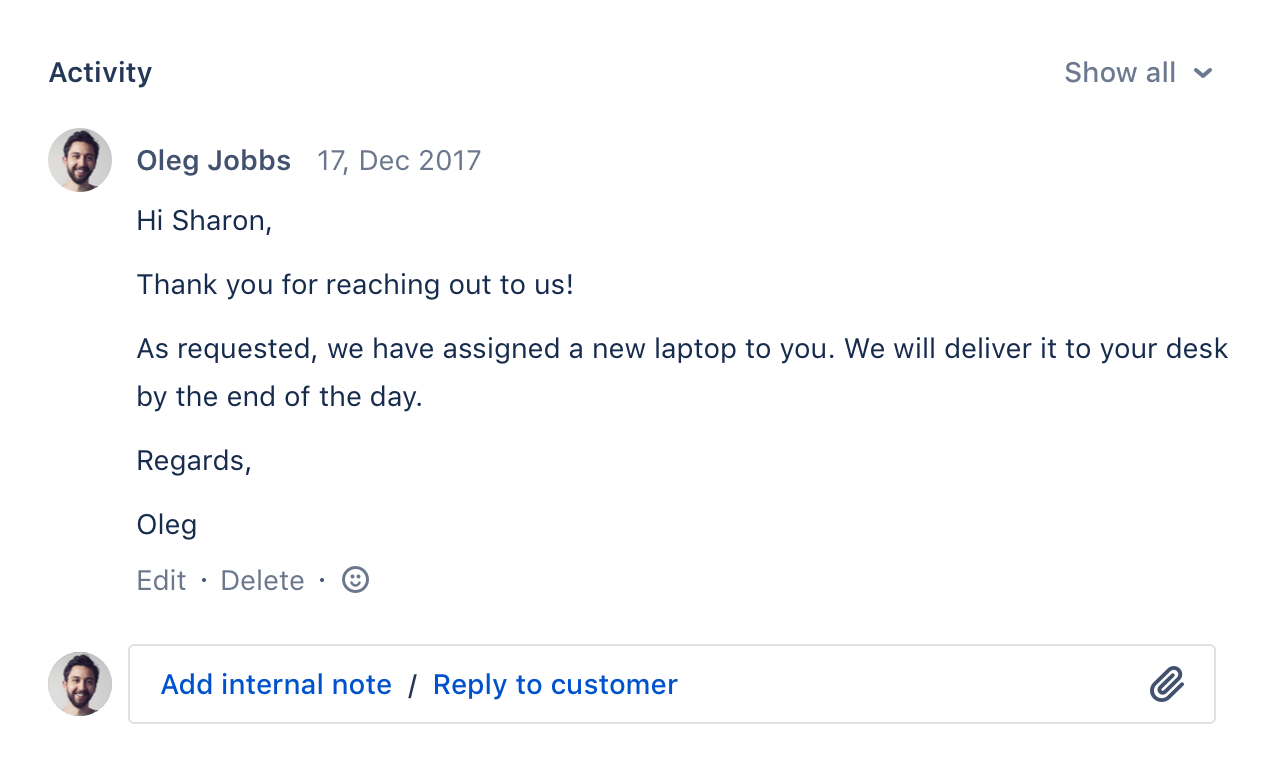
The new comment bar is always docked to the base of your screen, so it's one click and no scrolling to respond to a customer.
Consistent rich text editing
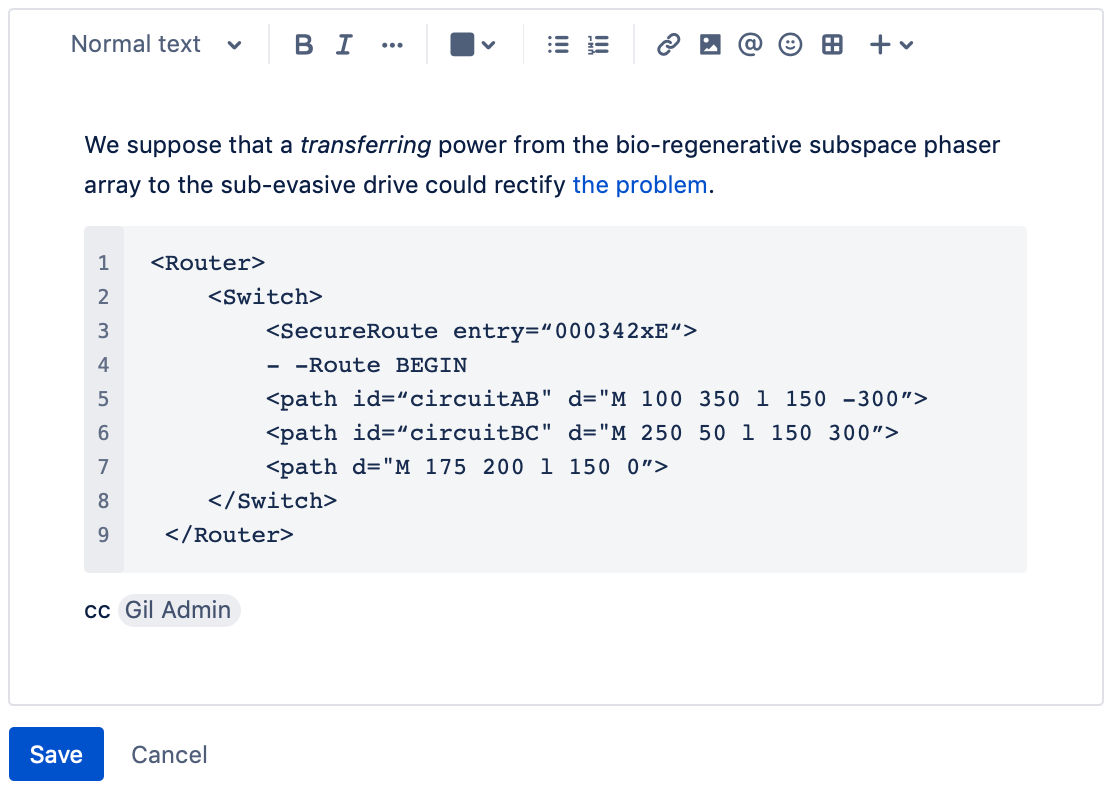
The new issue view contains a new editor with a cleaner look and markdown support. The editor converts things like links, code, and markdown on-the-fly, so you can paste in your content and let the editor do the work.
Customizable layout
We recently shipped a capability that allows you to modify the layout and fields of the new issue view. Admins of Jira Service Desk projects can access this either by:
Turning the new issue view off and on
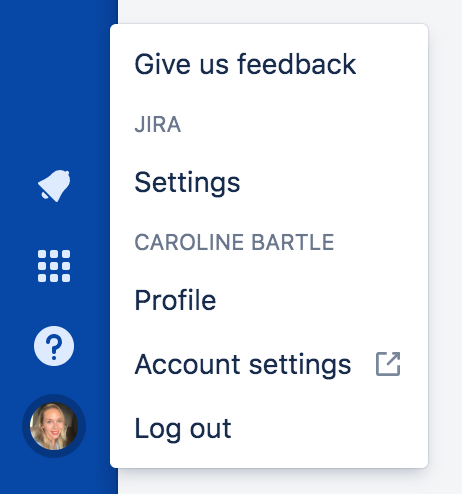
To turn the new issue view on or off in Jira Service Desk, head to Your profile and settings (i.e. avatar) > Settings and toggle the switch for the New Jira issue view.
Notify me of future updates
Log in or create an account at the top-right of this page, then click Watch at the top-right to be notified about the latest goodies we're adding to the new issue view.
