Hello there!
I am using the confluence rest api to get a page and then read multiple child pages which are in a container of a canvas board.
The container looks like this:

The problem is that the container only shows up to 20 elements and then the following is displayed:
<div class=\ "containerfooter\">
<div class=\ "morerows\"> <span class=\ "morecaption\">More</span> <span class=\ "morespinner\"></span> </div>
</div>
I call the rest api with the following url:
WEBSITE:PORT/rest/api/content/ID?expand=body.view
I have tried using other extensions for the body like body.storage but it didn't helped.
Has anyone a solution?
How to recreate the problem:
1. Create a page
2. Add a canvas board to this page:
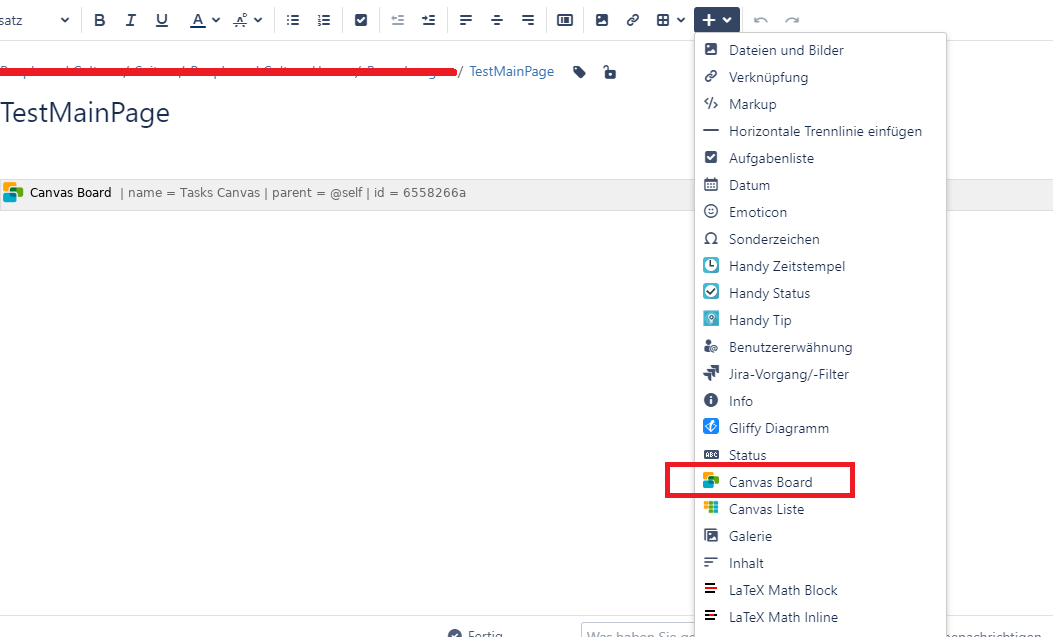
Use the "Tasks Canvas" preset
3. Click on the canvas board and go to edit -> properties -> Scroll down to content and select: pages and cards
4. Now publish this page
5. Create a second page which is a child of the page with the canvas board:
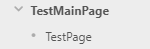
6. Now go to the page with the canvas board and click on the plus icon of an container and add the child page to this container by writing its title into the textfield
7. You now need to add more child pages to this container so it contains more than 20
It will look like this:
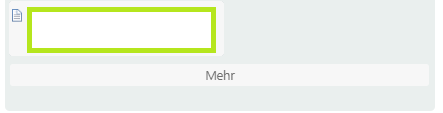
8. Call the REST API with the ID of the page with the canvas board: WEBSITE:PORT/rest/api/content/ID?expand=body.view
-> If you do not find the ID you can go the page -> Click on the three dots -> Page Information -> Find the ID in the url e.g. pageId=123456789
9. The information of a child page in the container should look like this:
<div id=\ "cardid-153059338\" class=\ "boardcontent themedheader \" pageid=\ "153059338\">
<div class=\ "boardcontentwrapper\">
<div class=\ "boardcontentbody\">
<div class=\ "cardactions\">
<button class=\ "aui-button aui-button-compact aui-button-subtle aui-dropdown2-trigger aui-dropdown2-trigger-arrowless\" aria-controls=\ "cardoptions-cardid-153059338\"> <span class=\ "aui-icon aui-icon-small aui-iconfont-arrow-down aui-iconfont-arrow-down-small\">Card Actions</span> </button>
<aui-dropdown-menu id=\ "cardoptions-cardid-153059338\">
<aui-section>
<aui-item-link class=\ "removecard\" data-card=\ "cardid-153059338\"> Remove </aui-item-link>
</aui-section>
</aui-dropdown-menu>
</div>
<div class=\ "cardheading pagecard custom5\"> <a class=\ "pagelink cardtitle\" id=\ "pageid_153059338\" pageid=\ "153059338\" href=\ "/display/QRN/TestPage\" target=\ "_blank\">TestPage</a> </div>
</div>
</div>
</div>
10. You will see that after the 20th page the containerfooter with the caption "More" is displayed

