Right now I am able to upload an attachment via Postman but when I try to do it in my Node.js project I get either a 404, 415 or 500 error. I have tried multiple times changing "Content-Type" to different types and adding and taking away headers but nothing seems to work.
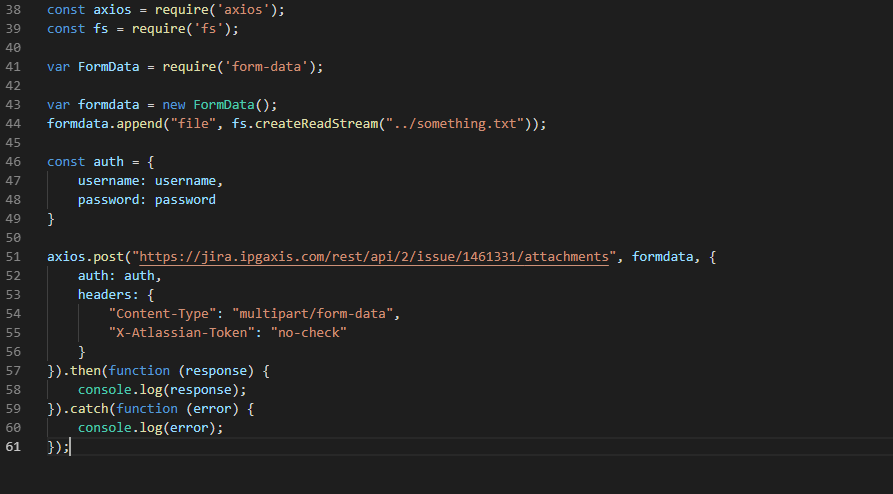
Here is the code I have currently and this returns a 500 error:
const axios = require('axios');const fs = require('fs');
var FormData = require('form-data');
var formdata = new FormData();formdata.append("file", fs.createReadStream("../something.txt"));
const auth = {    username: username,    password: password}
axios.post("https://jira.ipgaxis.com/rest/api/2/issue/1461331/attachments", formdata, { auth: auth, headers: { "Content-Type": "multipart/form-data", "X-Atlassian-Token": "no-check" }}).then(function (response) { console.log(response);}).catch(function (error) { console.log(error);});I have also tried clicking Code in postman and copying and pasting that exact code into my project. With that I get a successful 200 status code but the attachment isn't showing up in the issue.
Here is that code:
var fs = require("fs");var request = require("request");
var options = { method: 'POST',  url: 'https://jira.ipgaxis.com/rest/api/2/issue/1461331/attachments',  headers:    { 'cache-control': 'no-cache',     Connection: 'keep-alive',     'Content-Length': '585409',     Cookie: 'atlassian.xsrf.token=A38F-68CD-ET7T-LQ4T_d01126d78cbef48b1897e71402a71625d6f2edc3_lin; AWSELB=97E58B57021817D47A66071828711D73B6F86E38E70A320BA71CC21064A19C52314FA745AE4F4CAD425452D5003971A3AF8CEFE4771007037D2825F3C2992B434FC45329DB; JSESSIONID=35440BB7BC39429962887AF36D56E75C',     'Accept-Encoding': 'gzip, deflate',     Host: 'jira.ipgaxis.com',     'Postman-Token': '403e00fa-35e2-42b6-ba6b-b29b8fde3faa,882a64bd-5515-4bad-8ac3-f0675c6eaabb',     'Cache-Control': 'no-cache',     Accept: '*/*',     'User-Agent': 'PostmanRuntime/7.17.1',     Authorization: 'Basic aWFuLmtlbGxlckBtcm0tbWNjYW5uLmNvbTpNY2Nhbm43NzAwIQ==',     'X-Atlassian-Token': 'no-check',     'Content-Type': 'text/html',     'content-type': 'multipart/form-data; boundary=----WebKitFormBoundary7MA4YWxkTrZu0gW' },  formData:    { file:       { value: fs.createReadStream("/Users/ian.keller/Desktop/USJ/nightwatch-test/new.html"),        options:          { filename: 'new.html',           contentType: null } } } };
request(options, function (error, response, body) {  if (error) throw new Error(error);
console.log(error); console.log(response)});And here are screenshots of the code to get a better look: