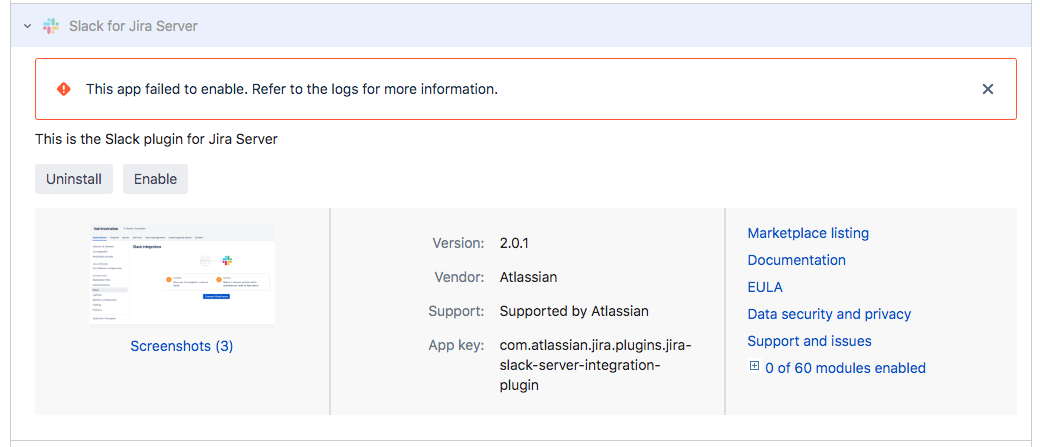
As seen in the image below, we are unable to enable the slack plugin for Jira Server.
We are uncertain which logs to refer to or what type of error in the log to look for specifically.
a recent log entry look like this, shortly after attempting to "enable" the slack plugin
xx.yy.aa.bb 241x34164x1 username [24/Sep/2019:04:01:46 +0000] "PUT /rest/plugins/1.0/com.atlassian.jira.plugins.jira-slack-server-integration-plugin-key HTTP/1.1" 500 58 190 "https:// ... :8443/plugins/servlet/upm?source=side_nav_manage_addons" "Mozilla/5.0 (Macintosh; Intel Mac OS X 10_13_6) AppleWebKit/537.36 (KHTML, like Gecko) Chrome/76.0.3809.132 Safari/537.36" "w8ksmj"
where ... is our url  and xx.yy.aa.bb is the user IP
Details:
- Jira version 8.3.0 installed on Ubuntu Linux upon AWS EC2 server
- Slack for Jira Server version 2.0.1 installed with no issues.
- Only when we attempt to enable the plugin - well, it doesn't work.
- The Jira Server has https enabled. However we are serving the site through a custom port (8443) as opposed to standard 443 for SSL.
- All other plugins and server itself seems to work otherwise.
Here is the result below:
Any advice appreciated.
thanks
Edward Apostol

