JIRA Service Desk 3.16.1 + Jira Software 7.13.1
User Directories: Jira Internal Directory at the top + second in the list Microsoft Active Directory as read only
I created internal users for customers of a Service Desk project having these configurations
- Who can raise requests? Customers who are added to the project
- Who can customers share requests with? Any customer or organization, by searching in this project
These customers do not have a Service Desk license assigned.
I would like them to be able to update their password, but whe they try do update their own profile they get the message
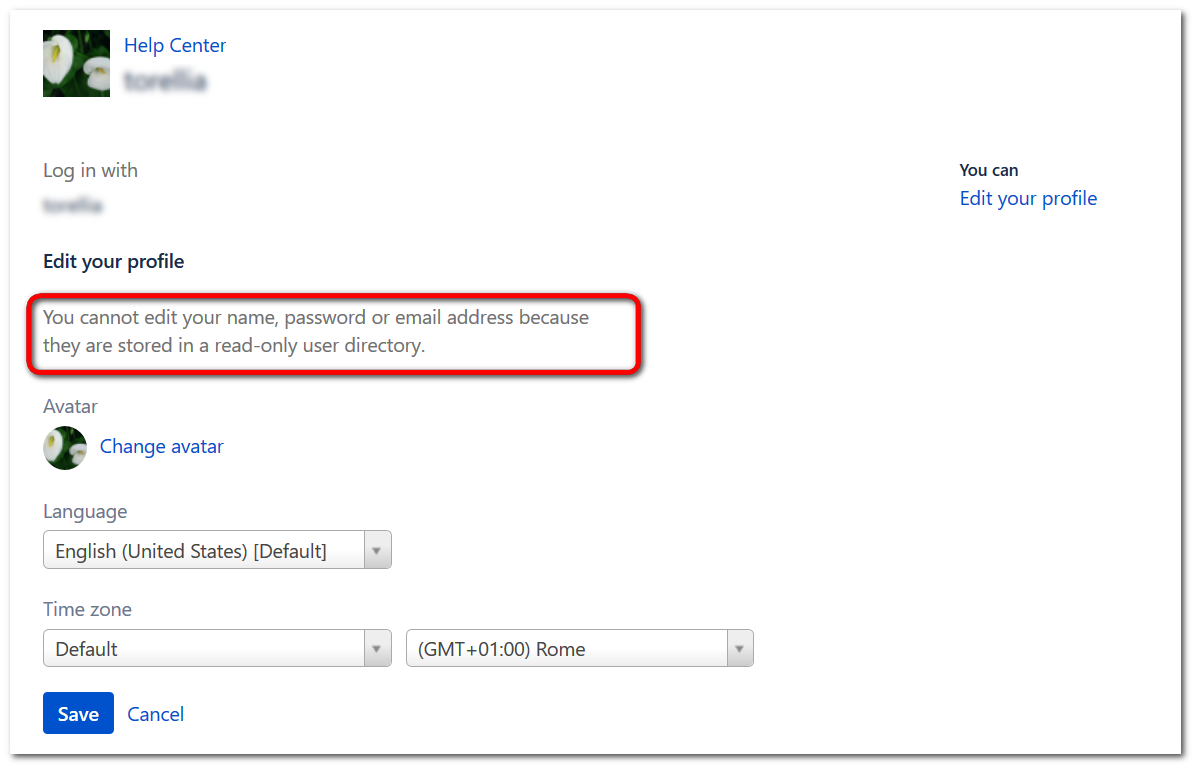
"you cannot edit your name, password or e-mail because they are stored in a read-only user directory".
How can I set up Jira internal directory as Read&Write?
Directory Configuration as follows:
Directory ID: 1
Name: Jira Internal Directory
Active: true
Type: INTERNAL
Created date: Thu Feb 28 11:57:51 CET 2013
Updated date: Thu Feb 28 11:57:51 CET 2013
Allowed operations: [CREATE_GROUP, CREATE_ROLE, CREATE_USER, DELETE_GROUP, DELETE_ROLE, DELETE_USER, UPDATE_GROUP, UPDATE_GROUP_ATTRIBUTE, UPDATE_ROLE, UPDATE_ROLE_ATTRIBUTE, UPDATE_USER, UPDATE_USER_ATTRIBUTE]
Implementation class: com.atlassian.crowd.directory.InternalDirectory
Encryption type: atlassian-security
Attributes: "user_encryption_method": "atlassian-security"
Any suggestion is welcome!


