I have atlassian cloud on docker:
version: '3.4'
# https://github.com/omidraha/atlassian
services:
jira:
image: cptactionhank/atlassian-jira:7.9.2
restart: always
links:
- database
volumes:
- jira-data:/var/atlassian/jira
confluence:
image: cptactionhank/atlassian-confluence:6.9.0
restart: always
links:
- database
volumes:
- confluence-data:/var/atlassian/confluence
bitbucket:
image: atlassian/bitbucket-server:6.2.0
restart: always
links:
- database
volumes:
- bitbucket-data:/var/atlassian/application-data/bitbucket
database:
image: postgres:9.4
restart: always
volumes:
- database-data:/var/lib/postgresql/data
nginx:
image: nginx
restart: always
ports:
- "80:80"
links:
- jira
- confluence
- bitbucket
volumes:
- ./:/src
command: ./src/scripts/run_nginx.sh
environment:
- DOMAIN
volumes:
jira-data:
confluence-data:
bitbucket-data:
database-data:
I configured jira as user management system for bitbucket and conluence. After restart I got something like this:

"You have error - please login later"
Do anybody know what should I do next to just :
Create temporary admin accounts for bitbucket / jira? I had but forgot credentials.
or
Make jira working as login provider again?
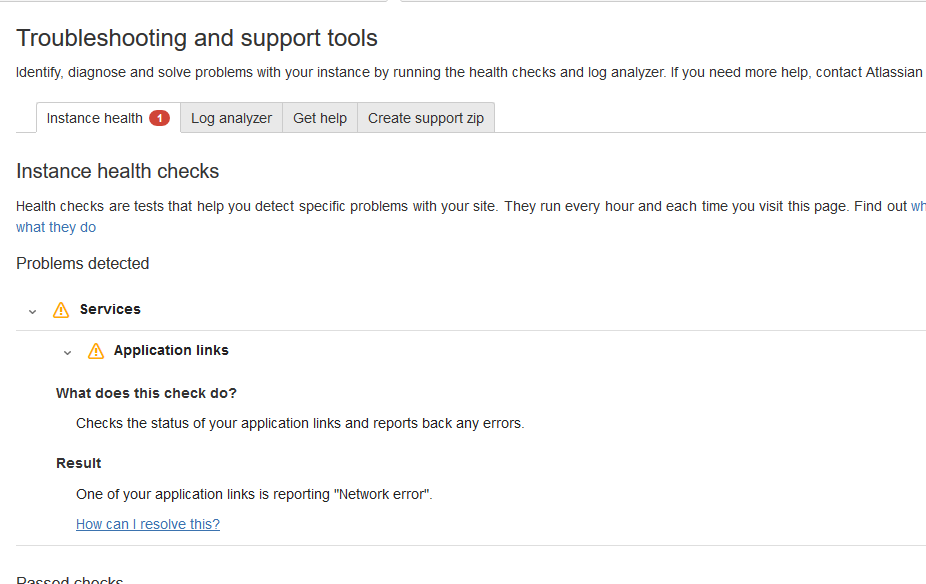
Jira health check:
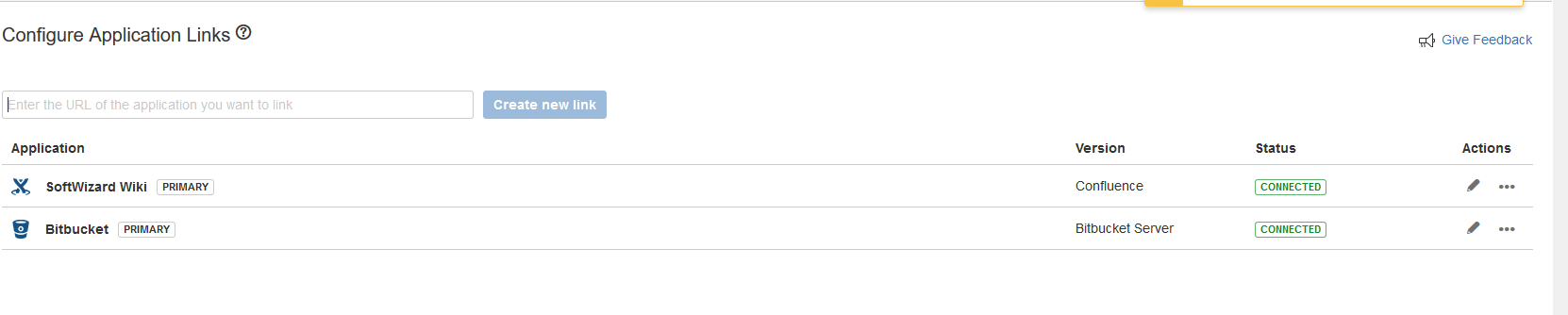
But here it looks ok ...
I have:
- access to all databases
- access to all files
I found sth like: https://confluence.atlassian.com/bitbucketserverkb/restore-bitbucket-server-s-administrator-user-779171684.html but it is for old bb version.
In my db I don`t have table
bitbucket_user
Thank you!

