I attempted to to update our confluence server from 6.15.7 to 6.15.8 last week but ran into some issues. I'm using the official atlassian confluence docker images.
To accomplish this I ran docker-compose down, I updated the confluence docker version in my docker-compose.yml from atlassian/confluence-server:6.15.7-adoptopenjdk8 to atlassian/confluence-server:6.15.8-adoptopenjdk8, and then I ran docker-compose --compatibility up -d to restart my confluence container with the new version image.
I'm pretty sure I previously upgraded from 6.15.6 to 6.15.7 in this exact same way and ran into no issues.
Shortly after running the startup cmd the cpu usage and ram growth will level off and navigating to the confluence instance will show this " Could not load bootstrap from environment " error.
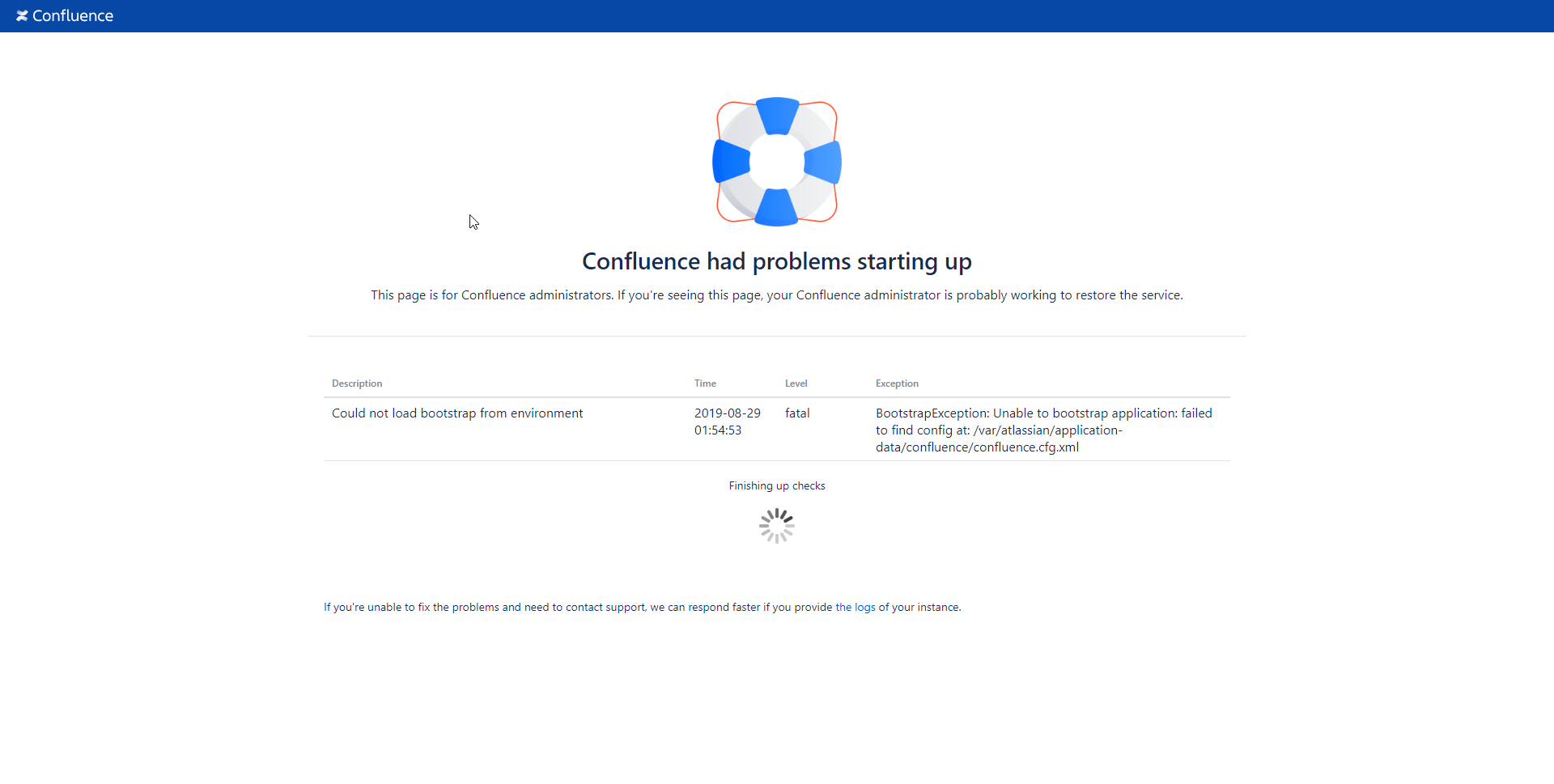
When I google that error I find some docs saying it might be a corrupt config file but seeing as it remains untouched in a persistent volume during upgrading and still works if I revert back to 6.15.7. I expect that is not actually the issue here.
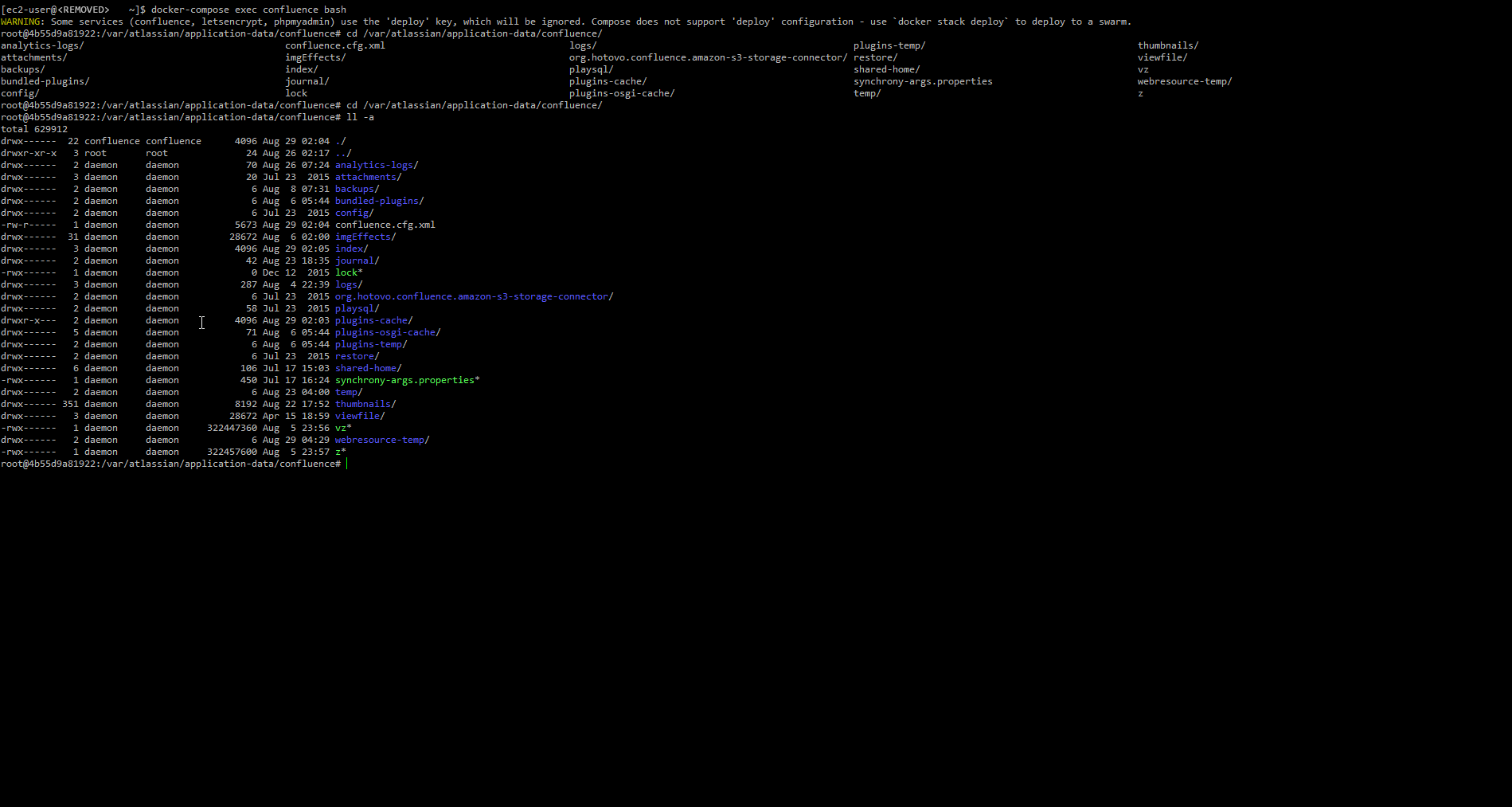
If I navigate around the confluence docker containers filesystem I can see that application-data is still mounted and what looks to be the permissions I would expect.
Here is my docker-compose.yml
version: '3'
services:
    confluence:
      image: atlassian/confluence-server:6.15.8-adoptopenjdk8
      container_name: confluence
      environment:
        - CATALINA_CONNECTOR_PROXYNAME=<REMOVED>
        - CATALINA_CONNECTOR_PROXYPORT=443
        - CATALINA_CONNECTOR_SCHEME=https
        - CATALINA_CONNECTOR_SECURE=true
        - CATALINA_CONTEXT_PATH=/wiki
      volumes:
        - ./confluence:/var/atlassian/application-data/confluence
        - ./confluence_mysql_driver/mysql-connector-java-5.1.48-bin.jar:/opt/atlassian/confluence/confluence/WEB-INF/lib/mysql-connector-java-5.1.48-bin.jar
      deploy:
        resources:
          limits:
            cpus: '1.9'
            # memory: 1946m
          # reservations:
            # memory: 1024m
      restart: always
    letsencrypt:
      image: linuxserver/letsencrypt
      links:
        - confluence
      container_name: letsencrypt
      cap_add:
        - NET_ADMIN
      environment:
        - PUID=1000
        - PGID=1000
        - TZ=America/New_York
        - URL=<REMOVED>
        - SUBDOMAINS=docs
        - VALIDATION=dns
        - DNSPLUGIN=cloudflare #optional
        # - DUCKDNSTOKEN=<token> #optional
        - EMAIL=<REMOVED> #optional
        - DHLEVEL=4096 #optional
        - ONLY_SUBDOMAINS=true #optional
        # - EXTRA_DOMAINS=<REMOVED> #optional
        - STAGING=false #optional
      volumes:
        - ./letsencrypt:/config
      ports:
        - 443:443
        - 80:80 #optional
      deploy:
        resources:
          limits:
            memory: 128m
          reservations:
            memory: 24m
restart: alwaysHas anyone else run into this issue or can shed some light of possible fixes?

