Note: The new UI will be available for Version 3.1.5 for both iOS and Android.
We're working to provide the best user experience by standardizing the look & feel across the product. First, we introduced the new layout for the browser app, and now we’re rolling out ADG3 for mobile too.
Key changes in the interface include:
Alerts and incidents pages
Within the new Mobile UI, we separated Alerts & Incidents page. Previously, alerts and incidents offered on the same page-tab switch. Newly designed Alerts and incidents each have their own page, accessible via the main menu. See more of the new design below:
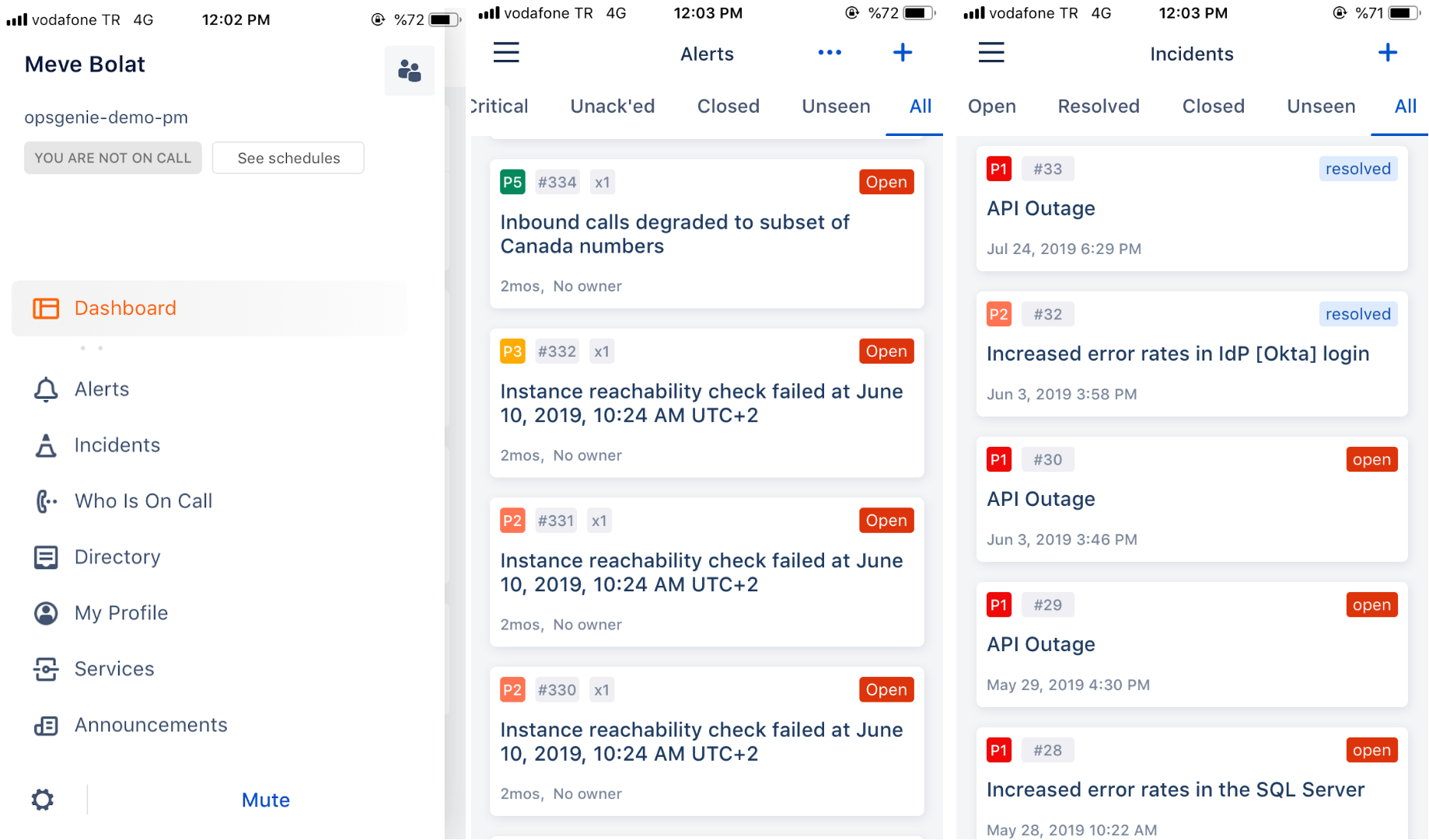
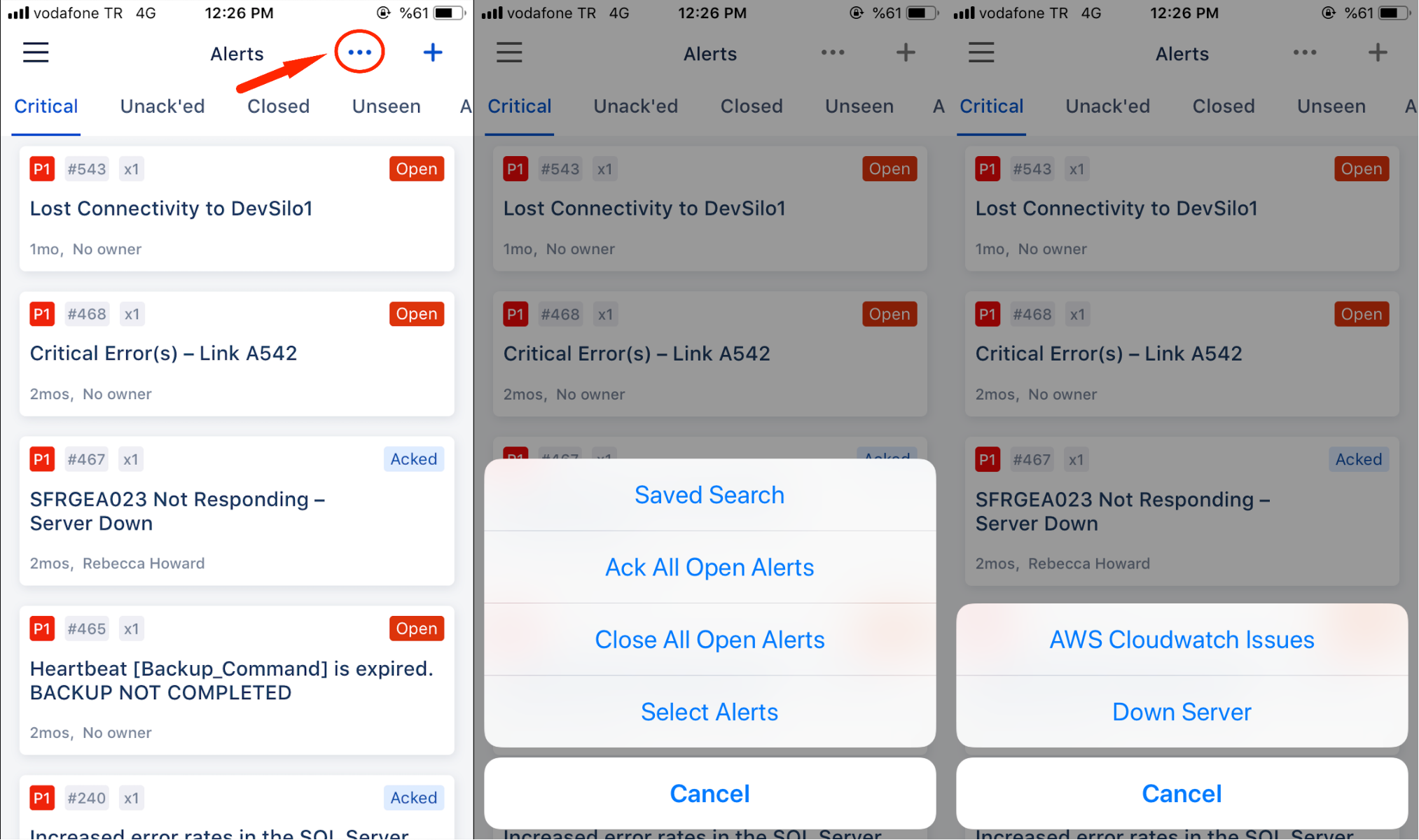
Saved searches and Actions buttons are moved to the ellipsis button
Saved search and Actions buttons are moved to the ellipsis button which can be found at the top right of the page:
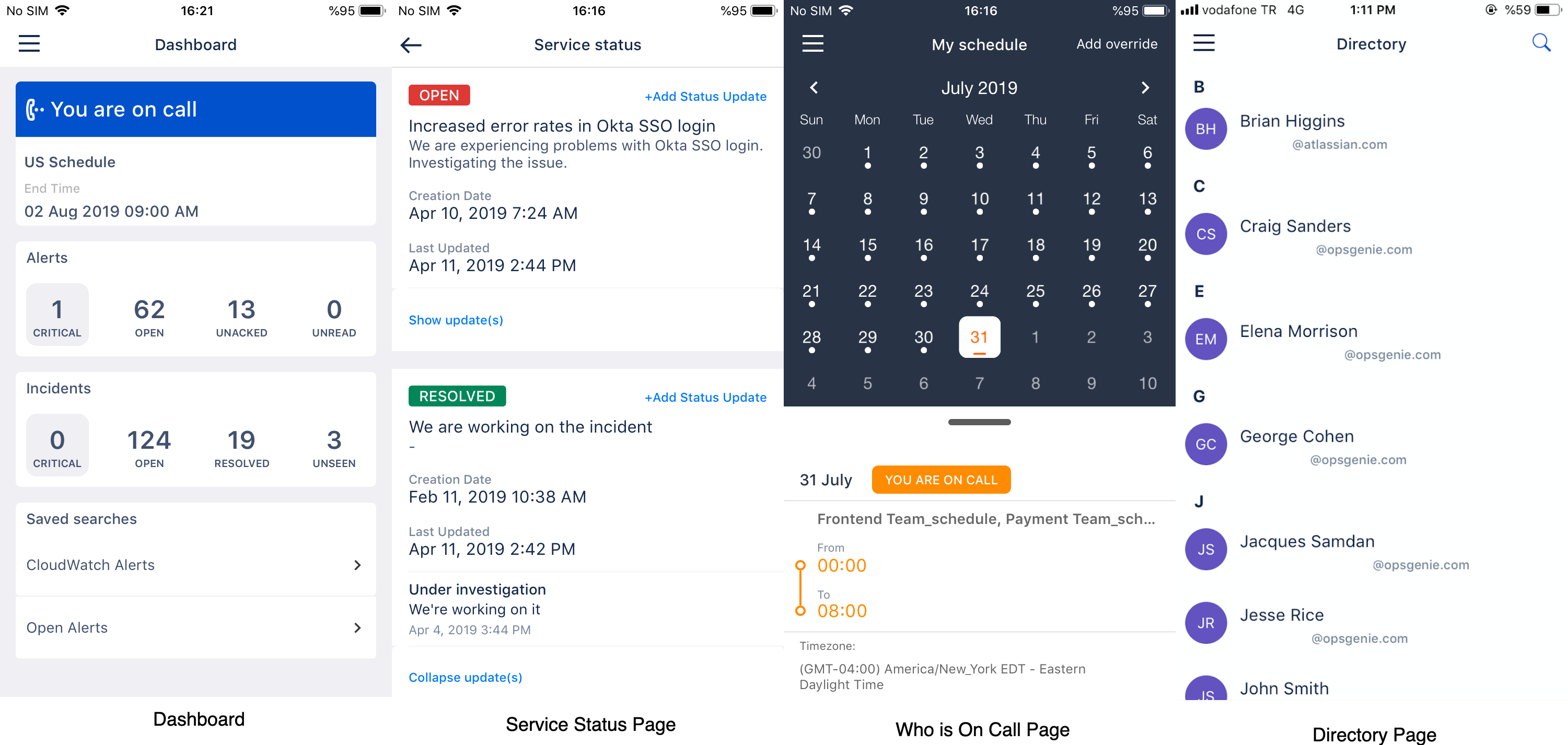
Here are some other snippets of the new design
What’s Next?
Dark Mode for the Opsgenie Mobile App is on it’s way, stay tuned for more info!
