Hello Colleagues.
- I have Confluence & Jira application installed on one single virtual machine
with Centos 7 OS (Virtual machine - next it'll be just abbreviation VM). - Also for HTTPS proxy (let's encrypt ssl certs) created another one single VM with Nginx. All FQDN requests will be handling on this machine.
Take a look on this schema below:
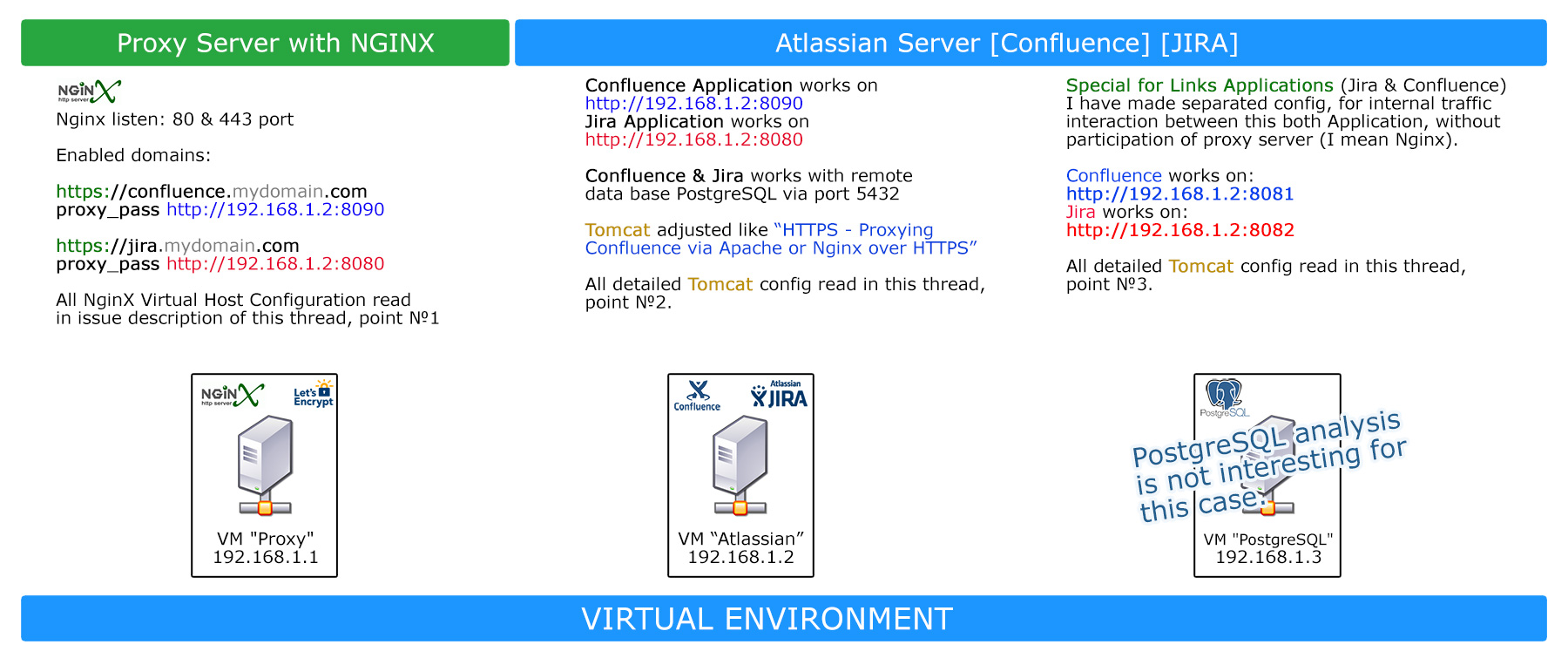
POINT №1
=> Edit file Hosts, just because I want use domain names in NginX configuration instead of ip addresses:
root@proxy1:/# cat /etc/hosts

127.0.0.1 localhost
192.168.1.2 confluence.mydomain.com
192.168.1.2 jira.mydomain.com
=> Nginx Virtual Host configuration, here is listed config for Jira, for Conflunce it's same configuration:
server {
server_name jira.mydomain.com;

location / {
proxy_pass http://jira.mydomain:8080/;

proxy_set_header Host $host;
proxy_set_header X-Real-IP $remote_addr;
proxy_set_header X-Forwarded-For $proxy_add_x_forwarded_for;
proxy_set_header X-Forwarded-Proto $scheme;

}

listen 443 ssl; # managed by Certbot
ssl_certificate /etc/letsencrypt/live/jira.mydomain.com/fullchain.pem; # managed by Certbot
ssl_certificate_key /etc/letsencrypt/live/jira.mydomain.com/privkey.pem; # managed by Certbot
include /etc/letsencrypt/options-ssl-nginx.conf; # managed by Certbot
ssl_dhparam /etc/letsencrypt/ssl-dhparams.pem; # managed by Certbot

}

server {
if ($host = jira.mydomain.com) {
return 301 https://$host$request_uri;
} # managed by Certbot

listen 80;
server_name jira.mydomain.com;
return 404; # managed by Certbot

}
POINT №2 => Tomcat
- Tomcat for Confluence:
Tomcat adjusted like “HTTPS - Proxying Confluence & JIRA via Apache or Nginx over HTTPS”
nano /opt/atlassian/confluence/conf/server.xml
<Connector port="8090" relaxedPathChars="[]|" relaxedQueryChars="[]|{}^\`"<>"maxThreads="150"
minSpareThreads="25" connectionTimeout="20000" enableLookups="false"maxHttpHeaderSize="8192" protocol="HTTP/1.1"
useBodyEncodingForURI="true" redirectPort="8443"acceptCount="100" disableUploadTimeout="true" bindOnInit="false"
secure="true" scheme="https"proxyName="confluence.mydomain.com" proxyPort="443"/> - Tomcat for JIRA:
Tomcat adjusted like “HTTPS - Proxying Confluence & JIRA via Apache or Nginx over HTTPS”
nano /opt/atlassian/jira/conf/server.xml
<Connector port="8080" relaxedPathChars="[]|" relaxedQueryChars="[]|{}^\`"<>"
maxThreads="150" minSpareThreads="25" connectionTimeout="20000" enableLookups="false"
maxHttpHeaderSize="8192" protocol="HTTP/1.1" useBodyEncodingForURI="true" redirectPort="8443"
acceptCount="100" disableUploadTimeout="true" bindOnInit="false" secure="true" scheme="https"
proxyName="jira.mydomain.com" proxyPort="443"/>
PONT 3 => Internal traffic interaction
For JIRA internal traffic interaction made Tomcat connector:
Jira works on http://192.168.1.2:8082
<Connector port="8082" connectionTimeout="20000" maxThreads="200" minSpareThreads="10"
protocol="org.apache.coyote.http11.Http11NioProtocol"
relaxedPathChars="[]|" relaxedQueryChars="[]|{}^\`"<>"
enableLookups="false" acceptCount="10" URIEncoding="UTF-8" />
! Also on this VM for Atlassian Applications I did open ports:
firewall-cmd --permanent --zone=public --add-port=5432/tcp
firewall-cmd --permanent --zone=public --add-port=8090/tcp
firewall-cmd --permanent --zone=public --add-port=8000/tcp
firewall-cmd --permanent --zone=public --add-port=8005/tcp
firewall-cmd --permanent --zone=public --add-port=8091/tcp
firewall-cmd --permanent --zone=public --add-port=8080/tcp
firewall-cmd --permanent --zone=public --add-port=80/tcp
firewall-cmd --permanent --zone=public --add-port=443/tcp
firewall-cmd --permanent --zone=public --add-port=8081/tcp
firewall-cmd --permanent --zone=public --add-port=8082/tcp
firewall-cmd --reload
In additionally, I did edit host file, I don't like use IP addresses in configuration files for the avoidance difficulties with reconfiguration if I will be need change IP addresses of my VMs.
[root@atl1 /]# cat /etc/hosts
127.0.0.1 localhost localhost.localdomain localhost4 localhost4.localdomain4 atl1.mydomain.com atl1
::1 localhost localhost.localdomain localhost6 localhost6.localdomain6 atl1.mydomain.com atl1

192.168.1.3 db1.mydomain.com # Remote DB PostgreSQL
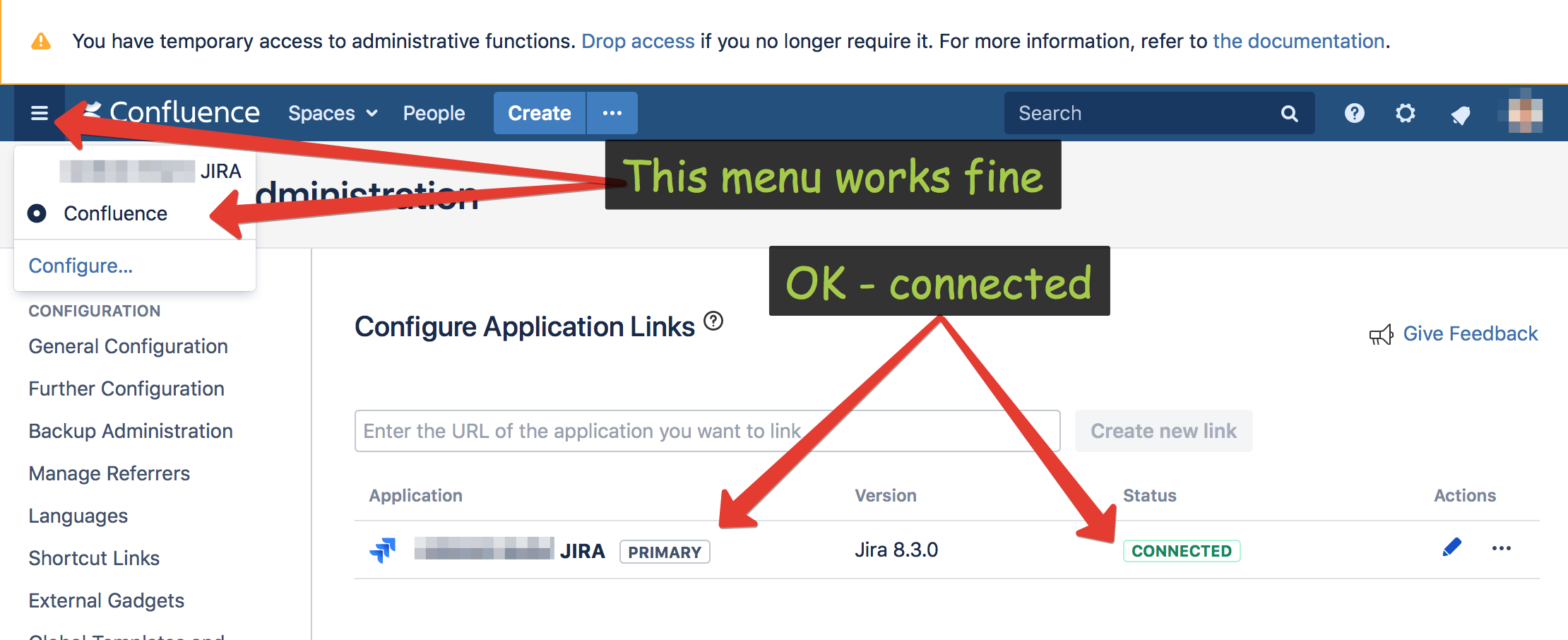
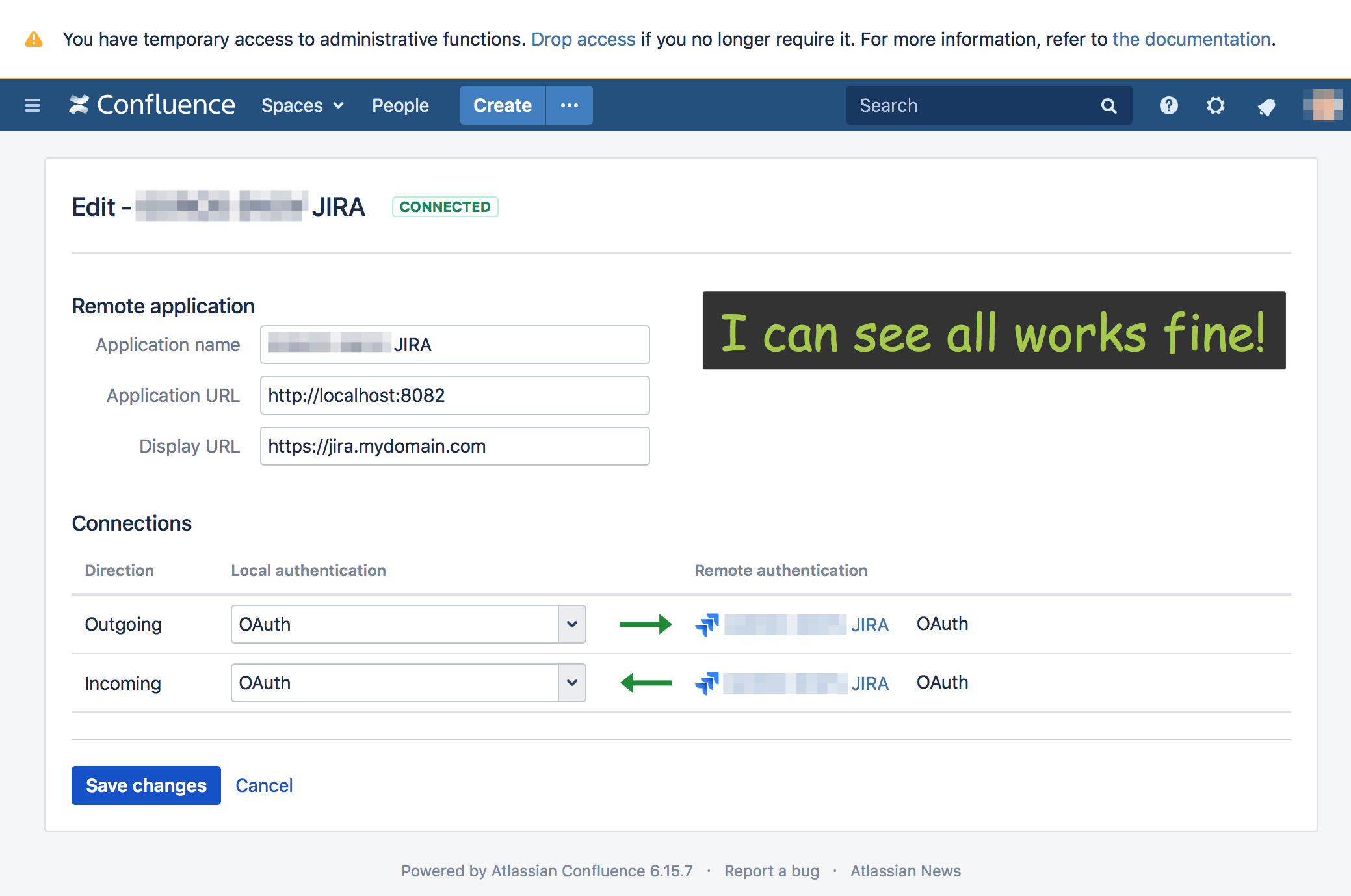
I did add Jira Application in Confluence panel Administration -> Application Links:
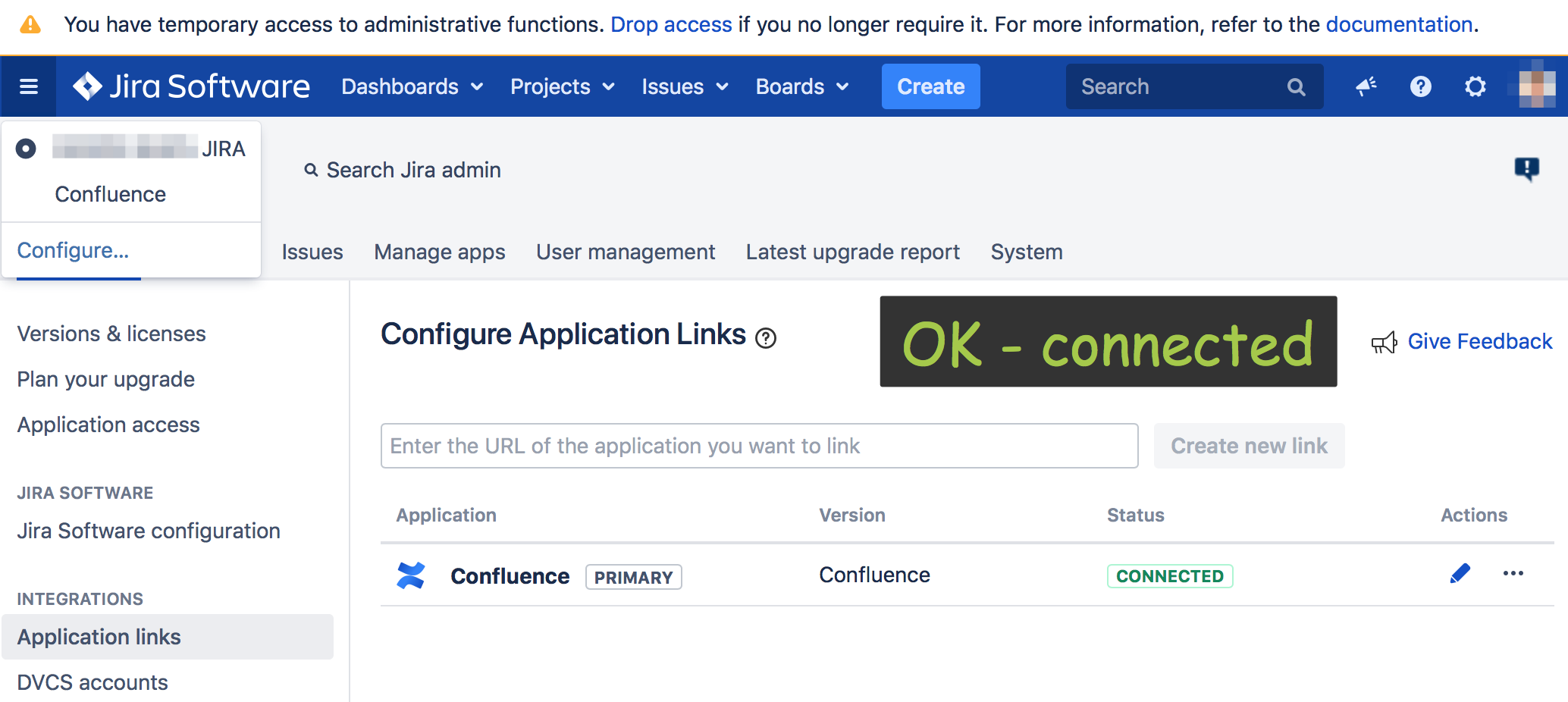
I did add Confluence Application in Jira panel administration System -> Applications -> Application Links:
 -----
-----
I faced up with an issue with interaction of this two application!
ISSUE №1 => When I am logged in, this switching between applications works well
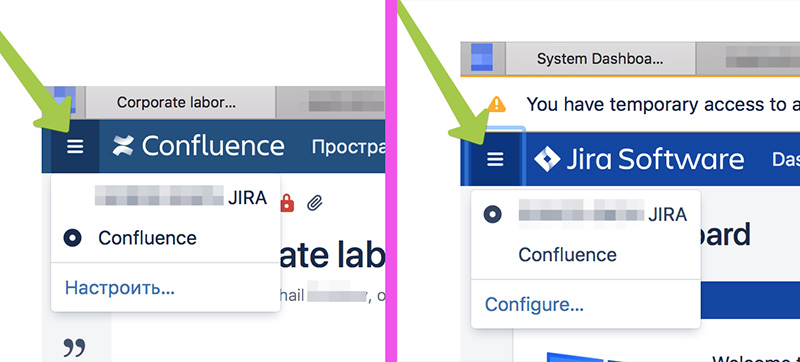
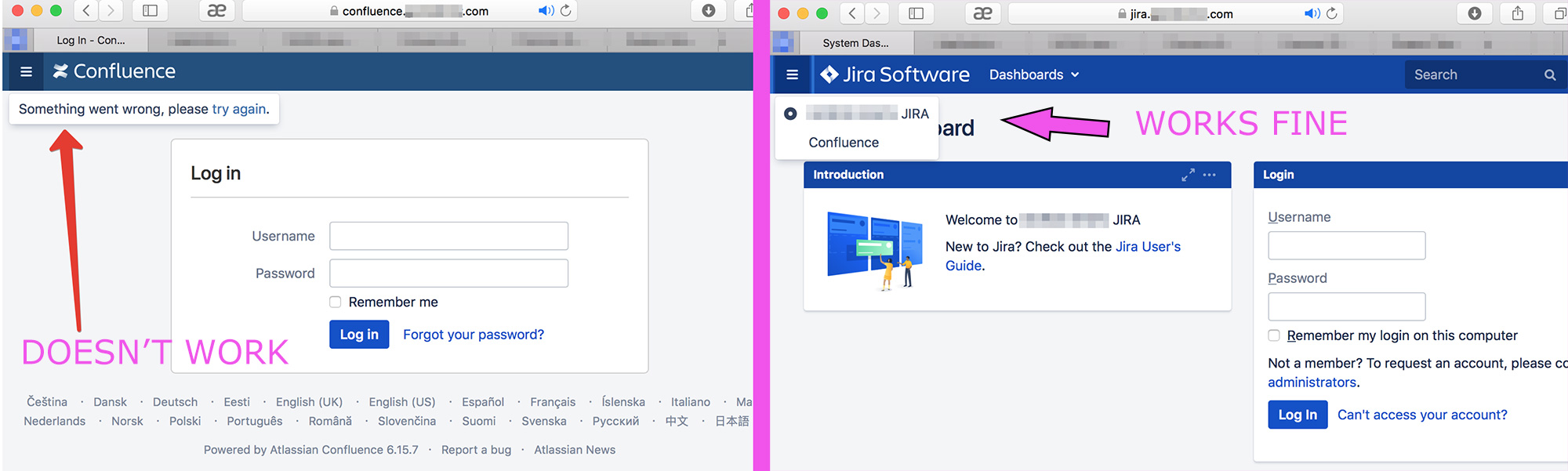
But when I'm log out from Confluence, Confluence tell me Something went wrong, please try again. But when I'm log out from Jira, button switch in Jira works well.
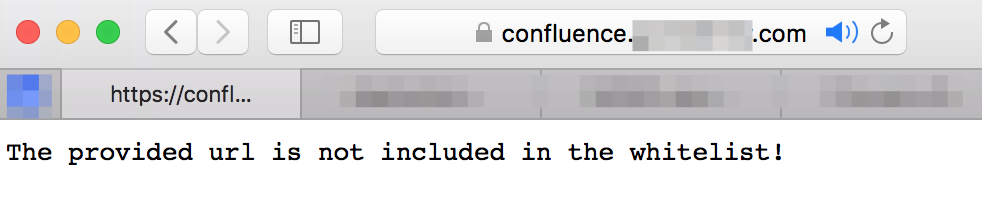
ISSUE №2 => When I'm log in Conflunce, link on Jira opening in modal window, but when I click on the ticket, confluence tell me:
The provided url is not included in the whitelist!

Any idea? What went wrong, where is mistake in both this issues?
If you wanna help, pls, lets talking according this case.


