Hi,
I am using SourceTree and Git-Flow and am wondering if someone could educate me on a few things.
1. The purpose of the Track option in the Push dialog
As per the Git-Flow recommendation, I have two branches, Master and Develop. Whenever I am on the Develop branch and use Git-Flow to Finish a release it prompts this dialog.
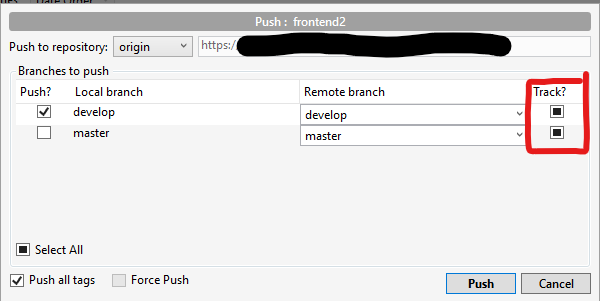
The default choice for this tri-state button is always "mixed". And if I just Push it works fine.
However, if I were to choose to push to the master at the same time the track option changes to a checkmark as below.
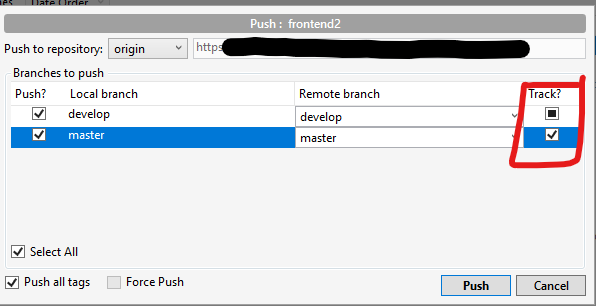
From another post I found this information.
Checked = Set the remote branch to be the one the local branch should track
Unchecked = Stop the local branch tracking anything
Mixed (-) = Don't change any tracking on this branch, leave it as-is
My question is why does it check it on the master? And how do I correctly push to both branches when finalizing a release? Right now I have to push to the develop. Switch to the master and then push to the master. Would setting the option to "mixed" do the same thing? It seems logical but honestly this whole git thing can be confusing as hell so I don't want to mess up my repository by doing something I shouldn't.
2. Generating a release with new (added) files
My second question is about generating a release with new files in the Develop branch. I dont know if this is right but whenever I do this, the release fails. I then have to go to the master and add the files and then issue the release.
I am not sure why I need to do this extra step since I need files added anyway. And quite honestly from the Git_Flow branching model (https://nvie.com/posts/a-successful-git-branching-model/) it looks like the master just holds all the latest files once the develop branch has been properly vetted. Shouldnt the files just be pushed to master branch automatically? What am I missing?
I apologize in advance if these questions seem basic but git can get very confusing at times for the uninitiated.
TIA


