Inspired by @Jodi LeBlanc's e-portfolio, I decided to create my own writing portfolio in a brand new Trello board.
I'm very pleased with the result so I thought about sharing it with you. Here is how it looks like:
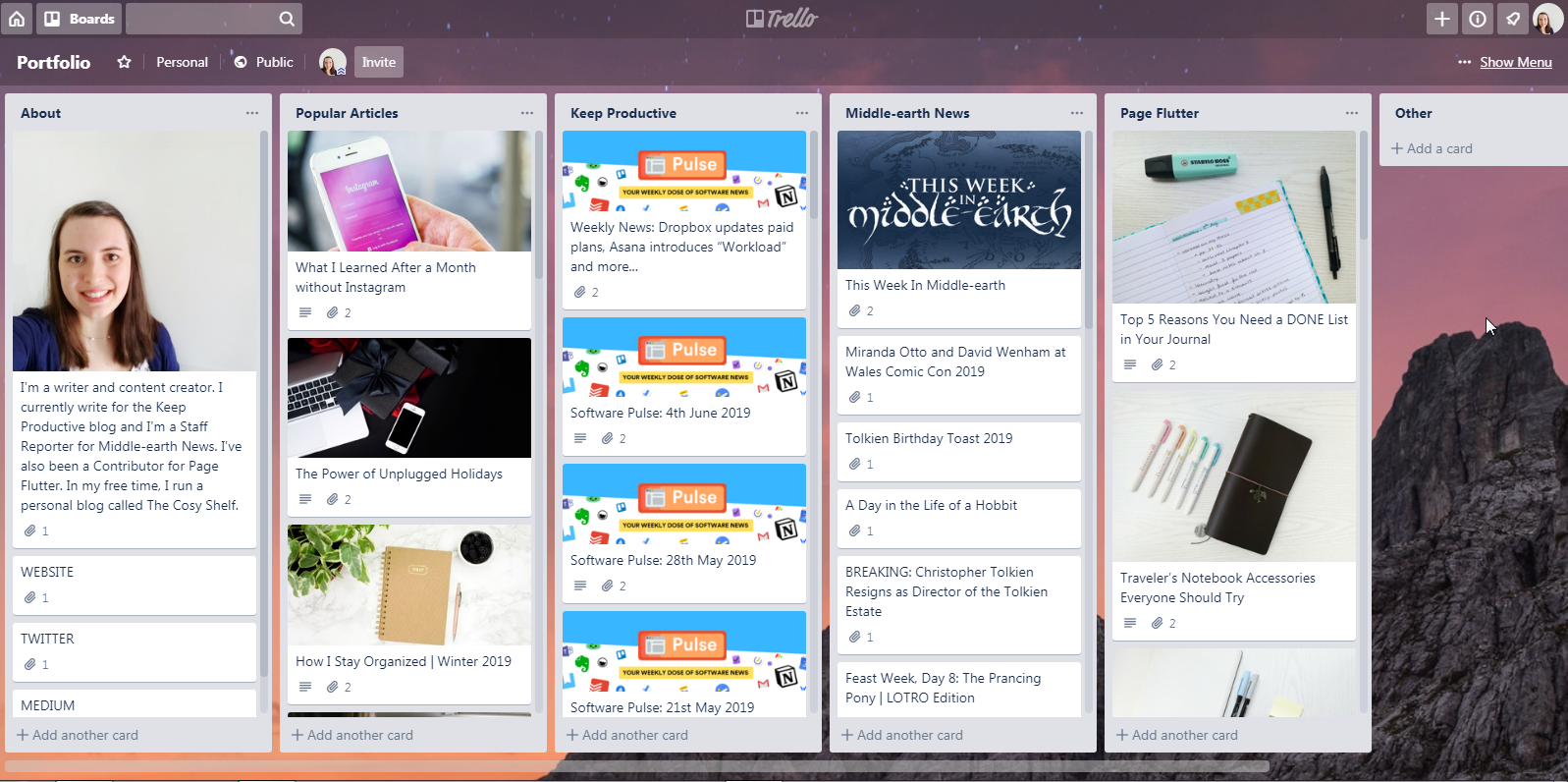
Currently, there are 6 lists in there:
- About: this list contains a card with a short bio and then my main social media and contact info.
- Popular Articles: where I clip the articles I write on my Medium profile.
- Keep Productive: all the articles I write for the Keep Productive blog.
- Middle-earth News: I've been a Staff Reporter for this website since 2013 so I decided to clip only a selection of my articles but, at the bottom of the list, you can find a card called ALL POSTS with a link to my author page there.
- Page Flutter: here I pinned all the posts I've written ad a blog contributor.
- Other: this list is still empty but I'm planning to use it to collect links to guests posts, interviews, etc.
Another thing to notice is that I've created invisible labels (using the grey label).
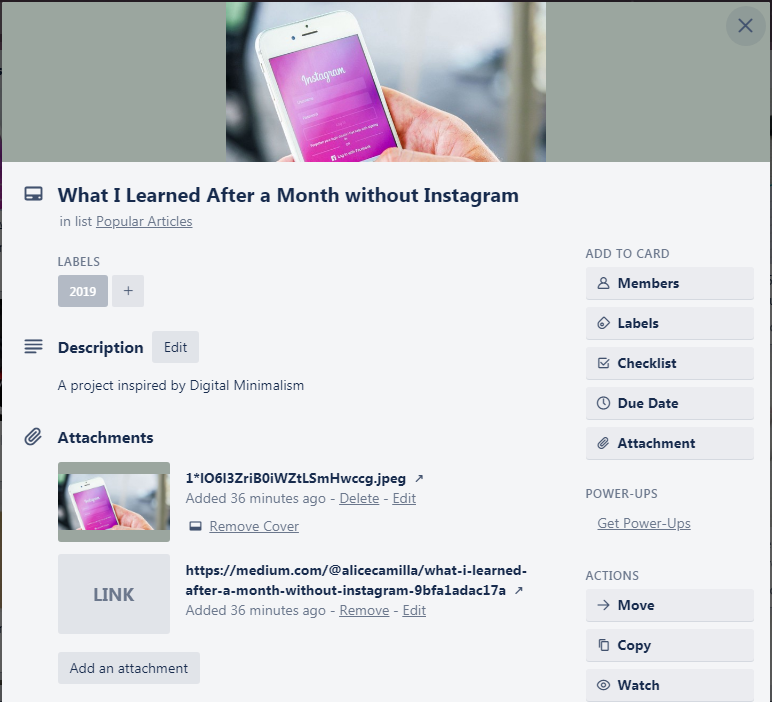
These invisible labels contain the publishing years, so I can tag posts and filter them by year if needed. This is why I opted for labels instead of Custom Fields to display the years the posts were written.
Finally, I decided to set this board as Public so I can directly share it with people if needed.
Do you use Trello for your portfolios too? I'd love to know!
P.s. To easily save the articles, I used this handy Trello Chrome extension.


