I downloaded "Status" macro source code and managed to compile the code, trying to enhance functionalities of the macro.
However, I noticed that the status block doesn't look the same during view mode vs edit mode (page source code included):
View Mode:
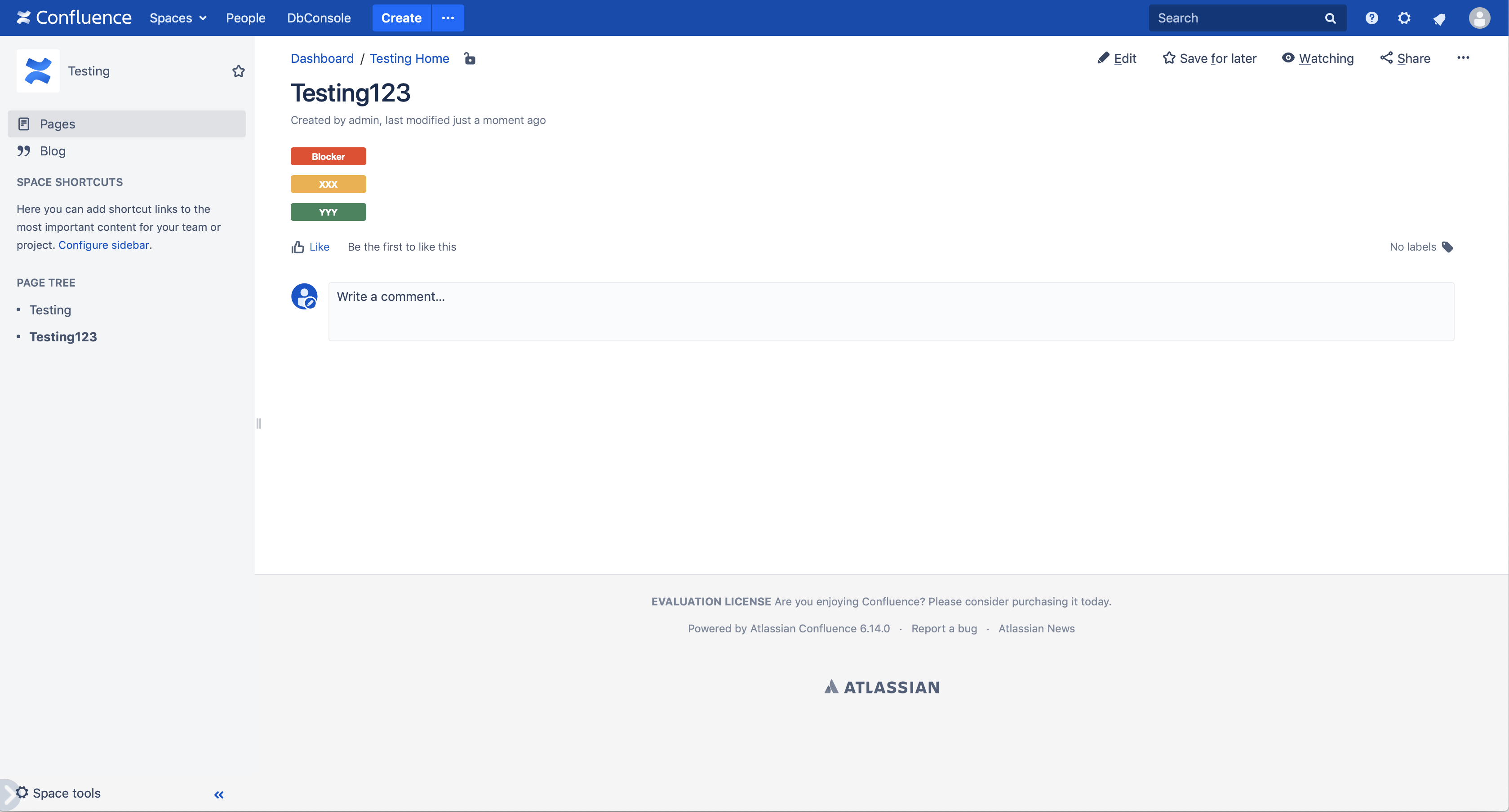
<p><span class="conf-macro output-inline" data-hasbody="false" data-macro-name="tutorial-confluence-macro-demo" style="background: #ee4424; color: white; font: 10px Helvetica Neue; font-weight: bold; padding: 4px 12px; -moz-border-radius:3px; -webkit-border-radius: 3px; display: inline-block; text-align:center; min-width:60px;">Blocker</span></p>
Edit Mode:
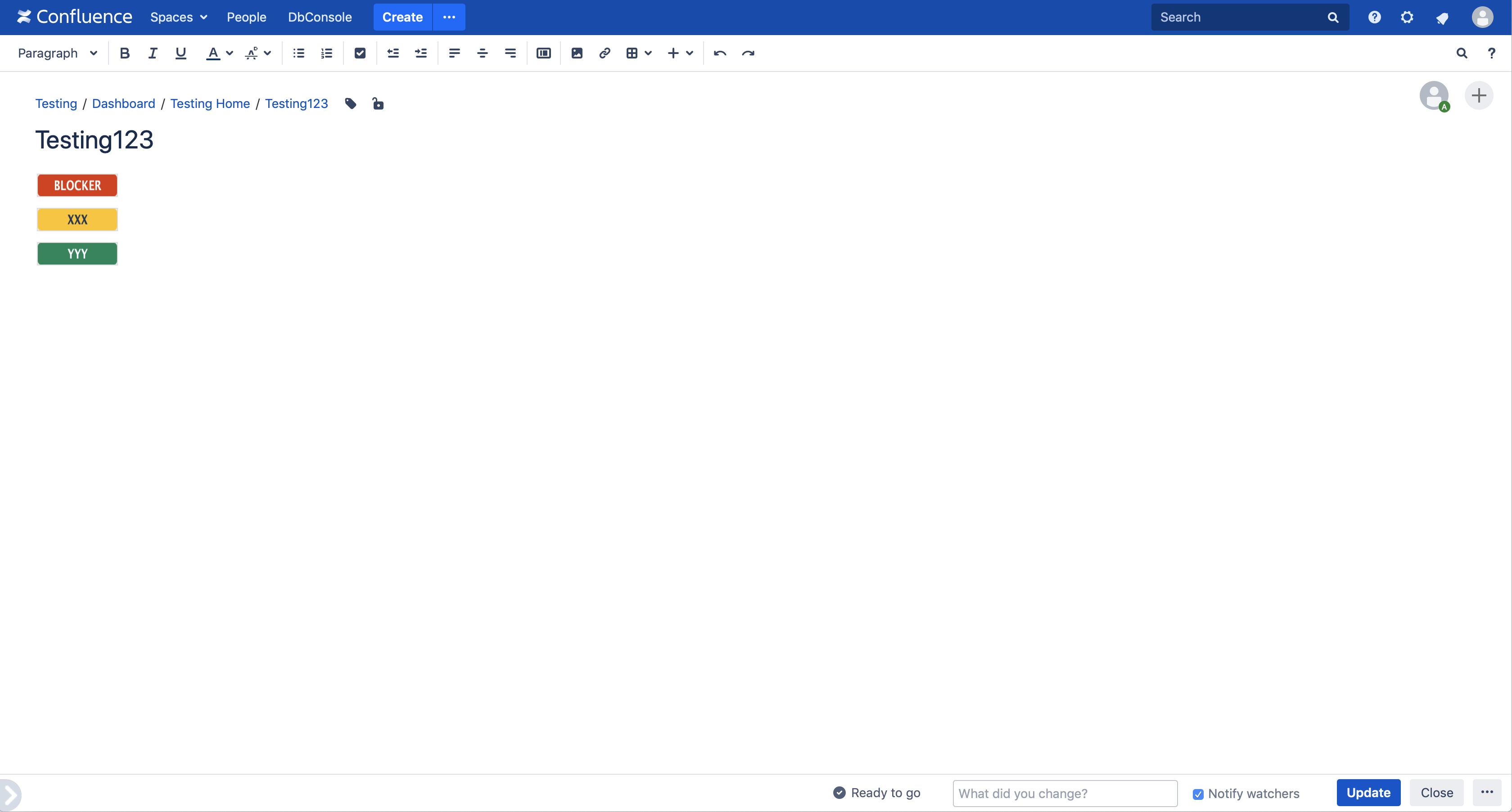
<p><img class="editor-inline-macro" height="18" width="88" src="/confluence/plugins/servlet/status-macro/placeholder?title=Blocker&colour=Red" data-macro-name="tutorial-confluence-macro-demo" data-macro-parameters="colour=Red|title=Blocker" data-macro-schema-version="1" data-macro-id="bee24b00-847c-44ef-9ce1-d5183f9098b7" data-mce-selected="1"></p>
Seems like in edit mode, the status block is turned into images, however, I cannot figure out where this happens, and how to fine-tune how the image is generated, so currently it looks a bit funny.
Will be great if someone can provide some help thanks!
Paul

