First of all, the server I run Confluence has no enough disk for the weekly backup job for the Confluence website and I can not access the Confluence website from my web browser.
Then, I run stop-confluence.sh which reports that kill the process failed. I run 'kill -9 XXXX' on the confluence process I can see in the 'top' command shows.
Then, I start the confluence server by running 'start-confluence.sh' as root. But I still cannot access the Confluence website and I found the zombie process of user "confluence" causes High CPU usage:
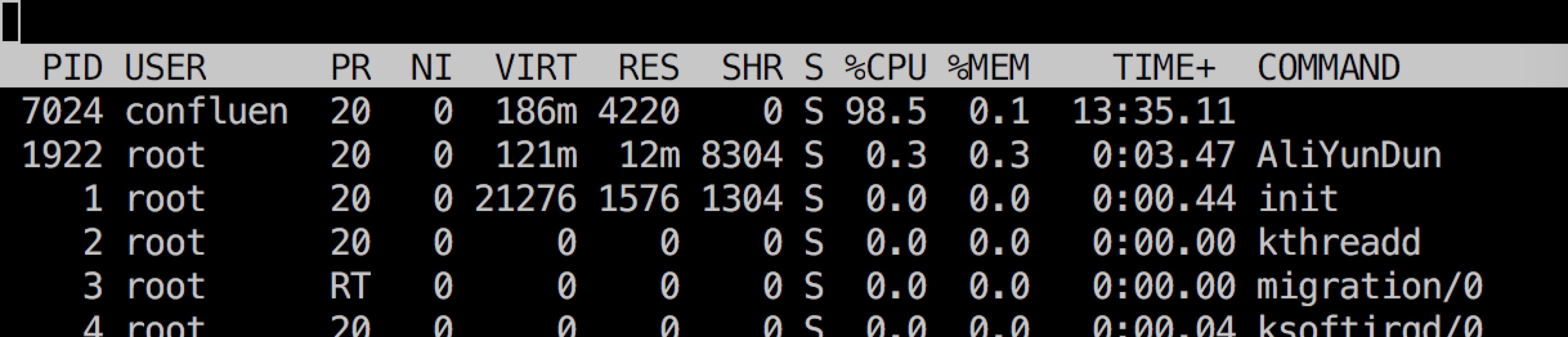
and I CAN NOT kill the process any more, even I reboot the system.
I see in the atlassian-confluence.log as following:
2019-04-19 13:30:29,421 WARN [synchrony-interop-executor:thread-2] [plugins.synchrony.bootstrap.DefaultSynchronyProxyMonitor] pollHealthcheck Could not ping the synchrony-proxy [http://127.0.0.1:8090/synchrony-proxy/healthcheck]: {}
-- url: /longrunningtaskxml.action | referer: http://****:8090/admin/restore-local-file.action | traceId: 5eb0806c7e6e9c96 | userName: *** | action: longrunningtaskxml
The Confluence Version I used is 6.9.1-x64


