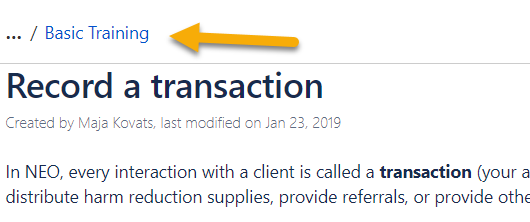
My question is very similar to this question:
https://community.atlassian.com/t5/Confluence-questions/How-do-I-modify-the-breadcrumb-navigation-bar-for-Confluence/qaq-p/722445
However, our instance is server and we are not using any third-party breadcrumb add-ons.
I've added this script to the HEAD so that unregistered users can't access irrelevant areas of Confluence (I only want them to see the relevant knowledge base for this product).
<script>
AJS.toInit(function(){
if (AJS.params.remoteUser == ''){
AJS.$('#header').hide(); // remove header
AJS.$('#breadcrumbs li:first').remove(); // remove the dashboard link
AJS.$('#breadcrumbs li:first').addClass('first'); // remove the pointer before the next link
}
});
</script>
Now the breadcrumb menu follows you down the page as you scroll, i.e. it is fixed. This makes some content harder to read.
The breadcrumb menu doesn't seem to do this when the #header is not hidden.
I would like the breadcrumb menu to be relative.
I hope these images are illustrative: