Opsgenie's out of the box integration with ServiceNow currently populates the short description, description, and assignment group of an Opsgenie-created, ServiceNow incident. A lot of folks ask how to customize the web service script to populate additional fields in the ServiceNow incident, so I thought I'd write it up and share it with you all on the community. I'll talk about how to map the “Entity” field from the Opsgenie alert to the “Category” field of the ServiceNow incident.
You'll need to use the Opsgenie ServiceNow integration with action mapping configured for Opsgenie alerts to create ServiceNow incidents for this advice to work for you.
Getting started
- Setup the Opsgenie integration with ServiceNow according to our documentation.
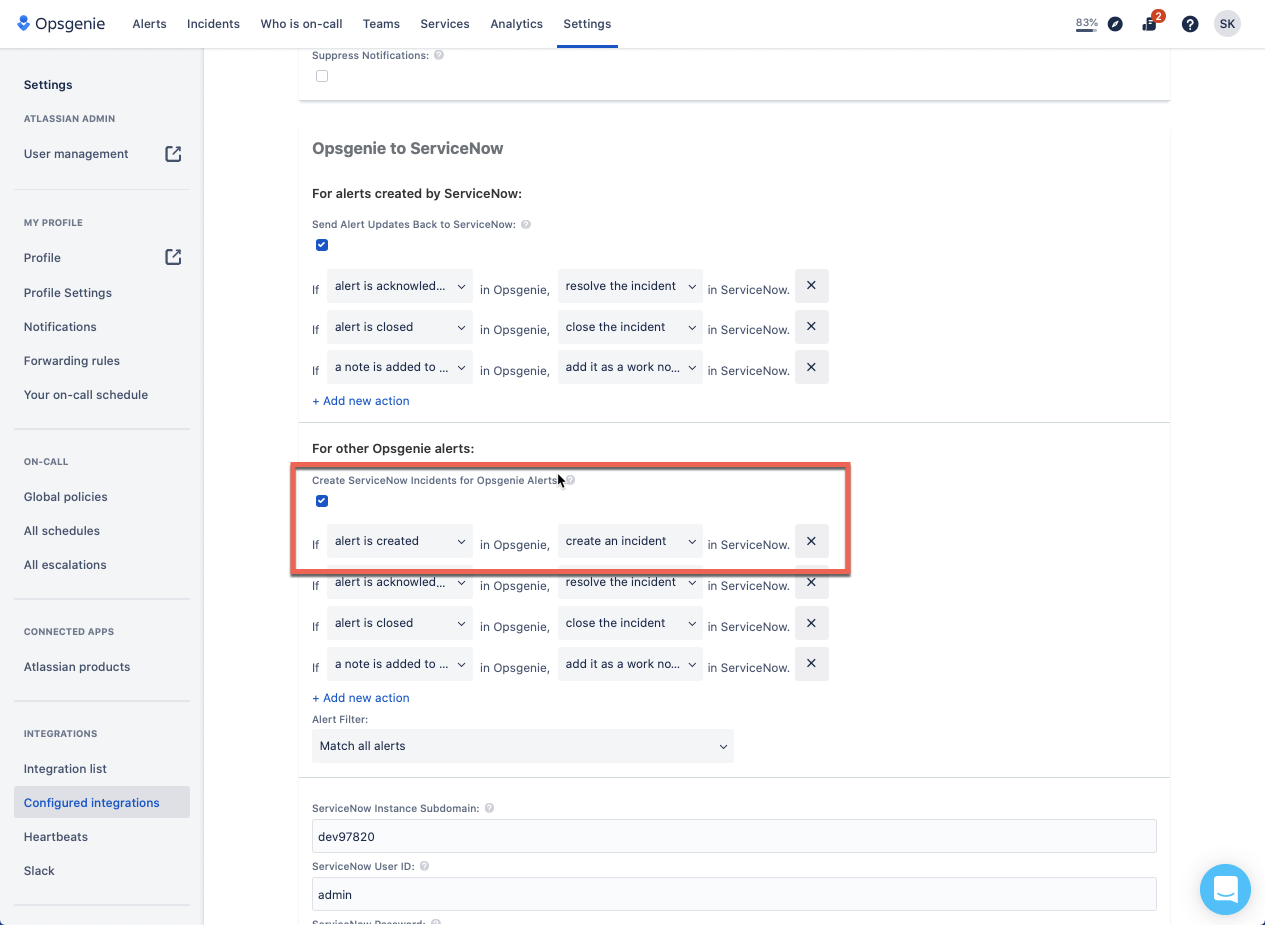
- Ensure that the integration in Opsgenie is set up to create ServiceNow incidents from Opsgenie alerts. It will look like this:
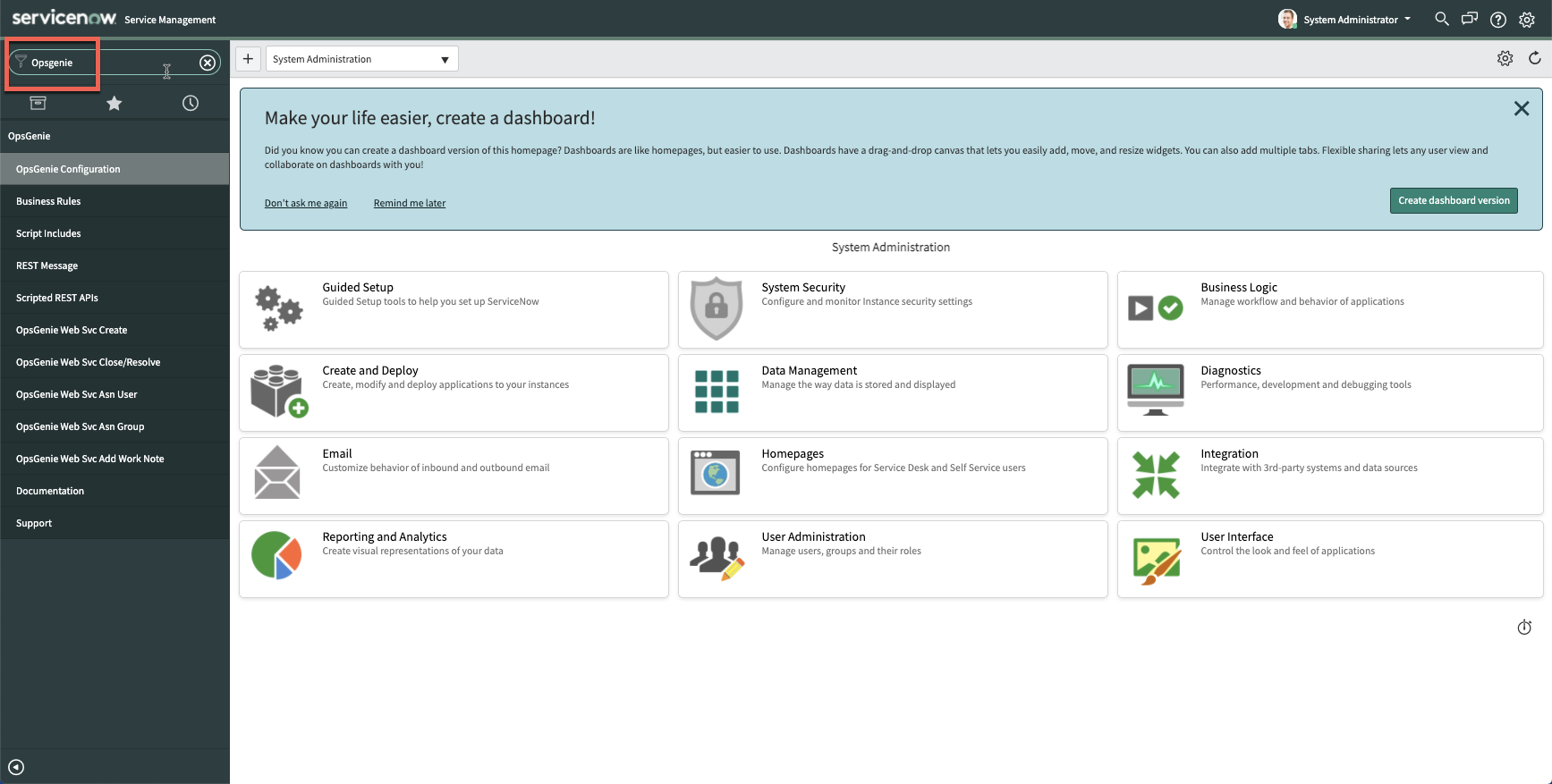
- Log in to ServiceNow as an admin, navigate to the Opsgenie application by searching “Opsgenie” in the “Filter Navigator” search bar.
-
Click on the “Script Includes” > “OpsGenie_Client” - this contains all functions available to use in other actions in the app.
-
The “getAlertFromOpsgenie” function expects the alert ID, but the incident only has the alias, so we can add another function to get the alert using the alias (you can add this at the bottom):
-
getAlertFromOpsGenieAlias: function(alias) {

try {

var rest = new sn_ws.RESTMessageV2('x_86994_opsgenie.OpsGenie Alert API Endpoint', 'get');

rest.setRequestHeader("Authorization", "GenieKey " + this.apiKey);

rest.setStringParameter("endPoint", this.endpoint);

rest.setStringParameter("subEndPoint", "/" + alias + "?identifierType=alias");

rest.setRequestHeader("Content-Type", "application/json");

gs.debug("Sending GetAlert request to " + rest.getEndpoint());

var response = rest.execute();

var responseBody = response.getBody();

var httpStatus = response.getStatusCode();

var responseLogMessage = "Response status: " + httpStatus + ", body: " + responseBody;

if(!httpStatus.toString().startsWith("2")) {

gs.error(responseLogMessage);

return "";

} else {

gs.debug(responseLogMessage);

return responseBody;

}

} catch(ex) {

var message = ex.getMessage();

gs.error("Exception occurred: ", ex);

}

}
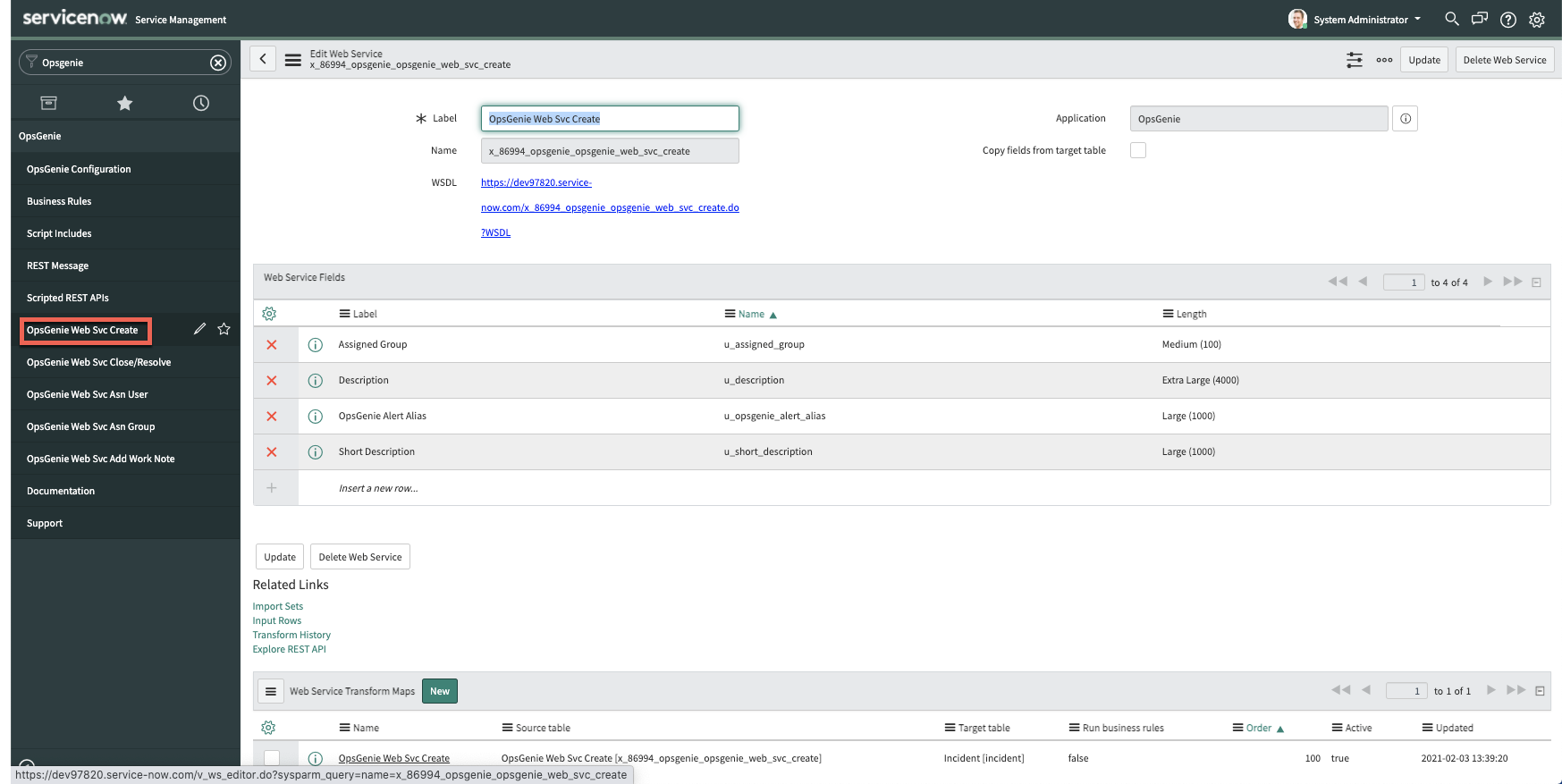
- Click on the “Opsgenie Web Svc Create” - this is the Web Service that is executed to create an incident in ServiceNow when an alert is created in Opsgenie. That alert is sent to ServiceNow to create an incident.
- Click on the Opsgenie Web Svc Create Transform map at the bottom.
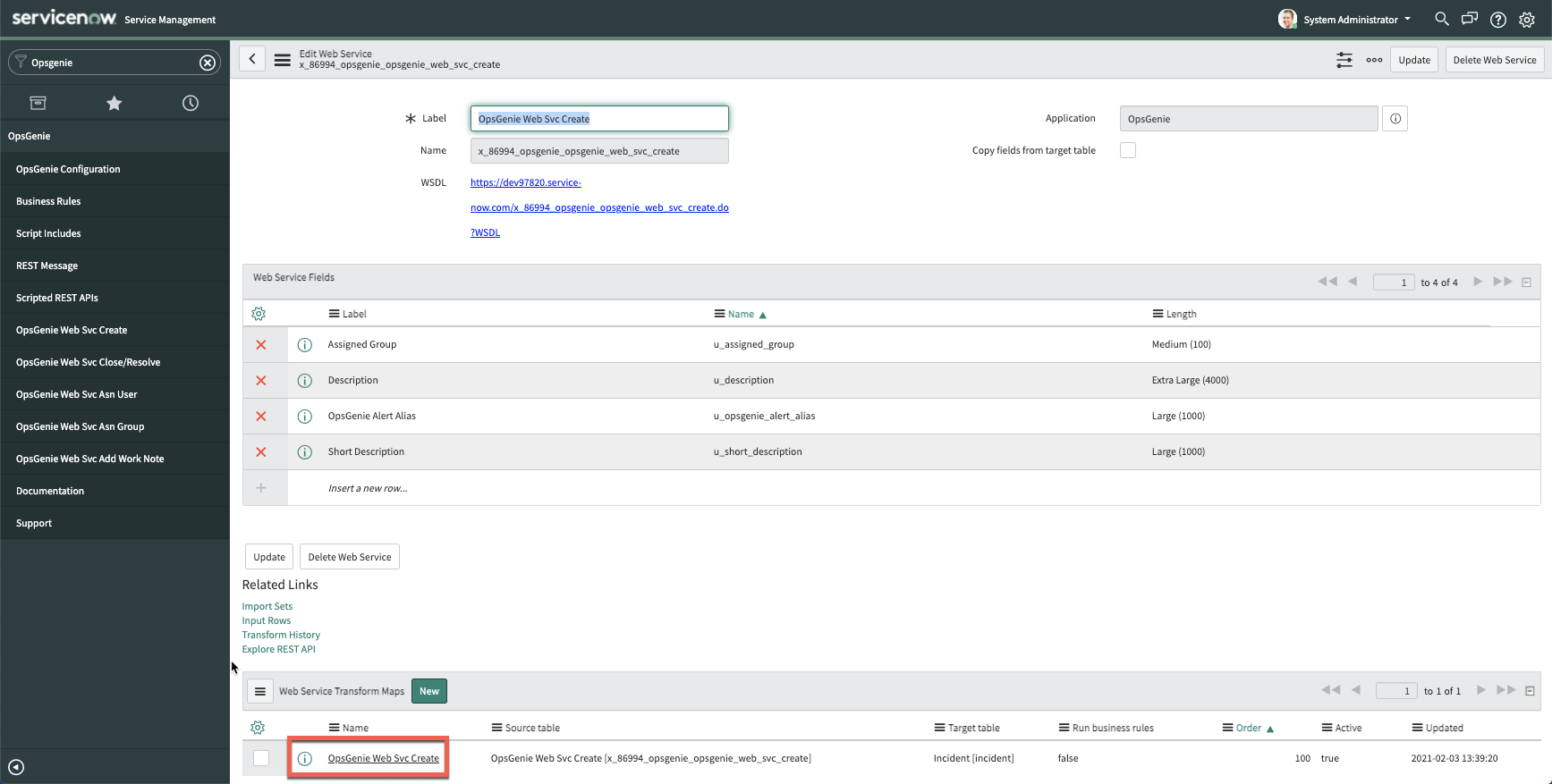
- This will bring you to the script that you can edit to customize workflows. In this example, we are editing it to map the value of the “Entity” field from the Opsgenie alert, to the “Category” field of the ServiceNow incident
This is what the script will look like:
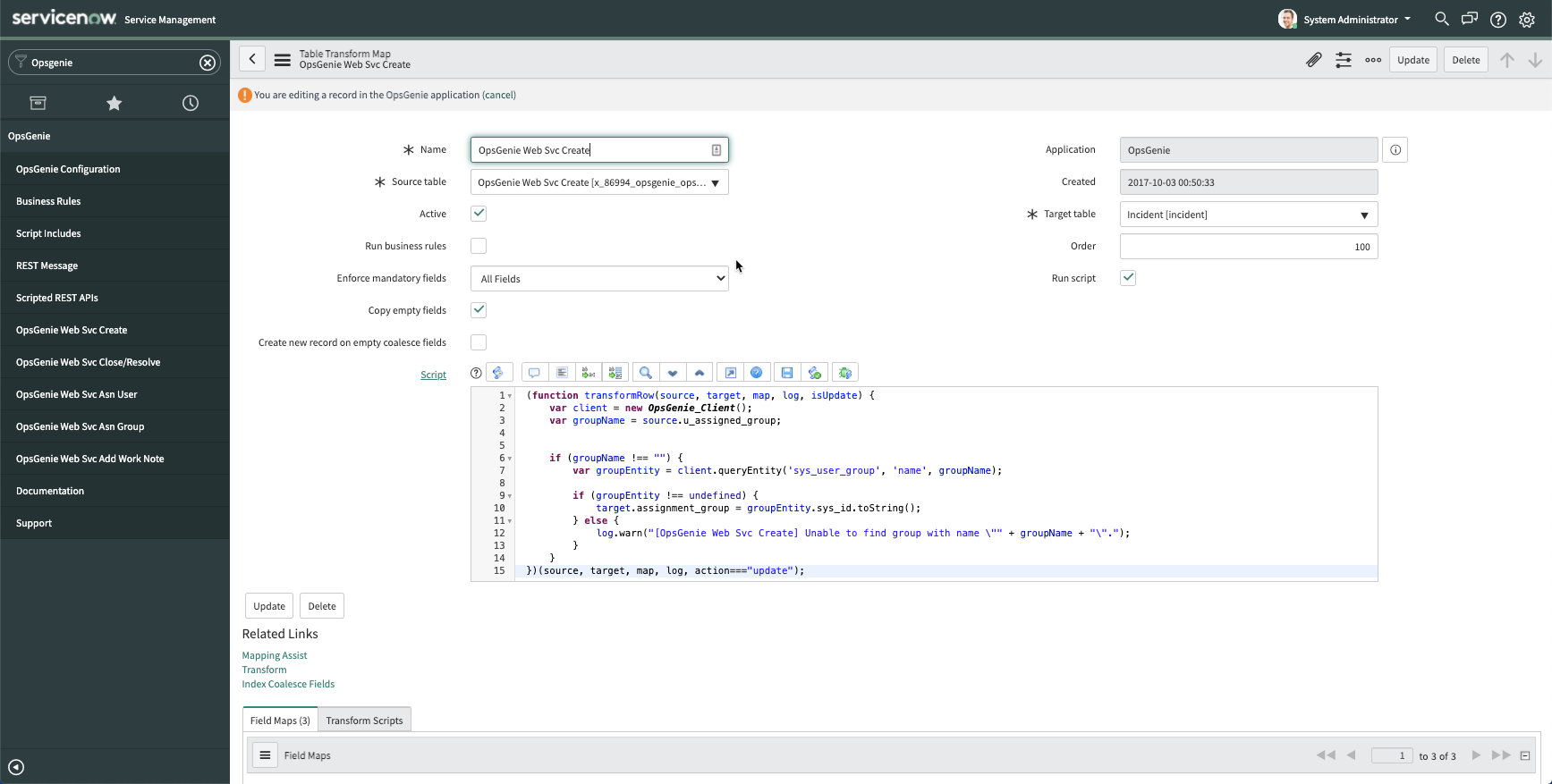
- Add in the additional lines of code starting on line 4 in the script in ServiceNow, then click “Update”
var alias = source.u_opsgenie_alert_alias;
var alert = client.getAlertFromOpsGenieAlias(alias);
var getAlertResponse = new global.JSON().decode(alert);
var opsgenieEntity = getAlertResponse.data.entity;
log.warn("[OpsGenie Web Svc Create] entity is" + opsgenieEntity);
target.category = opsgenieEntity;
Here's context on what these additional lines of code are doing:
Line 1 grabs the alias received from the Opsgenie alert
Line 2 makes the Get Alert API call to Opsgenie using that alias to get the full alert details, and assigns it to a variable named “alert”
Line 3 grabs the actual alert payload from the “alert” variable
Line 4 grabs the value of the entity field from the payload, and assigns to a variable named “opsgenieEntity”
Line 5 logs the value of the the entity field to the Warning logs in ServiceNow
Line 6 sets the value of the ServiceNow incident’s “Category” field, as the value of the opsgenieEntity variable
Note: Line 5 is optional - it just logs what the value of the entity field from Opsgenie. You can see these logs under “Warnings” in the System logs in ServiceNow. (Search for “Warnings” in the ServiceNow Menu search bar)
The updated script is shown below, with lines 4-10 being the additional lines of code we added to handle mapping the “Entity” field from the alert, to the “Category” field of the incident.
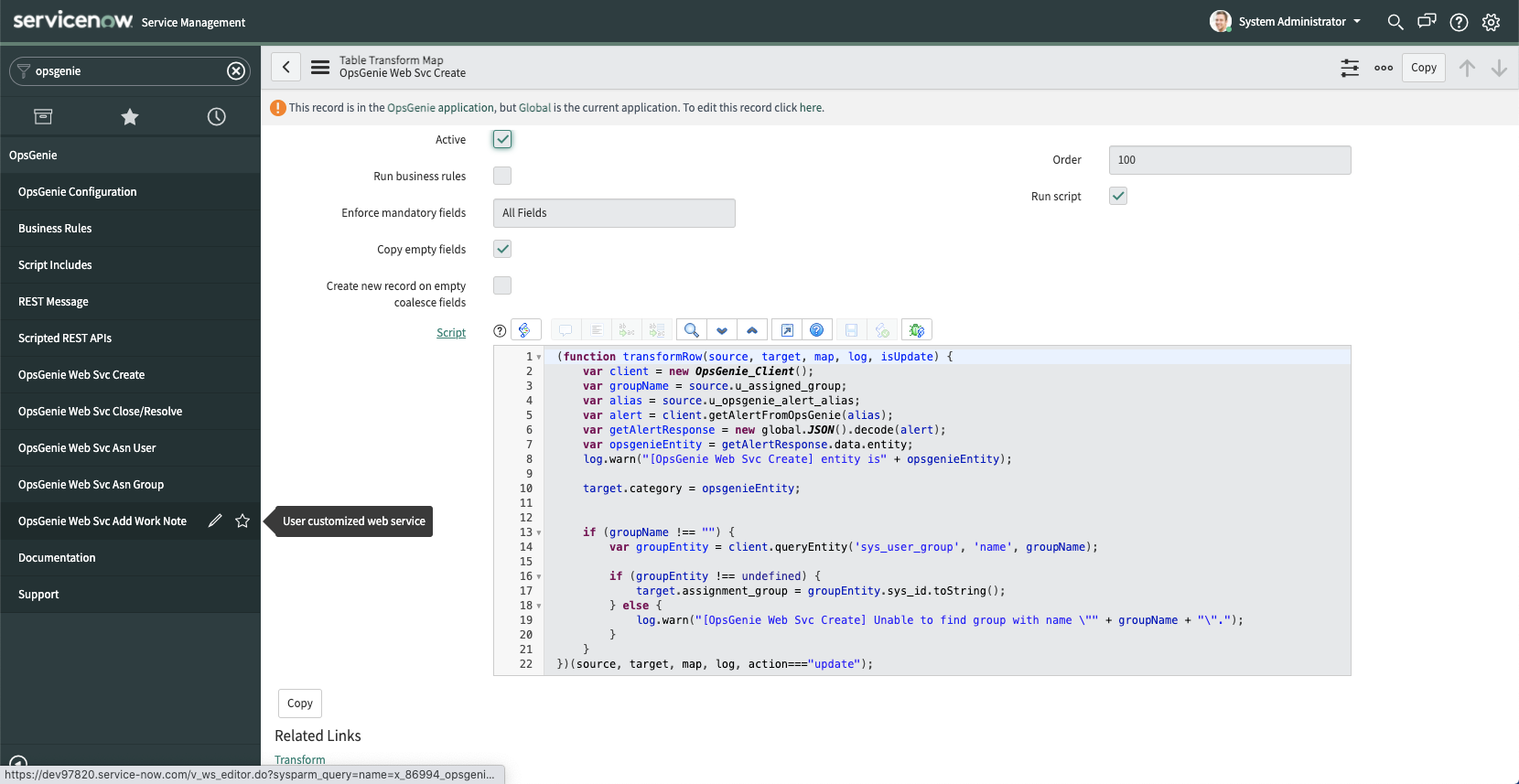
That’s it! Now if you create an alert in Opsgenie and populate the “Entity” field, it will create an incident in ServiceNow and the “Category” field of the ServiceNow incident will be populated with that value.
Let me know if you have any questions below!


