Hi Admins!
Help please!
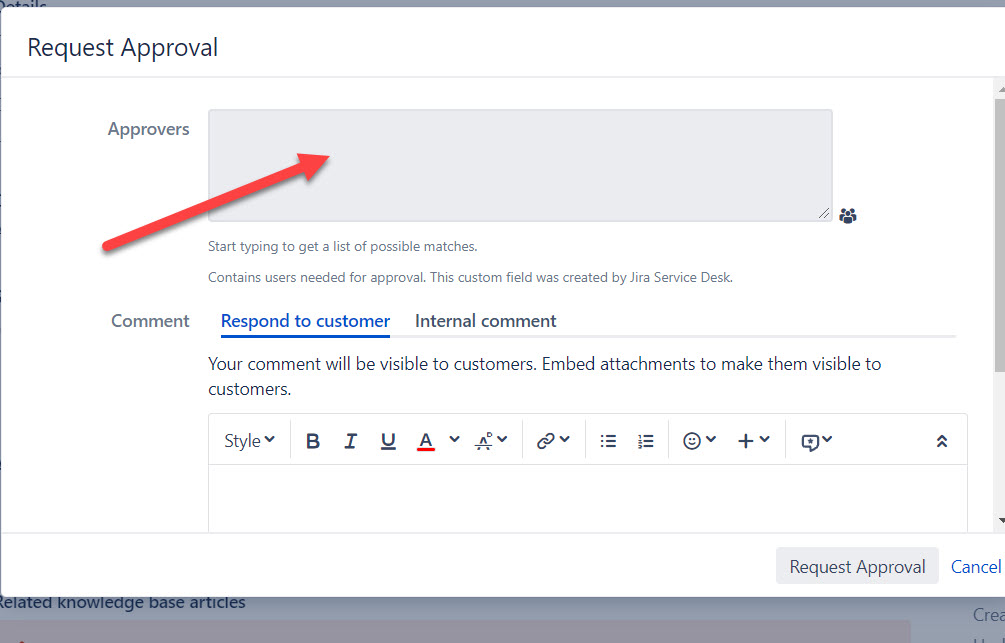
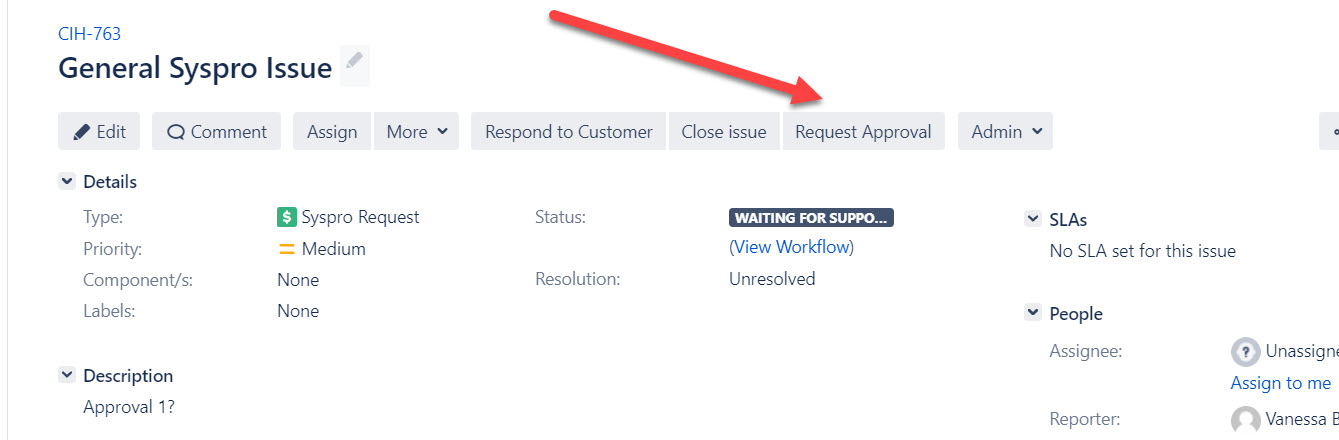
I need to add this to the Cloud version (it is currently setup on the server) - the screen shots below is taken from the server but i am not sure how to set this up on the cloud.
How do you add a button to request approval on a certain type of IT Helpdesk issue type and then thereafter choose users from your AD list?
See pic attached
You will need to do the following:
Here is some helpful information about workflows and approvals.
Hi Vanessa,
That button is actually just the name of a transition in your workflow. You can't add "buttons" like that in the new Jira view in Cloud - it's just another transition in the status dropdown.
You actually can't do that with DC or Server versions either, just to be clear. It's the same solution: add a transition.
Hi @Vanessa Becker --
Taking a close look at your screenshots, you're using Jira Service Desk on Server. So @Marc Koppelaar 's instructions on how to similarly set up Approvals in Cloud should do the trick.
It's much easier than doing it manually, which is what @Brant Schroeder and @John Funk described.
(When you have Jira Software projects, you don't have that extra "Add Approval" checkbox available, so you have add Approval transitions and logic by hand.)
As per @Darryl Lee 's comment, with JSM, there is a built-in approval process. Here's the Atlassian doc that discusses it -> https://confluence.atlassian.com/adminjiraserver/configuring-jira-service-management-approvals-938847527.html
Recommended Learning For You
Level up your skills with Atlassian learning
Learning Path
Improve user experience across Jira with global settings
Learn how to set up and configure a Jira site, manage Jira permissions, and configure Jira apps and integrations.
Learning Path
Streamline projects across Jira with shared configurations
Build Jira work items with reusable configurations called schemes, and reduce administrative work with automation.
Learning Path
Become an effective Jira software project admin
Set up software projects and configure tools and agile boards to meet your team's needs.