The updated Epics grid page is ready to graduate from beta, and is now generally available (GA). You can use it in your environment running version 11.22 or later.
GA highlights
Store and retrieve your customizations with saved views
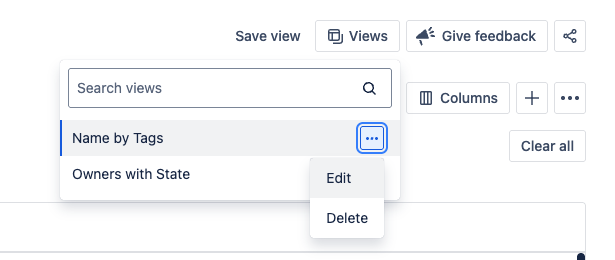
We’re excited to introduce the ability to save views on the new epics grid page and beta features grid page. A view saves your filters, sorting, and display options so you can quickly return to a curated grid between sessions.

You can create multiple saved views. Each view is unique to you, allowing you to create shortcuts for your most-used configurations. Find your saved views in the new Views menu, where you can open a view, edit a view name, or delete a view.
Creating views that can be accessed by other users is coming next in a future version of Jira Align.
Level-specific UI memory
When you leave and then come back to the new epics grid page or the beta features grid page, you will find each page in same state you left it 🎉. All filters, sorting, and columns will be retained from your previous visit.
Note that a state memory is retained for each team hierarchy level: portfolios, solutions, and programs. When you moves across team levels through navigation, you access a different state.
Review the total number of epics
The total number of epics is now available at the bottom of the page. When there are fewer than 1000 epics meeting your filter criteria, the exact number is displayed instantly.
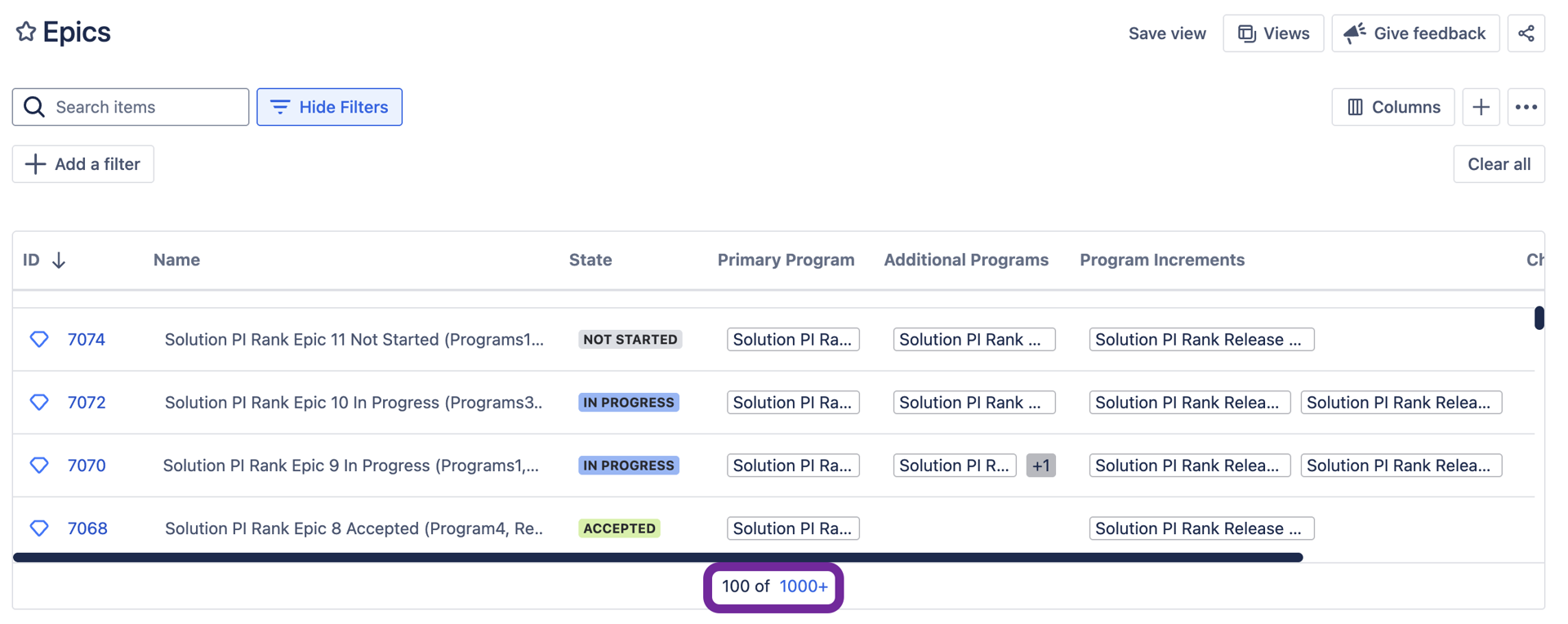
When the total number of epics is larger than 1000, a selectable link is displayed.
New columns, sorters, filters and operators
New columns
New filters
New “no value” value
We’ve added the “no value” value as a filtering option for the following epic attributes:
-
Customer
-
Investment Type
-
Process Step
-
Strategic Driver
New sorting options
The following columns can now be sorted on the page:
-
Age
-
Custom Text Area
-
Custom Text
-
Custom Dropdown
-
Theme
Availability
-
Access both experiences: For now, both the legacy and new epics grid pages will remain available. We’ll share a future transition date once we’re ready to end support for the old experience.
-
On-premises environments: After you install Jira Align 11.22.x, you can enable the new epics grid page by contacting Atlassian Support. We’ll make the new page available by default in a future version of Jira Align on-premises.
What’s next
We have started work on enabling inline editing for top fields and date filters. We are also gathering feedback for supporting additional filters and columns. Share your needs on New Epics Grid ticket.
Enjoy using the new epics grid!
