My goal:
- I have a main page with a draw.io diagram. This diagram contains several items in the background layer, and several items on other layers.
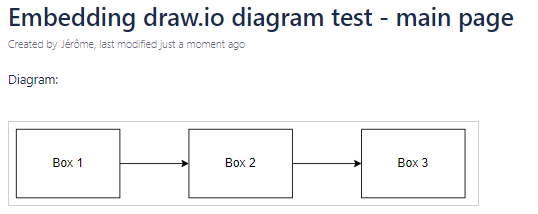
- On the main page I would like to see only the background layer.
- Then I would like to embed this diagram on other Confluence pages, and for each page show by default the background layer and an additional layer.
But it is not working. I saw the page https://drawio-app.com/blog/filter-diagrams-by-page-and-layers-in-confluence-server/, I do the same thing (although my interface is a bit different), but it's not working.
Example:
Here is my main diagram:
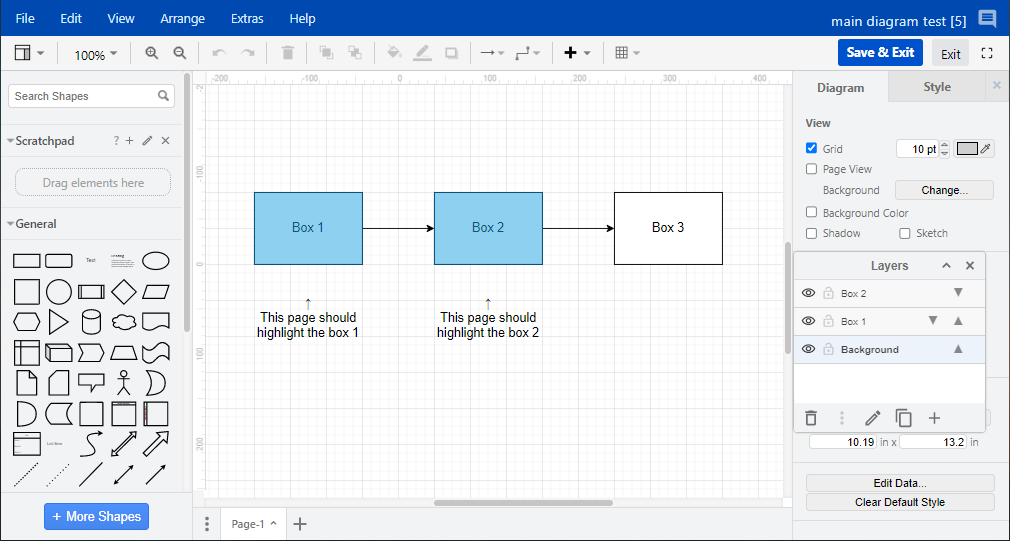
If I show only the background layer in the main diagram, then:
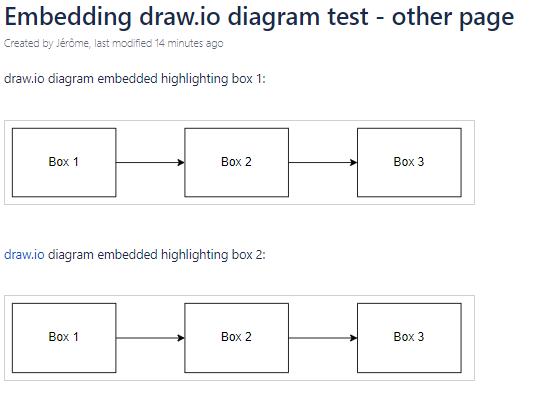
- My other page embedding the diagram is not correct since I don't see the other layers:
- Here is how I do to activate the layer in the other page:
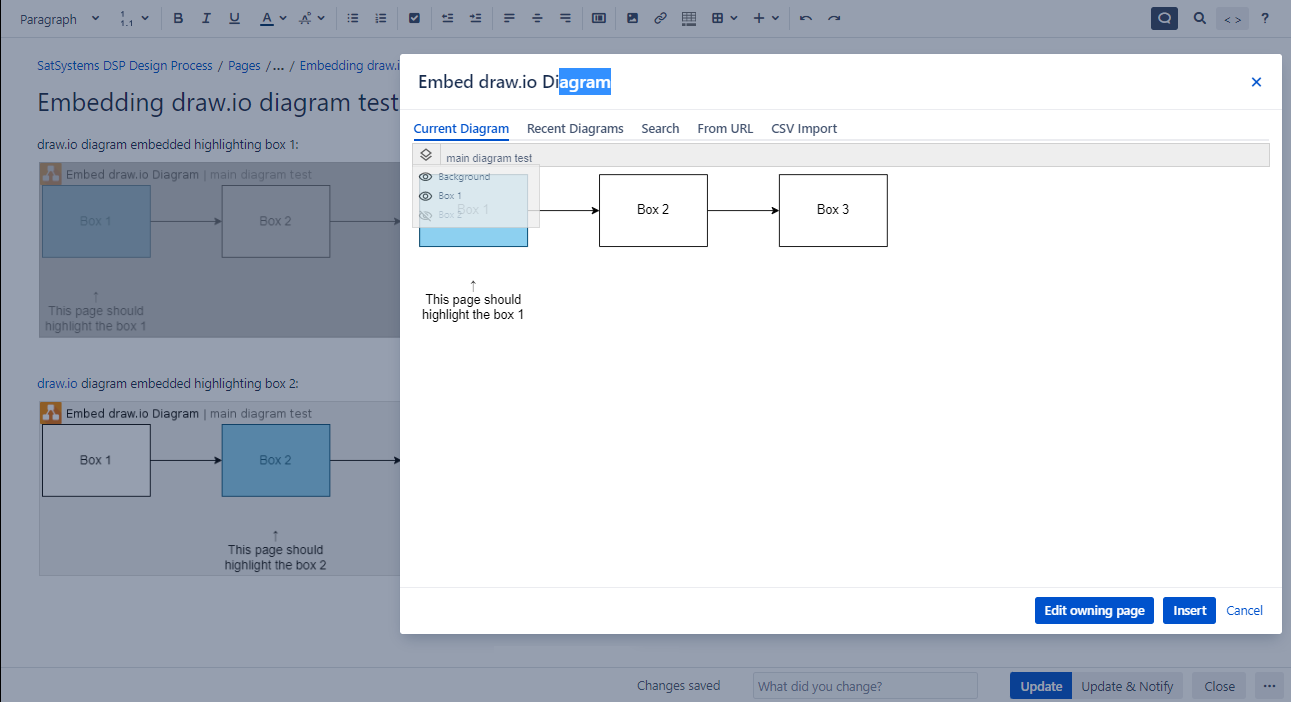
If I select the layer I want and click on Insert, then it shows correctly the layers in the edit mode, but if I edit again the diagram right after the other layers are deactivated, so it does not keep it in memory. And if I publish, I obtain the picture shown above.
Am I missing something?


