Native approvals landed in Confluence Cloud this summer, and they are good: approvers, due dates, an editing lock while a review is pending, an activity log, and a space-level switch that blocks publishing until sign-off is complete. If you have been stitching approvals together out of statuses, comments and automation, this is the feature you have been waiting for.
It is also, right now, one of the easiest features in Confluence to fail to find. The support page describes it as if it is simply there. In practice there are four gates in front of it, and the documentation names only the first. I switched it on this evening on an Enterprise site and walked every gate, so here is the map.
Observed in-product on 19 August 2026, one Enterprise site. Your site may behave differently, which is exactly the point of this piece.
What the docs say, and what they leave out 📖
The support page for approvals states that approvals are available only on Premium and Enterprise plans, then gives a clean procedure that begins with "Open the content status menu. Select Start approval." No beta label, no rollout caveat. It reads as a shipped feature.
The announcement, published the same day, says something different: Approvals are moving into Open Beta, rolling out gradually to eligible Premium and Enterprise sites. In its comments, the Atlassian team confirmed to readers who could not see the feature that this was expected while the rollout continued, and that a support ticket can bring it forward.
Five weeks on, sites on the same plan are still in different states, and the support page has not changed. So an admin who reads it, follows the steps, and sees no "Start approval" is left with no way to tell whether the feature is misconfigured or has simply not arrived. Here are the four gates, in the order they actually apply.
Gate 1: your plan 💳
Premium or Enterprise. Standard and Free sites will not see any of what follows, regardless of settings. This is the only gate the documentation states plainly, and it states it well.
Gate 2: the rollout ring, visible as one row on one admin page 🎯
This gate is invisible unless you know where to look. Open your-site.atlassian.net/wiki/admin/newfeatures as a product admin. On my Enterprise site, the New features page lists Approvals at the top, with a Beta badge and a Turn on / Turn off button, above New content layout and Live docs.
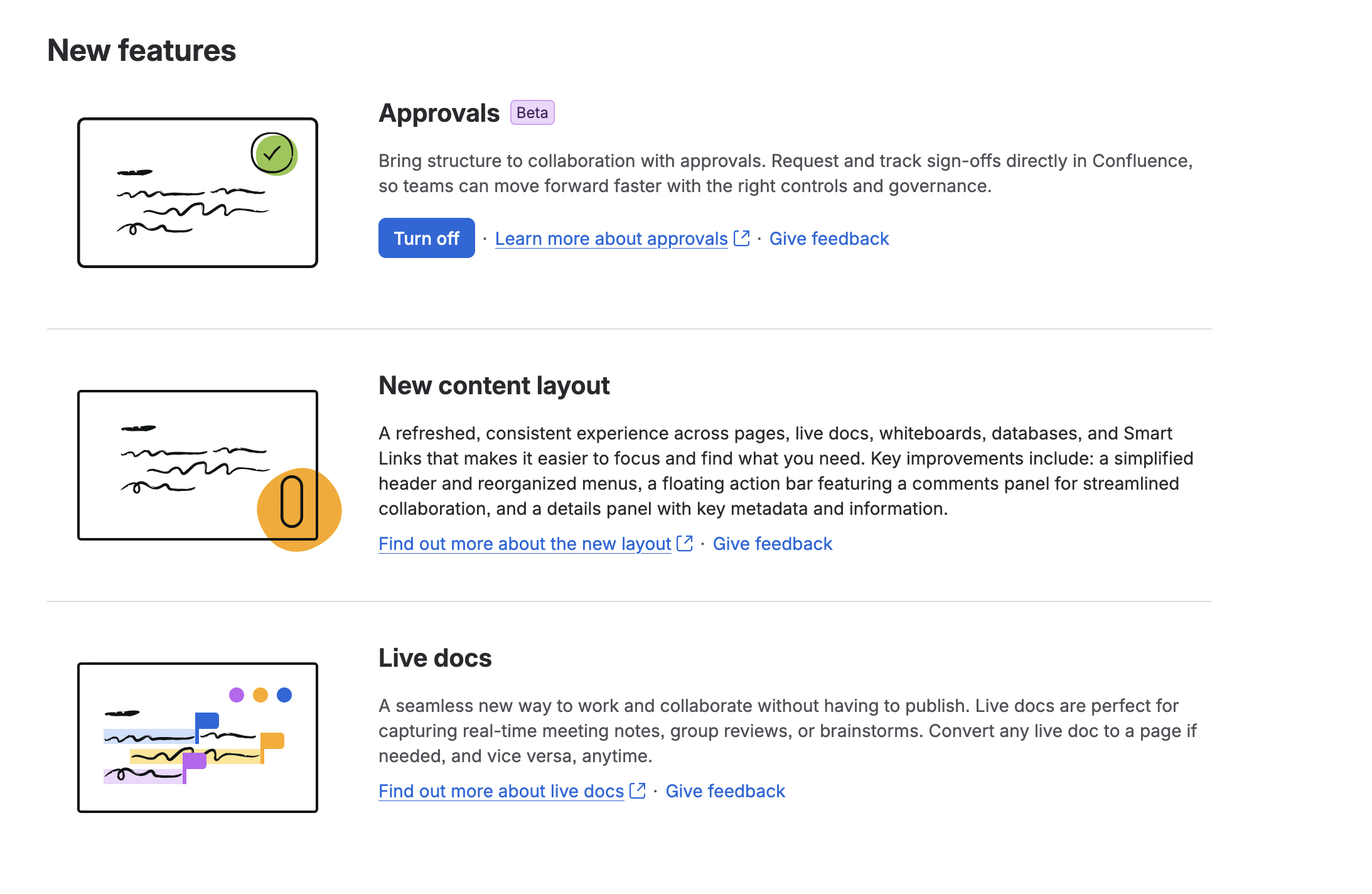
If that row is not on your site's New features page, the rollout has not reached you yet. No setting anywhere else will conjure it, and nothing in the product or the docs tells you that is the reason.
Two things worth noting about the row. First, the Beta badge: the product is honest about the feature's status on the admin surface, even though the documentation is not. Second, the default: even once the feature reaches your site, it arrives switched off, and stays invisible to everyone until an admin finds this page. That is two silent gates stacked on top of the plan gate, and neither is in the procedure the docs describe.
Gate 3: the space setting that appears only after the toggle ⚙️
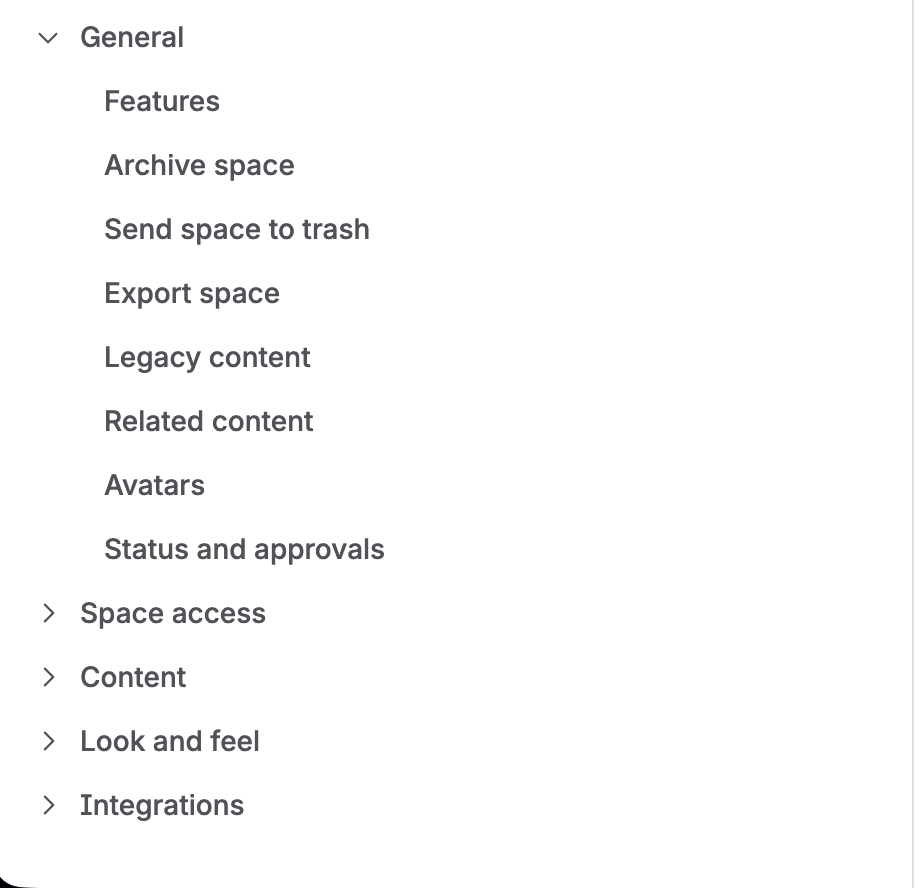
Turning the feature on did not make approvals appear on any page. It did something quieter: a new item, Status and approvals, appeared in Space settings. Before the toggle, that item does not exist. It matches the one line buried mid-page in the support doc: approvals must be turned on for the space.
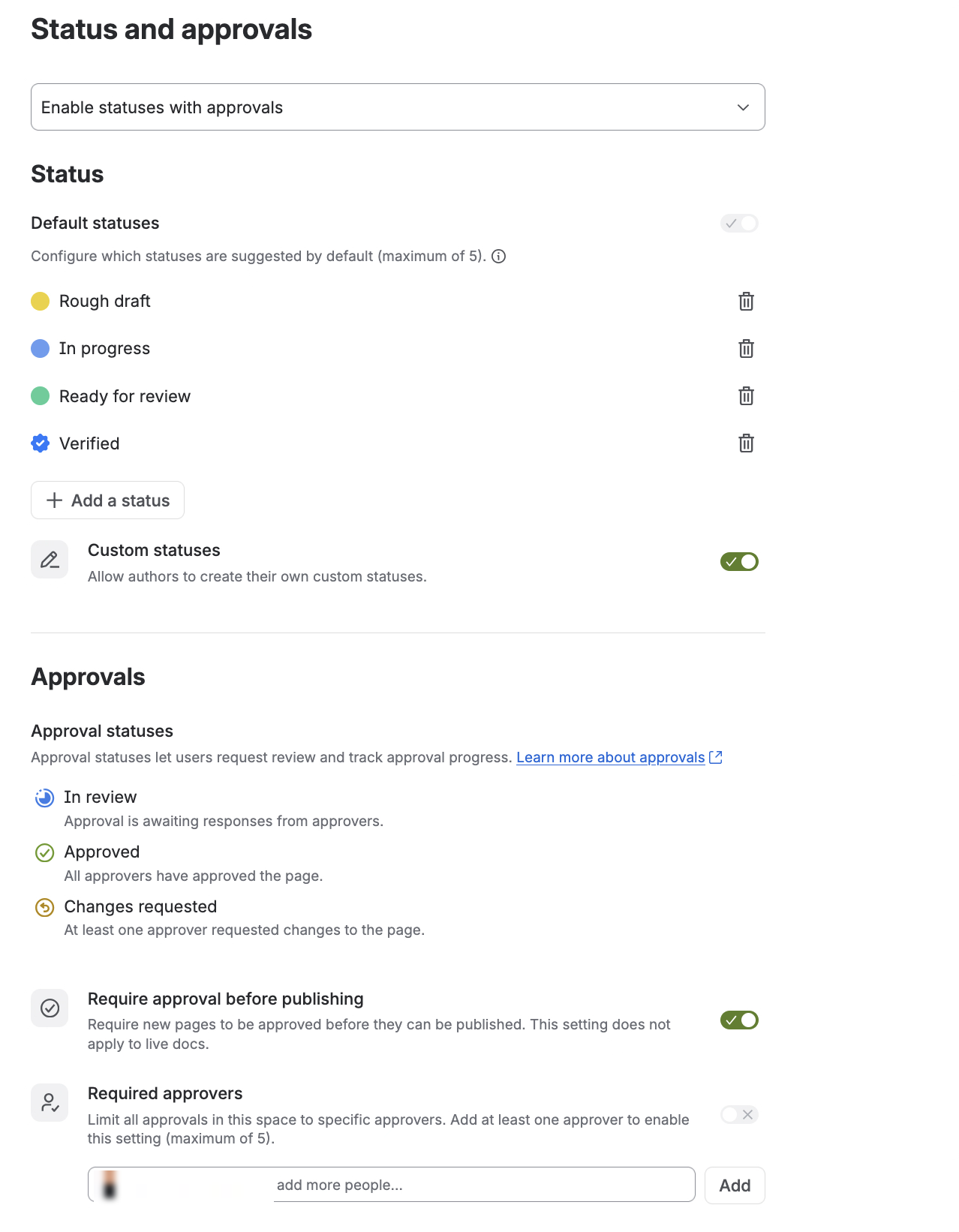
Inside it, a three-way mode: Disabled, Enable statuses only, or Enable statuses with approvals. The first two hide the approval settings entirely. This is the subtle one: a space on Enable statuses only lets authors add custom statuses to pages, which looks like the feature is working, while approvals are one notch away. Statuses working is not proof that approvals are on. They are different modes of the same setting.
Once set to Enable statuses with approvals, the page grows an Approvals section: the three approval statuses (In review, Approved, Changes requested), a Require approval before publishing switch, and Required approvers (up to 5) to lock every approval in the space to named people.
Gate 4: the page experience, which is where the docs begin ✅
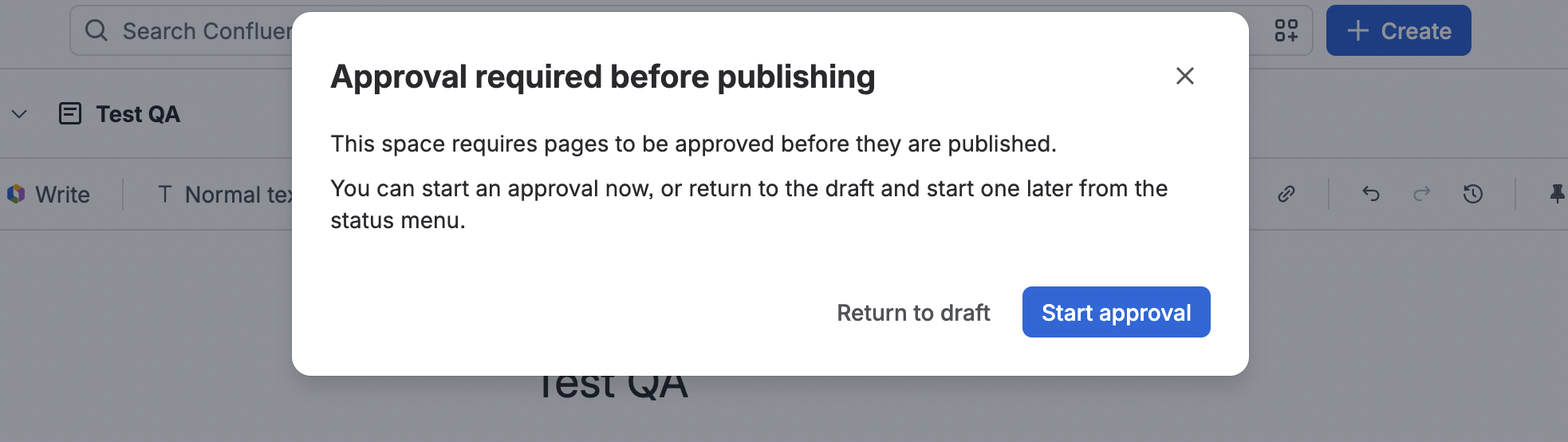
Only now does the documented procedure become true. With Require approval before publishing on, hitting Publish on a new page opens a dialog instead of publishing: start an approval now, or return to the draft and start one later from the status menu. That status menu is the "step one" the support page describes. In practice it is step four.
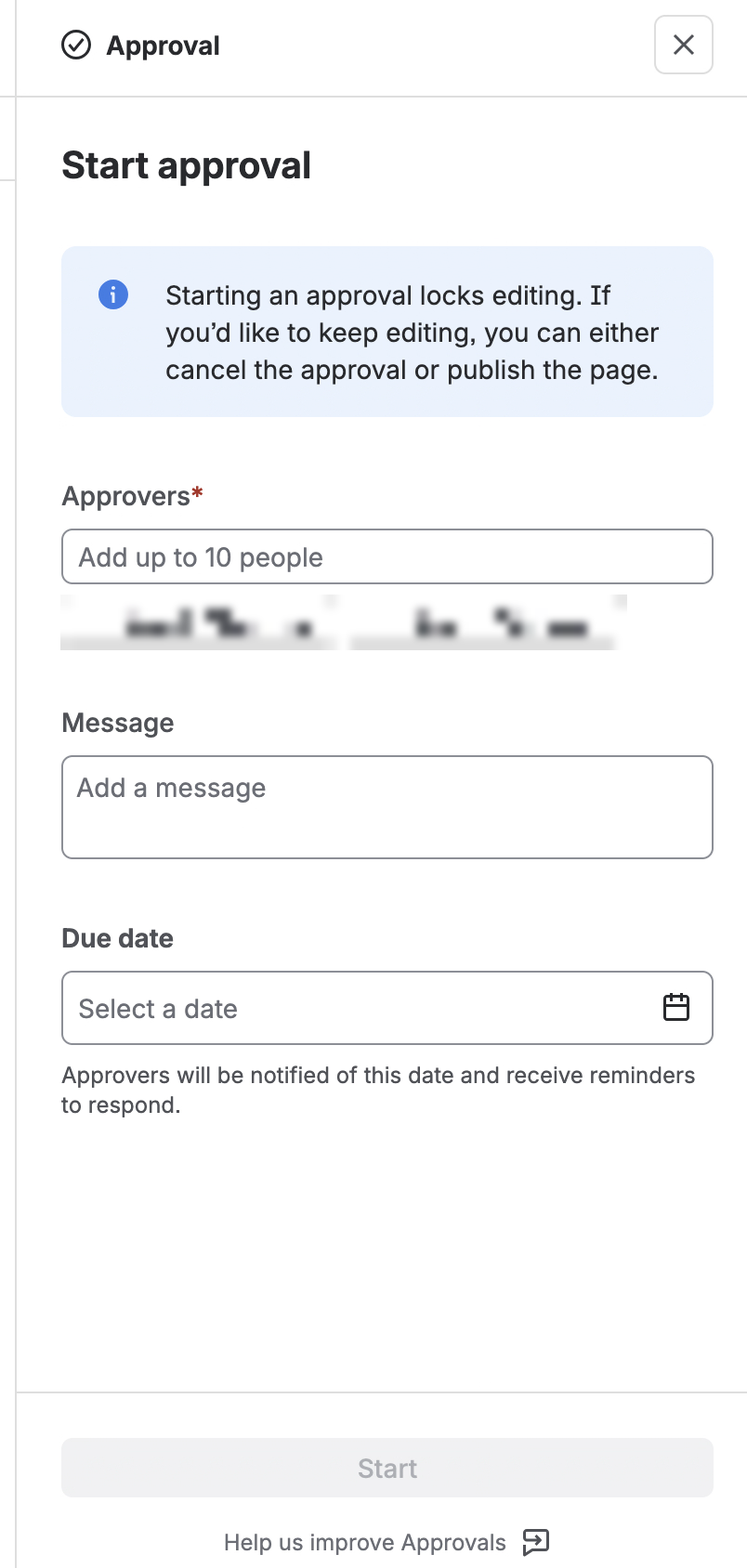
Start approval opens a panel on the right: approvers (up to 10), an optional message, and a due date that drives reminder notifications. The panel also states something worth reading twice: starting an approval locks editing, and the only ways out are cancelling the approval or publishing.
Once started, the page carries an In review status, an Approval in progress card with View details, a banner saying editing is locked while the approval is pending, and the panel tracks progress, requester, due date and approvers.
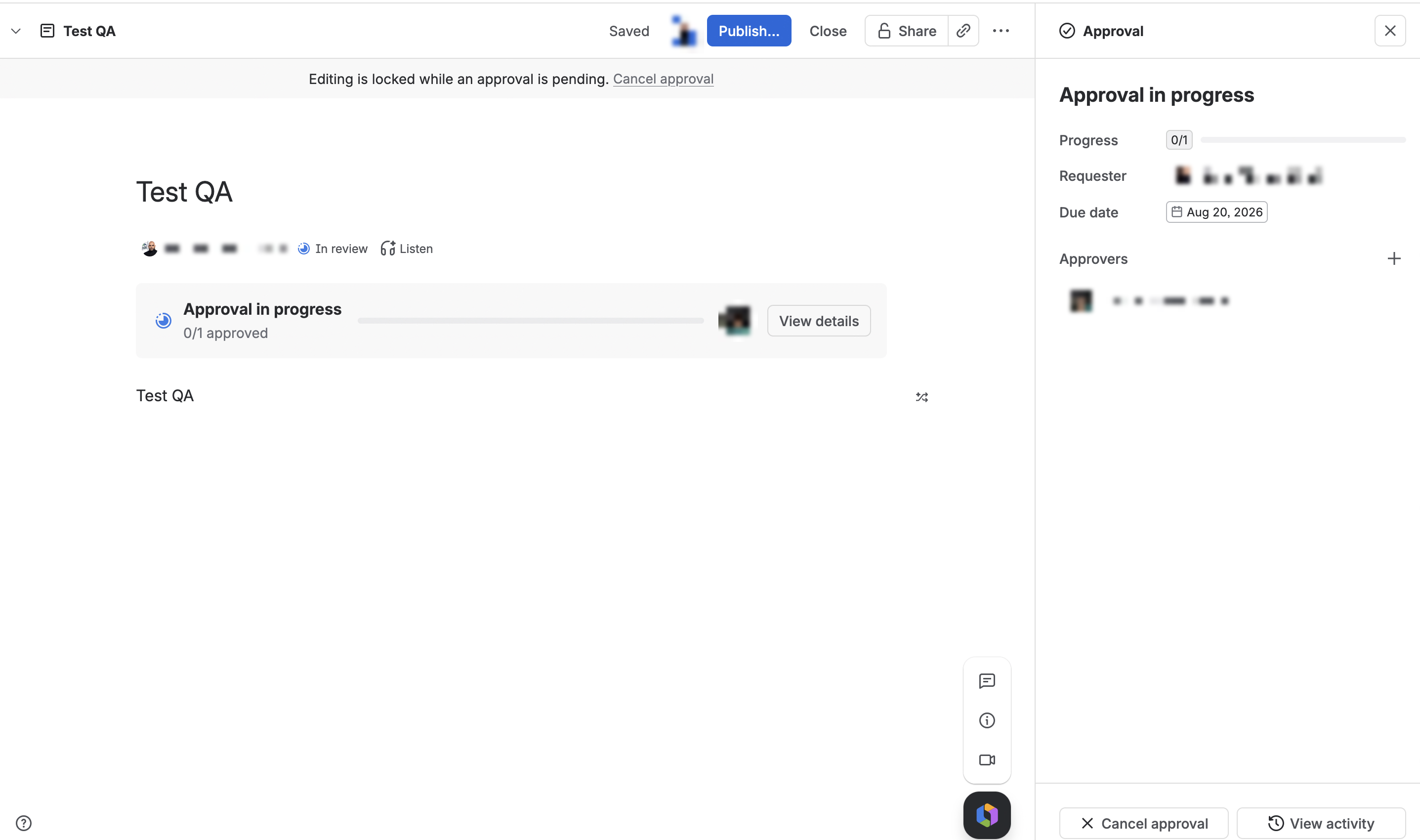
Two things to tell your teams before the first person hits them. The editing lock is real: a page under review cannot be edited until someone cancels the approval or it completes. And the requester and the approver are meant to be different people; in my test I could not add myself as an approver on a page I was publishing. Sensible for a sign-off feature, surprising if nobody warns you.
Why the same feature looks different on different sites 🧩
Lay the gates side by side and the mixed reports across the Community this month make sense. A Premium site with no toggle is behind gate 2: not broken, not reached. An Enterprise space where custom statuses work but Start approval never appears is at gate 3, on the wrong mode. Only a site that has passed all three gets the experience the documentation describes, and people on either side of a gate have no way to see which side the other is on. None of that is user error. It is four gates and one page of documentation.
The fair counterweight ⚖️
Atlassian did most of this right. The feature is useful, the Beta badge on the admin toggle is honest, the announcement is candid about the gradual rollout, the in-product copy explains the editing lock clearly, and the team answered rollout questions directly in the announcement comments. The gap is narrow and specific: the support page, which is where a working admin actually lands, omits the beta status, the rollout ring, the admin toggle, and the fact that the space setting only appears after the toggle. Four missing sentences would close it.
Your five minutes 📋
- Check your plan. Premium or Enterprise, or stop here.
- Open your-site.atlassian.net/wiki/admin/newfeatures. If Approvals is listed, your site has been reached. If not, no setting will fix that; the announcement thread indicates a support ticket can bring it forward, and sandboxes are enabled separately.
- Turn it on. It arrives off.
- In the space that needs it, open Space settings, then Status and approvals, and set the mode to Enable statuses with approvals, not statuses only. Decide there whether to require approval before publishing and whether to lock approvers to named people.
- Open a page and publish. Now the documented procedure works.
- Tell your teams two things: approval locks editing, and the approver cannot be the requester.
If your site shows something different at any gate, a Premium site that does have the toggle, a space setting that appeared without the admin toggle, anything at all, please add it in the comments. This rollout is clearly uneven, and more data points will map it better than any one site can 🙏
Sources, all read 19 August 2026: Request and manage approvals in Confluence (support); Approvals in Confluence, now on Open Beta (announcement, July 2026), including the Atlassian team replies in its comments; plus the in-product walk on an Enterprise site above.


