We are thrilled to announce the arrival of the first set of component-level security controls for Jira and Confluence Automation. Available to Enterprise Edition customers, component controls allows Jira and Confluence Admins to set allowlists for select automation actions to reduce the risk of data egress. Once an admin-defined allowlist is configured and the component control is enabled, it acts on all existing and new automation rules to ensure that your organization remains resilient against threats whilst getting the efficiency benefits that automation brings. Component Controls are rolling out starting today and will be Generally Available by the end of July 2024.
How component controls work
There are five components that make up this first release of automation security controls: Send email, Send web request, Send Slack message, Send Microsoft Teams message, and Send Twilio notification. Each has it’s own unique allowlist, as detailed below:
| Automation Component |
How the allow list works |
| Send Email |
Restrict to specific email domains (e.g. example.com, example.com.au) |
| Send Web Request |
Restrict to specific domains (e.g. exampleservice.com) |
| Send Slack message |
Restrict to Slack instances (e.g. example.slack.com/...) |
| Send Teams message |
Restrict to Teams instances (e.g. teams.microsoft.com....) |
| Send Twilio notification |
Restrict to specific phone numbers (e.g. +14152739164) |
Note: The configuration and management of component security controls is intentionally limited to Jira and Confluence admins with global permissions.
1) Head to Global Automation in Jira and/or Confluence
Component security controls can be set for every Enterprise Edition product that your organization uses. To get started, you’ll need to navigate to the Global Automation area of Jira or Confluence. It’s important to note that this means component controls need to be set for each product individually e.g. if you have teams using both Jira (this includes Jira, Jira Work and Service Management) and Confluence Enterprise Edition, you’ll need to configure component controls in both products.
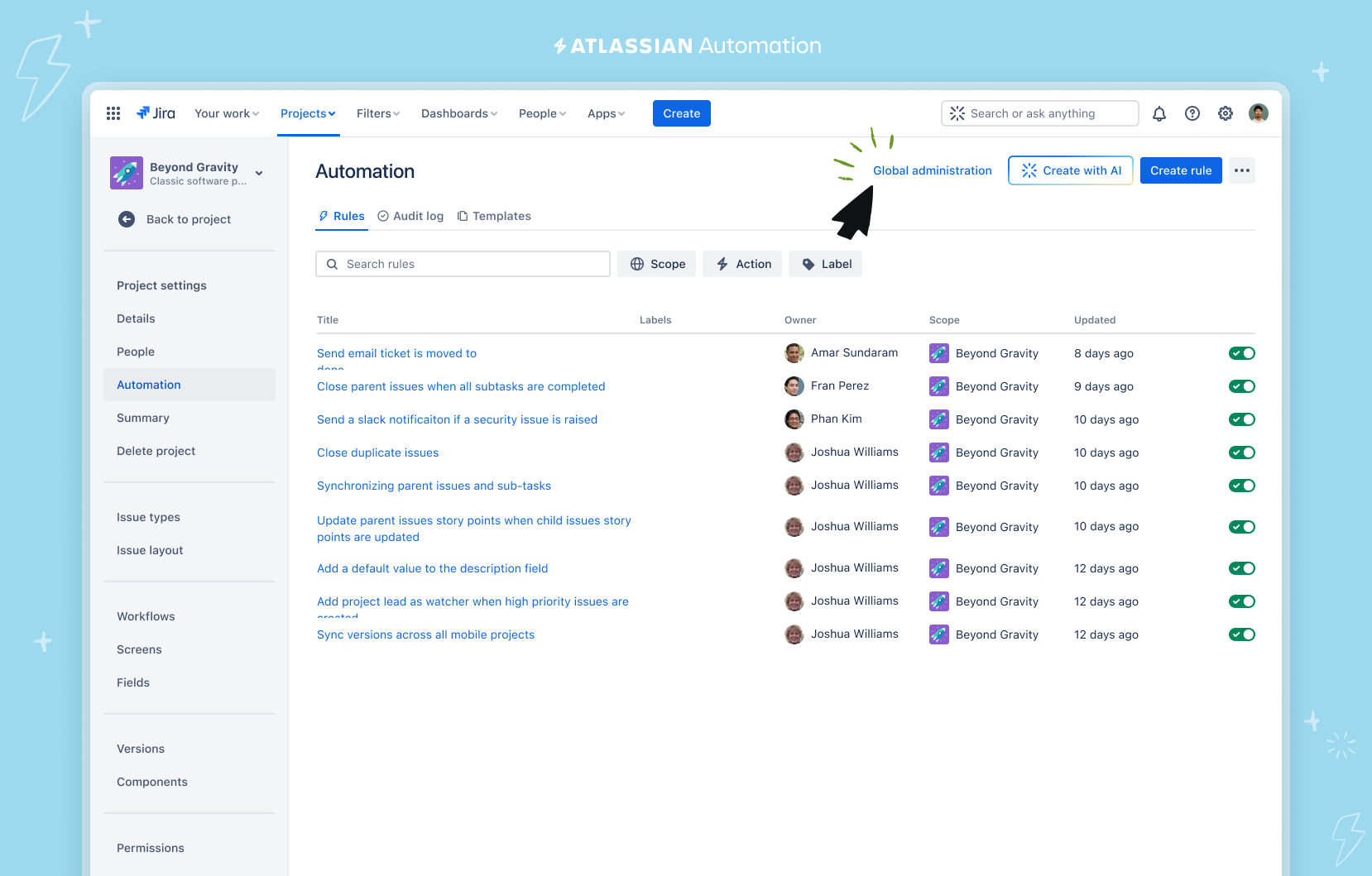
2) Head to “Configure components”
Once in Global Automation of Jira or Confluence, click on the three dots at the top right and select “Configure components”.
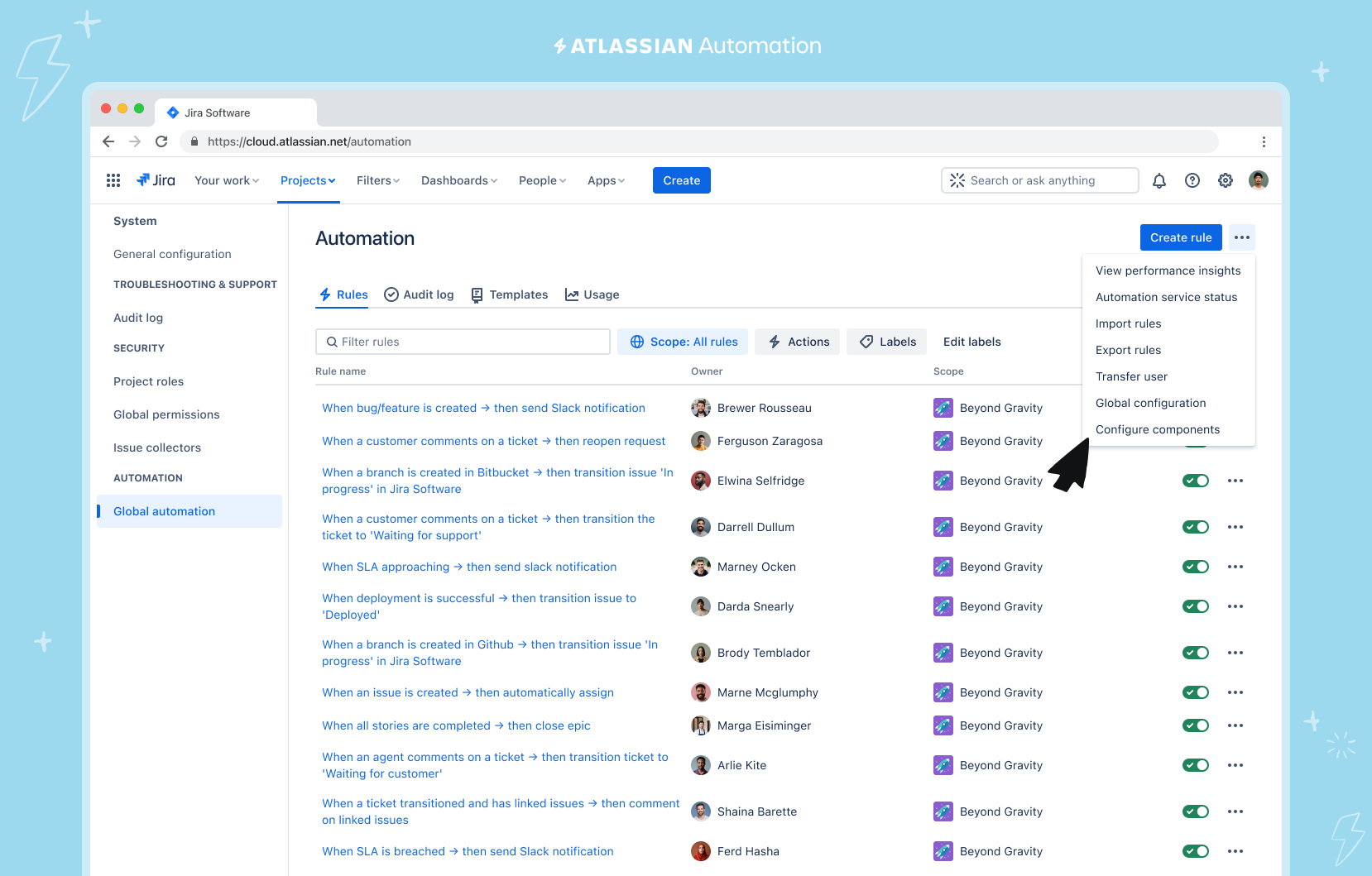
3) Set your allowlists
By default, component controls are not enabled. Start by clicking on the “Configure” button. Next, follow the prompts to “Restrict to specific…” and enter the domains, URLs or phone numbers that you want to allow. Once the configuration is saved, it acts on all rules that use that specific Action and it applies to all admins, both those with global permissions and those with Project or Site level permissions. You can add a total of 200 entries. Once saved, control configuration changes are then logged on the “Configure components” with time, date and admin name.
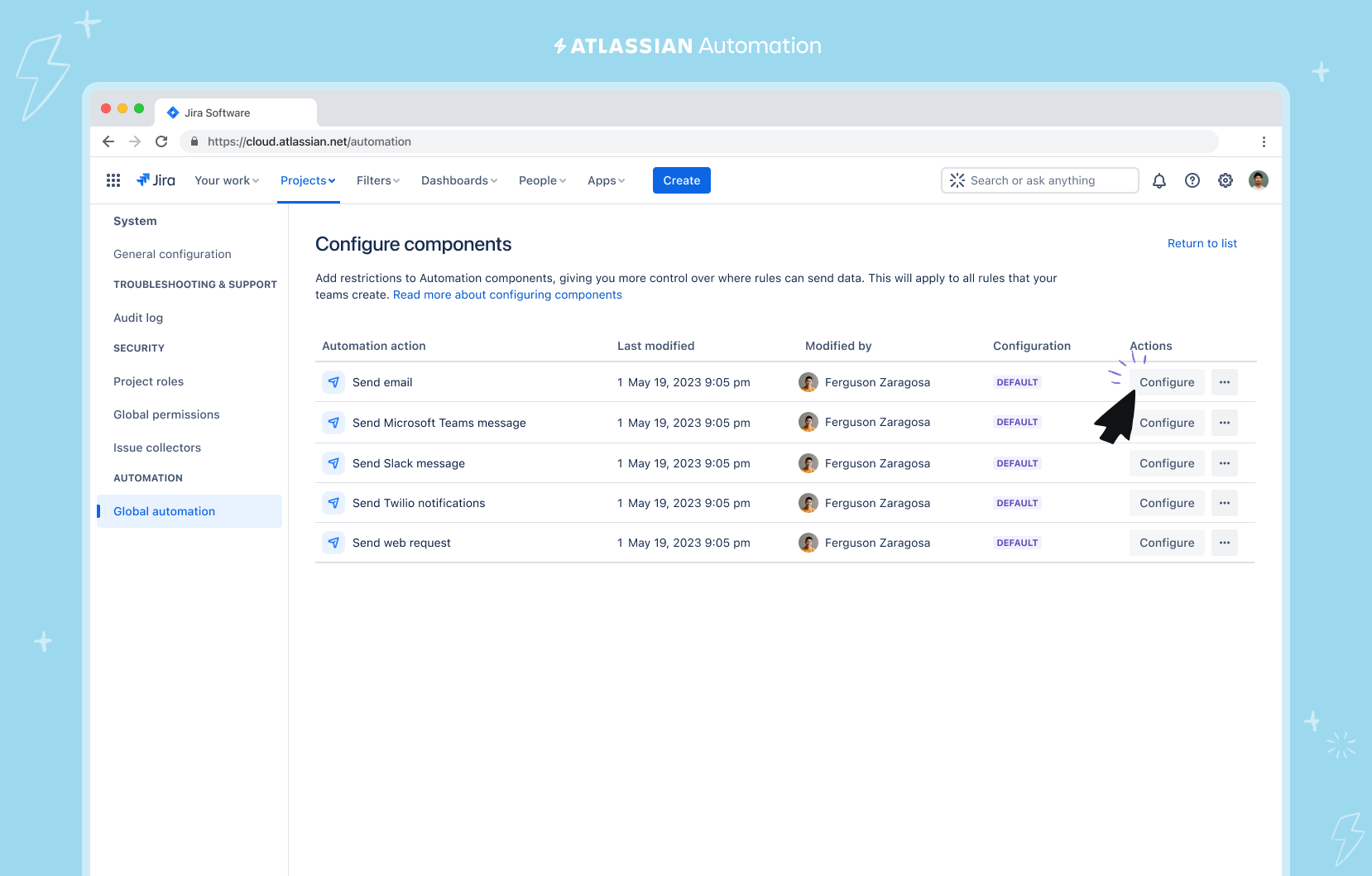
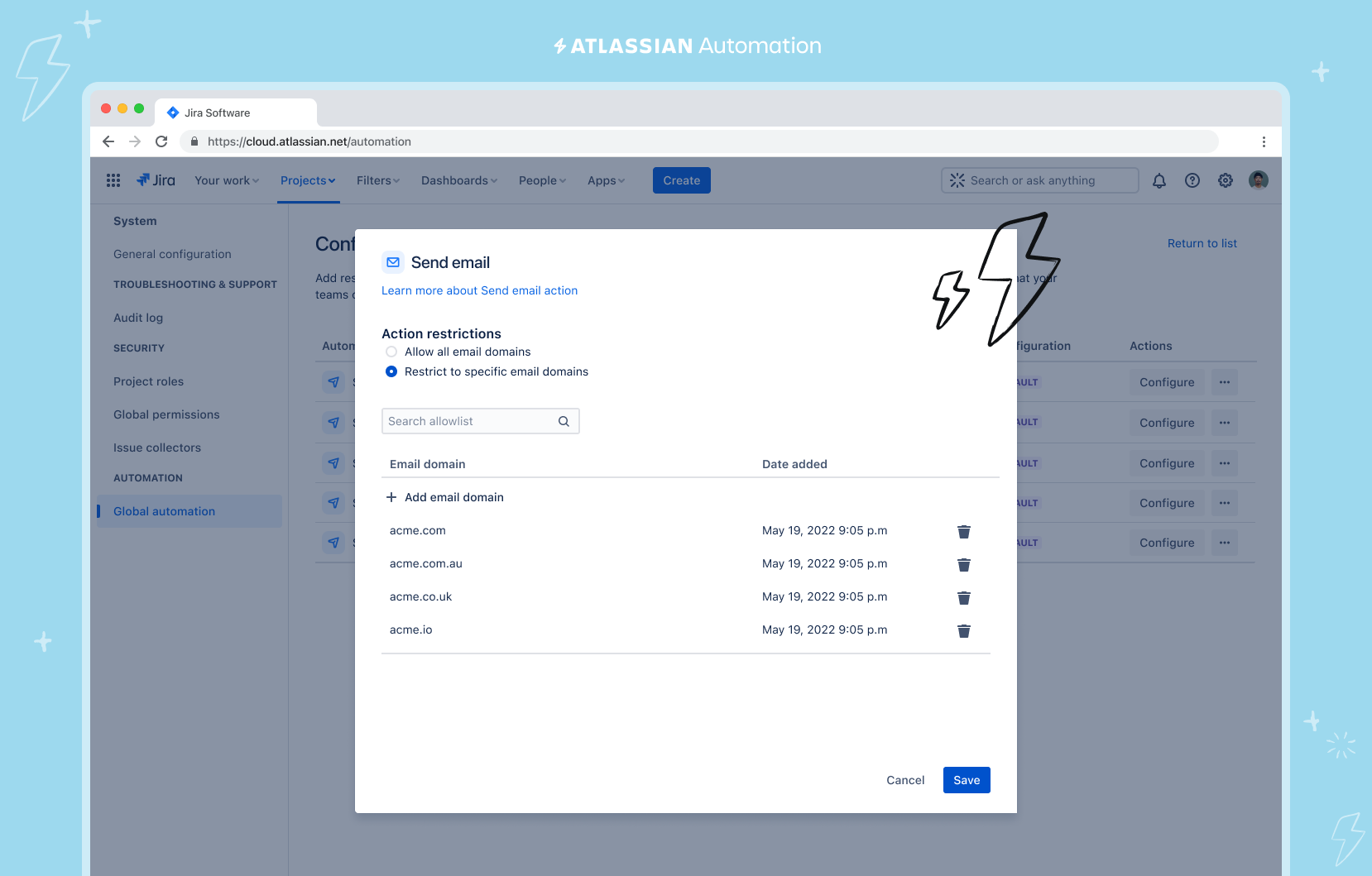
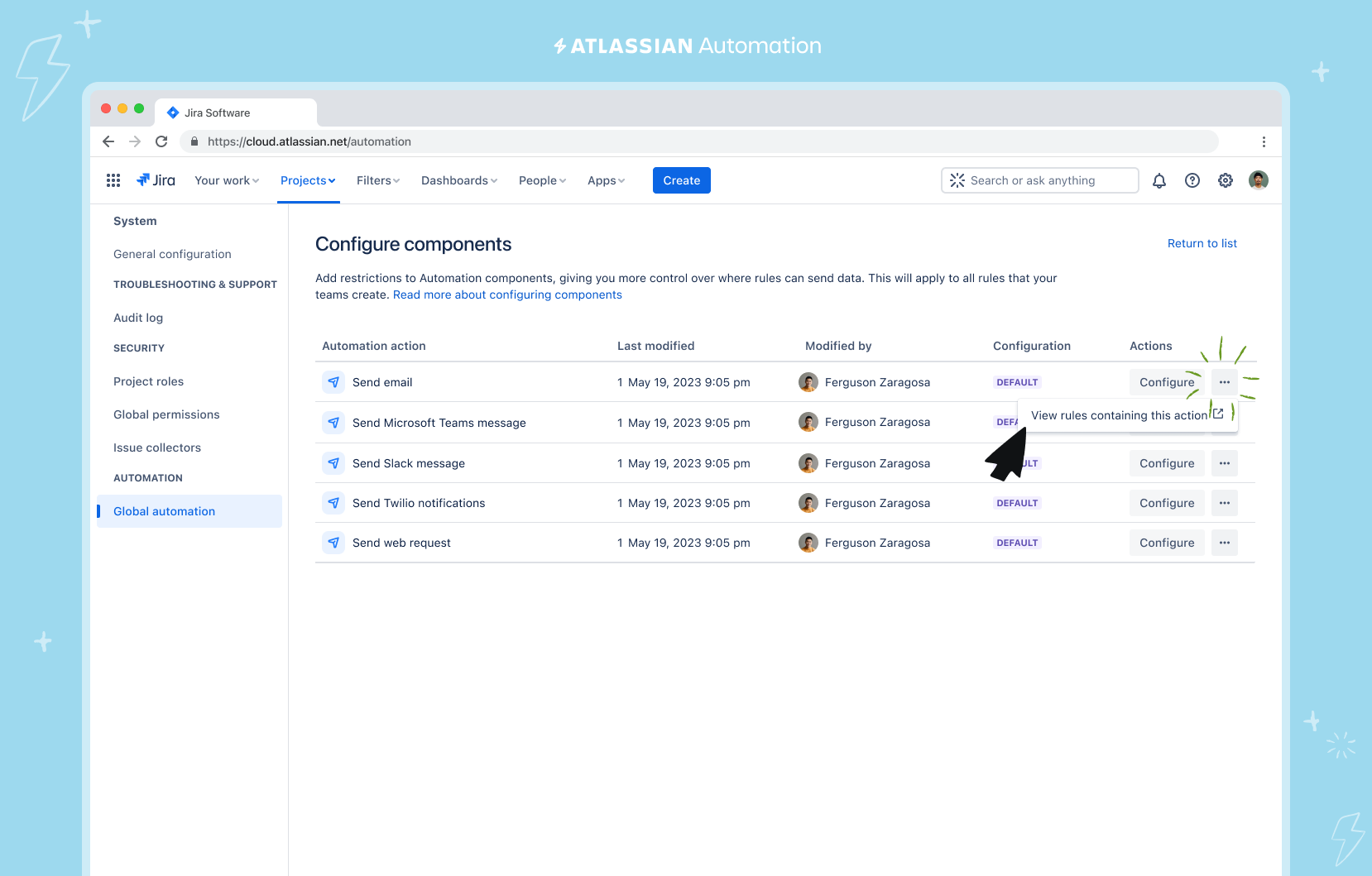
Tip: Before enabling a component control, you can check how many rules are utilising the action by clicking on the three dots next to the “Configure” button. Clicking on this link will open a filtered view of Rules List of all the rules that use that specific component, in a new tab. You can then notify rule owners of an configuration change to prevent rule run errors, or directly edit rules to check the specific component configuration is in compliance with a configuration. Any rule that doesn’t comply with an allow list will be shown as a ‘failed’ rule with relevant details in the Audit Log.
How Component Controls work when creating or editing a Rule
Keeping your organisation secure doesn’t mean that creating an automation gets harder for your team. To help reduce internal support load and empower all admins to keep creating time-saving rules with controlled components, we’ve added the ability for them to view an allowlist within the Rule Builder.
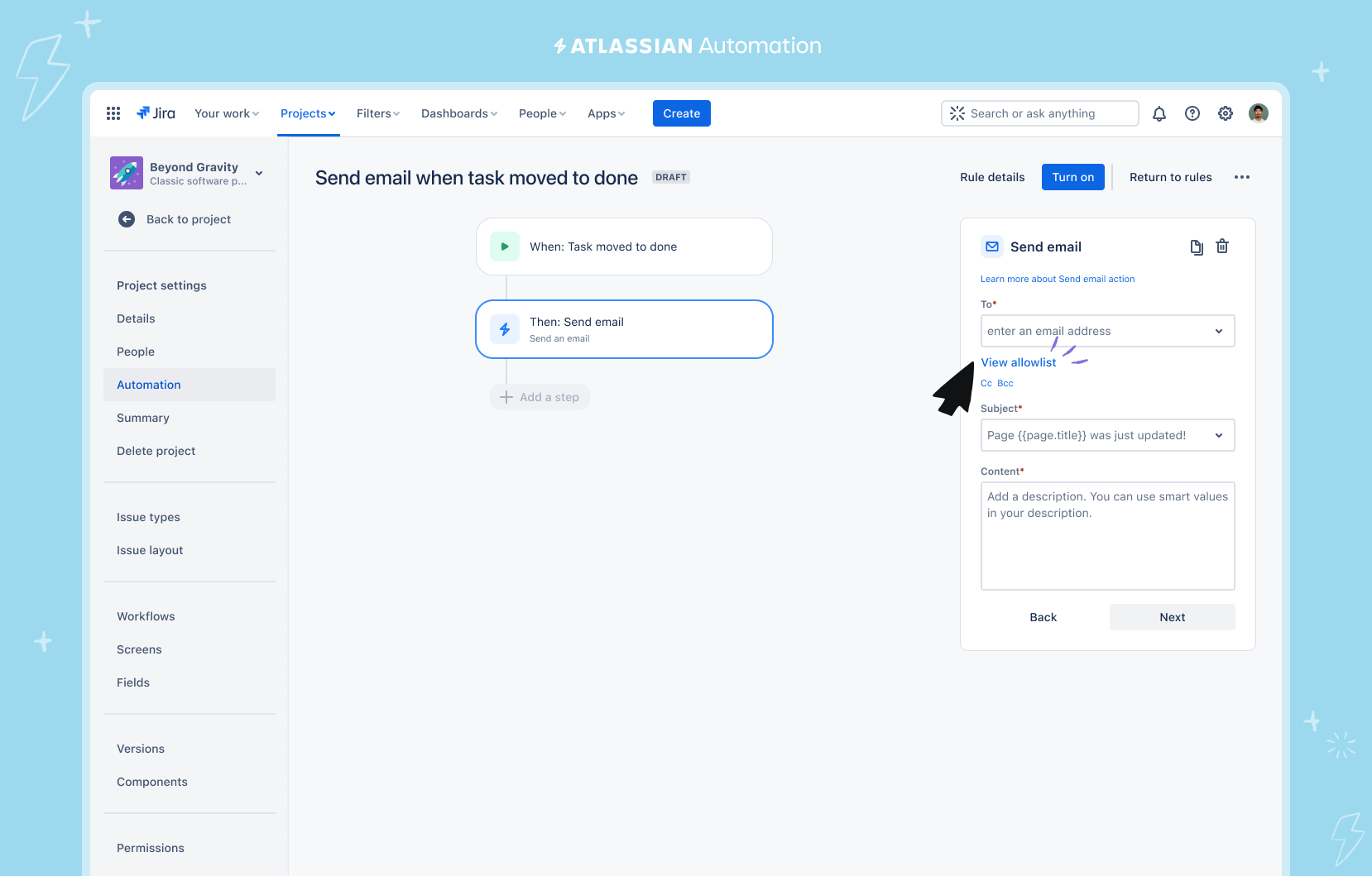
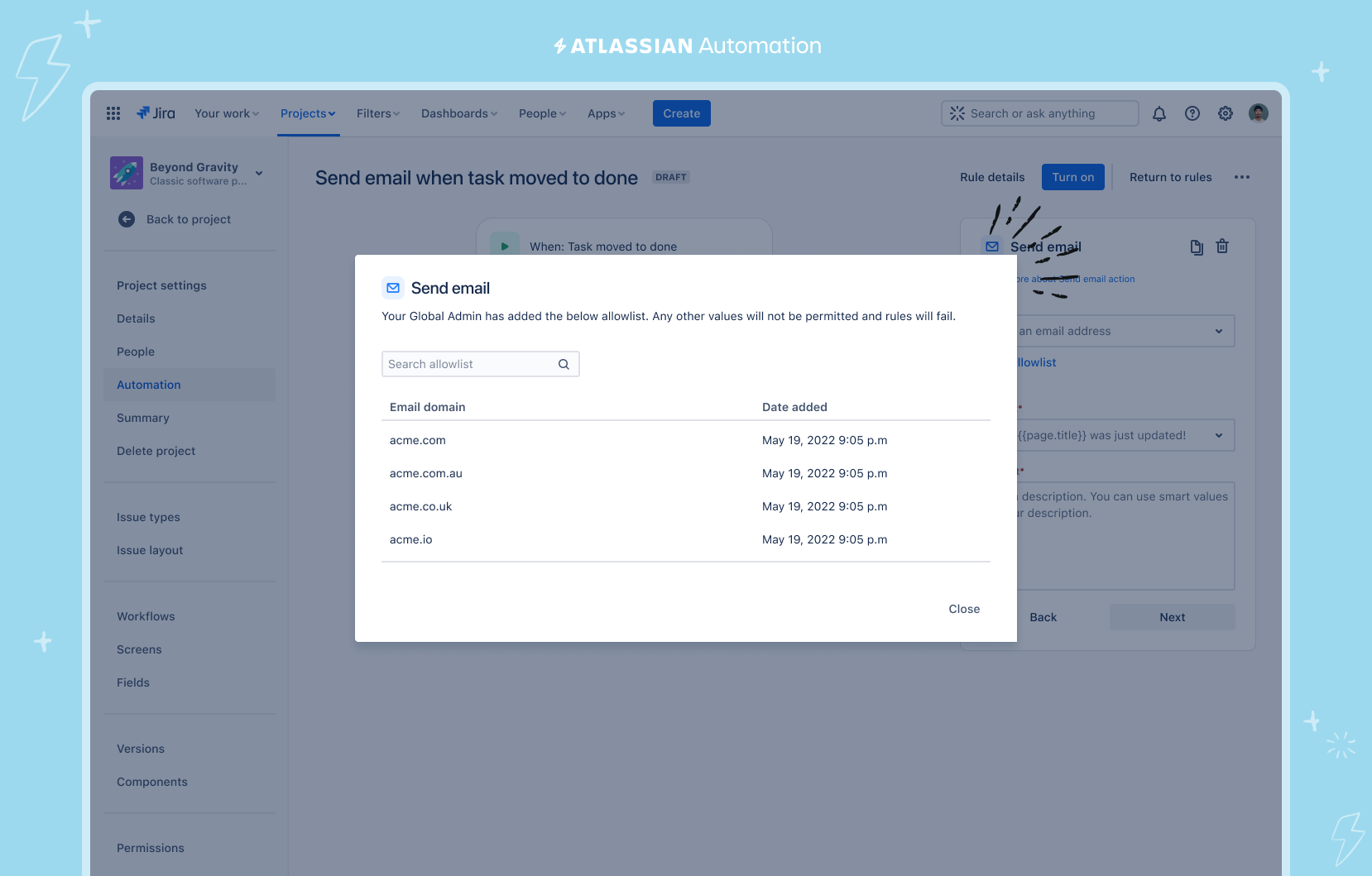
Once a component control has been configured a link will appear on the Action component, within the rule builder. All you have to do is click on “View allowlist” and all the allowable entities can be viewed in a pop-up. Only when a project or site admin wants to add a new entity like a new email address or domain to an allow list, will they need to raise an internal request.
What's next?
Your organization’s security is paramount and component security controls is just the first set of a host of new security features that will be coming to Atlassian Automation to ensure that your business remains resilient against threats while maintaining efficiency and compliance. Keep an eye out for “Automation” on the Public Roadmap and here for the latest. In the meantime, we’d love to get your feedback on this first iteration of controls. As always, leave a comment or book a time to chat with us here.


