It was one of those “asks” that came from a client: can you figure out a way to really enforce Work in Progress (WIP) limits in Jira. Of course the Kanban and Scrum boards have column constraints, but if you violate those, it only turns the column red. It still allows the transition. And what happens if you make the transition outside of the board? It won’t look at the column constraints at all.
That question led me to explore two of the most recent advances in Atlassian’s platform: Forge, the framework that can extend the functionality of core products such as Jira, Confluence, and Bitbucket; and Rovo, the artificial intelligence (AI) assistant tool. Join me as I use the beta capability in Rovo Studio to vibe-code a Forge app, then navigate to the Developer Console to monitor and debug it.
My First Thoughts
I began thinking about my client’s problem in earnest. Column constraints on the Scrum and Kanban boards only serve as suggestions. While they do provide a visual indicator if they’ve been exceeded, they still allow the transition to the status mapped by the column to go through. The key requirement would be that exceeding the WIP limit wouldn’t allow the transition.
Column constraints are only visible when using the Scrum and Kanban boards. If we have a number of items in our Sprint Backlog and we transition them directly without using the boards, we will have no idea if we’re violating WIP limits.
So, to have true enforcement of WIP limits we need to prevent transitions if WIP limits for the destination status are exceeded. This means that we need to create a custom workflow validator.
We also need to think of storage. For every space that we want to enable WIP limit enforcement, we need to look at every status of every work item type. So the app will need to store all that information.
Pairing with Rovo Studio
We know what we need; now we need to figure out how to get it.
My knowledge of the Forge framework was still developing, so I needed some help getting beyond the “blank canvas” phase.
Enter Rovo Studio. While it could always create Agents or Automation flows, creating Forge Apps was still in beta. How far could I go with this?
Time to find out!
I needed to write my prompt. I wanted to detail what I wanted and why. So I gave the following a try as my first prompt:
I want to create an app that imposes Work In Progress (WIP) limits without using the Scrum or Kanban board. There should be an interface that lets user select the Jira space and work item type (to get the workflow statuses). For each status, there should be a place for a max WIP limit. Once the settings have been saved, if a work item transitions to a status, and the transition would exceed the max limit for the destination status, the transition would not be allowed.
The response I got from Rovo was comforting:
That's a sharp use case – enforcing WIP limits at the workflow level gives teams discipline without locking them into a specific board view.

Let me create a solution overview for a Forge app that enforces WIP limits through custom validation logic and a configuration UI.
The solution overview had several parts:
At the end, there was also a list of documentation links pointing to the Forge features Rovo used in the app.
The next step was creating a full App Specification. In it, Rovo described the following items:
The document was really comprehensive. I decided to save a copy of this in Confluence.
Rovo Studio was starting to fill up. I could see certain aspects of my app come to life.
The next step was the most daunting one. It was time to actually code my app. Rovo first asked me for my developer workspace, the configuration that specified my environments for development and production for Forge. After that, it was time to click the button and wait.
And wait…
Maybe I should go grab a beverage.
After about 10 minutes, Rovo announced that it was done. I got a summary of what had been built. (And, for the record, I’ll use “it” for the AI assistant.)
Plus it looks like there was a preview of the user interface when I clicked on the monitor icon.
It looks pretty. Actually, it’s impressive. But there’s a lot more to the app I need to try out. I need to get my app onto my development instance. For that, I need to push Publish.
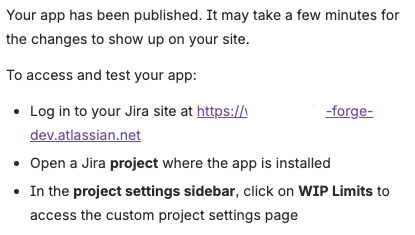
I can now see whether it works in my test environment. Rovo also provides instructions for testing.
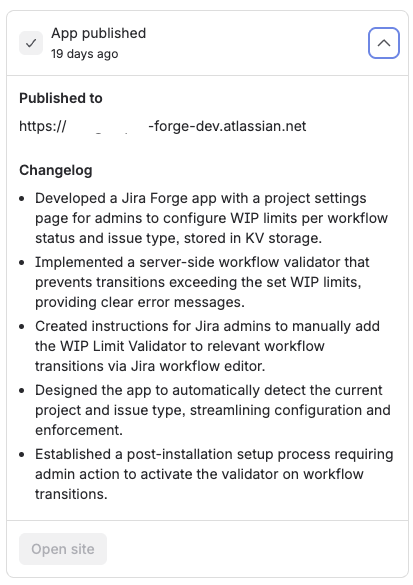
And, following along, a synopsis of the build.
Time to Start Testing
Let’s see what it looks like in my development environment.
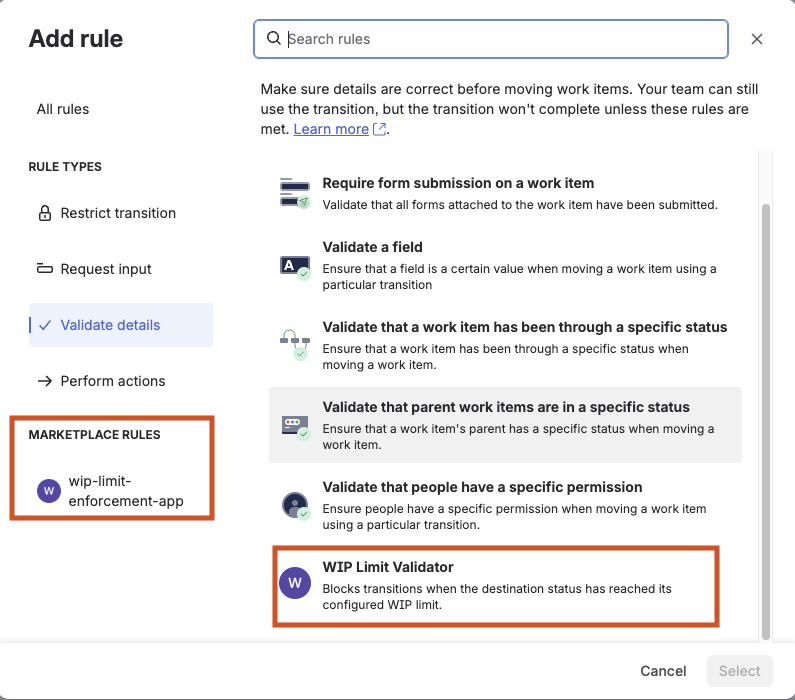
The first thing I want to check is whether my Validator is there. I open up a workflow to edit it. I go see if I can add the validator to a transition.
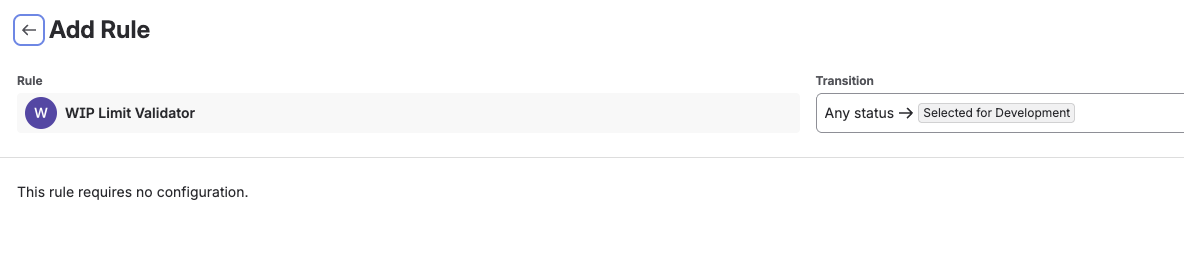
On the next screen, I confirm that I don’t need any additional configuration, so I click Save at the bottom.
The next thing I need to configure is on the space level. I go to the settings of my test space to define which work items need WIP limits at which transitions. I find the app in the Apps section of Space Settings.
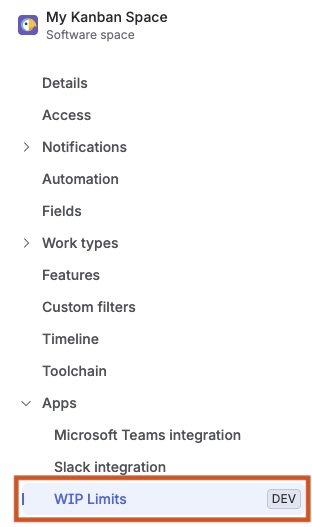
Clicking on WIP Limits gets me to the configuration page. From here, I select the work type and then select limits for each destination status. When done I click Save WIP Limits.
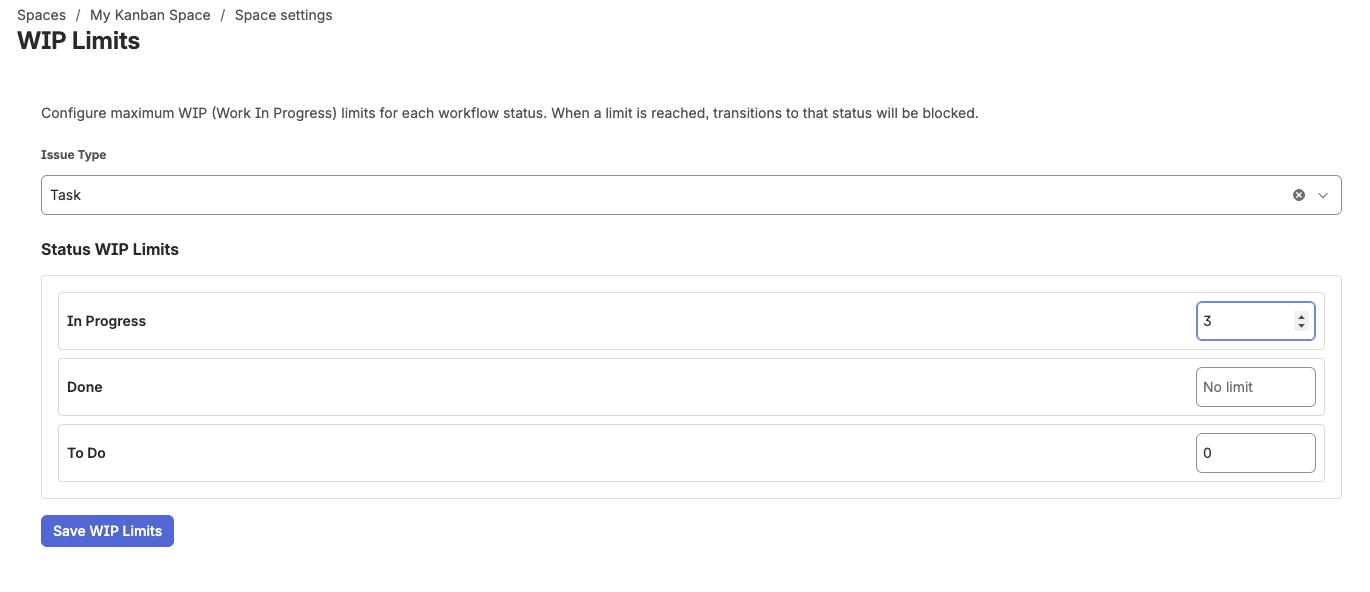
I can do this for each work type where I want WIP limits in its workflow.
So, the configuration is done. Time to see if WIP limits are actually enforced.
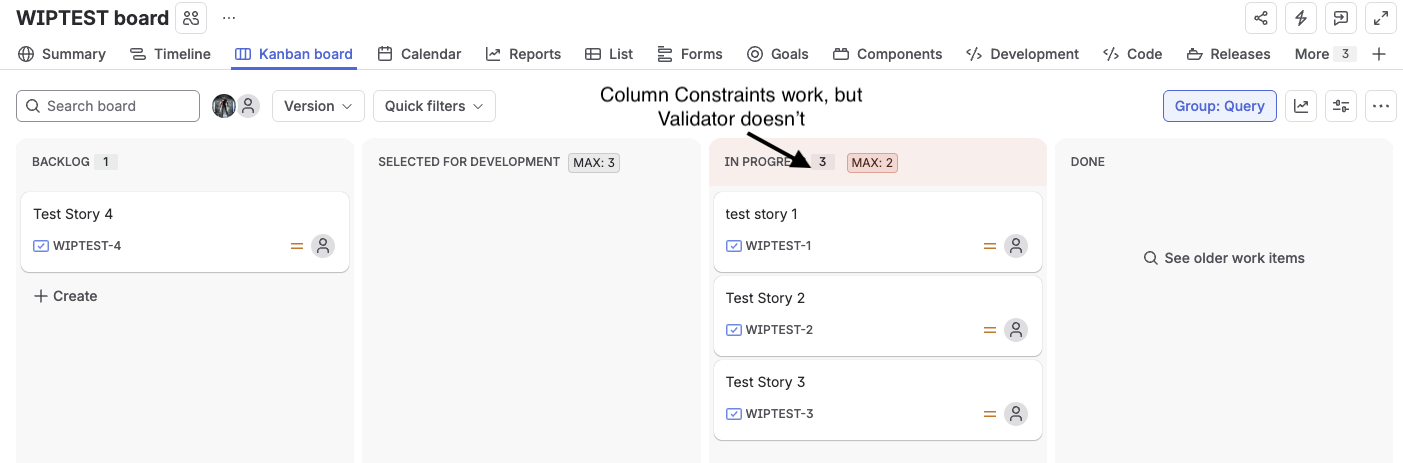
Hmm…it’s not working. My first instinct is to look at the generated code and the logs to find out why.
I want to have a look at the generated code. I can do so from the Rovo Studio page.
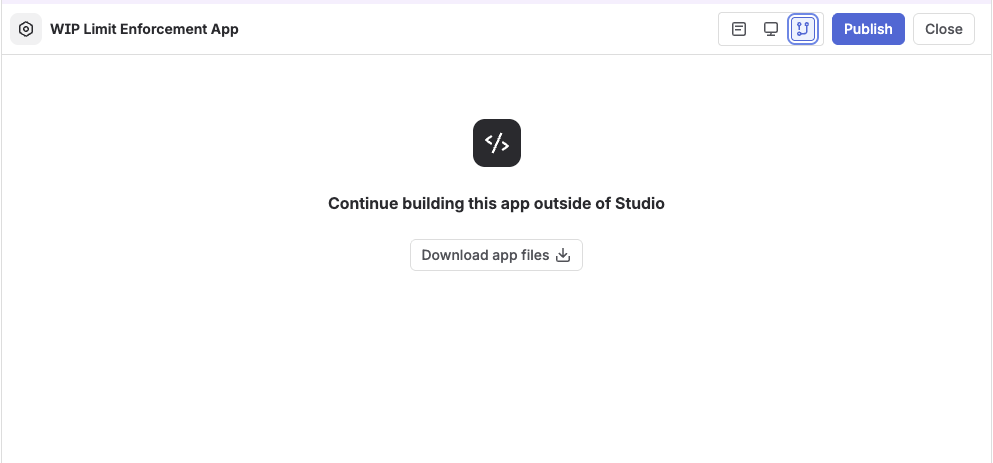
This lets me put the app’s code into Bitbucket, which I need to do, but I still need debugging help. Where to turn?
Enter the Developer Console
At this point, I’m flying blind. I have no idea where the error or errors are. So far, I know the following:
What works:
What doesn’t work:
What I’m not sure if it works or not:
Normally, I’d be able to use forge tunnel to connect my laptop to the development site and view the log messages from my app. But how can I do the same if Rovo “wrote” the code?
I got a clue from viewing the main page of my app in the Rovo Studio window. It showed how many times I had deployed my app and to which environments, along with the following link:
Clicking on the link opened a whole new level.
The Developer Console is a dashboard for all things related to my Forge app. It details out EVERYTHING about my app, short of the actual code.
I’m eager to see what happened to my test runs. So, on the left column, I select Logs in the Troubleshoot section. From here, I can filter the logs based on when the events happened.
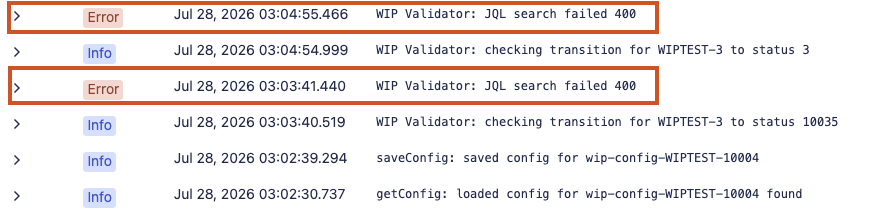
When I filtered the logs to match the timing of my tests, I found several errors:
Expanding on the error gives some more details.
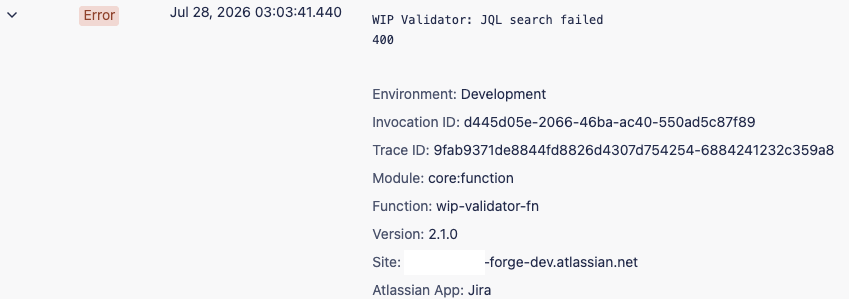
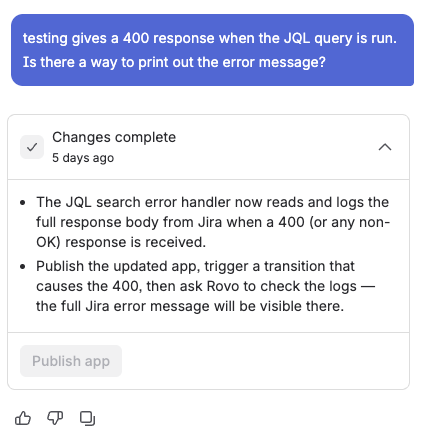
I got the error, but I need more context. Is there any way of adding the REST API response for the call that made the JQL query? Time to ask Rovo Studio if that was possible.
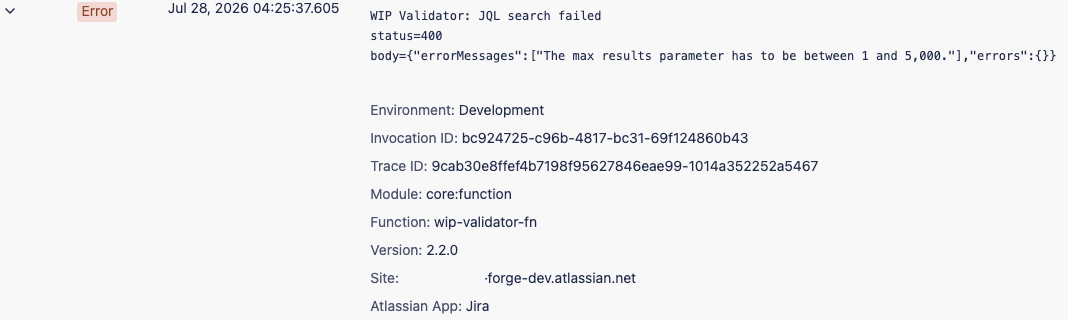
Publishing this version to the development environment added a new error log entry.
At this point, I have to download the code and examine the routine making the REST API call:
  // Count issues currently in the destination status via JQL
    const jql = `project = "${projectKey}" AND issuetype = "${issueTypeId}" AND status = "${destinationStatusId}"`;
    const searchResponse = await api
      .asApp()
      .requestJira(route`/rest/api/3/search/jql`, {
        method: 'POST',
        headers: {
          Accept: 'application/json',
          'Content-Type': 'application/json',
        },
        body: JSON.stringify({
          jql,
          maxResults: 0,
          fields: [],
        }),
      });

    if (!searchResponse.ok) {
      console.error('WIP Validator: JQL search failed', searchResponse.status);
      // Fail-open: allow transition on API error
      return { result: true };
Reviewing the REST API documentation, I found Rovo Studio’s first error: maxResults is the number of results to return on each page when the JQL query returns a lot of items. A value of 0 is illegal. I let Rovo Studio know and started another publish-and-test cycle.
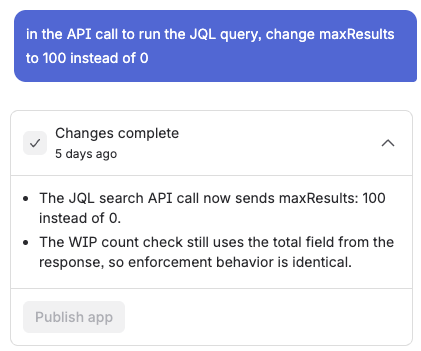
In this round of testing, I didn’t see any errors in the log, but the validator still wasn’t working. That meant the maxResults fix had resolved the API error, but not the validation problem. I did, however, see a useful clue:
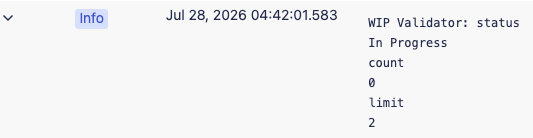
Seeing the value of limit settles a lingering doubt: It is picking up the correct WIP limit from the stored configuration (more on that later). But the value of count is concerning: it is not picking up the correct value from the API call.
Rovo Studio had a choice for the REST API endpoint to use. It chose /rest/api/3/search/jql over /rest/api/3/search because the latter endpoint was being deprecated. But the original endpoint has something the newer endpoint doesn’t: a total child property that counts the total number of issues and is available in the API response. Rovo missed out on that.
But there’s a better endpoint: /rest/api/3/search/approximate-count provides a count of work items that match the JQL query. My next revision is to ask Rovo Studio to use this endpoint instead.
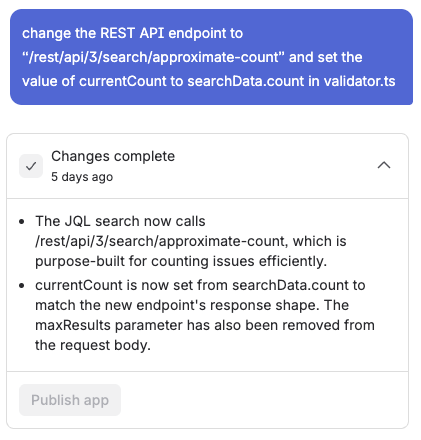
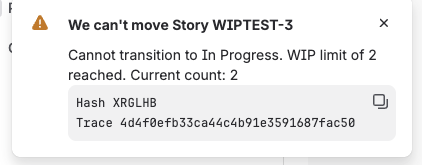
From here on out, everything works as expected. I see the following popup message when I try to exceed WIP limits.
Knowing the Unknown
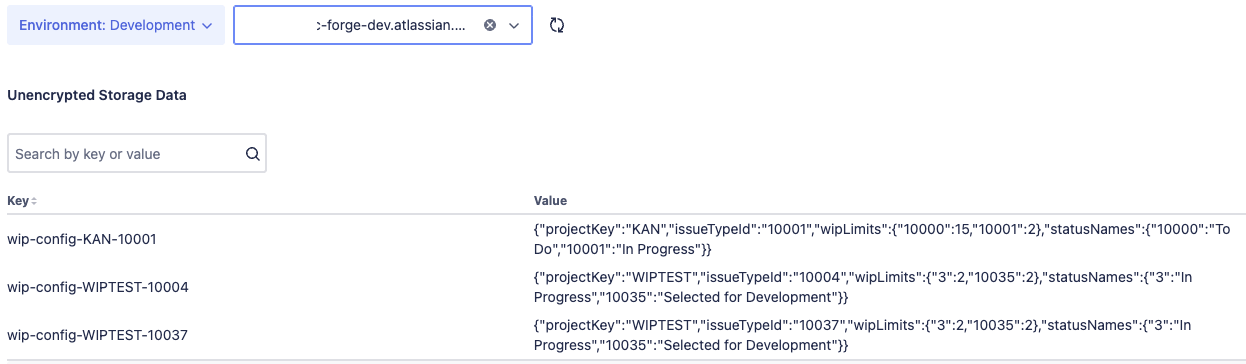
One of the things I couldn’t verify was whether any settings I had saved were really being saved. Now that I could view the storage from the Developer Console, I could check my settings.
The application spec that Rovo Studio created specified that the connections between work types, workflow statuses, and WIP limits were stored in Forge KV (Key-Value) storage. I can verify this by selecting Key value store in the Storage section of Developer Console.
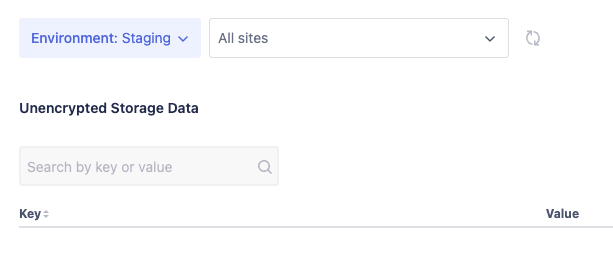
After selecting the environment (development, staging, production) and site, I’m able to find the key value stores divided by space and work item.
Final Thoughts
Vibe coding with Rovo Studio made me feel like Tony Stark, conferring with JARVIS to make changes to the Iron Man armor. This was especially the case once I found the Developer Console to evaluate whether or not my tests were successful, and once I found a way to get at the code by downloading it.
I think it’s also important to note that in this exercise, Rovo Studio and I were performing more in a pair programming fashion rather than giving Rovo Studio all the control. I still needed knowledge of the structure of a Forge app and the Jira Cloud REST API to correct the mistakes that Rovo Studio made.
While the Rovo Studio and Developer Console are great tools for turning my ideas into a working app, there is room for improvement. I really wish I could view the code from within Rovo Studio instead of downloading it. A download seems to be really primitive for getting the code. Connections to a git repo either locally or through a server side tool like GitHub or Bitbucket would be nice.
All in all, this was a really fun project to put together. There are still some ideas for extending its functionality. For instance, this works only on company-managed spaces and workflows. Maybe I could extend it to team-managed spaces and workflows as well. Feel free to provide feedback on possible enhancements and whether distributing the code or app on the Atlassian Marketplace makes sense.


