Deactivating a user in Jira Cloud closes their access. It does not clean up what they owned. The account goes inactive, but every artifact still pointing at it stays exactly where it was, and now nobody can reach some of it. If you have ever offboarded someone and then discovered a scheduled filter still running under their name, this is the article for that problem.
What actually gets left behind
When an account is deactivated, these keep pointing at it:
- Saved filters the person owned. Shared filters keep feeding boards and subscriptions, but teammates cannot edit them, because in Jira only the owner (or an admin acting deliberately) can change a filter. Worse, if you delete the account rather than deactivate it, Jira moves that user's filters and dashboards to trash, which can silently break any board or gadget that depended on them.
- Dashboards the person owned. They keep rendering on wallboards with no reachable owner.
- Issues assigned to the departed account. Work sits assigned to a ghost and never shows up in anyone's queue.
- Issues reported by the departed account. Reporter history stays, which is fine for audit, but it hides in your people-based reports.
- Projects led by the departed account. The project still lists a deactivated user as lead.
Jira ships no single view that answers the one question every admin asks after an offboarding: what did this person leave behind?
The do-it-yourself method
You can find most of this yourself with the Jira Cloud REST API. The building blocks:
- List the deactivated humans. Page through
GET /rest/api/3/users/search and keep accounts where accountType is atlassian and active is false. Skip app, bot, and portal-only customer accounts so you do not chase false positives.
- Find their filters.
GET /rest/api/3/filter/search?expand=owner. Match the owner accountId against your deactivated list. Note that private filters owned by others may not be visible to your credentials.
- Find their dashboards.
GET /rest/api/3/dashboard/search?expand=owner, same owner match.
- Find their issues.
POST /rest/api/3/search/jql with JQL like assignee in (accountId1, accountId2, ...) and again for reporter in (...). Batch the accountIds so the JQL string stays under Jira's length limit.
- Find their projects.
GET /rest/api/3/project/search?expand=lead and match the lead accountId.
Then reassign. PUT /rest/api/3/issue/{key}/assignee moves an issue to an active user, and PUT /rest/api/3/filter/{id}/owner transfers a filter owner.
Two limits to plan around. First, ownership transfer is restricted: you can only hand a filter or dashboard to an active user, and some transfers require Jira admin rights rather than the original owner's. Second, dashboards and reporters are awkward to bulk-change, so most teams leave those for a human to review case by case rather than scripting a blanket rewrite.
That method works. It is a real afternoon of scripting, pagination, and re-running after the next offboarding.
One option that packages this
Disclosure: I work for Katabarwa Labs, and we build one of the apps that does this, Orphaned-Owner Cleanup. It is one option among the DIY route above, not the only way.
It runs the same reverse lookup on a schedule. It scans the whole site daily and on demand, finds every deactivated human account, and groups every filter, dashboard, issue (by assignee and by reporter), and project lead still pointing at those accounts. The grouping is what turns it from a raw list into a work-queue: results are organized by artifact type and by departed owner, largest offender first, so an offboarding cleanup becomes a checklist per person.
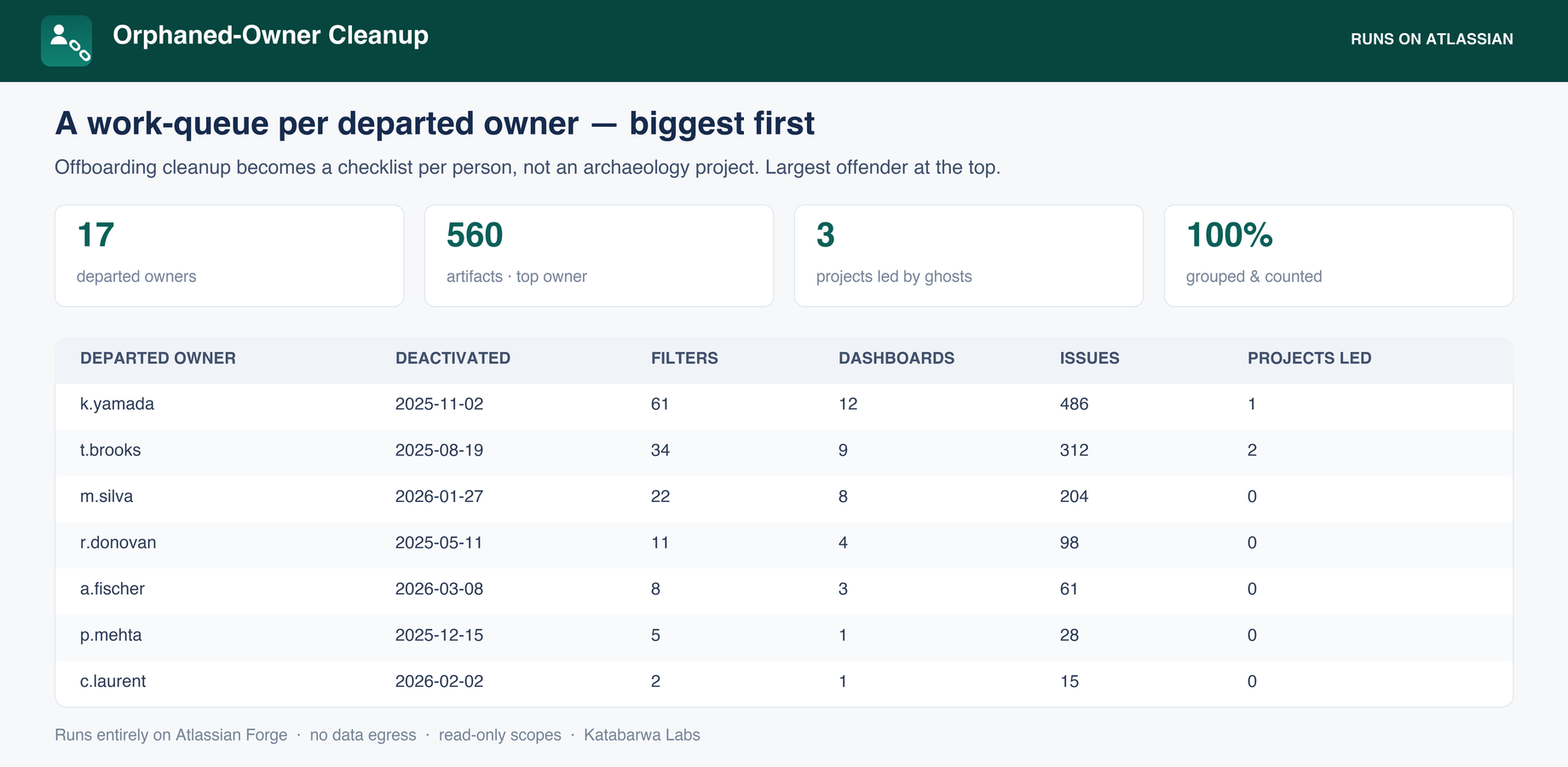
It runs entirely on Atlassian Forge, so the scan happens inside your own Jira Cloud tenant with no external servers and no data leaving your instance. The scan and CSV export are read-only. There is an opt-in bulk-reassign action that moves issue assignees and filter owners to a successor you pick, with a preview that writes nothing by default before you confirm. Dashboards and issue reporters stay manual, reported for a human, never auto-changed.
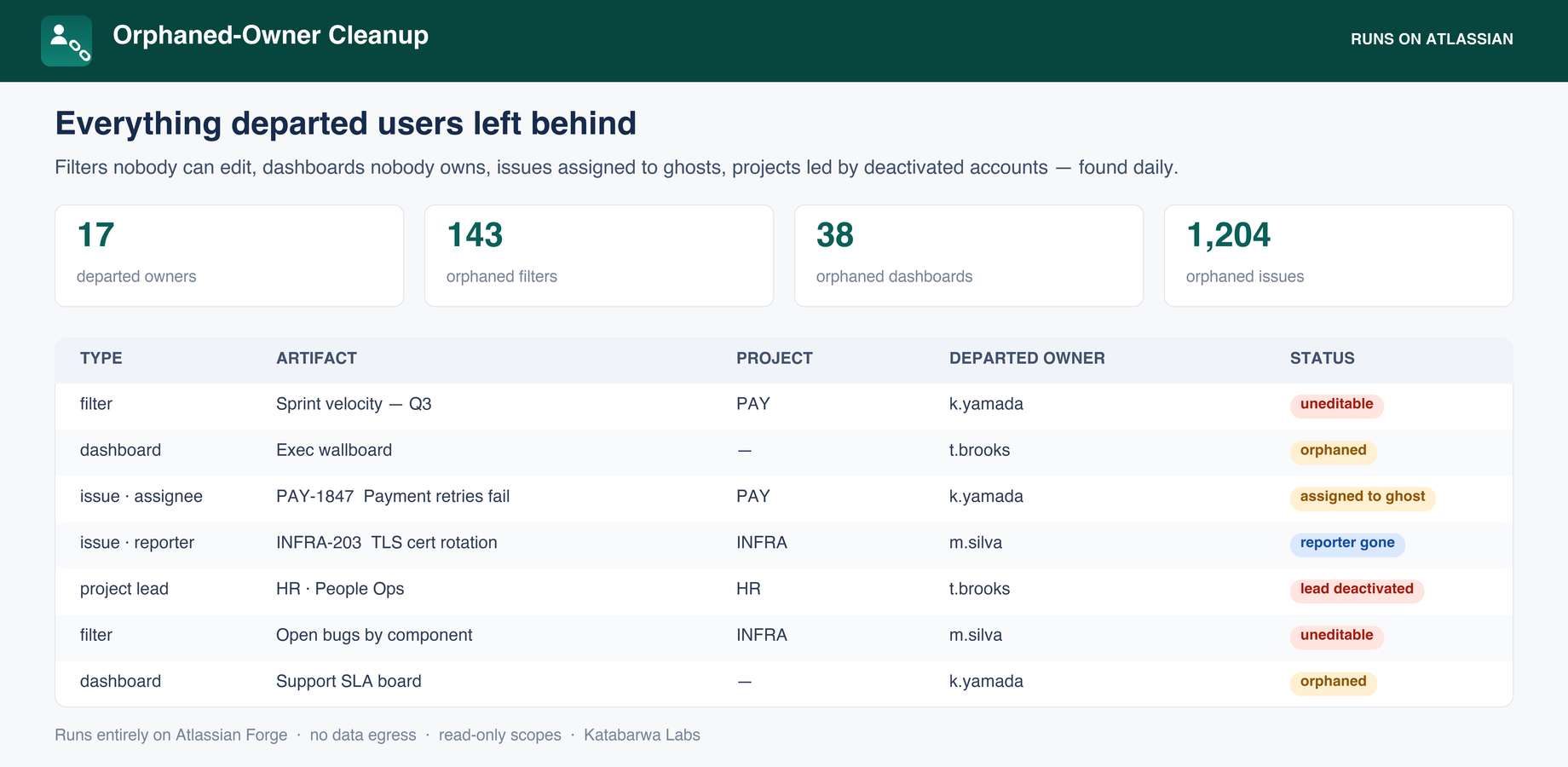
If you want to look at it, the listing is here: Orphaned-Owner Cleanup on the Atlassian Marketplace
Whichever path you take, the takeaway is the same: deactivation is not cleanup. Run the reverse lookup, reassign the filters and issues to living owners, and review dashboards and reporters by hand
