Every Epic Has a Family Tree — Argon Lets You Search It
The Problem
Open any Epic in Jira and you can see its Stories. Open a Sub-task and you can see its parent. Native Jira shows you hierarchy — but only one issue at a time, on the issue view.
Ask Jira's own search bar something like "show me every child of these Epics" or "show me the parent of every blocked Sub-task", and it can't answer. There's no field for "parent" or "child" in native JQL — hierarchy simply isn't searchable.
For a small backlog that's a minor annoyance. For an Epic with 15 Stories and 100+ Sub-tasks, it means opening issues one by one to answer a question that should take one search.
Two Functions That Make Hierarchy Searchable
Argon adds two JQL functions built specifically for this:
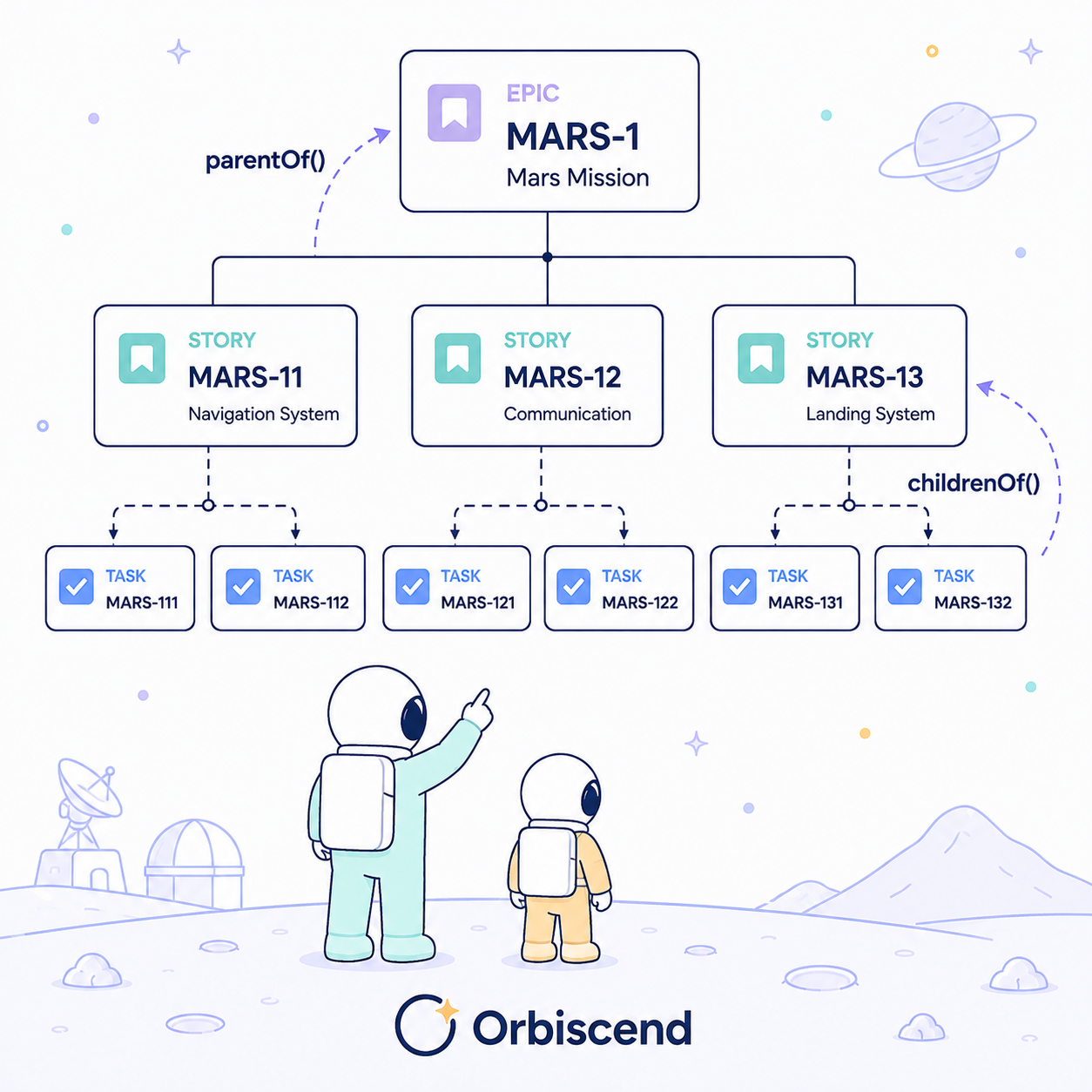
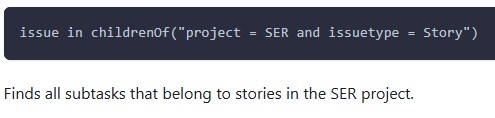
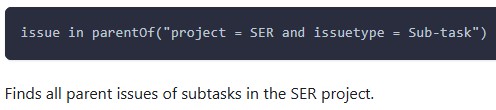
childrenOf — takes a JQL query and returns every child of the issues it matches (Sub-tasks of Stories, Stories of Epics, and so on).parentOf — the reverse: takes a JQL query and returns every parent of the issues it matches.
Both work the same way: you give them a normal JQL search that defines the issues you care about, and they return the related issues one level up or one level down the hierarchy.
The key point: the query re-evaluates live. As Epics finish, Stories move sprints, or new Sub-tasks get created, the result set updates automatically — it's not a snapshot you have to re-run and re-check by hand.
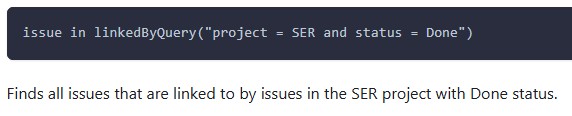
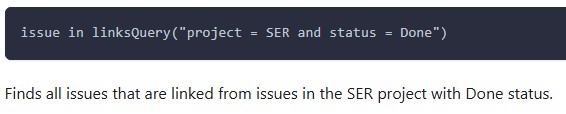
Examples:
Why This Matters
- Sprint planning — see everything under a set of Epics before committing a sprint, without opening each one individually
- Risk visibility — surface parent Stories/Epics affected by blocked or stalled Sub-tasks, before it shows up as a missed deadline
- Reporting & audits — pull a full hierarchy slice (e.g. "all children of Epics closed this quarter") for retros or compliance reviews
- Automation — use either function inside a saved filter or automation rule condition, so hierarchy becomes part of your existing workflows, not a manual check
How Unique Is This, Really?
Most Jira apps that touch hierarchy give you a view — a tree, a roadmap, a report you open separately from search. That's useful for looking, but it doesn't let you query hierarchy alongside everything else you already filter by.
childrenOf and parentOf are different because hierarchy becomes a normal, composable part of JQL itself:
- No separate screen to open — the result is a standard Jira issue list, usable in filters, dashboards, and boards like any other search,
- Combinable with any other JQL clause in the same query — status, assignee, sprint, custom fields,
- Live, not exported — results reflect the current hierarchy at query time, with no manual refresh.
If you manage Epics with more than a handful of Stories underneath them, this is worth five minutes on your own project.
How deep does your hierarchy usually go — Epic > Story > Sub-task, or further? Curious how others are structuring theirs — if you have time slot, drop it in the comments.
JQL Argon app you can find on Marketplace: JQL Argon
Enjoy!
Orbiscend Team (JQL Argon app provider)
