This community page is no longer up-to-date. Please reference our new comprehensive documentation for Atlassian's remote MCP server
If you have any feedback, suggestions or questions, please visit our support portal here.
We’re excited to share that our Atlassian Remote MCP Server is now available as public beta in approved MCP clients.
If you haven’t yet, please make sure to visit this page to learn about Atlassian’s Remote MCP Server.
Instructions
In products that support remote MCP servers, fill in https://mcp.atlassian.com/v1/sse as the server URL to create a connection.
Setting it up in Claude.ai
Go to https://claude.ai/settings/integrations to manage your Claude integrations.
If you are part of an organization, you may need your administrators to set up the integration before you can use it.
Click "Add integration".
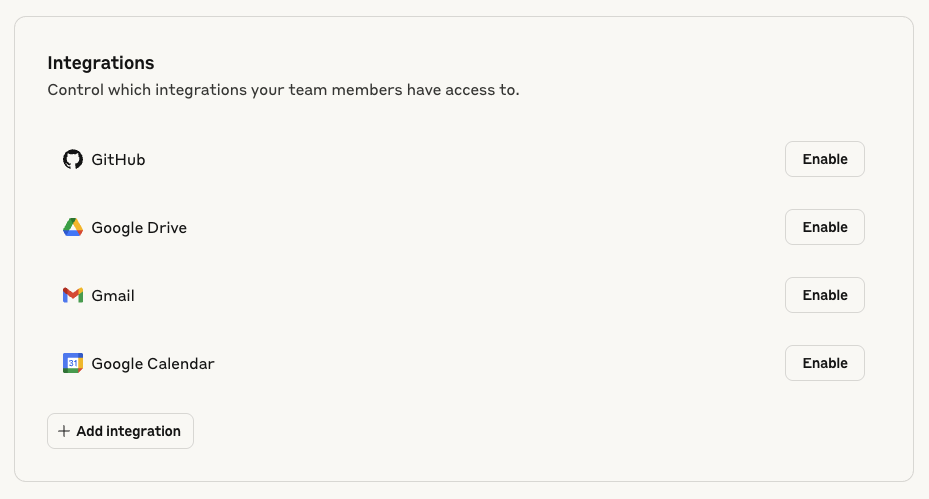
Add our remote MCP server details. Please use https://mcp.atlassian.com/v1/sse as the server URL.
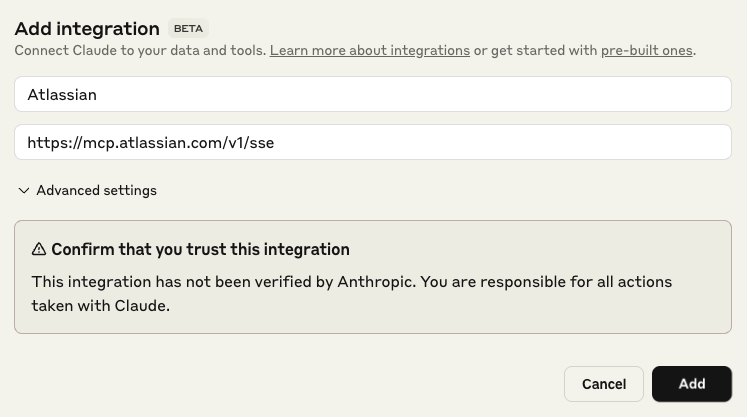
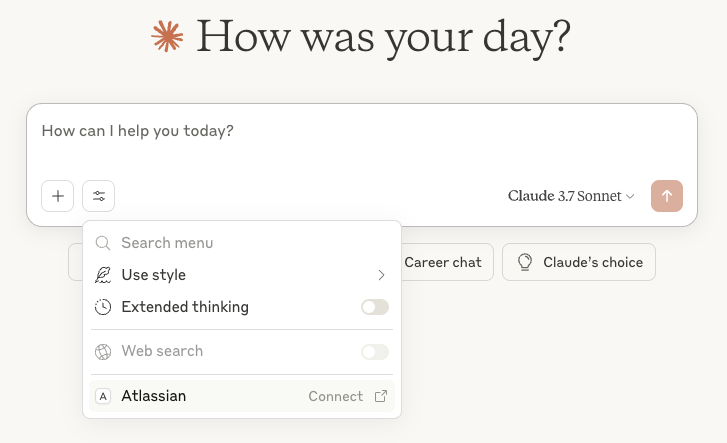
Select the Atlassian site you would like to access, review permissions and accept if everything looks right.
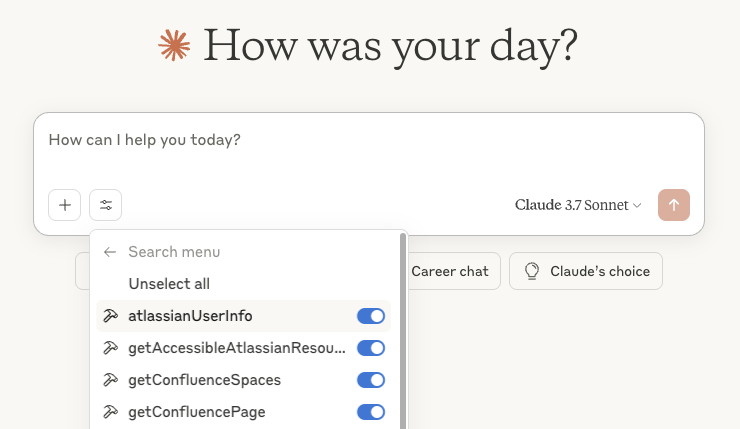
You are ready to go! Your Claude now has access to your Atlassian site through the tools you've selected.
Setting it up in desktop applications
Please see instructions here if you are looking to use the MCP server in a desktop application such as your IDE.
Feedback and support
If you have any feedback, suggestions or questions, please visit our support portal here.


![Photo of [A9] William Kennedy](https://avatar-management--avatars.us-west-2.prod.public.atl-paas.net/557058:2787dbc5-5758-4142-a364-5ff139de3beb/c894312e-0181-4f44-a1cf-ac611beb001e/128)


