Atlassian market place contains number of Apps/Addons which improves the capability of out of the box Atlassian products. It is good to follow a plugin evaluation process before install add-ons. So that we would be able to verify the suitability of the add-on for our real requirement.
I evaluate add-ons when there is a new user requirement or when there is a new version of an already installed add-on available in the marketplace. I and my team mates uses a confluence template to guide us in every add-on evaluation and later to keep all the records in an organized page tree.
Parts of the Confluence template for add-on evaluation
- Evaluation test notes
- Selection criteria and nomination listing
- Functionality analysis
- Test scenarios and results
- Technical analysis
- Anomaly report and risk analysis
Did you noticed there are some tasks which you need a little help from your mates? For me as I am a quality Assurance engineer I need Support engineer help to do technical analysis. This template let me and my team mates collaborate too. Let’s see how I included each of above sections in add-on evaluation template I created in confluence.
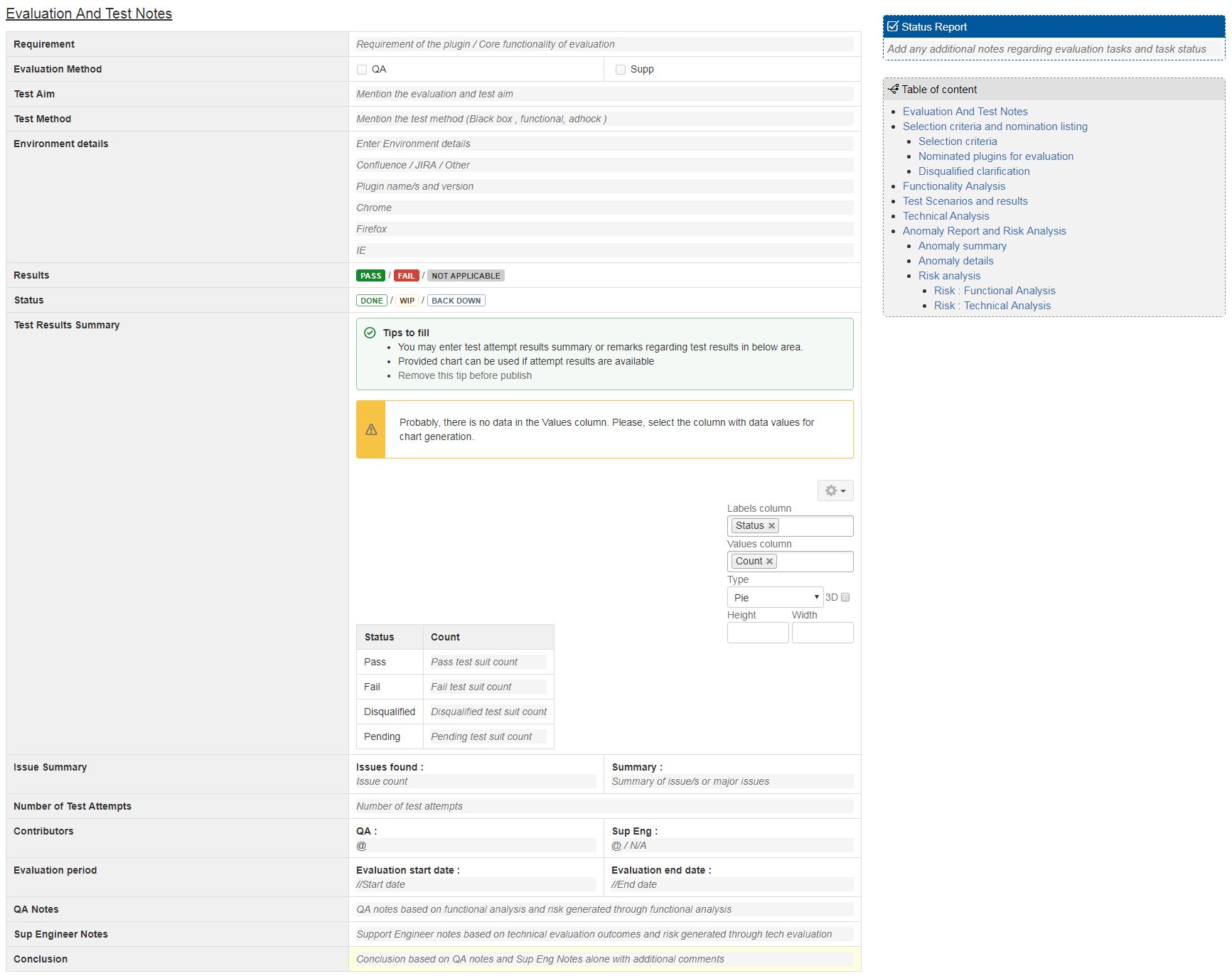
Evaluation test notes
This section contains a summary of evaluation. Which contains initial user requirement that leads us to install an add-on, final results, test summary QA notes, support engineer notes, important dates of evaluation and a conclusion.
Selection criteria and nomination listing
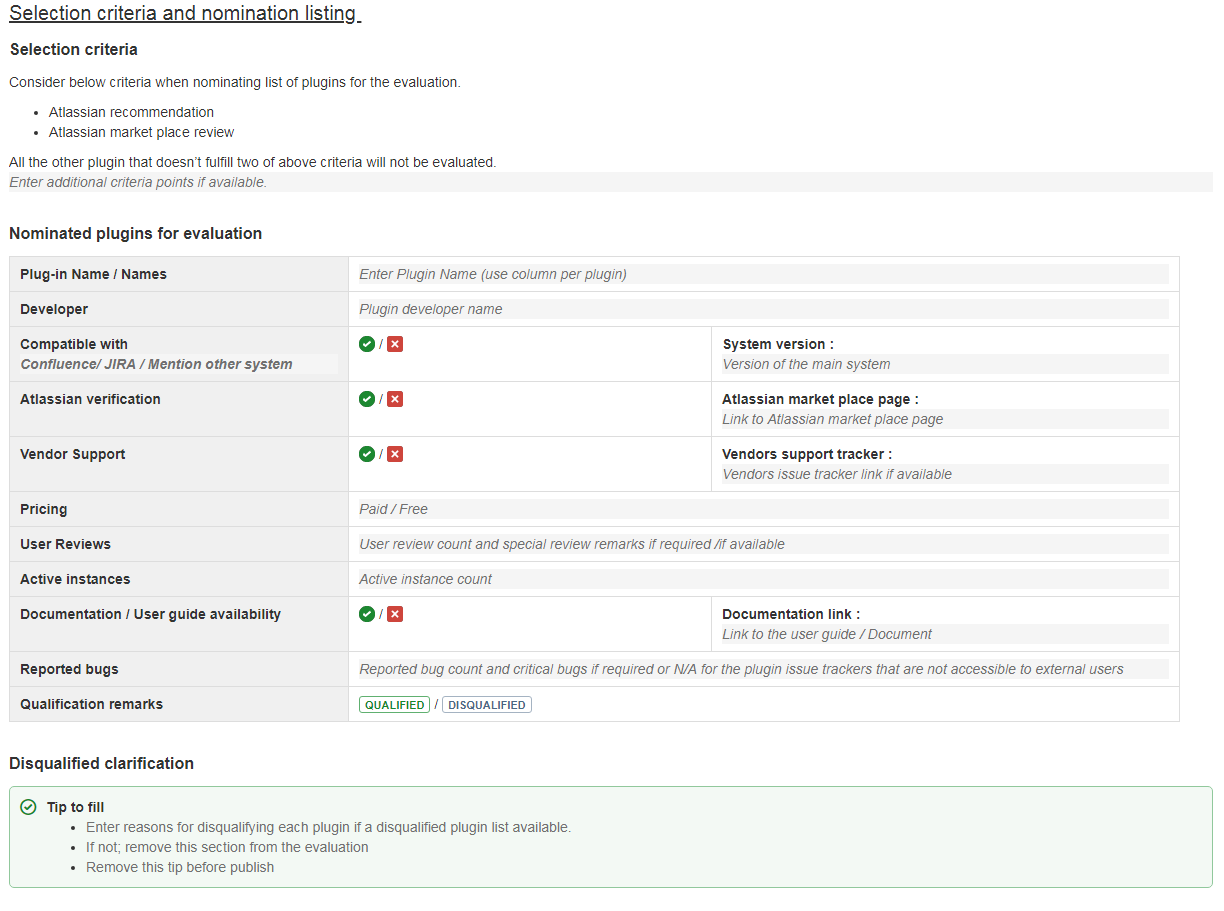
There are number of add-ons available in the market place that fulfills the same requirement. We usually consider below points when selecting an add-on for evaluation.
- Atlassian recommendation
- Atlassian market place reviews
Also we keep links to vendors issue trackers and market place page too. This section of the evaluation template gives us a quick overview out the plugins we have selected.
Functionality analysis
This section tracks all the functionalities and sub functionalities of an add-on. It is easy to compare add-ons by functionality when there are more than one add-on is selected for evaluation.

Test scenario and results
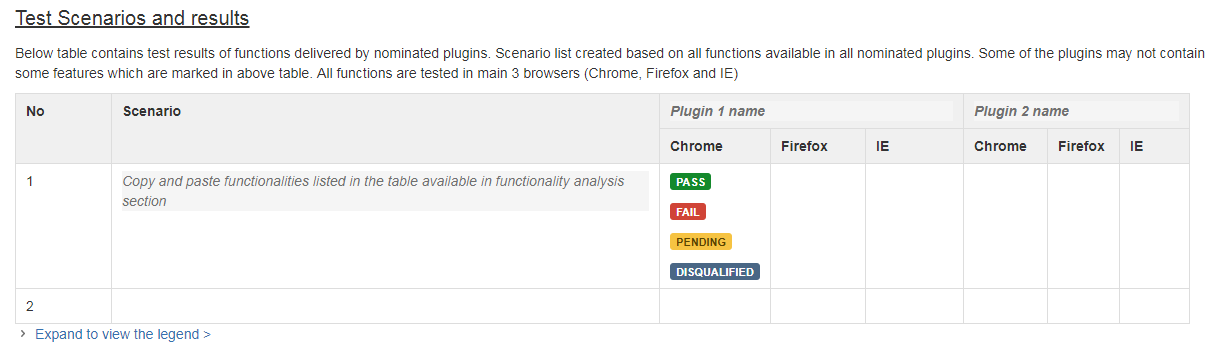
We always install the plugins in a test environment and test each and every function and verifies the functionality and compatibility. It is like a mini test plan with all test cases and results.
Technical analysis
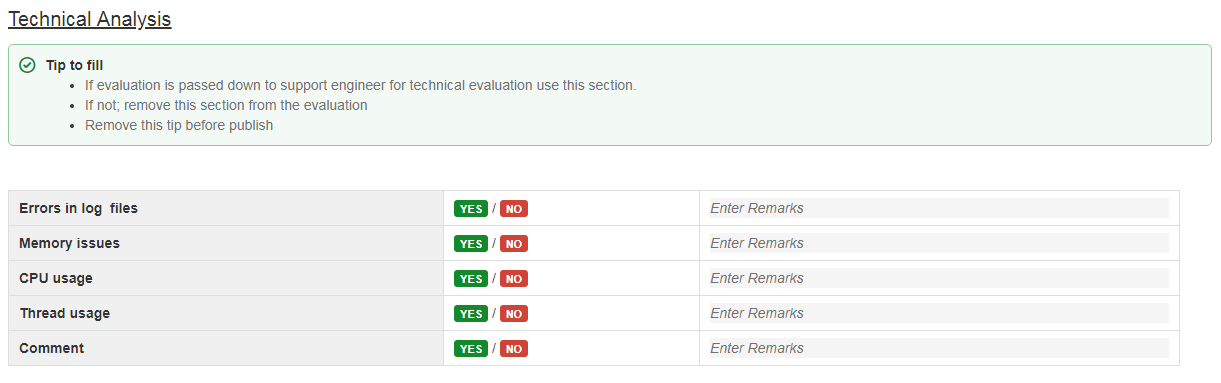
Under technical analysis we add remarks about Errors in log files, memory issues, CPU usage, thread usage and special comments and observation details.
Anomaly report and risk analysis
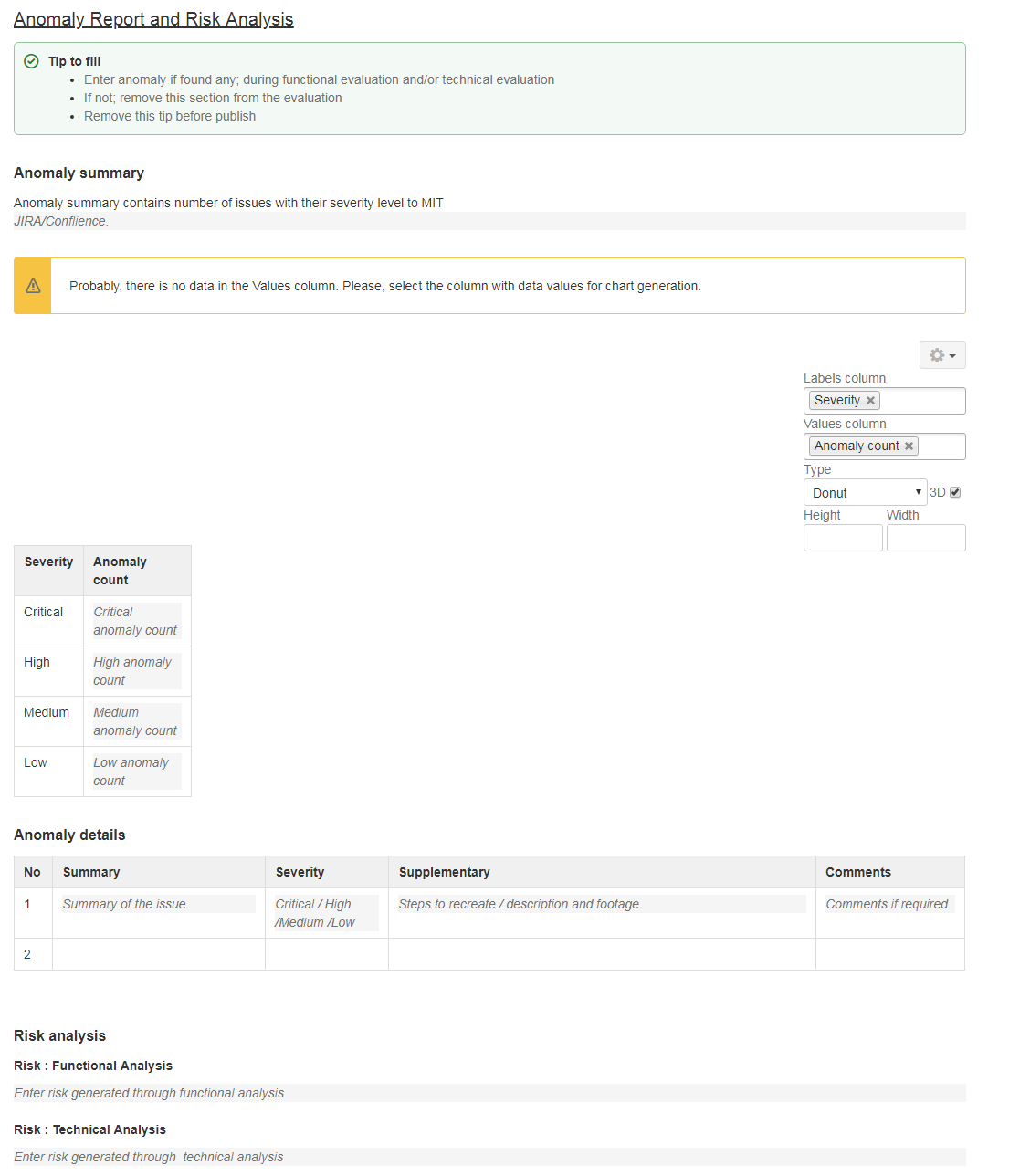
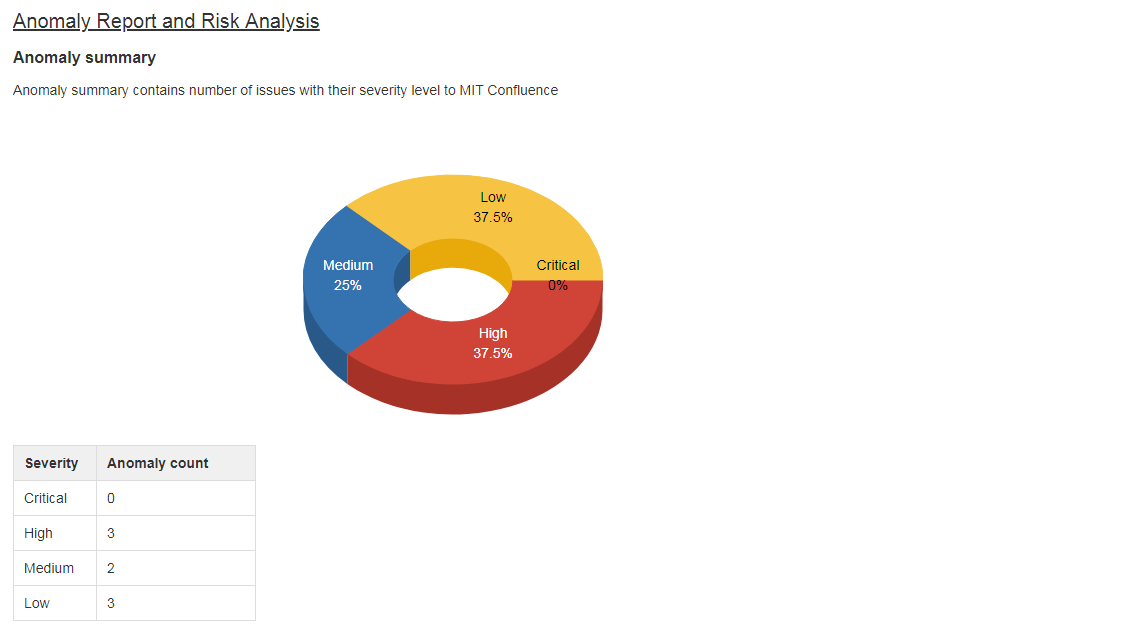
Then we log anomalies found during functional and technical analysis. We use chart macro to give viewers a graphical view of anomalies identified; based on their severity. This method improves the quality of decisions we make in this add-on evaluation.
Finally considering technical, functional analysis and anomaly report we list down functional and technical risks we identified.
Gain
It seems like a lot of work before installing an add-on but still confluence template for add-on evaluation saves us a lot more time and effort. By creating this template we were able to achieve below,
- Standardize the add-on evaluation process. The best thing is when you identify area of improvement in this process it is supper easy to update the template and accept the improvement.
- Easy to manage previous evaluations and keep records.
- Instruction texts comes handy and speed up the form filling and reduces our think time
- We have use status macro, charts and table of content macro to improve both authors and readers experience. For authors it is super easy documentation creation. For readers it is super-duper informatics view for decision making.
Hope this gives you some tips on how confluence templates can make your life easy.


![Photo of Patrick Cartier [Candylio]](https://us.v-cdn.net/6038660/uploads/avatars/d6/05/nd605bce22f494c25918dd9da5f74fc05.png)


