I am on source tree version 2.5.5.0 on Windows 10 64 bit
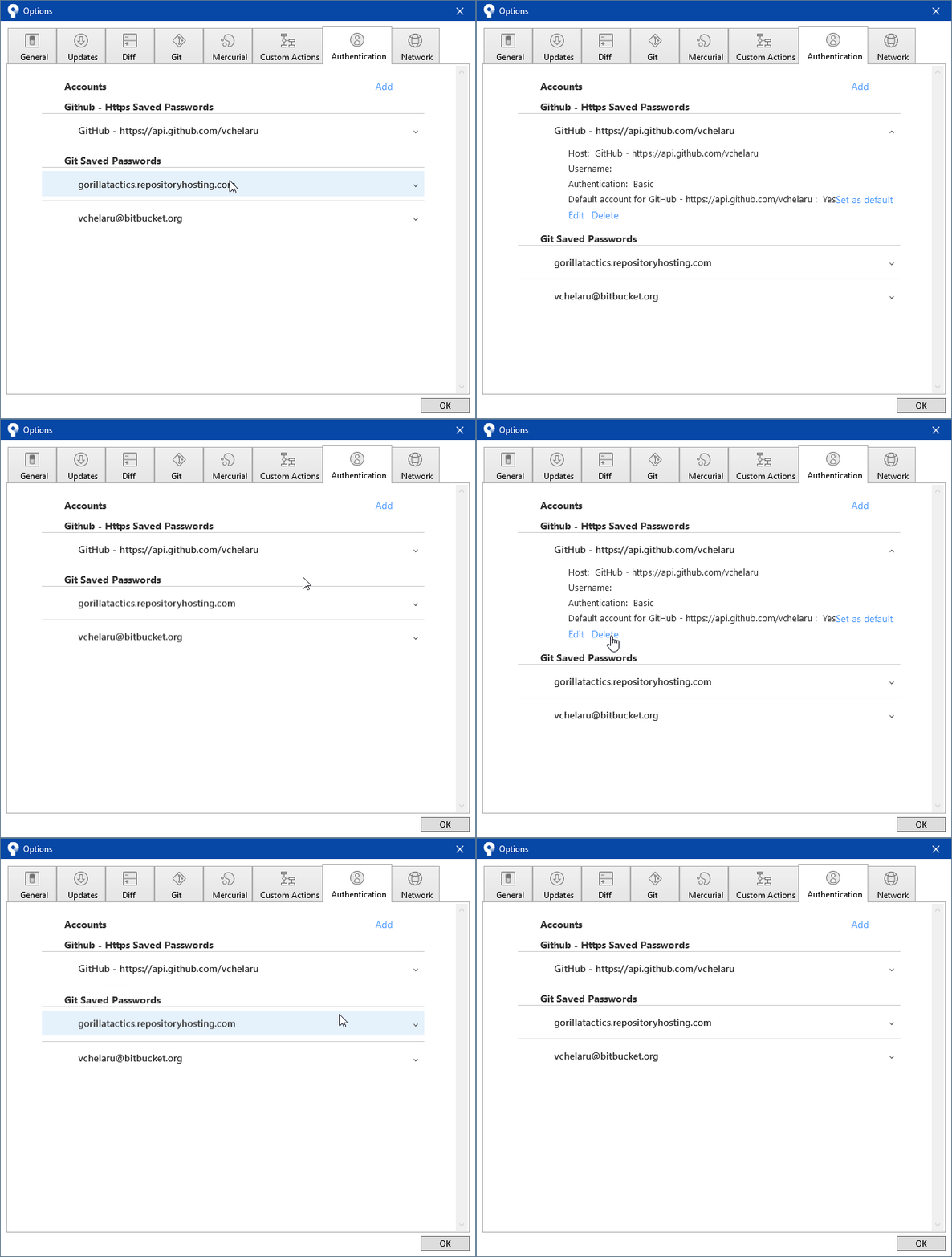
- I go to Tools -> Options, Authentication tab
- I expand the Github - Https Saved Passwords section
- I click the Delete button to delete my password
- I am asked if I am sure I want to delete the password. I click Yes
Observe: The Github password collapses, but is not removed from the Saved Passwords section
Expected: Deleting a password should remove the entry from the Github - Https Saved Passwords section
This is a bug I've encountered before so I think it's been around for a while. Is there a fix for this?


