Context: I don't like using the staging views in SourceTree.
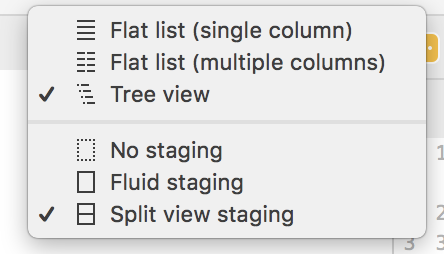
^^ I prefer the "no staging" view above.
In a large project with many directories SourceTree bounces around the tree structure at seemingly random moments, and opens directories we have already closed, moves me up and down the scroller (a whole other issue). This all makes navigating a list of complex changes a pain. But with "no staging" selected it's a breeze.
/context
What's driven me to write you all is advice about how to stage select lines or hunks from a document... whenever I click "stage hunk" it switches back to only staging the hunk of the file and all other files selected for committing go unchecked. So I have to eyeball the list of changes all over again.
Then... when I highlight lines with the staging view off there's the below ugly* error:
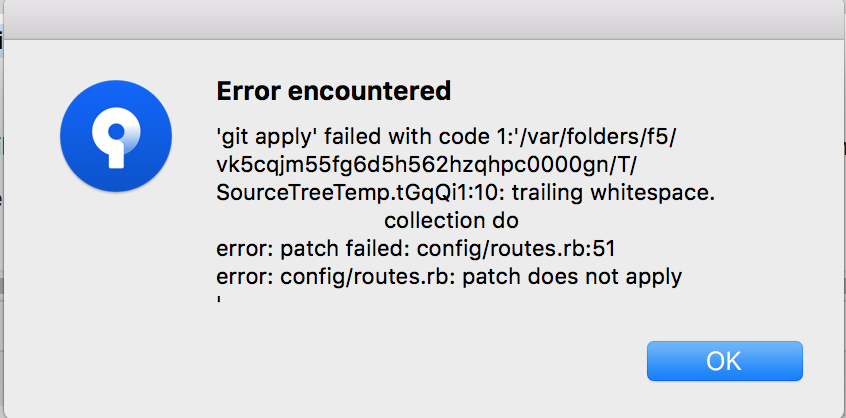
*I'll give you this. I'm not a git wizard and I really struggle when I'm not in some kind of GUI. So thanks SourceTree for making my life bearable. But I know you could make it fantastic!

