Dear Atlassian support team,
I am currently running Sourcetree Version 2.4.8.0 and I am trying to follow your article https://confluence.atlassian.com/get-started-with-sourcetree/merge-changes-from-one-branch-to-another-git-847359121.html regarding the merge from one branch to another.
I've noted that the UI from my version of sourcetree looks and acts differently than the one described in your article.
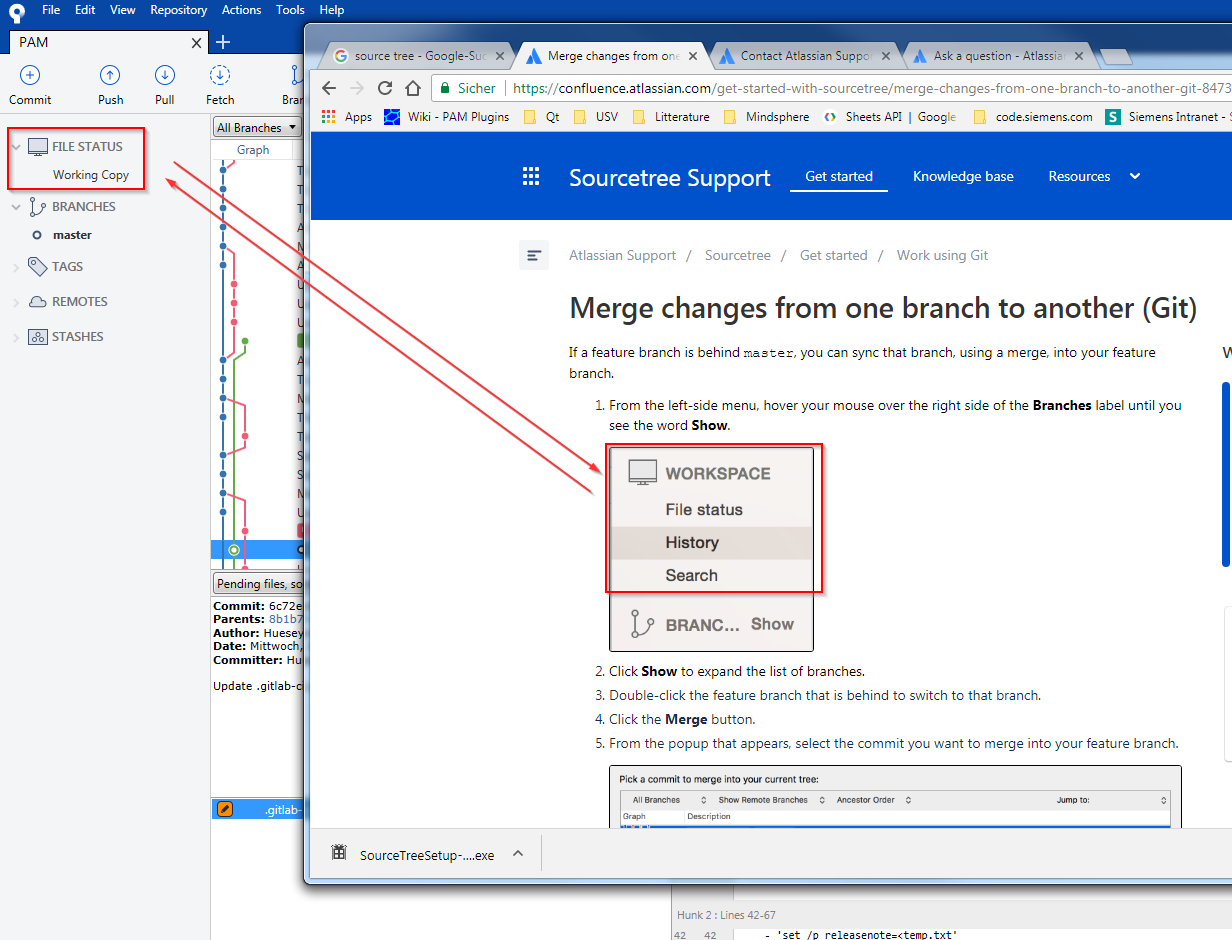
Example 1: Point 1 from your article shows a WORKSPACE menu entry with the following sub menu entries: File status, History and Search. My version is showing a FILE STATUS menu with a sub menu "Working Copy"
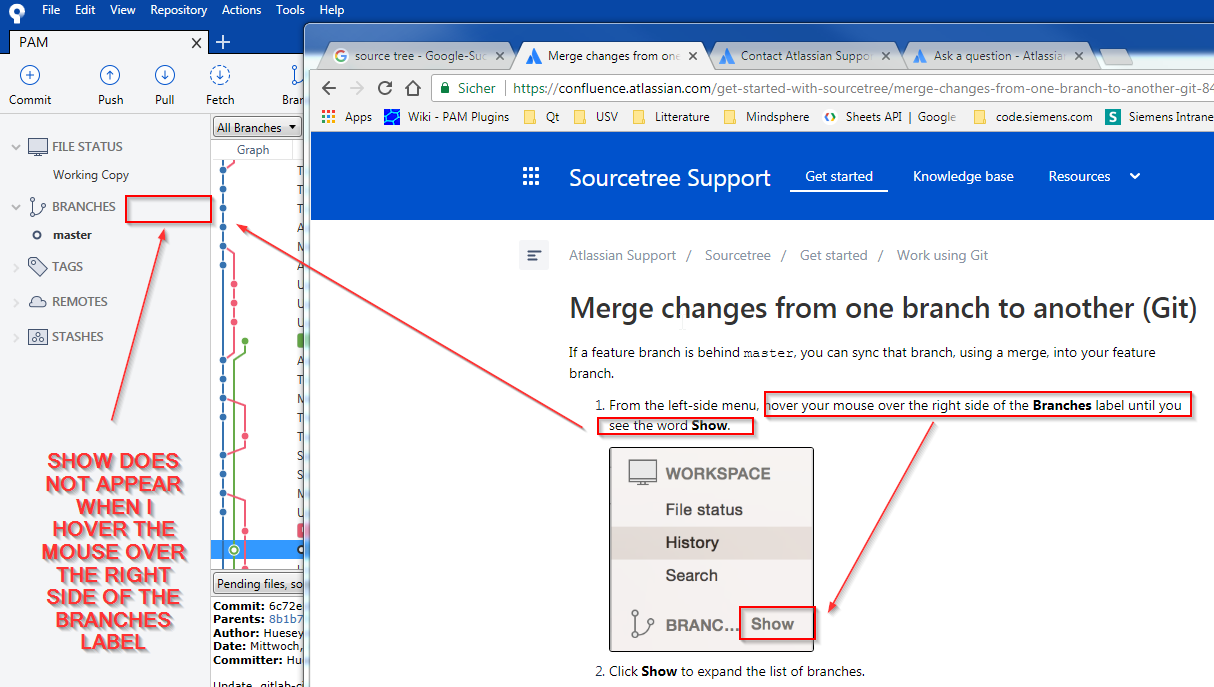
Example 2: Point 1 from your article asks to hover the mouse over the right side of the Branches label until you see the word Show. This seems not working in my version of Sourcetree.
Your article has been updated recently (it says Last modified on Mar 5, 2018) - so I am wondering if I am missing some settings in my installation to make my installation of Sourcetree look and behave the same as in the description of your article.