With thousands of new conversations happening each week, we recognize the Atlassian Community can get a little... noisy. You can always "Watch" collections or specific posts whenever you find something interesting. Watching content will kick off email notifications whenever new posts come in. But, staying on top of a crowded inbox or dialing in the right notifications settings can take up a lot of time. Discovering interesting content through search alerts also required a bunch of set up. The community team thought we could do better here, and so....
We have created an awesome new personalized feed for you!
It's a new feature that will will help you keep on top of things you care about most.
All you need to do is...
-
-
-
...And voila! Welcome to your community feed!
*Don't have an Atlassian account? Sign up for free and proceed to steps 2 and 3.
What does it look like, you say...?
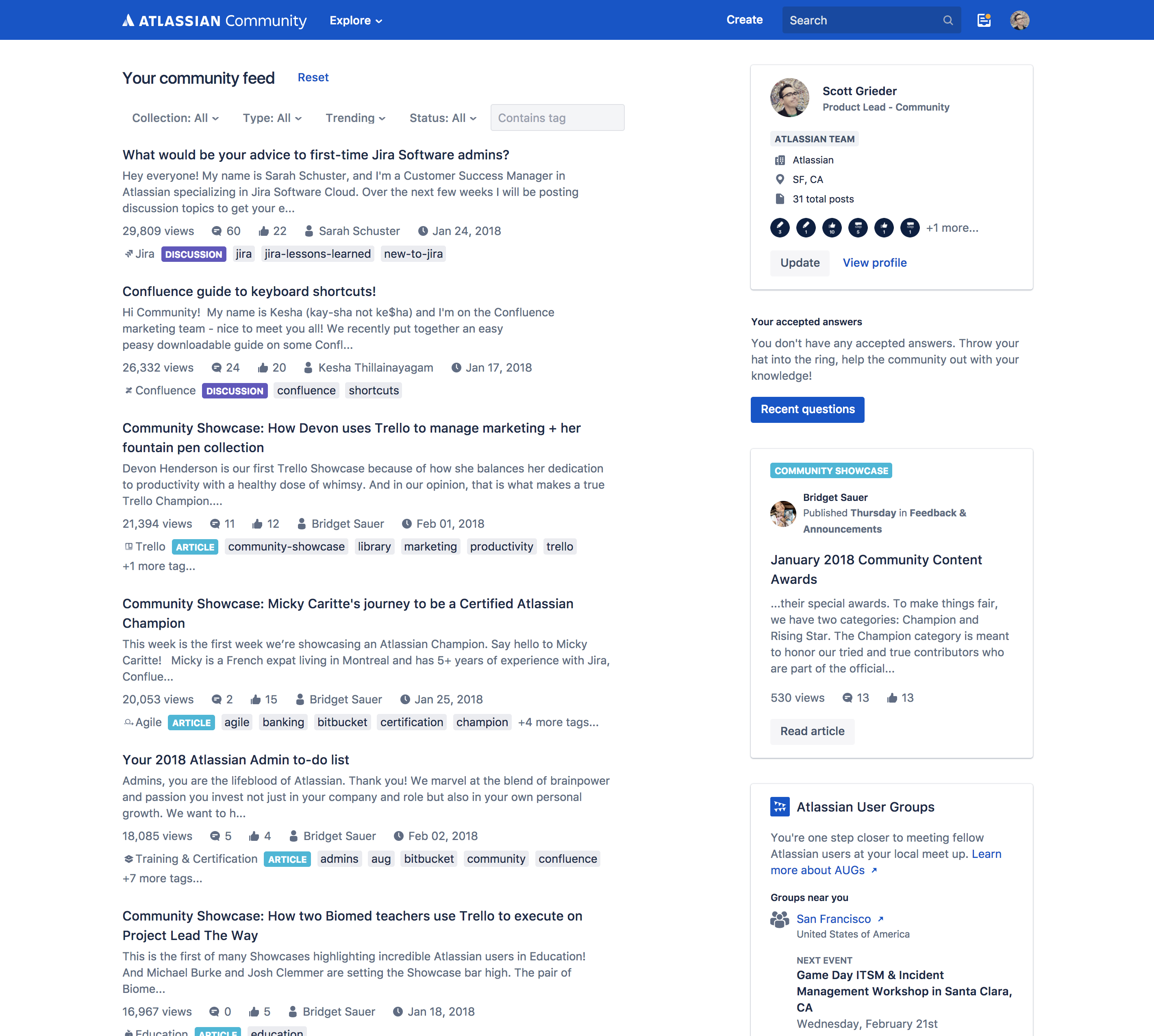
We added some controls to the top of the feed. Check out all the options for creating your ideal community experience.
-
Set up your feed preferences
Sort and discover better content views.
- Filter by the "type" of content you care most about: Q&A, discussions, articles.
- Sort views - Most recent (default), Trending, Most views, Most likes
Tips:
- Trending view let's you see what people are discussing most in the last 30 days.
- Learn the latest tips and tricks by filtering to see posts marked solved
- Discover opportunities to help the most people by filtering to see unsolved posts or posts with no replies.
Remember... Now that you have your feed set up, the hardest part of keeping up with community will be making sure that you are logged in whenever you visit us. How hard can that be... Right?
Check it out and let us know what you think in the comment below


