Background
We have a release process that moves from "CI" up through different environments and ends in "Beta" and then "Live".
The build artifacts in "CI" are generated by changes to the _master_ branch of our repository. Each of those builds generates a new build number.
To move from one environment to the next (e.g. "Beta" to "Live") is not automated. We manually click "Deploy", select the environment (e.g. "Live") and select the build version.
In other words, say version `1.5` is "CI" and `1.0` is in "Beta". When I want to move `1.5` to "Beta", I:
- Click "deploy" button
- Select "Beta" from the dropdown
- On the next page, select radio option "Promote existing release to this environment"
- Select the build number `1.5` from the "Release" dropdown selection.
Question
How can I accomplish the steps described above using a scheduled trigger in the "Live" environment?
The "Trigger configuration" section only shows options related to the repository branches, not already generated build artifacts.
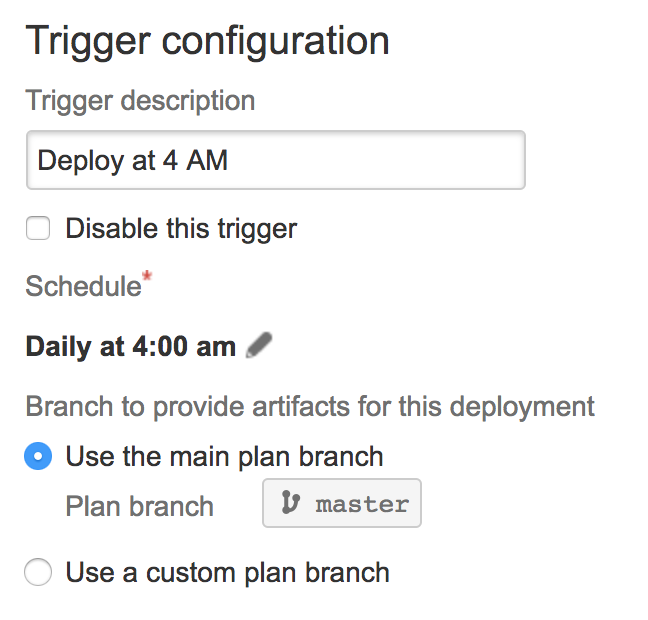
I do not want to deploy latest build from master or any other branch. I want to promote the build currently in Beta to Live.

![Photo of Steffen Opel [Utoolity]](https://us.v-cdn.net/6038660/uploads/avatars/6e/42/n6e42808a99b833a5a5a17281bdc09d5b.png)
