
JIRA is a cool tool but it becomes even cooler if you know how to leverage it's powerful search features! Some of you probably already discovered the powerful JIRA Query Language (JQL) and that's what this series of blogposts is all about. In the next few posts we'll cover:
Basic searches in JIRA
Searching in JIRA, how do I start?
Search Box
The most simple search feature in JIRA is the search box at the top right of your screen.
 You can use this search box to:
- search a particular issue
JIRAKEY-15
- search on text (searches in issue summary, description and comments)
atlassian
- Finally, the field supports Smart Querying
my open bugs
This will give you a list with all Bugs that are in the status Open and assigned to you
Search for Issues
When using the Search Box you might have already discovered that JIRA has many more searching capabilities than the ones described above. In the dropdown menu "Issues" you'll find an item.
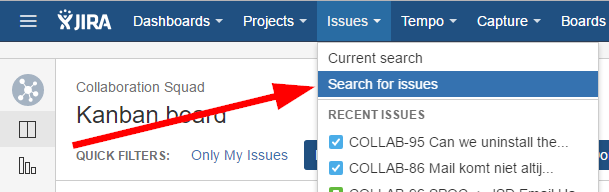
In the screen that just opened you'll be able to easily filter issues based on the value(s) of certain fields. A quick example search:
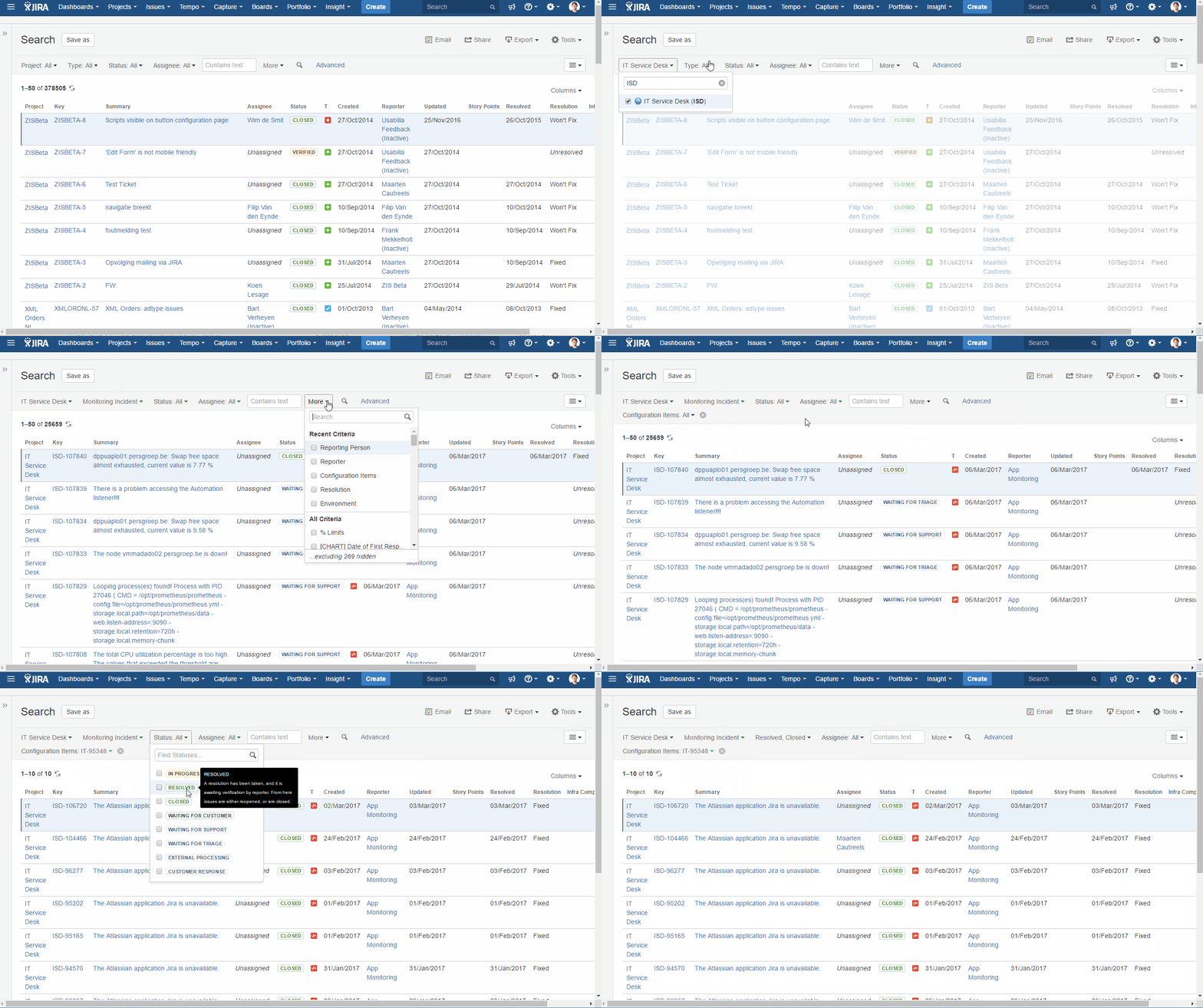
You can filter on any field available in JIRA (depending on the selected project(s)).
Avoiding duplicate work, saving your search for later
Once you've configured a filter you can save it for later use.
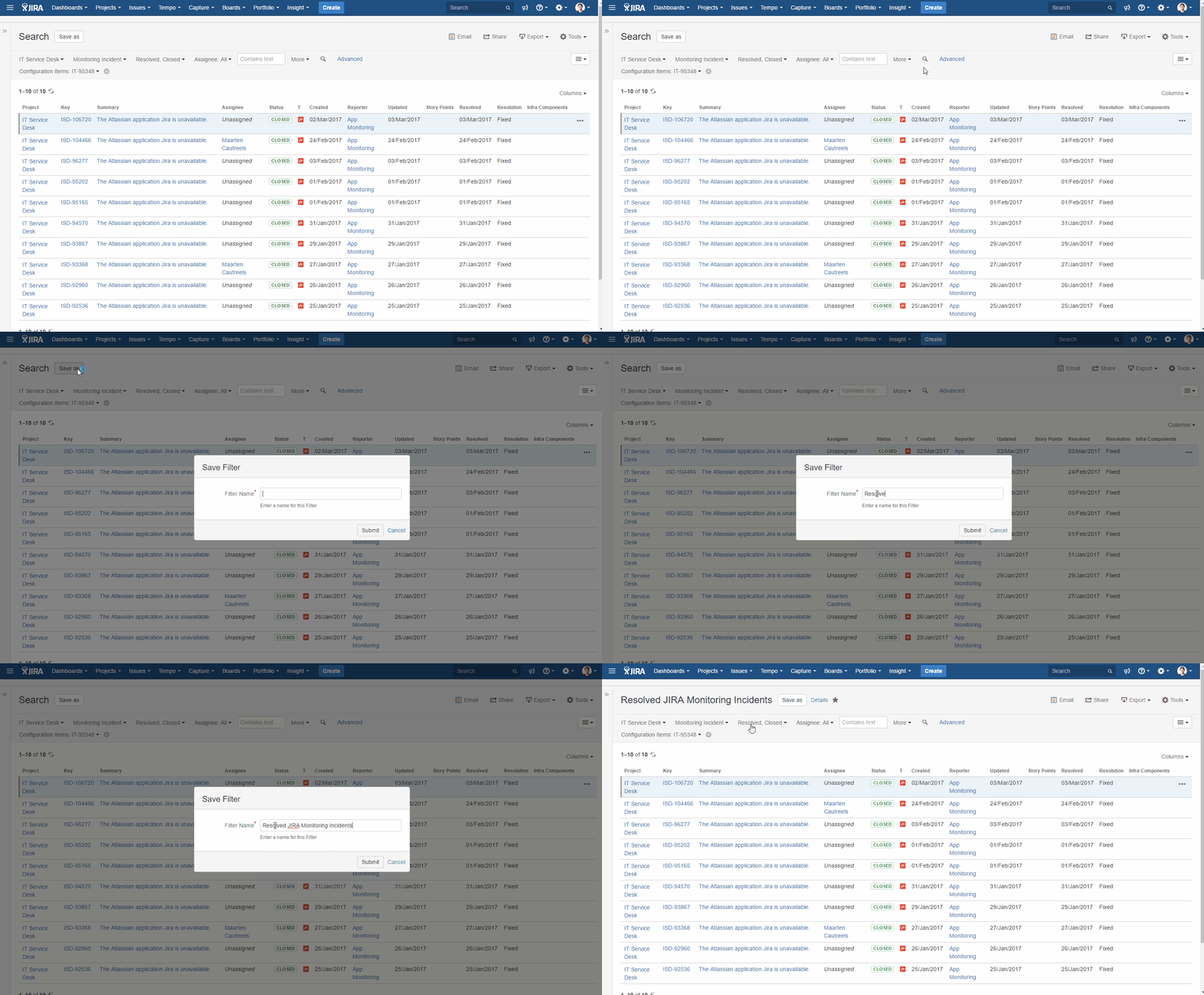
Oh great, I've a saved a filter but I can't find it anymore.
No worries, the filter isn't gone. By default it should be in your list of favorite filterss. That's right, you have favorite filters!
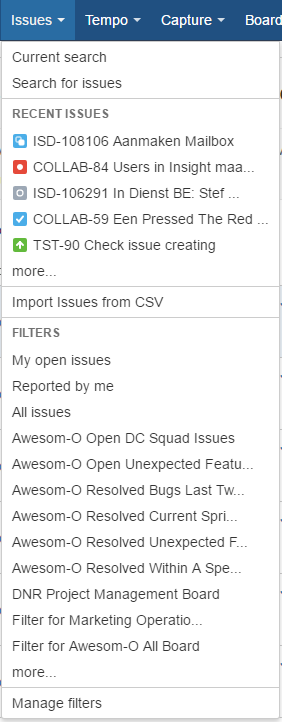
When you open the Issues menu, your favorite filters are shown at the bottom of the list, below "Filters". If you have too many favorites you can simply click "more ..."
 You can also find your favorite filters in the left sidebar of the search screen.
Sharing the love of filters
Once you've created an (awesome) filter it would be great if others could use it as well. But by default when you create a filter they're private. To be able to share the joy of a filter with others you'll have to give them permissions. How you can do so is briefly shown in the animation below:
 I'm sharing the filter with all logged in users as this is the easiest. Don't worry this only allows the users to access the filter and not necessarily the issues that come out of it (that's managed by the project permissions).
Questions/Problems?
Please checkout this page from Atlassian first: https://confluence.atlassian.com/jiracoreserver073/basic-searching-861257184.html#Basicsearching-troubleshootingTroubleshooting
If that doesn't help, please use the comments.


