CMK - Customer-managed keys for Atlassian Cloud
BYOK - Bring-your-own-key for Atlassian Cloud (no longer offered to new customers)
Hi Atlassian Community 👋
One of the most common pieces of feedback we heard from CMK customers: "Why do I need to open a ticket just to add an app?"
We heard you — and now it’s self-serve.
The problem
Provisioning a new app with CMK used to mean:
Raise a Cloud Support ticket and wait up to several days while our engineers provisioned it by hand.
What’s changed
Org admins can now self-provision enterprise-eligible CMK products (Confluence, Jira, JSM) directly from Atlassian Administration - in minutes.
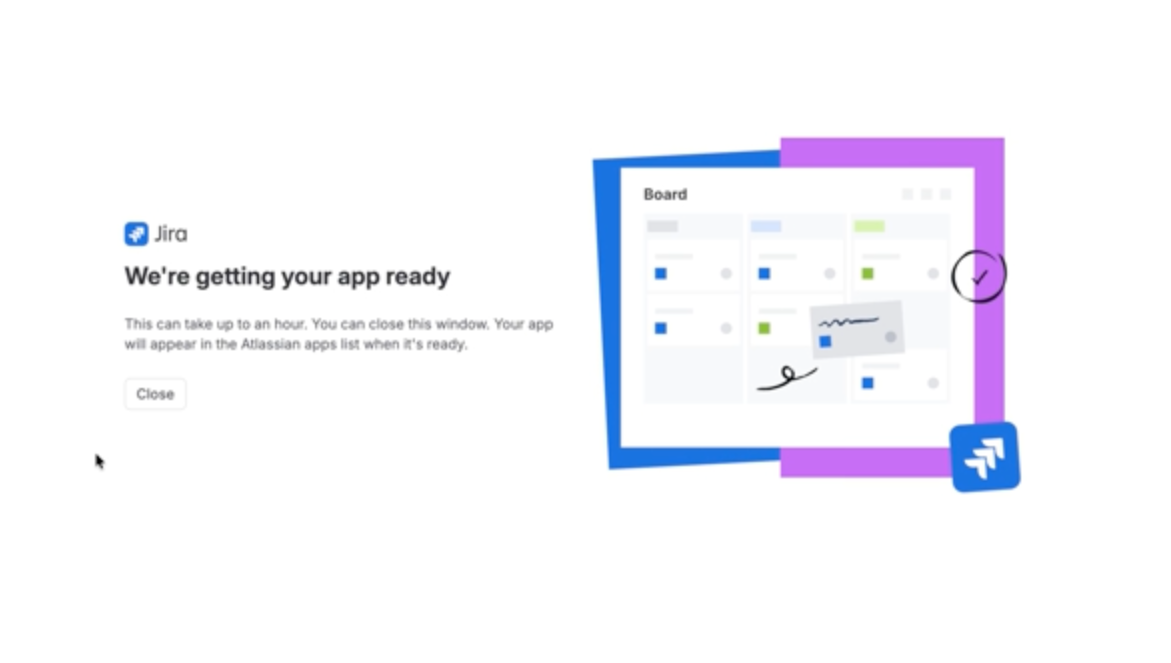
The first CMK provisioning in an org still takes ~1 hour behind the scenes (dedicated infrastructure is created for your org), but there's no support ticket, no multi-day wait, and no Atlassian support engineer involved. What once took days now takes minutes to kick off.
Supported:
-
Apps with Enterprise plan can now be provisioned with CMK via Atlassian Administration — no support ticket needed.
-
BYOK customers follow the same flow — you'll see "Bring your own key (BYOK) encryption" in the dropdown instead of CMK.
Not affected:
We'd love to hear how the new self-serve flow works for you. Your feedback directly shapes what we build next. 🚀
If you run into any issues or have feedback, drop a comment below or reach out to your account team. For full setup instructions, see the support page.
Other resources:
How it works
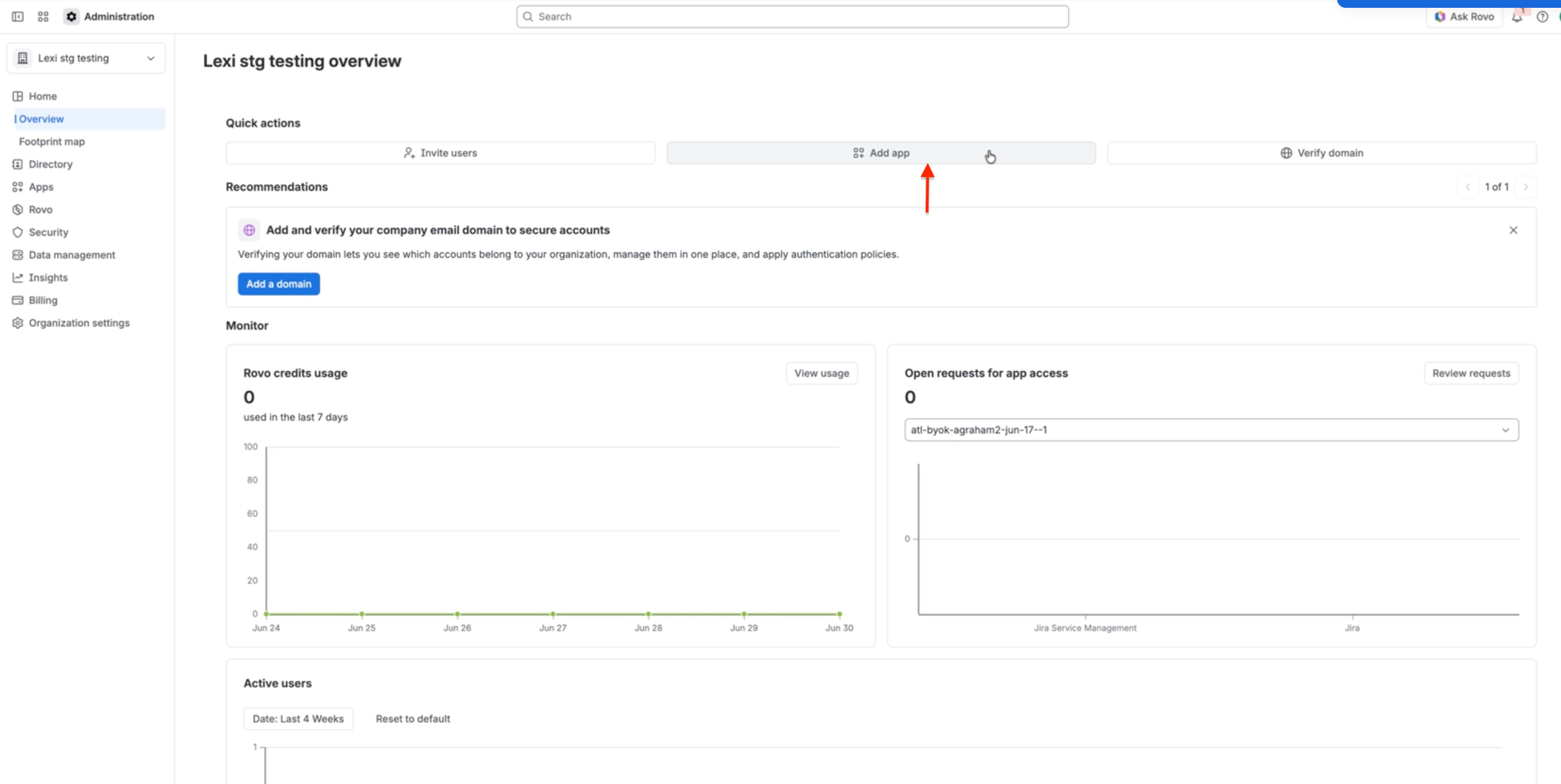
1. From Atlassian Administration > “Add App”
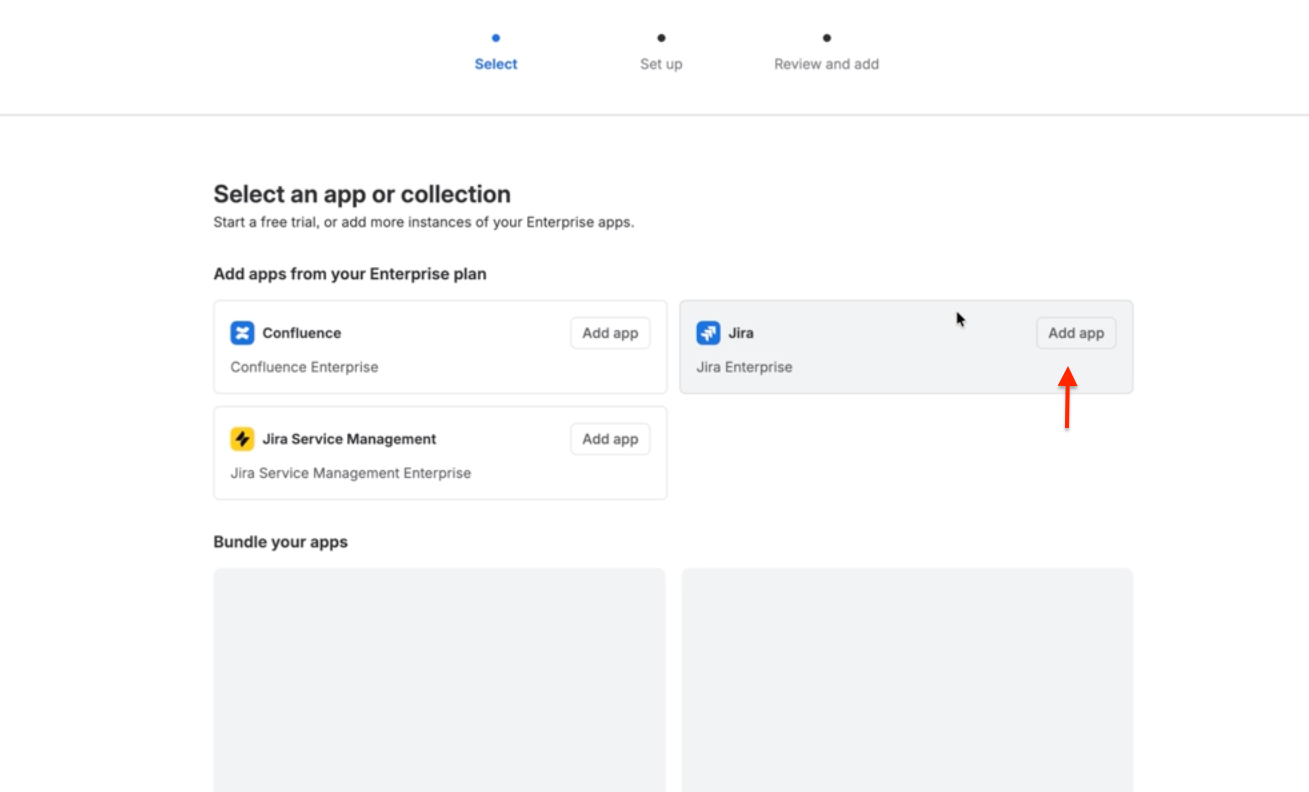
2. Pick an App to add
3. Enter site name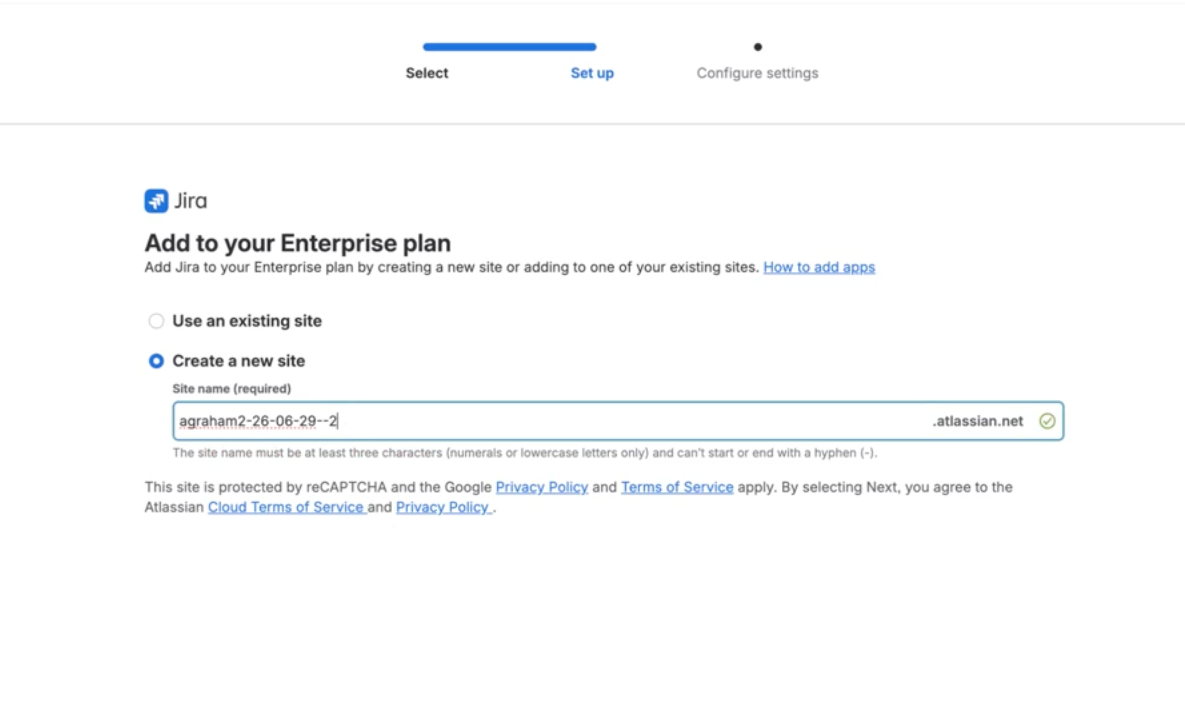
4. [NEW] Choose Atlassian-managed keys (AMK) or CMK for the app/site
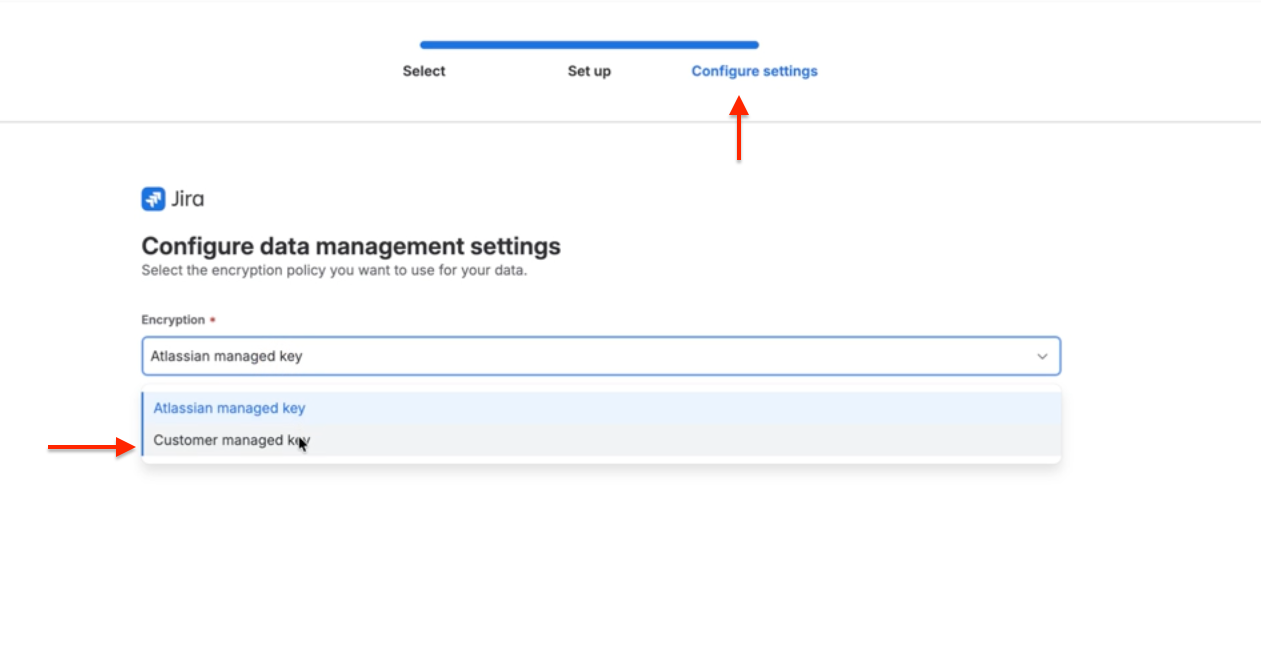
5. Kick off provisioning