A discussion started when @Nick Turner asked:
Has anyone built anything of worth using the App Builder in Studio yet?
On the surface, it sounds like a question about app ideas and use cases, but the conversation quickly turned into something more interesting:
How much prior knowledge do you actually need to build apps successfully with AI?
This builds on an earlier Champions discussion sparked by @John Funk's experience attempting to create an app with AI assistance.
The answer from this thread is: yes—but where you start matters.
Short Answer
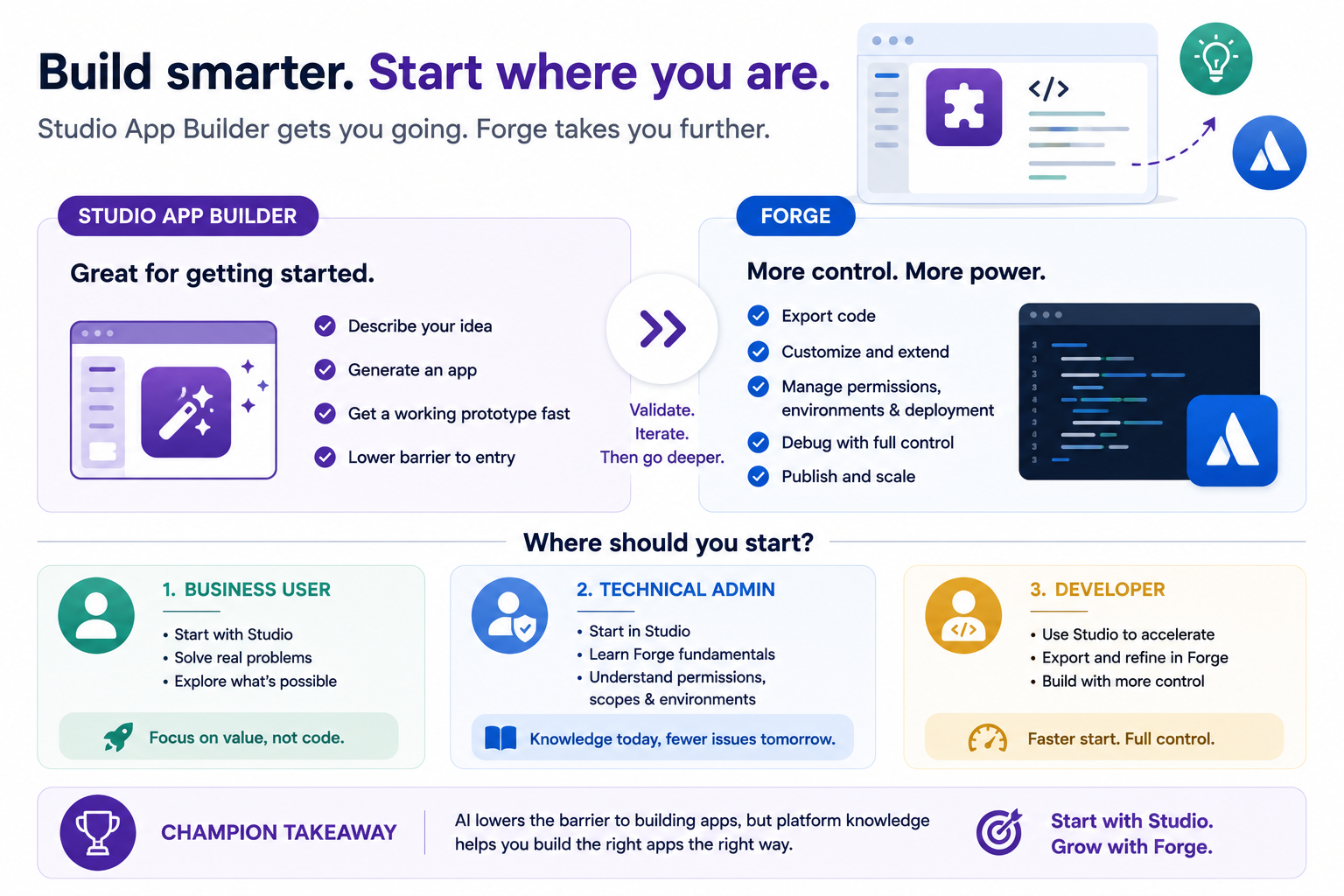
- If you're new to Atlassian app development, start with Studio App Builder.
- If you already understand Forge, permissions, environments, and deployment, you'll likely get more out of exporting the code and continuing in Forge.
The challenge isn't usually generating the app. It's understanding the platform the app runs on.
What Studio App Builder Does Well
Several Champions shared examples of useful applications built with Studio App Builder, including:
- Access management tools
- Internal workflow applications
- Project and space lookup utilities
- Confluence-related productivity tools
The consistent feedback was that Studio App Builder dramatically reduces the effort required to create an initial working prototype. Instead of:
- Installing local tooling
- Learning Forge CLI
- Creating manifests
- Configuring environments
You can often start with a business problem and let Studio generate a first version. For many users, that's a major improvement.
Where Things Get Hard
The discussion highlighted a pattern that also appeared in John's earlier thread. The first version is often the easy part. The complexity shows up when dealing with:
- Permissions
- User roles
- Group access
- Installation
- Publishing
- Environment management
- Security requirements
Nick's experience was a good example. The app itself generated successfully, but implementing granular permissions became much harder than generating the application in the first place. That's because permissions are not really an AI problem. They're a platform architecture problem.
Why Forge Knowledge Still Matters
One recurring theme from experienced builders was that they eventually exported their Studio-generated applications and continued development using traditional Forge tooling. Not because Studio failed. But because they reached the point where they needed:
- More control
- More customization
- Better debugging
- Direct access to the code
Several Champions described a workflow that looks something like:
- Build the first version in Studio.
- Validate the concept.
- Export the code.
- Continue refining in Forge.
In that sense, Studio and Forge are complements rather than competitors.
So Where Should You Start?
The discussion suggests three common paths.
(1) If You're a Business User
Start with Studio App Builder. Focus on:
- Solving a business problem
- Testing ideas
- Learning what's possible
You don't need to become a developer before experimenting.
(2) If You're a Technical Administrator
Start with Studio, but learn the basics of Forge. Understanding:
- Permissions
- Environments
- Installation
- App scopes
will help you troubleshoot when things inevitably get more complex.
(3) If You're Already a Developer
You'll likely appreciate Studio as an accelerator rather than a replacement. Many experienced developers are using Studio to create the first draft and then moving into Forge for refinement.
Champion Takeaway
The biggest lesson from both Nick's and John's discussions is that AI is lowering the barrier to app development—but it hasn't eliminated the need to understand the platform. Studio App Builder can help you build an app. Understanding Forge helps you understand why the app behaves the way it does.
For most people, the best path isn't choosing one or the other. It's starting with Studio and learning Forge as your apps become more sophisticated. That allows you to focus on solving business problems first and technical complexity second.
LEARN MORE: Rovo Studio Decoded Aug 21st, 11 am EDT with @John Funk and Me 

