After months of testing and refinement with early access users, the transition tool is rolling out to all role-based access control beta customers 🎉
Built for Confluence admins managing complex sites, this tool replaces the space-by-space updates approach with centralized, targeted bulk role assignment capabilities – so you can move your entire site from custom access (permissions) to roles in a fraction of the time.
If you’ve been excited about role-based access but hesitant to start tackling the hundreds (maybe even thousands) of spaces in your Confluence instance, this is the tool you've been waiting for.
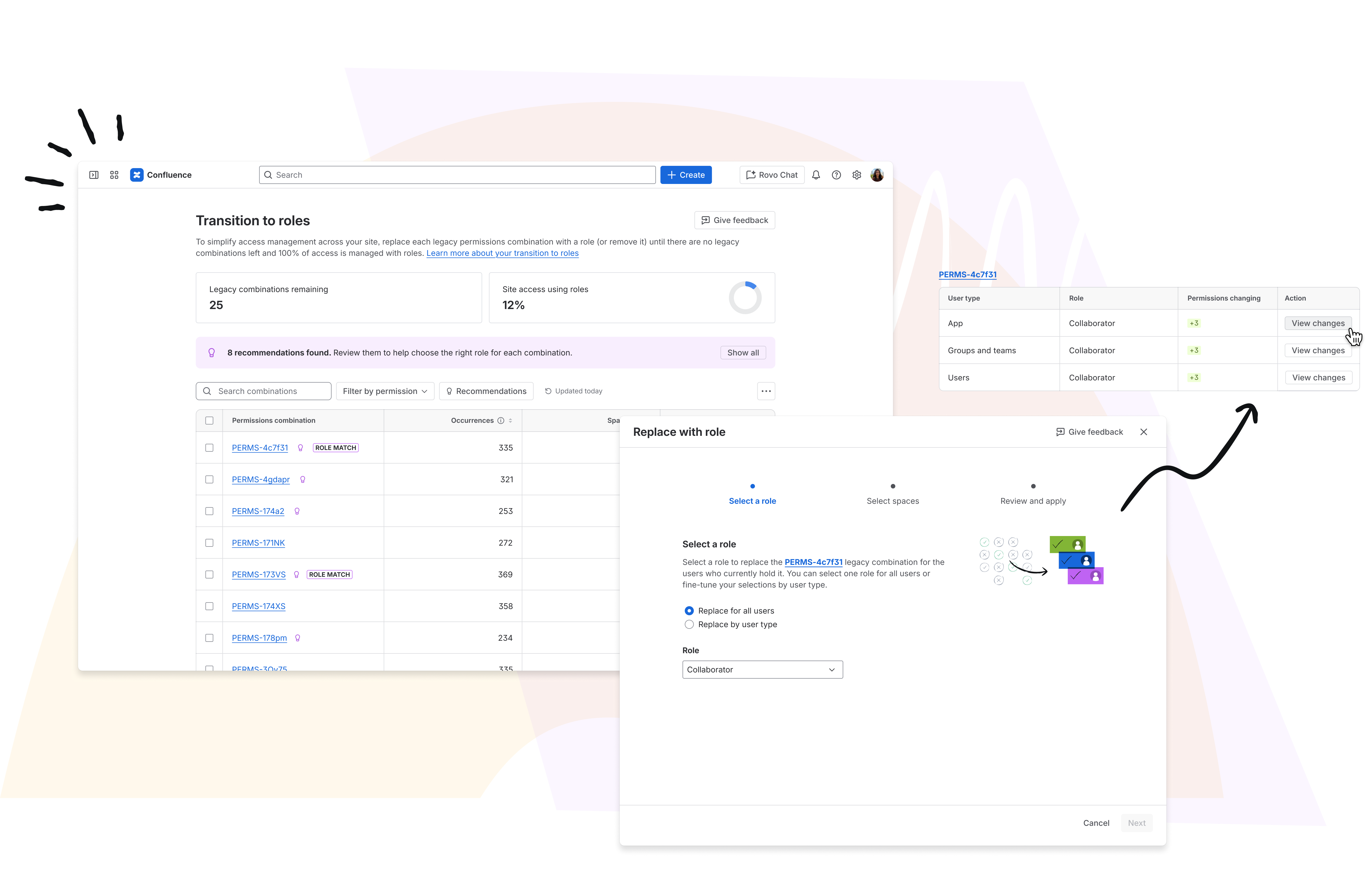
See where you stand
- Track how many custom permission combinations are left across your site
- See what % of access is covered by roles

| Don't forget to use the permissions data export capability to plan what custom roles you might need, and what combinations you want to move to each role. |
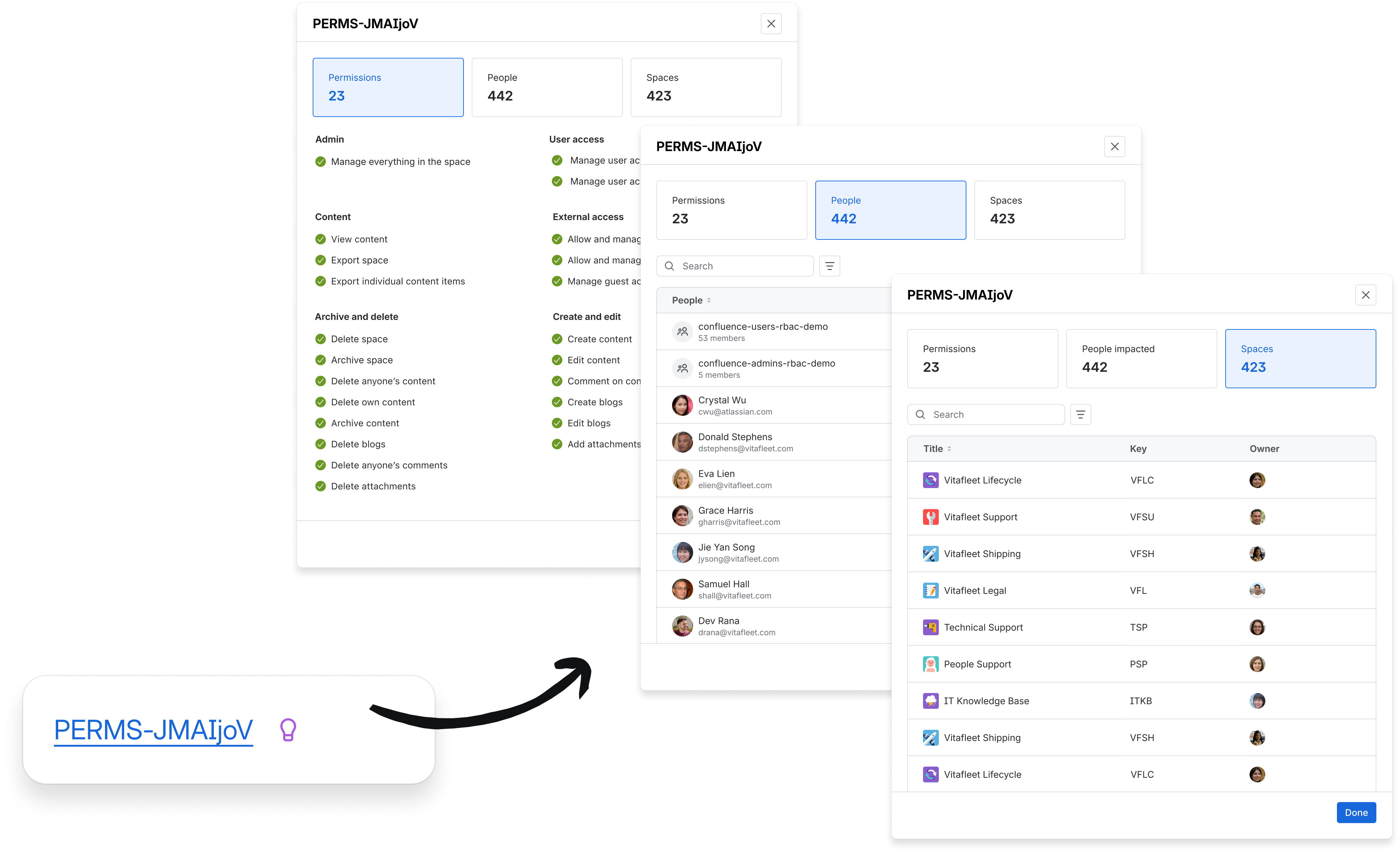
Move to roles in bulk
- Start from a permissions combination (e.g. “view content + add comments”)
- See where it’s used across your site
- Assign a role or remove access in bulk, across all or selected spaces
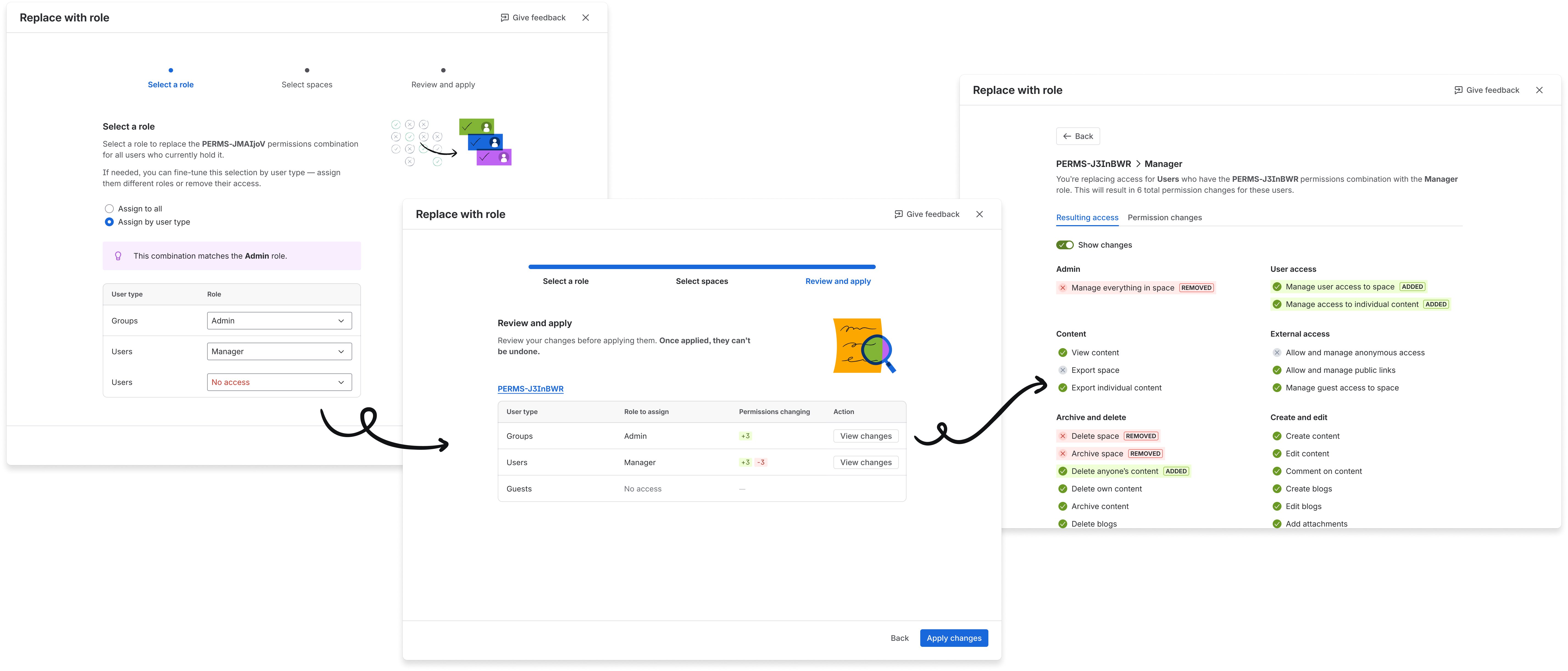
Safely make permissions changes
- Get role suggestions when a combination exactly matches a role or is a near match
- Customize changes by principal type (users, groups, guests, anonymous, user classes)
- Review impact before you run any bulk action (who gains/loses which permissions)
- Every bulk action is logged via audit logs
Looking ahead
We've just rolled out a set of changes that make the roles system significantly more flexible — including loosened permission dependencies, the ability to run spaces without a full Admin, and finer control over custom roles. You can read the full details in Introducing more flexibility to the Confluence roles system.
Next up: more control over default roles and which role (if any) gets auto-assigned by system actions like guest invites or space owner changes.
💙 The Confluence Permissions team


