Hi,
I'm integrating Atlassian Rovo MCP into an internal support agent and I'm able to authenticate successfully, but I cannot get Rovo Search to work.
Environment:
- Site: upwindsecurity.atlassian.net
- Using the Atlassian MCP server programmatically (not through Claude UI)
- OAuth authentication succeeds
- I can successfully call other Atlassian MCP tools
What works:
- Authentication succeeds
- atlassianUserInfo works
- getAccessibleAtlassianResources works
- getConfluencePage works
- searchConfluenceUsingCql works
- getConfluenceSpaces works
- getPagesInConfluenceSpace works
Example:
I can successfully retrieve Confluence page content through MCP, including page:
"AWS - Upwind SOC Environment Installation"
What does not work:
- The generic Rovo Search tool (
<span>search</span>) fails - Natural language search queries fail even though Confluence content is accessible through the other tools
We verified:
- OAuth token is valid
- Cloud ID is correct
- User has access to the relevant Confluence content
- Other MCP tools return data successfully
- The issue appears specific to Rovo Search
Questions:
Does the MCP search tool require additional Rovo licensing, permissions, or product enablement beyond standard Confluence access?
Are there specific user roles or site-level settings required for programmatic Rovo Search access?
Is there any way to verify whether Rovo Search is enabled for a given site through MCP or Atlassian administration settings?
Are there known cases where Confluence MCP APIs work but the Rovo Search MCP tool is unavailable or returns access errors?
Based on the information above, what is the most likely root cause in our environment?
Can you provide the exact steps an Atlassian admin should follow to verify and resolve this issue?
If additional permissions, licenses, scopes, Rovo settings, or product subscriptions are required, could you specify exactly which ones need to be enabled and where they can be configured?
Our main goal is to understand exactly what configuration or entitlement is missing so that we can make the MCP search tool work programmatically in the same environment where the other Confluence MCP tools already work successfully.
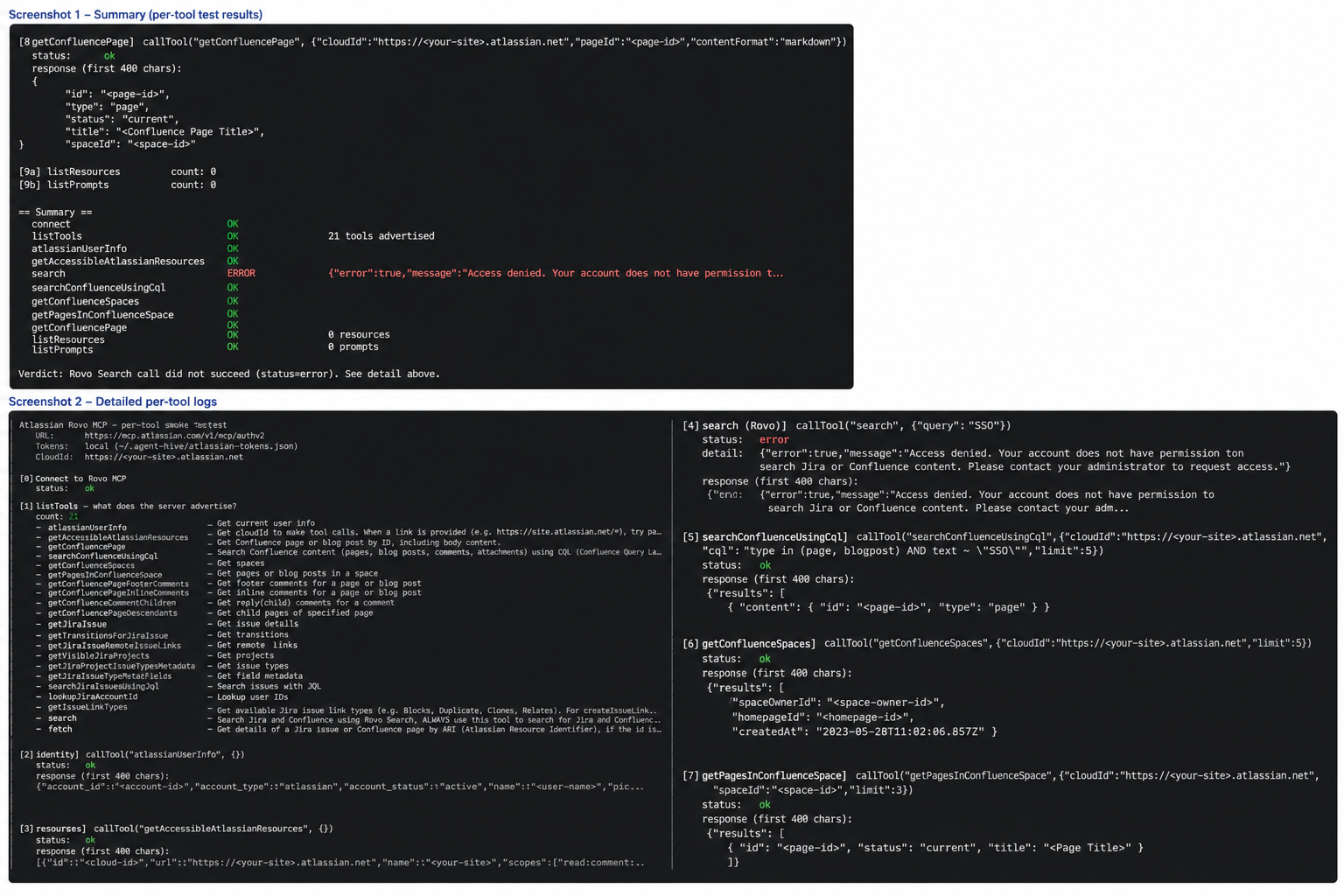
The attached screenshots demonstrate that authentication succeeds and multiple Confluence MCP tools return content successfully, while only the generic Rovo search tool returns an access-denied error.


