Hi everyone! 👋
We know that many of you rely on Jira’s powerful automation engine and Rovo to keep your workflows moving. However, we’ve heard your feedback loud and clear: having to jump through hoops (like opening tickets via filter keys) just to run a manual automation in Jira Product Discovery was... well, not very "discovery" of us. Today, we’re excited to close that gap!
What’s new?
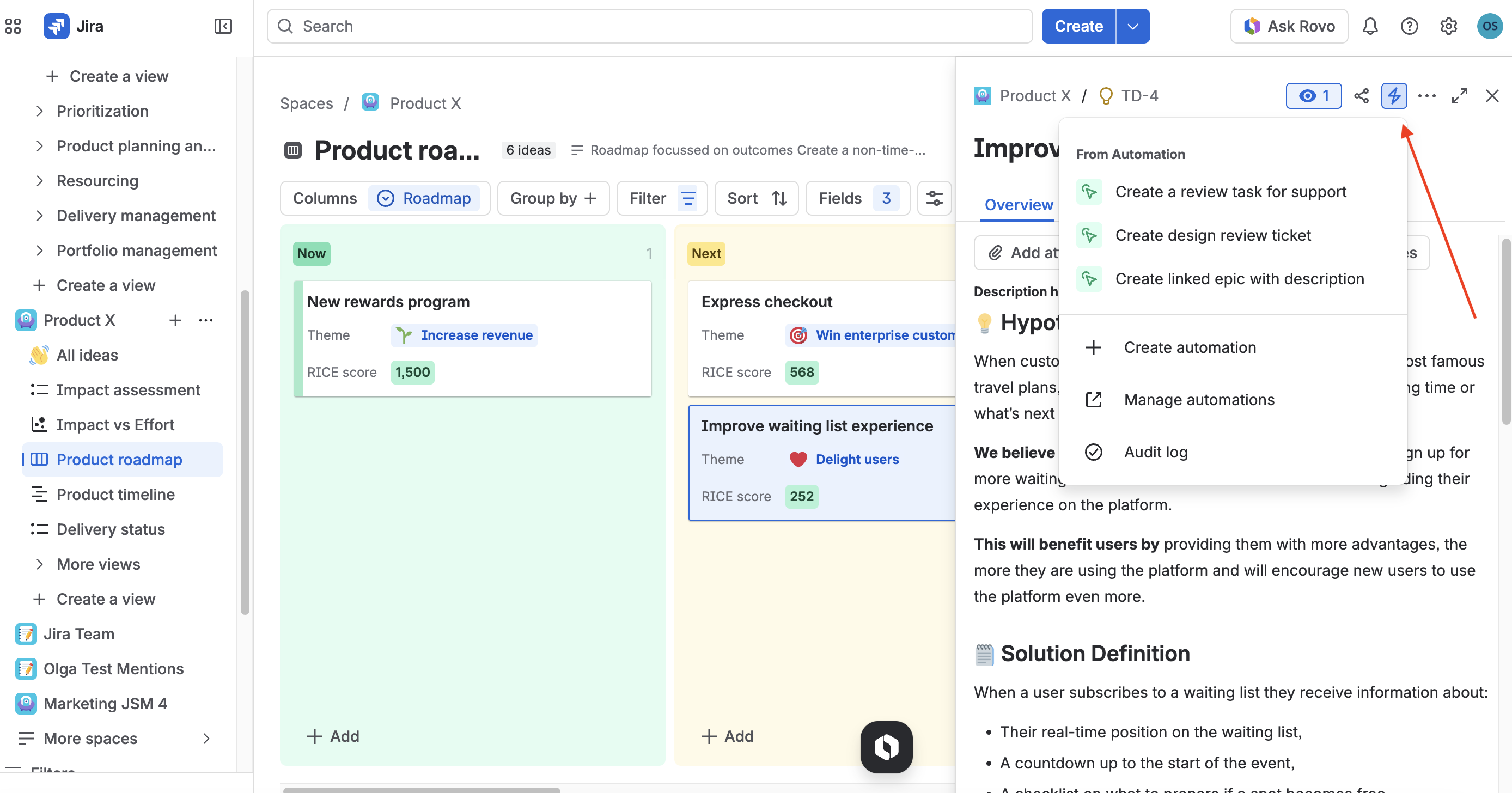
We've added the Automation icon to support running manually triggered automations directly from the idea view – just like in Jira Cloud.
Why this matters
Product management is rarely a linear path. Sometimes, you need a human in the loop to kick off a specific process. Whether you're ready to move an idea to a design review or generate a summary with Rovo to share it with stakeholders, you can now do so with a single click.
How to get started
Look for the Automation icon on any Jira Product Discovery idea view. If you have manual triggers configured in your automation rules, they'll appear there, ready to go!
If your site is on the continuous release track, you can start using the feature straightaway. If it is on the bundled release track, it will be available on:
- Bundled track (production): May 12, 2026
- Preview track (sandboxes) Apr 14, 2026
Learn more about release tracks here.
What can you do with it?
Use cases for manual automation triggers:
- AI-Powered Communication: Use a Rovo agent to draft a Confluence community post based on your idea details, then automatically notify your Content team for approval.
- Streamlined Workflows: Manually trigger the creation of linked "Design Review" issues when an idea reaches the right level of maturity.
- Delivery Readiness: Instantly spin up an epic in Jira Software once an idea is ready to be prioritised.
We’re thrilled to see how this helps you spend less time on manual updates and more time on what matters: building the right things.
Happy discovering!
Olga Springer
Senior Product Manager, Jira Product Discovery


