
Imagine this: you’ve just joined a new team. Everyone has been using Jira for years. They move fast. They seem to “just know” where everything is.
Meanwhile, you’re staring at a long list of tasks, epics, stories - all with different priorities. Will you wonder:
How do I not get lost here?
And here are filters to help.
So, what is a filter in Jira? To say simply, it is a saved search. It allows you to define criteria (status, assignee, priority, due date, etc.) and instantly see the work items that matter to you.
Why Are Filters Important? They can help:
✅ Stay focused on what matters
✅ Avoid missing deadlines
✅ Quickly access relevant work
✅ Build dashboards and boards
✅ Share visibility with your team
Of course, you can use the default filters. It’s pretty easy to find them:
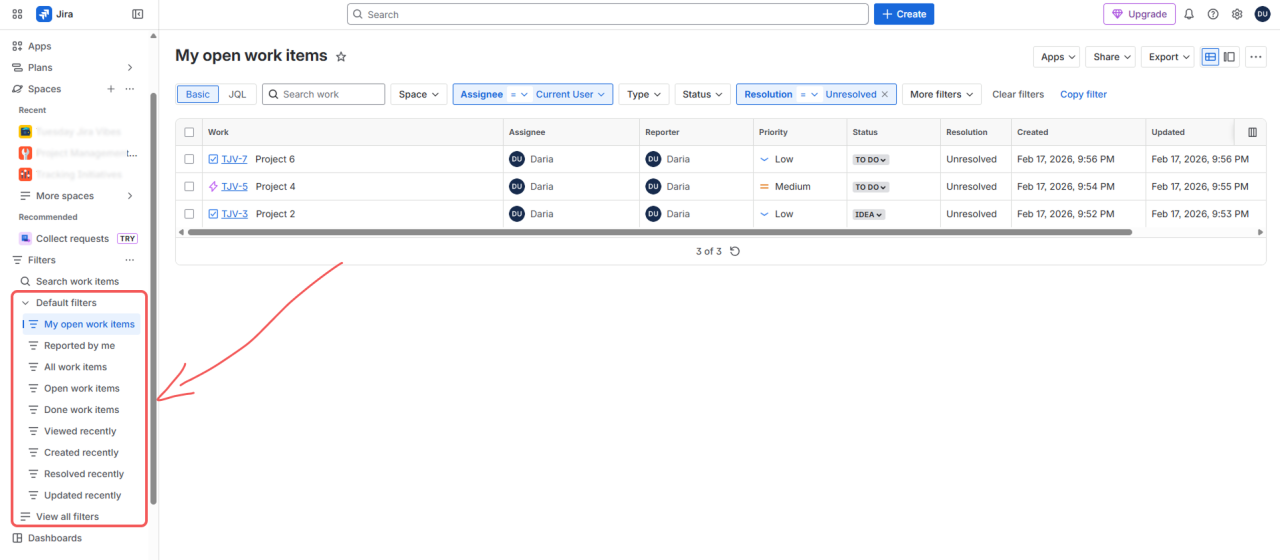
But what if you need a specific filter? For example, to see which work items are assigned to you and should be done this week - it’s usually my must-have  … How to create it?
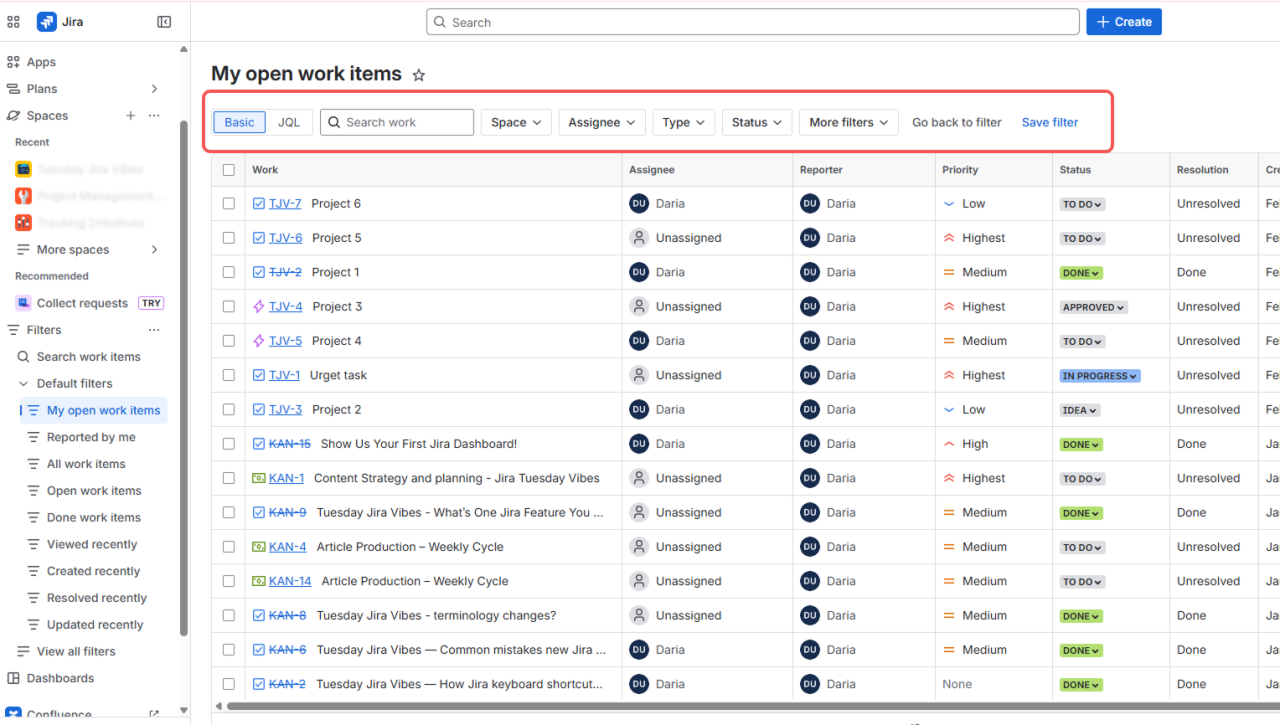
➡️ Go to Filters -> e.g., “My open work items”. And here we are going to play with the filters on the top
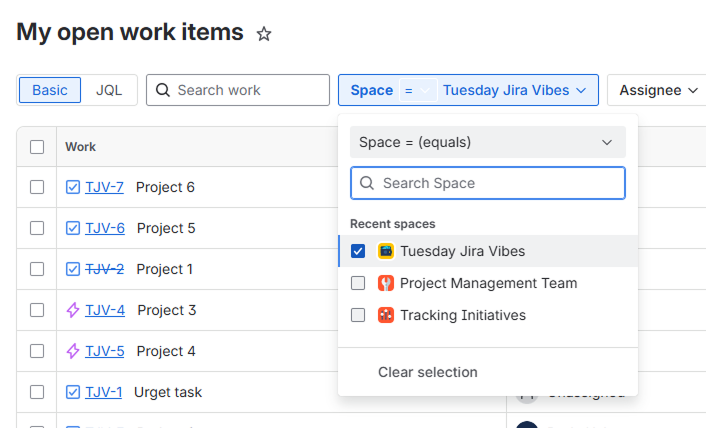
➡️ I’d like to apply this filter only to one space, so I’m simply picking it up:
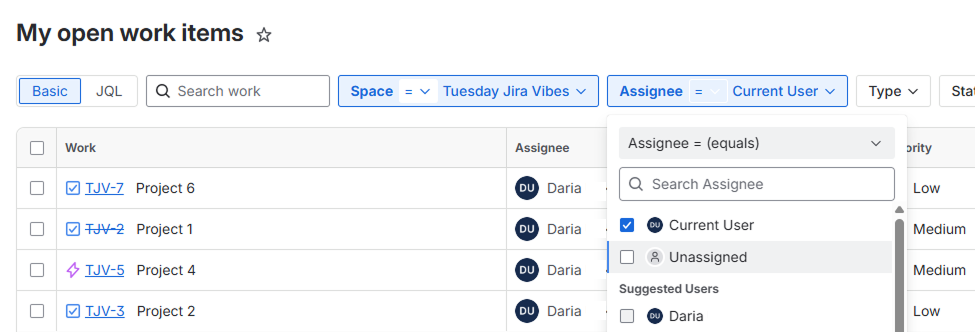
➡️ Also, I’m interested in tasks assigned only to me, so in the “Assignee” I choose myself:
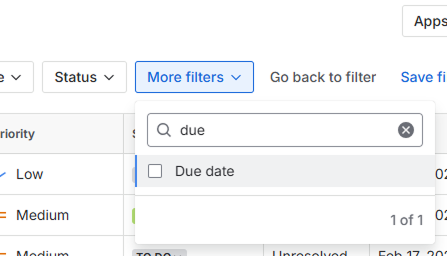
➡️ And finally, I’d like to see all the tasks that should be done during the week, so I go with “More filters” and type “due date” to make my search faster:
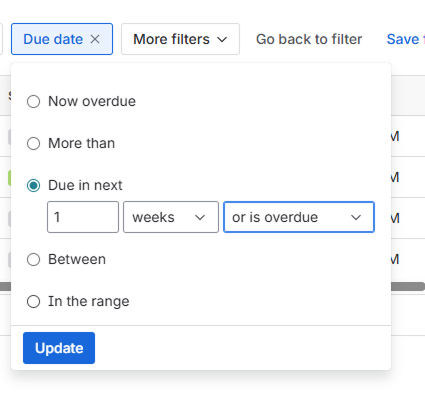
➡️ And set that I want to see the work items that are due in the next 1 week or are not overdue:
➡️ And just save the filter, giving it the name.
➡️Now I have my filter on and can always be up to date with what should be done first:)
💬 Well, my Tuesday Jira Vibes question for you:
Do you actively use filters?
Are default filters enough for you?
Or do you create your own to optimize your workflow?
What’s the one filter you can’t live without?
Let’s help new Jira users feel less overwhelmed and more in control.


![Photo of Thorsten Letschert [Decadis AG]](https://us.v-cdn.net/6038660/uploads/avatars/d9/37/nd937b41897bc7e1dae3229cd2762ac70.png)


